
Ọrọ Iṣaaju
This manual provides essential instructions for the safe and effective use of your Sony PXW-Z200 4K XDCAM Camcorder. The PXW-Z200 is designed for professional video production, offering UHD 4K60 HDR capture, advanced autofocus, and versatile recording and streaming capabilities. Please read this manual thoroughly before operating the camcorder and retain it for future reference.
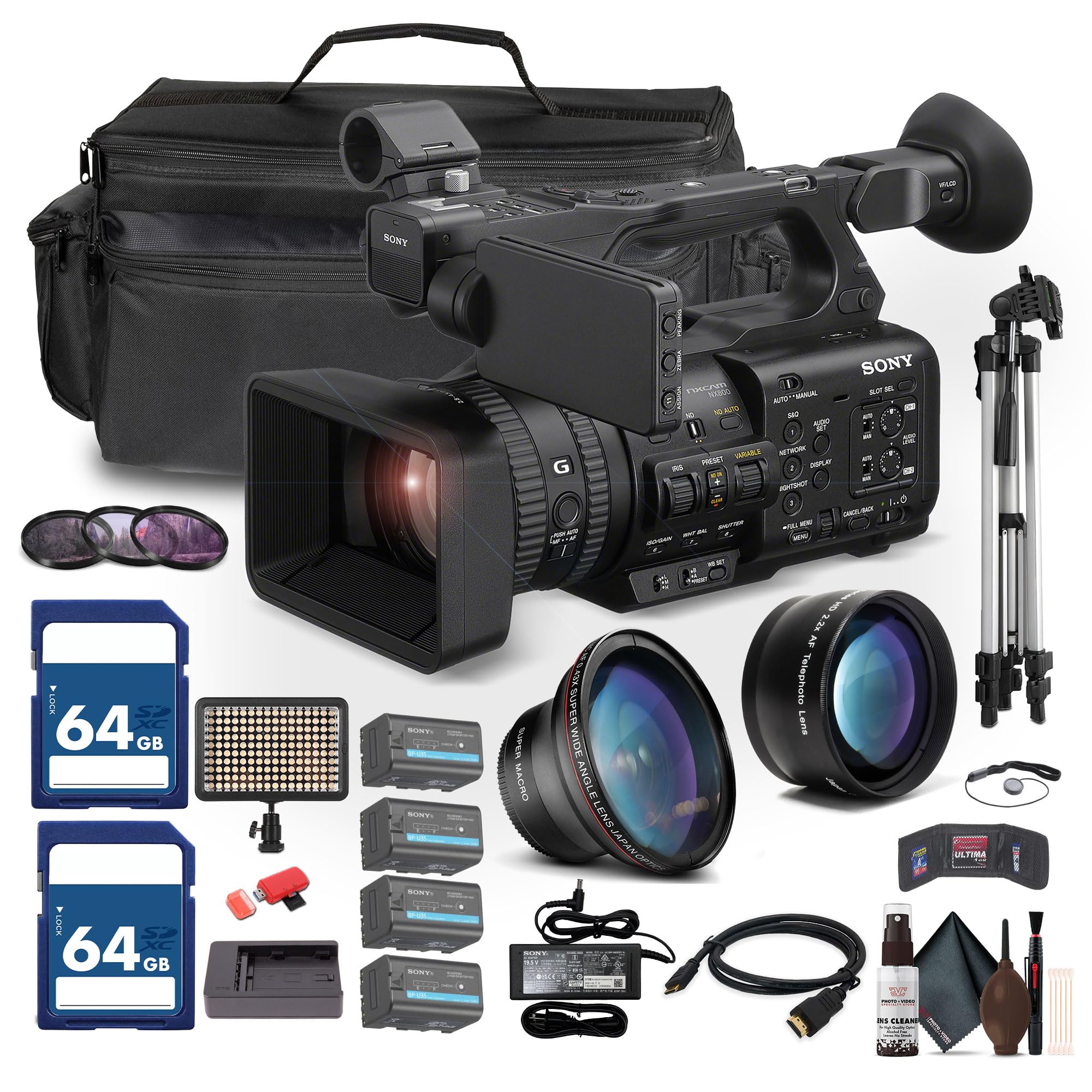
Figure 1: Sony PXW-Z200 4K XDCAM Camcorder, showing the lens, handle, and main body.
Ṣeto
1. Unpacking ati Ṣiṣayẹwo Awọn akoonu
Carefully unpack all items and ensure the following components are present. If any item is missing or damaged, contact your dealer.
- Sony PXW-Z200 4K 1" CMOS Sensor XDCAM Camcorder
- AC Adapter
- Okun agbara
- Ṣaja batiri
- Battery Pack (BP-U35 or similar)
- LCD Hood
- Hood lẹnsi
- Ifoju oju
- Dimu gbohungbohun
- Cold Shoe Kit
2. So awọn lẹnsi Hood
Align the lens hood with the front of the lens and twist gently until it locks into place. The lens hood helps to reduce flare and protect the lens.
3. Fifi Batiri Pack
- Rii daju wipe kamẹra ti wa ni pipa.
- Locate the battery compartment on the rear of the camcorder.
- Slide the battery pack (e.g., BP-U35) into the compartment until it clicks securely into place.
- Lati yọ kuro, tẹ bọtini itusilẹ batiri ki o gbe batiri naa jade.

Nọmba 2: Apa osi view of the camcorder, showing the battery compartment area.
4. Fifi awọn kaadi iranti sii
The PXW-Z200 supports dual CFexpress Type-A/SD card slots.
- Ṣii ideri iho kaadi iranti.
- Insert the CFexpress Type-A or SD card into the appropriate slot with the correct orientation until it clicks.
- Pa ideri iho kaadi iranti pa.
- Format new memory cards in the camcorder before first use to ensure optimal performance. Refer to the "Operating" section for formatting instructions.
5. Connecting the AC Adapter
Connect the supplied AC adapter to the camcorder's DC IN jack and then to a wall outlet to power the camcorder or charge the battery while installed.
Ṣiṣẹ kamẹra kamẹra
1. Agbara lori / Paa
Láti tan kámẹ́rà náà, gbé ẹ̀rọ POWER switch sí ipò ON. Láti pa iná, gbé e sí ipò PA.
2. Ipilẹ Gbigbasilẹ
- Ensure a formatted memory card is inserted.
- Set the desired shooting mode (e.g., Automatic, Manual) using the mode dial or menu settings.
- Fireemu rẹ shot lilo awọn viewfinder or the flip-out LCD monitor.
- Tẹ awọn REC Bẹrẹ/Duro button to begin recording. The recording indicator will illuminate.
- Tẹ awọn REC Bẹrẹ/Duro bọtini lẹẹkansi lati da gbigbasilẹ duro.

Figure 3: The PXW-Z200 camcorder being used to record an event, demonstrating its operational context.
3. Iṣakoso idojukọ
The PXW-Z200 offers both automatic and manual focus options.
- Idojukọ aifọwọyi: The camcorder features AI-powered autofocus. Ensure the AUTO/MANUAL switch for focus is set to AUTO.
- Idojukọ Afowoyi: To manually adjust focus, set the AUTO/MANUAL switch to MANUAL and rotate the focus ring on the lens.

Figure 4: Detail of the camcorder's control panel, showing the AUTO/MANUAL switch for focus and other settings.
4. Isẹ Sun-un
Use the zoom rocker on the handle or the zoom ring on the lens to adjust the focal length. The camcorder features a 20x optical zoom and a 30x Clear Image Zoom in 4K.
5. Awọn ọna kika gbigbasilẹ ati Eto
The PXW-Z200 supports various recording formats including XAVC S-I, HS-L, S-L, and HD/QFHD. Access the menu system to select your desired format, frame rate (up to 4K120 and 1080p240), and color profiles (S-Cinetone, ITU709, 709tone, HLG).
6. Audio Input and Monitoring
The camcorder features 4-channel audio input. Connect external microphones via the XLR inputs. Monitor audio levels on the LCD screen and through headphones connected to the headphone jack.
7. Asopọmọra ati ṣiṣanwọle
The PXW-Z200 offers multiple connectivity options:
- Ìjáde 12G-SDI: For high-quality video output to professional monitors or switchers.
- Ijade HDMI: For connecting to consumer displays or recorders.
- Wi-Fi/Ethernet: Utilize the integrated 2.4/5 GHz Wi-Fi or Ethernet port for live streaming via RTMP/RTMPS, SRT, and FTP.
- Sony Monitor & Control App: Use the dedicated app for remote monitoring and control of the camcorder via a compatible smartphone or tablet.
Itoju
Itọju to peye ṣe idaniloju igbesi aye gigun ati iṣẹ to dara julọ ti kamera kamẹra rẹ.
- Fifọ lẹnsi: Use a soft, lint-free cloth and a specialized lens cleaning solution to gently clean the lens surface. Avoid touching the lens with bare fingers.
- Ninu ara: Mu ara kamẹra nu pẹlu gbẹ, asọ asọ. Fun idoti alagidi, die-die dampen the cloth with water. Do not use strong detergents or solvents.
- Sensọ Cleaning: Sensor cleaning should ideally be performed by authorized service personnel. Avoid attempting to clean the sensor yourself unless you are experienced.
- Itọju Batiri: Tọ́jú àwọn bátìrì sí ibi tí ó tutù tí ó sì gbẹ. Má ṣe jẹ́ kí bátìrì máa tú jáde tàbí kí ó máa gba agbára jù nígbà gbogbo láti mú kí ó pẹ́ sí i.
- Ibi ipamọ: When not in use, store the camcorder in a dry, dust-free environment, preferably in a padded case to protect it from impacts.
Laasigbotitusita
If you encounter issues with your PXW-Z200, refer to the following common troubleshooting steps:
| Isoro | Owun to le Fa / Solusan |
|---|---|
| Kamẹra ko ṣiṣẹ. |
|
| Ko le ṣe igbasilẹ fidio. |
|
| Image is out of focus. |
|
| No audio recording. |
|
Fun alaye diẹ sii laasigbotitusita tabi awọn ọran itẹramọṣẹ, jọwọ tọka si atilẹyin osise Sony webojula tabi kan si Sony onibara iṣẹ.
Awọn pato
Key technical specifications for the Sony PXW-Z200 Camcorder:
| Ẹya ara ẹrọ | Ẹ̀kúnrẹ́rẹ́ |
|---|---|
| Brand | Sony |
| Orukọ awoṣe | PXW-Z200 |
| Fọto sensọ Technology | CMOS |
| Ipinnu Yaworan fidio | 4K, 720p, 480p |
| Ipari Ifojusi ti o pọju | 154.21 millimeters |
| O pọju Iho | 1.8 f |
| Fidio Yaworan kika | XAVC S-I |
| Atilẹyin Audio kika | Dolby Digital/AC-3 |
| Asopọmọra Technology | HDMI |
| Sun-un Optical | 20 x |
| Sensọ Iru | CMOS |
| Omi Resistance Ipele | Ko Omi Resistant |
| Iduroṣinṣin Aworan | Rara |
| Iwọn Nkan | 4.32 iwon |
| Lẹnsi Iru | Wide Angle, Zoom |
| Idojukọ Iru | Idojukọ aifọwọyi |
| Awọn ipo iyaworan | Automatic, Landscape, Low Light, Manual, Night, Portrait, Slow Motion, Sports |
| Pipin Ipin Aworan | 16:9 |
| File Ọna kika | XAVC S-I, HS-L, S-L, HD/QFHD |
| Ipinnu fidio ti o munadoko | 3840 awọn piksẹli |
| Awọn ẹrọ ibaramu | Smartphone, Laptop, Personal Computer, Tablet, Devices with SDI input, Devices with HDMI input |
| Kamẹra Iru | Kamẹra fidio |
| Ipinnu Ifihan ti o pọju | 4K UHD |
| Sun-un | Opitika, Digital |
Atilẹyin ọja ati Support
The Sony PXW-Z200 Camcorder is manufactured by Sony. For detailed warranty information, product registration, software updates, and technical support, please visit the official Sony support webojula. Tọju iwe-ẹri rira rẹ bi ẹri rira fun awọn iṣeduro atilẹyin ọja.
Osise Sony Support Webojula: https://www.sony.com/electronics/support
For video tutorials and additional resources, please check the official Sony Professional YouTube channel or their product pages.