
SUAAT S6
SUAAT S6 11-inch Android Tablet User Manual
Model: S6 | Brand: SUAAT
1. Ifihan
Welcome to the user manual for your new SUAAT S6 11-inch Android Tablet. This tablet is designed to provide a versatile and powerful computing experience, whether for work, study, or entertainment. Featuring the latest Android 14 system, an octa-core processor, ample memory, and a vibrant HD touchscreen, it is built for efficiency and enjoyment.

Image: The SUAAT S6 11-inch Android Tablet, showcasing its sleek design and key features like 8000mAh battery, Android 14, 24GB RAM, 256GB storage, 5G Wi-Fi, and Widevine L1 support.
2. Ohun ti o wa ninu Apoti
Nigbati o ba ṣii package rẹ, jọwọ rii daju pe gbogbo awọn nkan wọnyi wa:
- SUAAT S6 11-inch Android Tablet
- Ọran Idaabobo
- Screen Protector (pre-applied or included separately)
- Ṣaja
- Ngba agbara USB
3. Ni ibẹrẹ Oṣo
3.1 Gbigba agbara si tabulẹti
Before first use, it is recommended to fully charge your tablet. Connect the provided charging cable to the tablet's Type-C port and the charger to a power outlet. The battery indicator on the screen will show charging progress.
3.2 Agbara Tan / Pa
- Lati Fi agbara: Press and hold the Power button located on the side of the tablet until the SUAAT logo appears.
- Lati Paarẹ: Tẹ mọlẹ bọtini agbara titi ti akojọ aṣayan agbara yoo han. Yan "Agbara kuro" ki o jẹrisi.
- Lati Tun bẹrẹ: Lati akojọ aṣayan agbara, yan "Tun bẹrẹ" ki o jẹrisi.
3.3 Iṣeto ni ibẹrẹ
Upon first power-on, the tablet will guide you through the initial setup process. Follow the on-screen prompts to:
- Yan ede rẹ.
- Sopọ si nẹtiwọki Wi-Fi kan.
- Wọle pẹlu akọọlẹ Google rẹ tabi ṣẹda tuntun kan.
- Ṣètò titiipa iboju (PIN, ilana, ọrọ igbaniwọle, tabi ṣiṣi oju).
- Review ati ki o gba ofin ati ipo.
4. Ṣiṣẹ rẹ tabulẹti
4.1 Android 14 System and Performance
Your SUAAT S6 tablet runs on the latest Android 14 operating system, offering enhanced privacy features, improved performance, and a user-friendly interface. The high-quality T606 octa-core processor ensures smooth multitasking and efficient operation for all your applications.

Image: Visual representation of the Android 14 system, highlighting features like convenient multitasking with Taskbar, enhanced Privacy & Security for managing permissions, and Parental Control options.
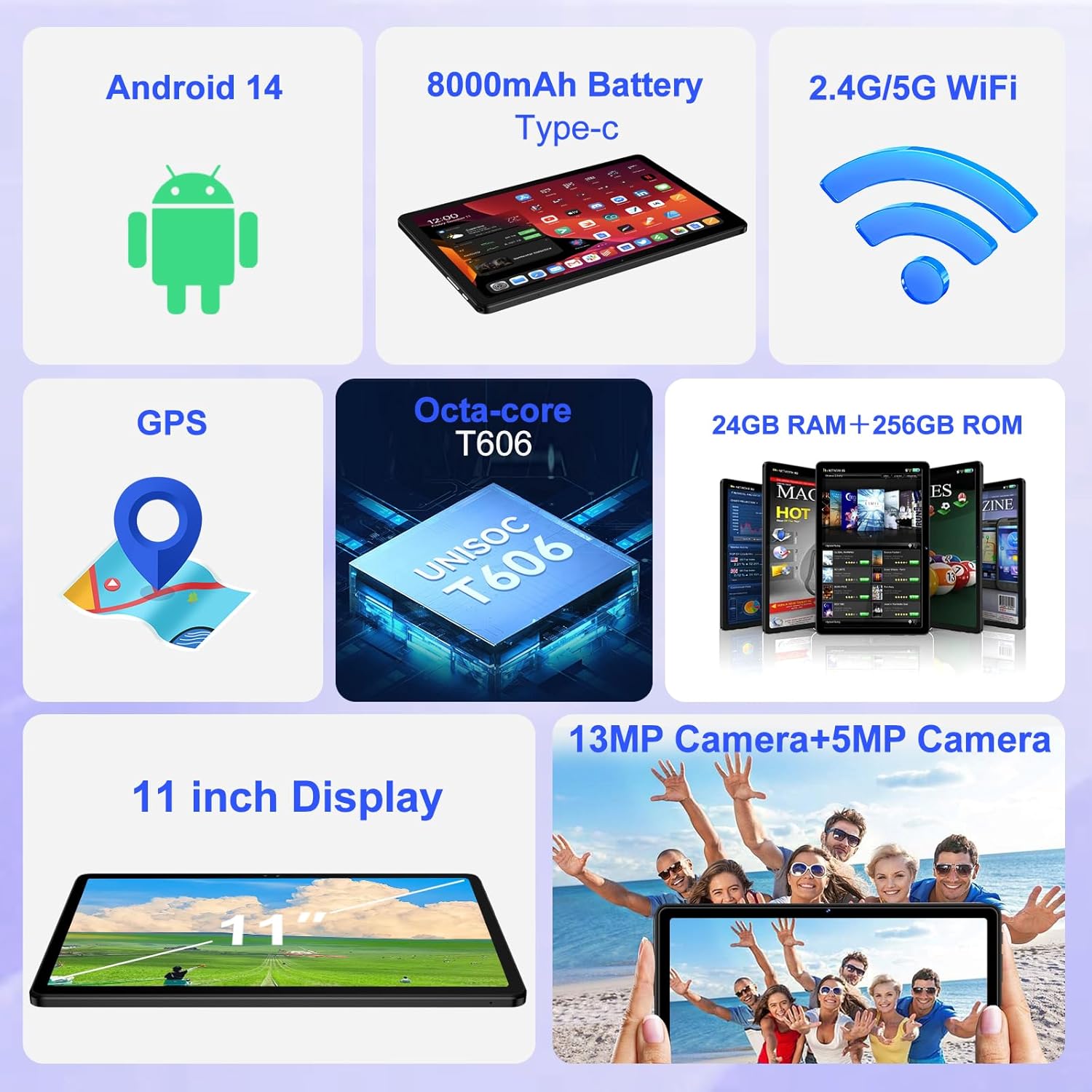
Aworan: An loriview of the tablet's core features, including Android 14, 8000mAh battery, 2.4G/5G WiFi, GPS, Octa-core T606 processor, 24GB RAM + 256GB ROM, 13MP + 5MP cameras, and an 11-inch display.
4.2 Ifihan
The tablet features a large 11-inch IPS HD touchscreen with a resolution of 1280x800 pixels, providing clear and vibrant visuals. The screen is made with tempered glass for increased durability. It also supports Widevine L1, allowing you to stream high-definition content from popular services.

Image: The 11-inch HD display, illustrating its 1280x800 FHD resolution, 16:10 aspect ratio, and In-cell multi-touch technology.

Image: Comparison showing the difference between Widevine L1 (1080P) and L3, demonstrating the superior high-definition streaming quality supported by SUAAT tablets.
4.3 Iranti ati Ibi ipamọ
The tablet comes with 24GB of RAM (8GB physical + 16GB virtual) and 256GB of internal storage. Storage can be expanded up to 1TB using a Micro SD card (not included), providing ample space for apps, photos, videos, and documents.
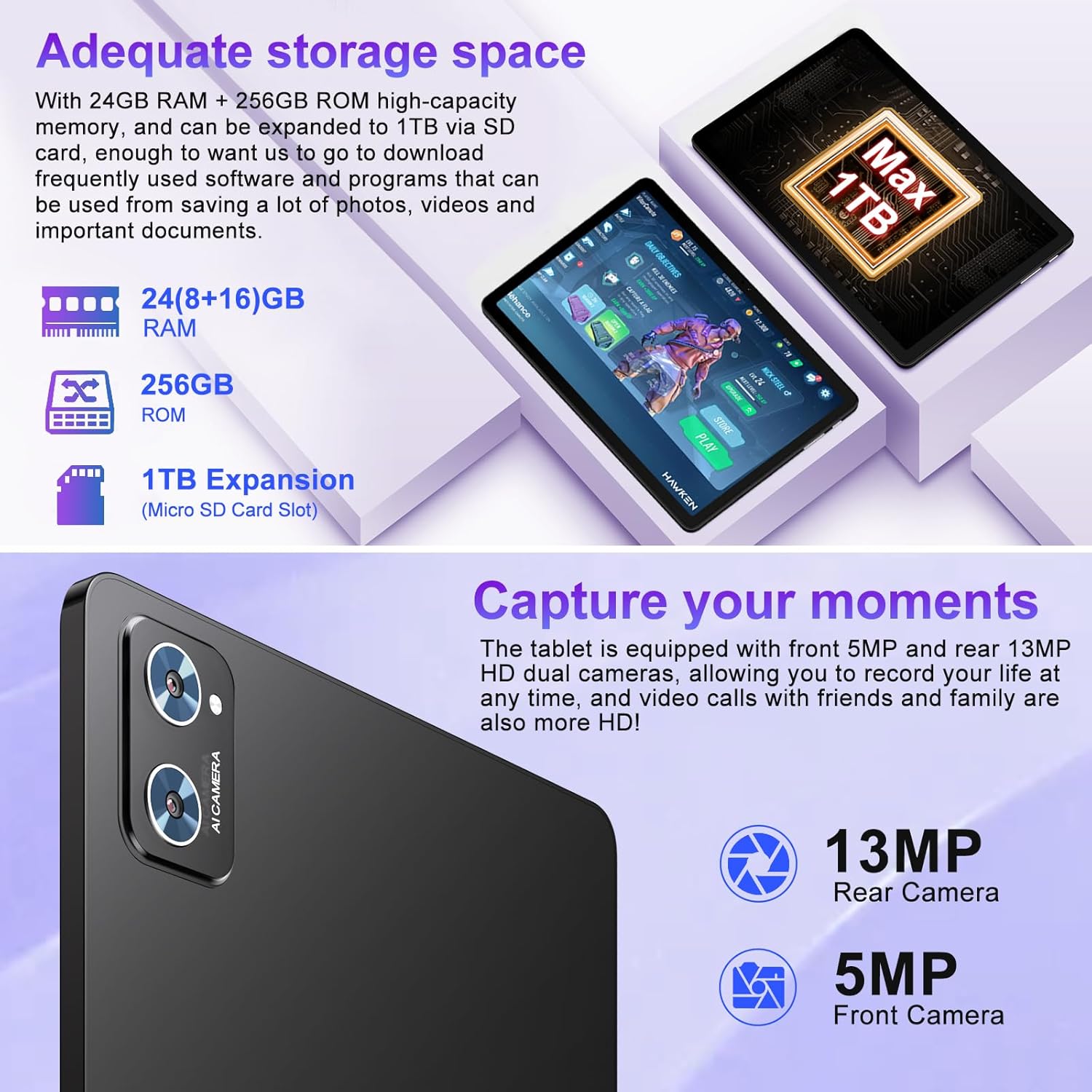
Image: Illustration of the tablet's storage capabilities, showing 24GB RAM, 256GB ROM, and 1TB Micro SD card expansion.
4.4 Awọn kamẹra
Capture your moments with the tablet's dual cameras: a 5MP front camera for clear video calls and selfies, and a 13MP rear camera for high-resolution photos and videos.
Aworan: Isunmọ view of the tablet's rear camera module, indicating the 13MP rear camera and 5MP front camera capabilities for capturing moments and high-definition video calls.
4.5 Battery Life and Connectivity
Equipped with an 8000mAh battery, the tablet offers extended usage times, with an average of 8 hours of battery life. It supports both 5G and 2.4G Wi-Fi for fast and stable internet connections, and Bluetooth 5.0 for seamless pairing with accessories and easy file transfers. GPS functionality is also integrated for navigation.

Image: Visual representation of the tablet's 8000mAh high-capacity battery, indicating approximate usage times: 8 hours for music, 6 hours for web browsing, and 5 hours for gaming.
5. Itọju ati Itọju
- Ninu: Lo asọ ti ko ni lint lati nu iboju ati ara. Yago fun abrasive ose tabi epo.
- Ibi ipamọ: Tọju tabulẹti ni itura, aye gbigbẹ kuro lati orun taara ati awọn iwọn otutu to gaju.
- Itọju Batiri: To prolong battery life, avoid fully discharging the tablet frequently. Charge it regularly, but do not leave it plugged in for extended periods after it's fully charged.
- Awọn imudojuiwọn sọfitiwia: Ṣayẹwo nigbagbogbo fun ati fi awọn imudojuiwọn eto sori ẹrọ lati rii daju iṣẹ ṣiṣe ati aabo to dara julọ.
- Idaabobo: Always use the provided protective case and screen protector to guard against drops and scratches.
6. Laasigbotitusita
| Isoro | Owun to le Fa | Ojutu |
|---|---|---|
| Tabulẹti ko ni tan-an. | Batiri kekere; jamba eto. | Gba agbara tabulẹti naa fun o kere ju iṣẹju 30. Tẹ bọtini agbara ki o si di mu fun awọn aaya 10-15 lati fi agbara mu lati tun bẹrẹ. |
| Awọn oran asopọ Wi-Fi. | Ọrọigbaniwọle ti ko tọ; oran olulana; Wi-Fi tabulẹti alaabo. | Ensure correct password. Restart your Wi-Fi router. Toggle Wi-Fi off/on in tablet settings. |
| O lọra išẹ. | Ọ̀pọ̀lọpọ̀ àwọn àpù ló ń ṣiṣẹ́; ibi ìpamọ́ díẹ̀; sọ́fítíwè àtijọ́. | Close unused apps. Clear cache. Free up storage. Check for system updates. |
| Batiri n ṣan ni kiakia. | High screen brightness; background apps; poor signal. | Reduce screen brightness. Close background apps. Disable unused features like GPS/Bluetooth. |
7. Imọ ni pato
| Ẹya ara ẹrọ | Ẹ̀kúnrẹ́rẹ́ |
|---|---|
| Brand | SUAAT |
| Orukọ awoṣe | S6 |
| Eto isesise | Android 14 |
| isise | Octa-core T606 (2 GHz) |
| Àgbo | 24GB (ti ara 8GB + foju foju 16GB) |
| Ibi ipamọ inu | 256GB |
| Expandable Ibi ipamọ | Títí dé 1TB nípasẹ̀ káàdì Micro SD |
| Iwon iboju | 11 inches |
| Ipinnu iboju | 1280 x 800 pixels (IPS HD) |
| Kamẹra iwaju | 5MP |
| Kamẹra ẹhin | 13MP |
| Agbara Batiri | 8000mAh |
| Apapọ batiri Life | Awọn wakati 8 |
| Alailowaya Asopọmọra | 802.11ac (5G/2.4G WiFi), Bluetooth 5.0 |
| Lilọ kiri | GPS |
| Iwọn Nkan | 1.15 iwon |
| Ọja Mefa | 10.16 x 6.61 x 0.32 inches |
| Àwọ̀ | Dudu |
8. Atilẹyin ọja ati Support
Your SUAAT S6 tablet comes with a 2-odun atilẹyin ọja, as mentioned by customer reviews. For any technical assistance, troubleshooting beyond this manual, or warranty claims, please contact SUAAT customer support. Refer to the contact information provided with your product packaging or visit the official SUAAT webojula fun support awọn alaye.
SUAAT is committed to providing professional technical support and 24-hour after-sales service to ensure customer satisfaction.
Ask a question about this manual
Ask about setup, troubleshooting, compatibility, parts, safety, or missing instructions. Manuals+ will review the question and use this page’s manual context to help answer it.