
1. Ọja Ipariview
The SUAAT S6 Tablet is an advanced 11-inch device running on the Android 14 operating system. It features an Octa-core T606 processor, 24GB RAM, 256GB internal storage (expandable up to 1TB), and an 8000mAh battery. Designed for versatile use, it supports 5G/2.4G WiFi, Bluetooth 5.0, GPS, and includes dual cameras (5MP front, 13MP rear) for capturing moments and video calls. The tablet also boasts Widevine L1 support for high-definition streaming.

Aworan 1.1: Pariview of the SUAAT S6 Tablet, showcasing its 8000mAh battery, Android 14, 24GB RAM, 256GB storage, 5G WiFi, and Widevine L1 capabilities.
2. Ohun ti o wa ninu Apoti
Upon unboxing your SUAAT S6 Tablet, please ensure all the following items are present:
- SUAAT S6 tabulẹti
- Ọran Idaabobo
- Olugbeja iboju
- Ṣaja & Cable
3. Ni ibẹrẹ Oṣo
3.1. Ngba agbara si tabulẹti
Before first use, fully charge your tablet. Connect the provided charger cable to the tablet's charging port and plug the adapter into a power outlet. The battery indicator on the screen will show charging progress.
3.2. Agbara lori / Paa
- Lati Fi agbara: Press and hold the Power button located on the side of the tablet until the SUAAT logo appears.
- Lati Paarẹ: Tẹ mọlẹ bọtini agbara titi ti akojọ aṣayan agbara yoo han. Yan 'Agbara kuro' ki o jẹrisi.
- Lati Tun bẹrẹ: From the power options menu, select 'Restart'.
3.3. Iṣeto ni ibẹrẹ
Lori agbara akọkọ, tẹle awọn itọnisọna loju iboju lati ṣeto tabulẹti rẹ:
- Yan ede ti o fẹ.
- Connect to a Wi-Fi network. This is essential for downloading updates and accessing online services.
- Sign in with your Google account or create a new one. This allows access to the Google Play Store and other Google services.
- Ṣètò titiipa iboju (PIN, ilana, ọrọ igbaniwọle, tabi ṣiṣi oju).
- Review ati ki o gba ofin ati ipo.
4. Ṣiṣẹ rẹ tabulẹti
4.1. Àwọn Ẹ̀yà Ètò Android 14
Your tablet runs on the latest Android 14 system, offering enhanced performance, privacy, and user experience.
- Ṣii silẹ oju: Utilize the front camera for quick and secure unlocking of your device.
- Pẹpẹ iṣẹ-ṣiṣe: The convenient taskbar allows for efficient multitasking and quick app switching.
- Ìpamọ́ àti Ààbò: Android 14 provides robust controls for managing app permissions and protecting your personal data.
- Iṣakoso obi: Manage and control screen time and content access for younger users.
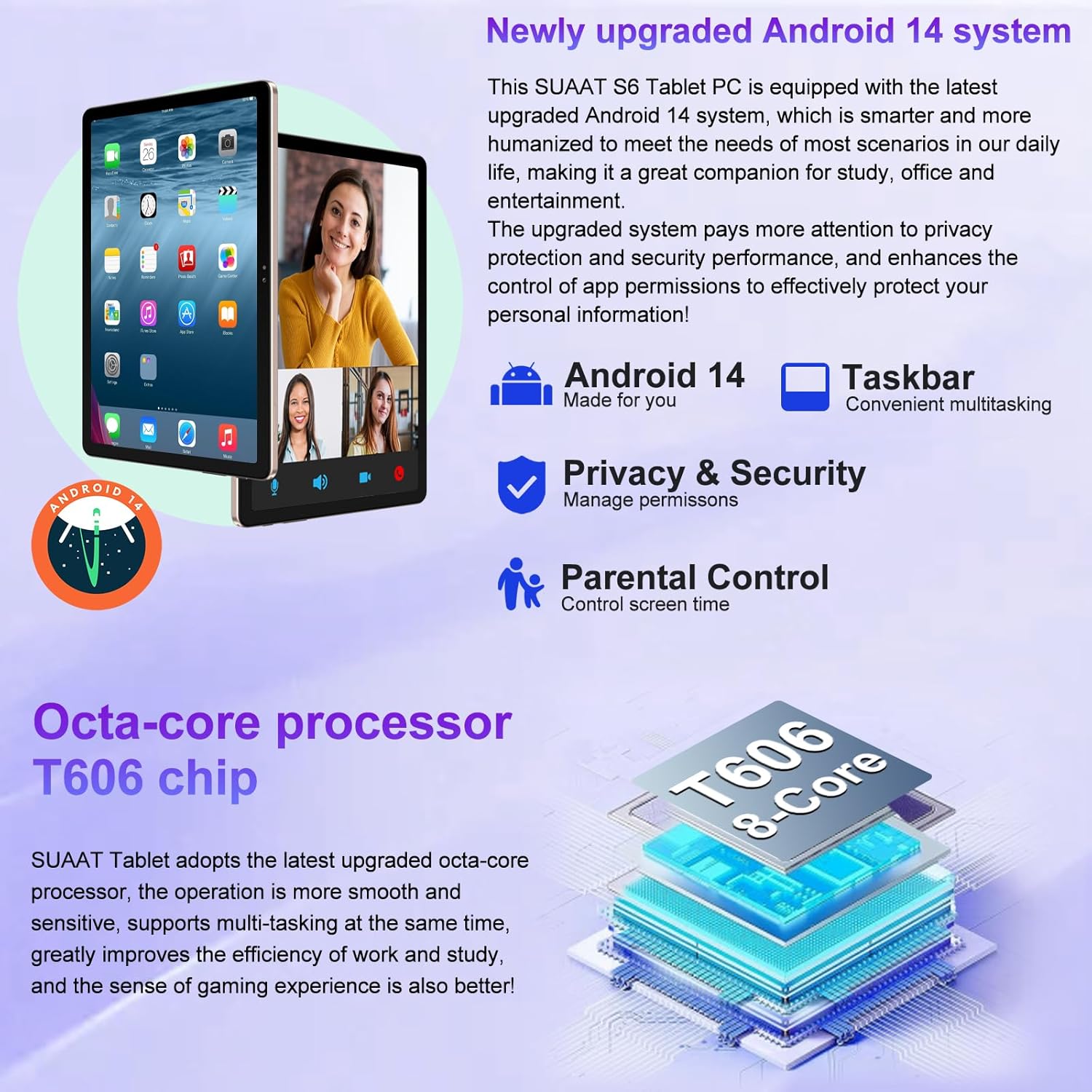
Image 4.1: Visual representation of the Android 14 system's key features, including the taskbar for multitasking, enhanced privacy and security controls, and parental control options.
4.2. Ifihan ati Visuals
The 11-inch HD display offers a resolution of 1280x800 pixels, providing a clear and vibrant visual experience. The screen is made with tempered glass for increased durability.

Image 4.2: The large 11-inch HD display, highlighting its 2000x1200 FHD resolution, 16:10 aspect ratio, and In-cell multi-touch technology for a premium visual experience.
4.3. Ibi ipamọ ati Performance
The tablet is equipped with an Octa-core T606 processor, ensuring smooth operation and efficient multitasking. It comes with 256GB of internal storage and supports expansion up to 1TB via a Micro SD card slot, providing ampaaye fun awọn ohun elo, media, ati awọn iwe aṣẹ.

Image 4.3: Details on the tablet's storage capacity (24GB RAM, 256GB ROM, 1TB expansion via Micro SD) and its dual camera setup (13MP rear, 5MP front).
4.4. Iṣẹ-ṣiṣe kamẹra
Capture high-quality photos and videos with the tablet's dual cameras: a 13MP rear camera and a 5MP front camera. These are ideal for video calls and documenting your experiences.
4.5. Asopọmọra
- Wi-Fi: Supports both 5G and 2.4G Wi-Fi connections for fast and stable internet access.
- Bluetooth 5.0: Easily connect wireless accessories such as headphones, keyboards, and mice for enhanced productivity and entertainment.
- GPS: Integrated GPS allows for navigation and location-based services.
4.6. Aye batiri
The 8000mAh high-capacity battery provides extended usage times, allowing for up to 8 hours of music playback, 6 hours of web browsing, or 5 hours of gaming on a single charge.
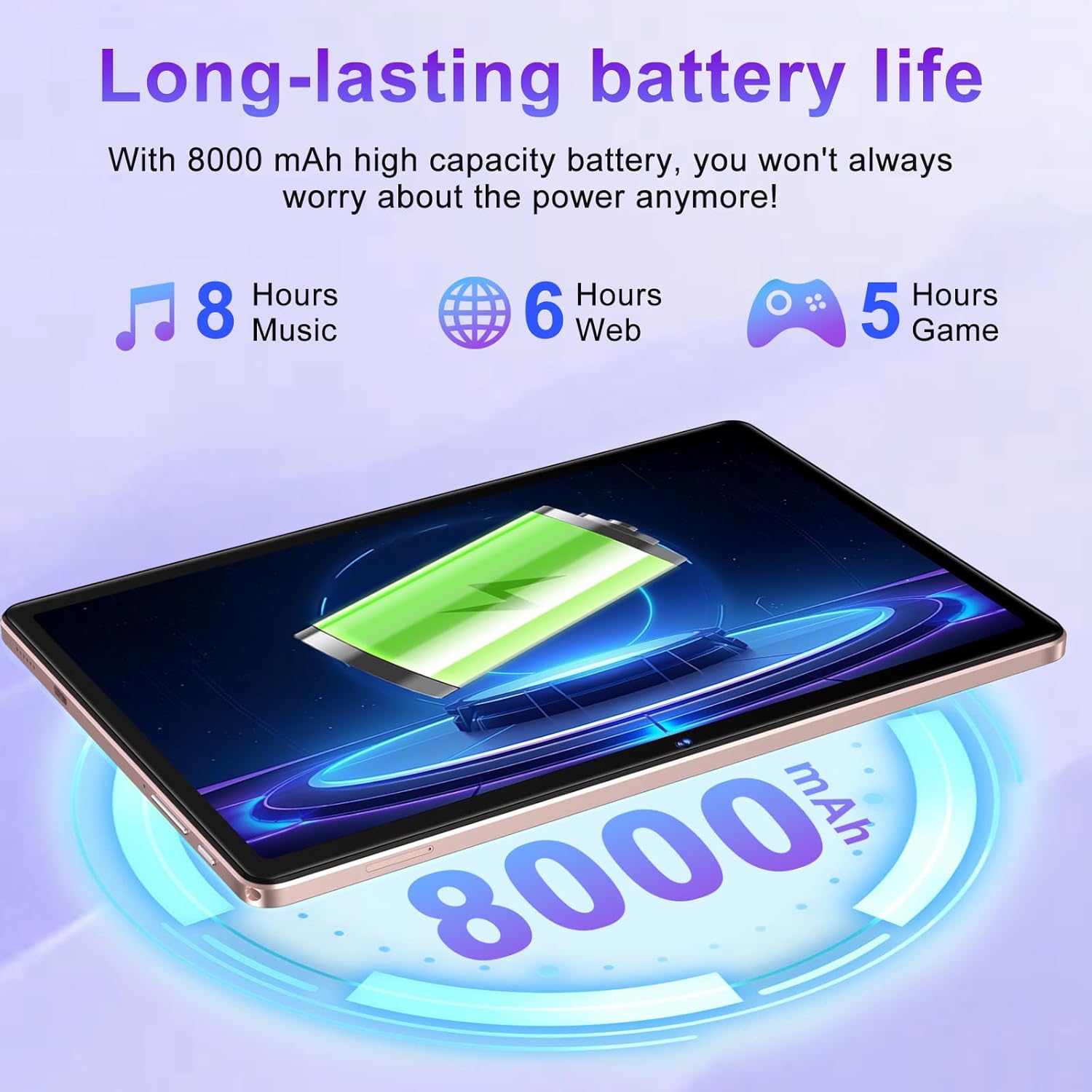
Image 4.4: Illustration of the tablet's 8000mAh battery capacity and its estimated usage times for music, web browsing, and gaming.
4.7. Widevine L1 Support
The SUAAT S6 tablet supports Widevine L1, enabling high-definition video streaming from popular platforms like YouTube, Prime Video, Hulu, and HBO Max, ensuring a premium viewiriri iriri.

Image 4.5: Comparison showing the difference between Widevine L1 (1080P) and L3, indicating the tablet's capability for high-definition streaming from various platforms.
5. Itọju
5.1. Nu Táblẹ́ẹ̀tì Rẹ
Lati nu tabulẹti rẹ, lo asọ ti ko ni lint. Fun agidi smudges, die-die dampen the cloth with water or a screen-safe cleaner. Avoid using harsh chemicals, abrasive materials, or excessive moisture.
5.2. Software imudojuiwọn
Periodically check for system updates to ensure your tablet has the latest features, security patches, and performance improvements. Navigate to Eto> Eto> Imudojuiwọn eto lati ṣayẹwo ati fi awọn imudojuiwọn to wa sori ẹrọ.
5.3. Itọju batiri
To prolong battery life, avoid exposing the tablet to extreme temperatures. It is recommended to keep the battery charge between 20% and 80% for optimal longevity. Avoid leaving the tablet fully charged or fully discharged for extended periods.
6. Laasigbotitusita
This section addresses common issues you might encounter with your SUAAT S6 Tablet.
6.1. Tabulẹti Ko Titan-an
- Ensure the tablet is sufficiently charged. Connect the charger and wait a few minutes before attempting to power on again.
- Tẹ mọlẹ bọtini Agbara fun o kere ju iṣẹju 10-15 lati tun fi agbara mu bẹrẹ.
6.2. Awọn ọrọ Asopọmọra Wi-Fi
- Ṣayẹwo boya Wi-Fi ti ṣiṣẹ ni Eto> Nẹtiwọọki & intanẹẹti> Intanẹẹti.
- Tun olulana Wi-Fi rẹ bẹrẹ.
- Gbagbe nẹtiwọọki naa ki o tun sopo mọ nipa titẹ ọrọ igbaniwọle sii.
- Rii daju pe o wa laarin ifihan Wi-Fi.
6.3. Awọn ohun elo jija tabi Didi
- Ti ohun elo iṣoro naa pa ki o tun ṣii rẹ.
- Ko kaṣe app ati data sinu Eto> Awọn ohun elo> [Orukọ Ohun elo]> Ibi ipamọ & kaṣe.
- Ensure the app is updated to its latest version via the Google Play Store.
- Tun tabulẹti bẹrẹ.
6.4. O lọra Performance
- Ti awọn ohun elo abẹlẹ ti a ko lo pa.
- Gba aaye ibi-itọju laaye nipasẹ piparẹ ti ko wulo files or uninstalling unused apps.
- Tun tabulẹti bẹrẹ nigbagbogbo.
- Consider performing a factory reset as a last resort (Note: This will erase all data on the tablet. Back up important data first.).
7. Awọn pato
Detailed technical specifications for the SUAAT S6 Tablet:
| Ẹya ara ẹrọ | Sipesifikesonu |
|---|---|
| Orukọ awoṣe | S6 |
| Eto isesise | Android 14 |
| isise | Octa-core T606, 2 GHz |
| Àgbo | 24GB |
| Ibi ipamọ inu | 256GB |
| Expandable Ibi ipamọ | Up to 1TB via Micro SD Card |
| Iwon iboju | 11 inches |
| Ipinnu iboju | 1280x800 Pixels (Max 2000x1200) |
| Kamẹra ẹhin | 13 MP |
| Kamẹra iwaju | 5 MP |
| Agbara Batiri | 8000 mAh (Litiumu polima) |
| Alailowaya Iru | 802.11ac (5G/2.4G WiFi) |
| Bluetooth | Bluetooth 5.0 |
| Awọn iwọn (LxWxH) | 10.16 x 6.61 x 0.32 inches |
| Iwọn Nkan | 1.15 iwon |
| Àwọ̀ | Rose Gold |
8. Atilẹyin ọja ati Support
SUAAT is committed to providing excellent customer service and product support.
8.1. Lẹhin-Tita Service
For any inquiries or issues regarding your SUAAT S6 Tablet, the brand offers 24-hour after-sales service. Please refer to your purchase documentation or the official SUAAT store page for contact details.
8.2. Imọ Support
Professional technical support is available to assist you with setup, troubleshooting, and general usage questions. Contact information can typically be found on the SUAAT brand store or within the product packaging.
Fun alaye ni afikun ati atilẹyin, o le ṣabẹwo si SUAAT Store on Amazon.