Ọrọ Iṣaaju
Thank you for choosing the anyloop ALK1 Kids Smartwatch. This device is designed to help children aged 6-16 track their activities, monitor health metrics, and enjoy interactive features. This manual provides essential information on how to set up, operate, maintain, and troubleshoot your smartwatch to ensure optimal performance and a positive user experience.
Package Awọn akoonu
- 1 x anyloop ALK1 Kids Smartwatch
- 1 x Okun gbigba agbara
- 1 x Itọsọna olumulo
Ṣeto
1. Gbigba agbara akọkọ
Before first use, fully charge the smartwatch. Connect the charging cable to the watch's charging port and a standard USB power adapter (not included). A full charge typically takes approximately 2 hours. The watch has a 300 mAh Lithium-ion battery, providing 5-7 days of usage and up to 30 days of standby time, depending on usage patterns.

Image: The smartwatch connected to a charger, illustrating its charging process and battery life indicators (2 hours fast charge, 5-7 days usage, 30 days standby).
2. Fifi sori App ati Sisopọ
To unlock the full potential of your smartwatch, download the compatible mobile application on a smartphone or tablet. The app supports Android 6.0+ and iOS 9.0+ devices.
- Scan the QR code in the manual or search for the app name (usually provided in the quick start guide) in your device's app store.
- Fi sori ẹrọ ohun elo.
- Open the app and follow the on-screen instructions to create an account and pair your smartwatch via Bluetooth. Ensure Bluetooth is enabled on your smartphone/tablet.
- Once paired, you can manage settings, view health data, and customize watch faces through the app.

Image: The mobile application interface displaying health data for multiple family members, including steps, calories, heart rate, sleep, and blood oxygen levels.
3. Ṣọra Isọdi Oju
The smartwatch features customizable watch faces. Your child can select from a variety of pre-loaded wallpapers available through the app or upload a favorite photo to personalize the watch display.
Image: The smartwatch screen displaying multiple customizable watch face options, including digital and analog styles, and an option to use a personal photo.
Awọn ilana Iṣiṣẹ
1. Ipilẹ Lilọ kiri
The smartwatch features a 1.52-inch TFTLED touchscreen display. Swipe left, right, up, or down to navigate through menus and functions. Tap to select an option.
2. Titele aṣayan iṣẹ-ṣiṣe
The watch automatically monitors daily activities, including step count, distance traveled, calories burned, and active minutes. This data helps children understand their activity levels.

Image: The smartwatch displaying activity tracking data, including steps, calories, and distance, with children exercising in the background.
3. idaraya Awọn ọna
The smartwatch supports 20 different sport modes, such as walking, running, cycling, swimming, and basketball. Select the appropriate mode before starting an activity for more accurate tracking.
4. Abojuto Ilera
- Atẹle Oṣuwọn ọkan: The watch provides 24/7 heart rate monitoring, accurately tracking heart rate data.
- Atẹle oorun: It automatically monitors sleep patterns, offering a comprehensive analysis of sleep quality (deep sleep, light sleep, wake time) to promote healthier habits.
- Itaniji ipalọlọ: A vibrating alarm can wake children gently without disturbing others.
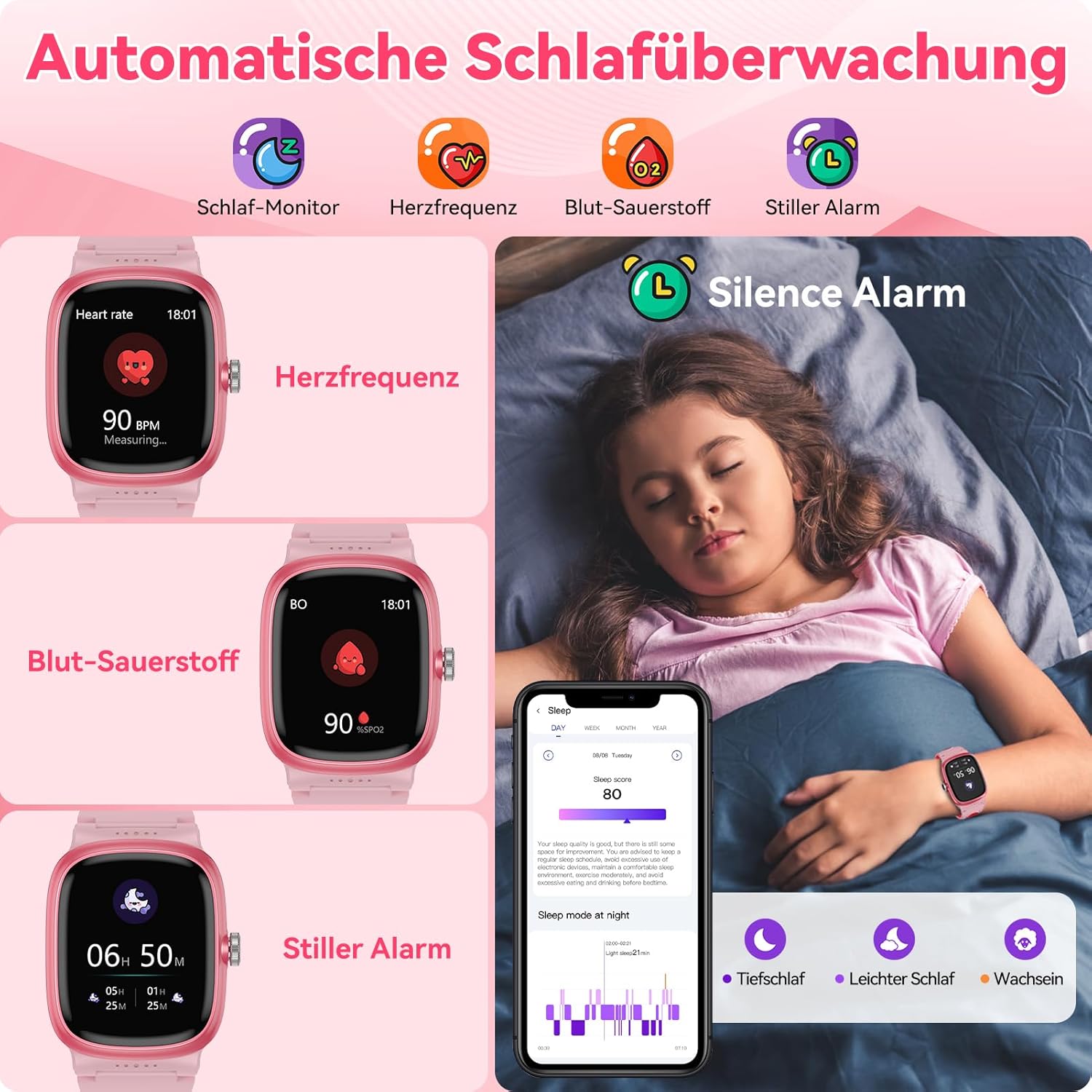
Image: The smartwatch displaying heart rate and blood oxygen levels, alongside a child sleeping, illustrating the automatic sleep monitoring and silent alarm features.
5. Miiran Awọn ẹya ara ẹrọ
The ALK1 smartwatch includes a variety of useful functions:
- Awọn ere: Enjoy 19 built-in games for entertainment.
- Awọn iwifunni: Receive alerts for calls, messages, and app notifications when connected to a smartphone.
- Oju ojo: Ṣayẹwo awọn ipo oju ojo lọwọlọwọ.
- Ifihan akoko: Digital and analog time display options.
- Ẹrọ iṣiro: A basic calculator for quick computations.
- Maṣe daamu Ipo: Awọn iwifunni ipalọlọ lakoko awọn akoko kan pato.
- Itaniji: Ṣeto awọn itaniji pupọ.
- Wa Foonu Mi: Locate a paired smartphone.
- Olurannileti Iduroṣinṣin: Àwọn ìgbìyànjú láti gbéra lẹ́yìn àkókò àìṣiṣẹ́.
- Olurannileti Omi mimu: Reminds users to stay hydrated.
- Imọlẹ ina: Iṣẹ ina ti o rọrun.
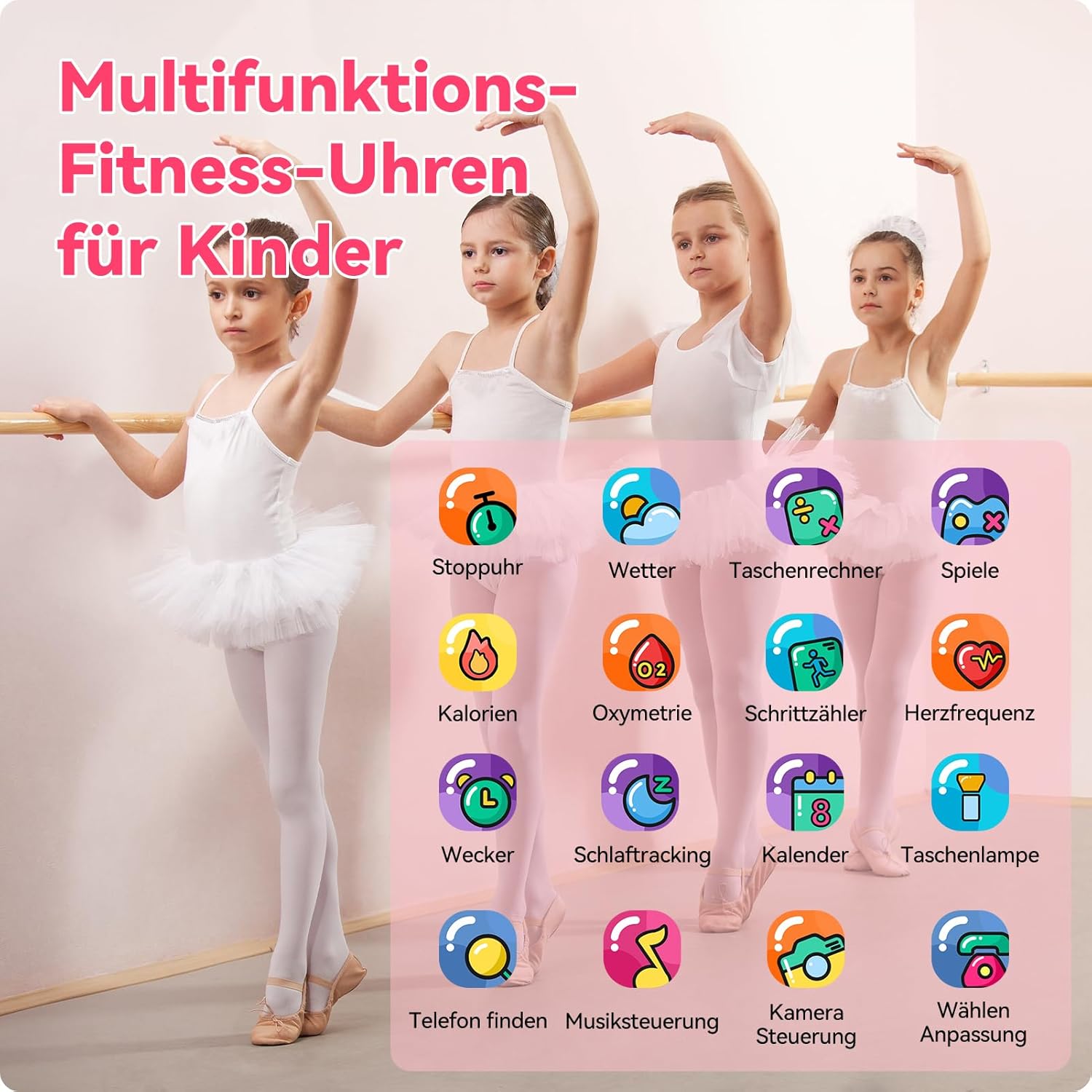
Image: The smartwatch interface displaying icons for various functions including stopwatch, weather, calculator, games, calories, oximetry, pedometer, heart rate, alarm, sleep tracking, calendar, flashlight, find phone, music control, camera control, and dial customization.
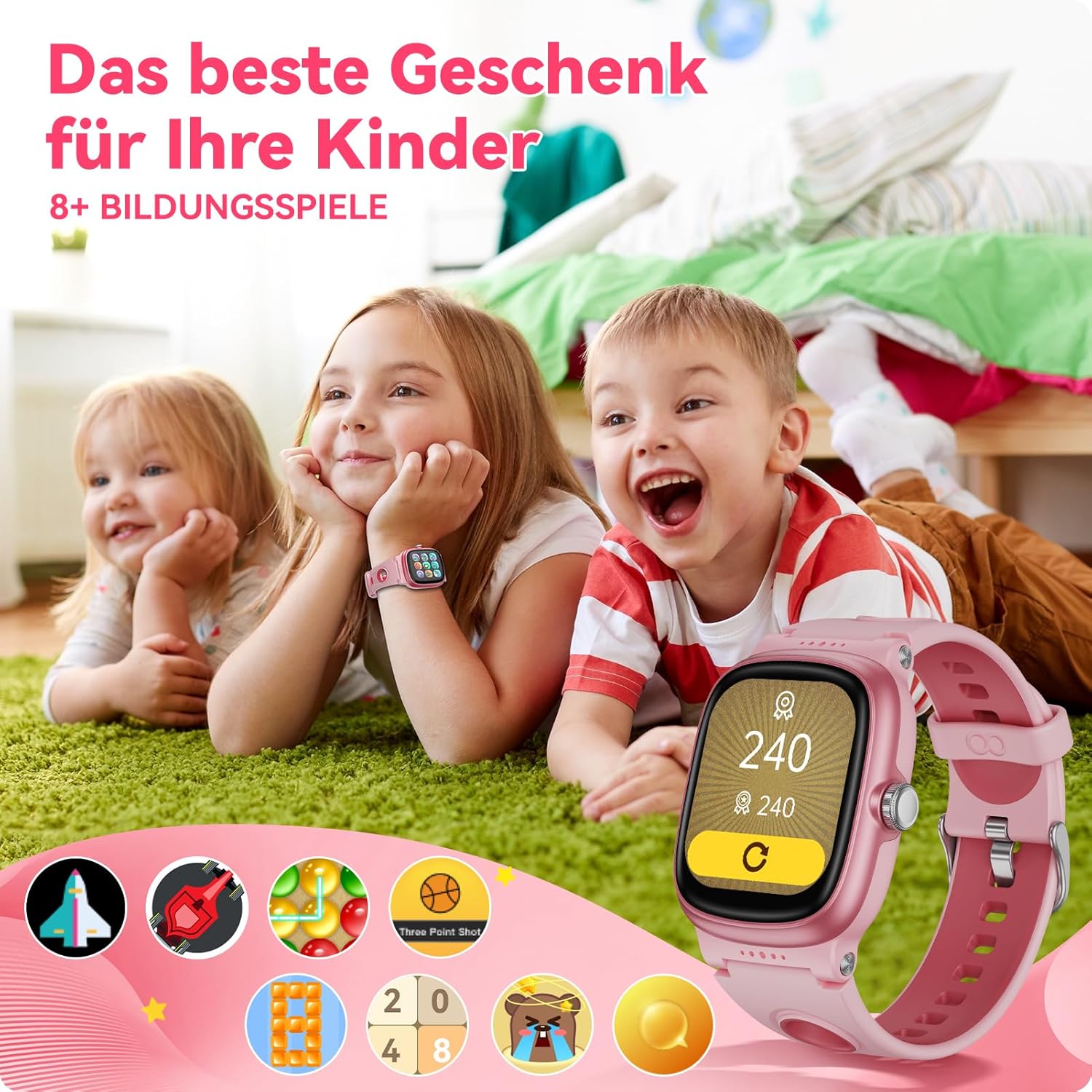
Image: Children happily engaging with the smartwatch, highlighting its educational games feature.
Itoju
1. Ninu
Regularly clean the smartwatch and strap with a soft, dry cloth. If necessary, use a slightly damp cloth with mild soap, then wipe dry. Avoid harsh chemicals or abrasive materials.
2. Omi Resistance (IP68)
The smartwatch has an IP68 waterproof rating, meaning it is resistant to dust and can withstand immersion in water up to 1.5 meters for 30 minutes. It is suitable for swimming and other water activities. However, avoid hot water, steam, or prolonged immersion in saltwater.

Image: A child wearing the smartwatch while playing in a swimming pool, demonstrating its IP68 waterproof capability.
3. Charging Port Care
Keep the charging contacts clean and dry to ensure efficient charging. Do not force the charging cable into the port.
4. Ibi ipamọ
When not in use for extended periods, store the smartwatch in a cool, dry place. Charge it periodically to maintain battery health.
Laasigbotitusita
If you encounter issues with your anyloop ALK1 Kids Smartwatch, please refer to the following common solutions:
- Wo ti ko tan: Rii daju pe aago naa ti gba agbara ni kikun. Sopọ mọ ṣaja fun o kere 30 iṣẹju.
- Ko le so pọ pẹlu foonu: Make sure Bluetooth is enabled on your phone and the watch. Restart both devices and try pairing again. Ensure the app is installed and updated.
- Awọn alaye ilera ti ko pe: Ensure the watch is worn snugly on the wrist, not too tight or too loose. Clean the sensors on the back of the watch.
- Iboju ko dahun: Gbiyanju tun aago naa bẹrẹ. Ti ọrọ naa ba wa, rii daju pe iboju jẹ mimọ ati gbẹ.
- Igbesi aye batiri kukuru: Reduce screen brightness, disable unnecessary notifications, and limit continuous health monitoring if not required.
Tí àwọn ìgbésẹ̀ wọ̀nyí kò bá yanjú ìṣòro náà, jọ̀wọ́ kan sí ìrànlọ́wọ́ oníbàárà.
Awọn pato
| Ẹya ara ẹrọ | Apejuwe |
|---|---|
| Nọmba awoṣe | ALK1 |
| Brand | anyloop |
| Iwon iboju | 1.52 inches |
| Ifihan Iru | TFTLED |
| Agbara Batiri | 300 mAh Litiumu-dẹlẹ |
| Apapọ batiri Life | 5-7 days (usage), 30 days (standby) |
| Akoko gbigba agbara | Isunmọ. wakati meji 2 |
| Asopọmọra Technology | Bluetooth |
| Omi Resistance Ipele | IP68 (omi ko le de awọn mita 1.5) |
| Eto isesise | Wear OS (as per product data, note: may be a custom OS) |
| Agbara Ibi ipamọ Iranti | 64 MB |
| Awọn olugbo afojusun | Awọn ọmọde ọdun 6-16 |
| Ọja Mefa | 25 x 8 x 1.7 cm |
| Iṣẹ -ṣiṣe GPS | Ko si GPS |
| Ọna titẹ sii | Afi ika te |
| Ohun elo atilẹyin | Mobile app compatible with Android 6.0+ and iOS 9.0+ |
| Pataki Awọn ẹya ara ẹrọ | 24/7 Heart Rate Monitor, Sleep Monitor, 20 Sport Modes, Pedometer, Calorie Tracker, Activity Tracker, Notifications, Weather, Time Display, Calculator, Do Not Disturb Mode, Alarm, Find My Phone, Sedentary Reminder, Drink Water Reminder, Customizable Dials |
Atilẹyin ọja ati Support
Warranty information for the anyloop ALK1 Kids Smartwatch is not provided in this document. Please refer to the product packaging or the manufacturer's official webAaye fun awọn alaye nipa agbegbe atilẹyin ọja ati awọn ofin.
For technical support, troubleshooting assistance beyond this manual, or inquiries about your product, please contact anyloop customer service through their official channels, typically found on their website or the product's retail page.