The Walfront WSB7020R is an integrated Human Machine Interface (HMI) and Programmable Logic Controller (PLC) system designed for industrial control applications. It features a 7-inch TFT LCD display, a powerful 32-bit ARM9 processor, and is compatible with FX3U series PLCs. This all-in-one unit offers efficient control, monitoring, and programming capabilities for various automation scenarios.
Figure 1: Walfront HMI PLC All-in-One unit. This image highlights key features such as space-saving design, simplified wiring, timing lock, floating point support, sensitive touch, and accuracy.
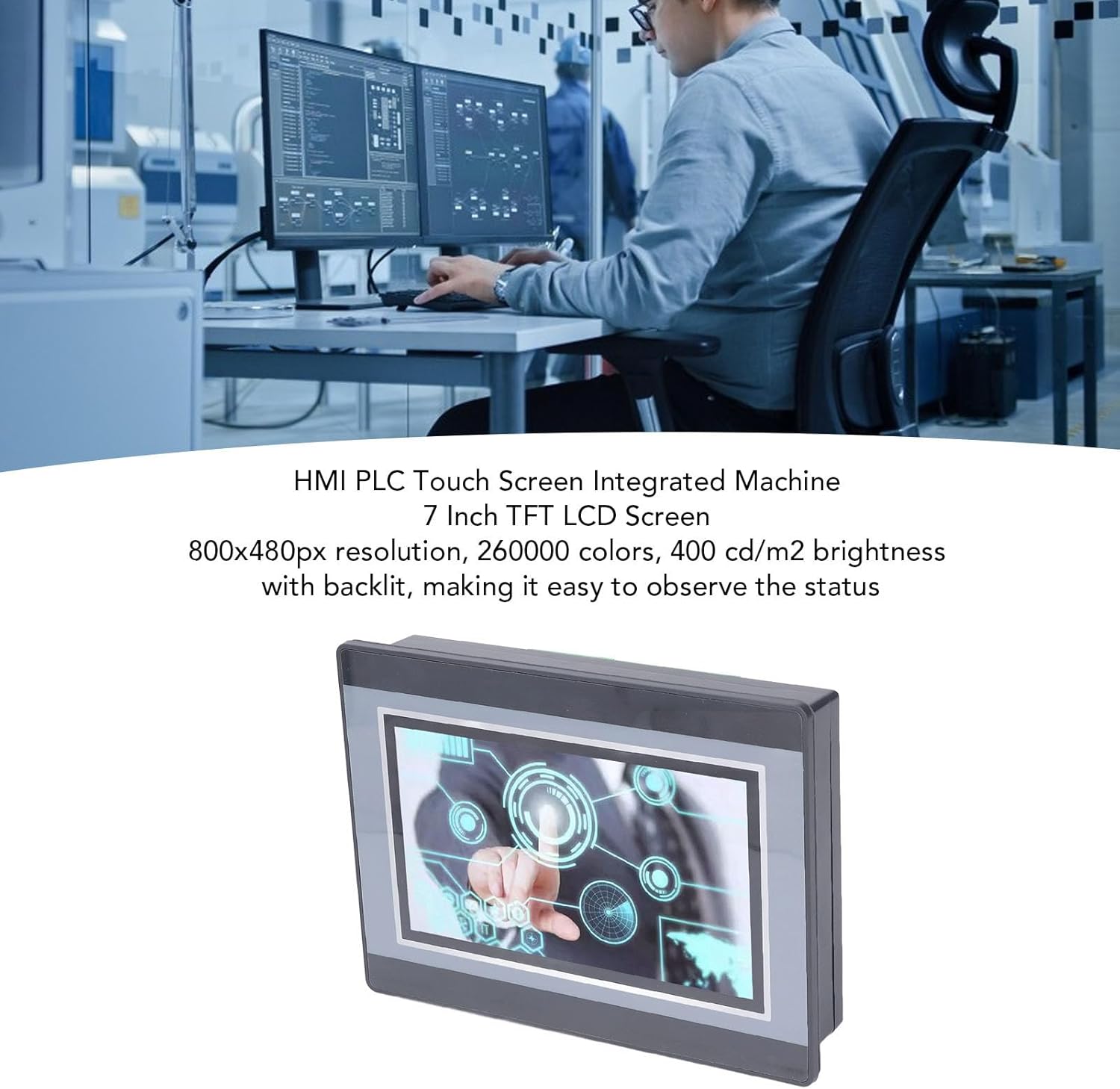
Figure 2: An engineer utilizing the HMI PLC Touch Screen Integrated Machine in a workspace. The display features an 800x480px resolution, 260,000 colors, and 400 cd/m2 brightness with backlighting for clear status observation.
2. Imọ ni pato
Ẹya ara ẹrọ
Sipesifikesonu
Awoṣe
WSB7020R
Ohun elo
ABS
Awọn iwọn (L x W x H)
Isunmọ. 202 x 148 x 51 mm (7.95 x 5.83 x 2.01 in)
Opening Size for Installation
Approx. 190 x 135 mm (7.48 x 5.31 in)
Iboju ifihan
7 inch TFT LCD
Ipinnu
800x480px
Ijinle Awọ
260,000 awọn awọ
Imọlẹ
400 cd/m2 (with backlit display)
Fọwọkan Iboju Iru
4-waya ise resistive iboju ifọwọkan
Touch Screen Hardness
4H
isise
32-bit 240MHz ARM9
Iranti
128M NAND FLASH
PLC Compatibility
For FX3U 20, 40, 48MRT
Awọn aaye titẹ sii
12
O wu Points
8
Ojade Irisi
Yiyi
Ijade lọwọlọwọ
5A
Fifuye
24V
High Speed Count
6 / 3K
O wu Polusi
Ko si
Afọwọṣe Analog
Default 3AD 0-10V, 3AD 0-20MA (AD0, AD1)
Afọwọṣe Ijade
20A 0-10V
Aago
Atilẹyin
HMI Programming Software
HMI Studio 5.1
PLC Programming Software
GX Developer or GX Works2
PLC Download Speed
38.4kbps
Figure 3: Detailed dimensions of the Walfront HMI PLC unit, showing length, width, and height measurements in both millimeters and inches.
3. Fifi sori ẹrọ ati Oṣo
The Walfront WSB7020R HMI PLC is designed for straightforward installation into industrial control panels.
3.1. Unpacking
Carefully unpack the HMI PLC unit and verify that all components are present:
1 x HMI PLC Unit (Model WSB7020R)
4 x Installation Screws
4 x Fixing Brackets
3.2. Iṣagbesori nronu
Prepare an opening in your control panel with dimensions of approximately 190 x 135 mm (7.48 x 5.31 in).
Insert the HMI PLC unit into the prepared opening from the front of the panel.
From the rear of the panel, attach the four fixing brackets to the sides of the HMI PLC unit.
Secure the unit by tightening the four installation screws through the brackets. Ensure the unit is firmly seated and stable.
3.3. Awọn gbigbe
Connect power and I/O wiring according to your system's requirements. Refer to the detailed wiring diagrams in the comprehensive electronic manual for specific connections. Ensure all connections are secure and comply with local electrical codes.
4. Iṣẹ́ àti Ṣíṣe Ìṣètò
This section outlines the basic steps for operating and programming your Walfront HMI PLC unit.
4.1. Agbara Lori
Once installed and wired, apply power to the unit. The 7-inch TFT LCD display will illuminate, and the system will boot up.
4.2. HMI Programming
To develop or modify the Human Machine Interface (HMI) program:
Fi sori ẹrọ HMI Studio 5.1 software lori kọmputa rẹ.
Connect your computer to the HMI PLC unit using a USB male-to-male cable.
Lo HMI Studio 5.1 to create or edit your HMI project.
Download the HMI program to the unit via the USB connection.
4.3. PLC Programming
For programming the Programmable Logic Controller (PLC) functionality:
Install either GX Developer or Awọn iṣẹ GX2 software lori kọmputa rẹ.
Connect your computer to the HMI PLC unit.
Use the chosen software to develop, download, and debug your PLC program.
The download speed for PLC programs is 38.4Kbps.
Akiyesi: Monitoring writing is not supported by the PLC programming software for this unit.
Figure 4: The HMI PLC unit's display, emphasizing its 4-wire industrial resistive touch screen with 4H hardness. The text also highlights its low power consumption, fast running speed, stable performance, and direct programmability, downloadability, debuggability, and monitorability using software (monitoring writing not supported).
Figure 5: Wide application range of the HMI PLC unit, including Printing, Chemical Industry, Plastic, Building Materials, Home Furnishings, Packing, Textile, Food, and Metallurgy, demonstrating its flexibility in industrial automation control scenarios.
5. Itọju
Regular maintenance ensures the longevity and optimal performance of your HMI PLC unit.
Ninu: Use a soft, dry cloth to clean the display and exterior. Avoid abrasive cleaners or solvents that could damage the screen or casing.
Awọn ipo Ayika: Ensure the unit operates within its specified temperature and humidity ranges to prevent damage.
Awọn imudojuiwọn famuwia: Periodically check the Walfront official webojú òpó wẹ́ẹ̀bù fún àwọn àtúnṣe firmware tó wà láti mú iṣẹ́ wọn sunwọ̀n síi tàbí láti fi àwọn ẹ̀yà ara wọn kún un.
Awọn ayẹwo Asopọmọra: Máa ṣe àyẹ̀wò gbogbo àwọn ìsopọ̀ wáyà déédéé fún wíwọ̀ àti àmì wíwú tàbí ìbàjẹ́.
6. Laasigbotitusita
Abala yii n pese awọn ojutu si awọn ọran ti o wọpọ ti o le ba pade.
Ẹyọ kan ko ni agbara:
Ṣayẹwo asopọ ipese agbara ati rii daju pe o n pese voll ti o petage (24V).
Daju pe orisun agbara n ṣiṣẹ.
Ifihan Ko Ṣiṣẹ:
Rii daju pe ẹrọ naa ti wa ni titan.
If the backlight is on but no image, try restarting the unit.
Iboju Fọwọkan Ko dahun:
Calibrate the touch screen if available in the system settings.
Rí i dájú pé ibojú náà mọ́ tónítóní, kò sì ní ìdènà kankan.
Cannot Download HMI/PLC Program:
Verify the USB cable connection is secure and functional.
Ensure the correct programming software (HMI Studio 5.1 for HMI, GX Developer/GX Works2 for PLC) is installed and configured properly.
Check for driver issues on your computer.
PLC Program Not Executing Correctly:
Review your PLC program logic for errors.
Ensure the program has been successfully downloaded to the unit.
Check I/O connections for proper wiring.
For further assistance, please refer to the detailed electronic manual or contact Walfront customer support.
7. Atilẹyin ọja ati Support
7.1. atilẹyin ọja Information
This Walfront HMI PLC unit comes with a manufacturer's warranty for 90 ọjọ Láti ọjọ́ tí a rà á. Àtìlẹ́yìn yìí bo àwọn àbùkù nínú àwọn ohun èlò àti iṣẹ́ ọwọ́ lábẹ́ lílò déédéé. Kò bo ìbàjẹ́ tí ó wáyé nípasẹ̀ àìlòkulò, jàǹbá, àtúnṣe tí a kò fún ní àṣẹ, tàbí fífi sori ẹrọ tí kò tọ́.
7.2. Onibara Support
If you encounter any issues not covered in this manual or require further technical assistance, please contact Walfront customer support. Refer to the product packaging or the official Walfront webojula fun awọn julọ lọwọlọwọ alaye olubasọrọ.
Please have your product model (WSB7020R) and purchase details ready when contacting support.