
1. Ifihan
Thank you for choosing the LiebeWH ZT-300AB Wireless Digital Multimeter. This device is a high-precision, 6000-count True RMS multimeter designed for a wide range of electrical measurements. It features wireless connectivity, allowing real-time data recording, analysis, and processing via a mobile application. This manual provides essential information for the safe and effective use of your multimeter.
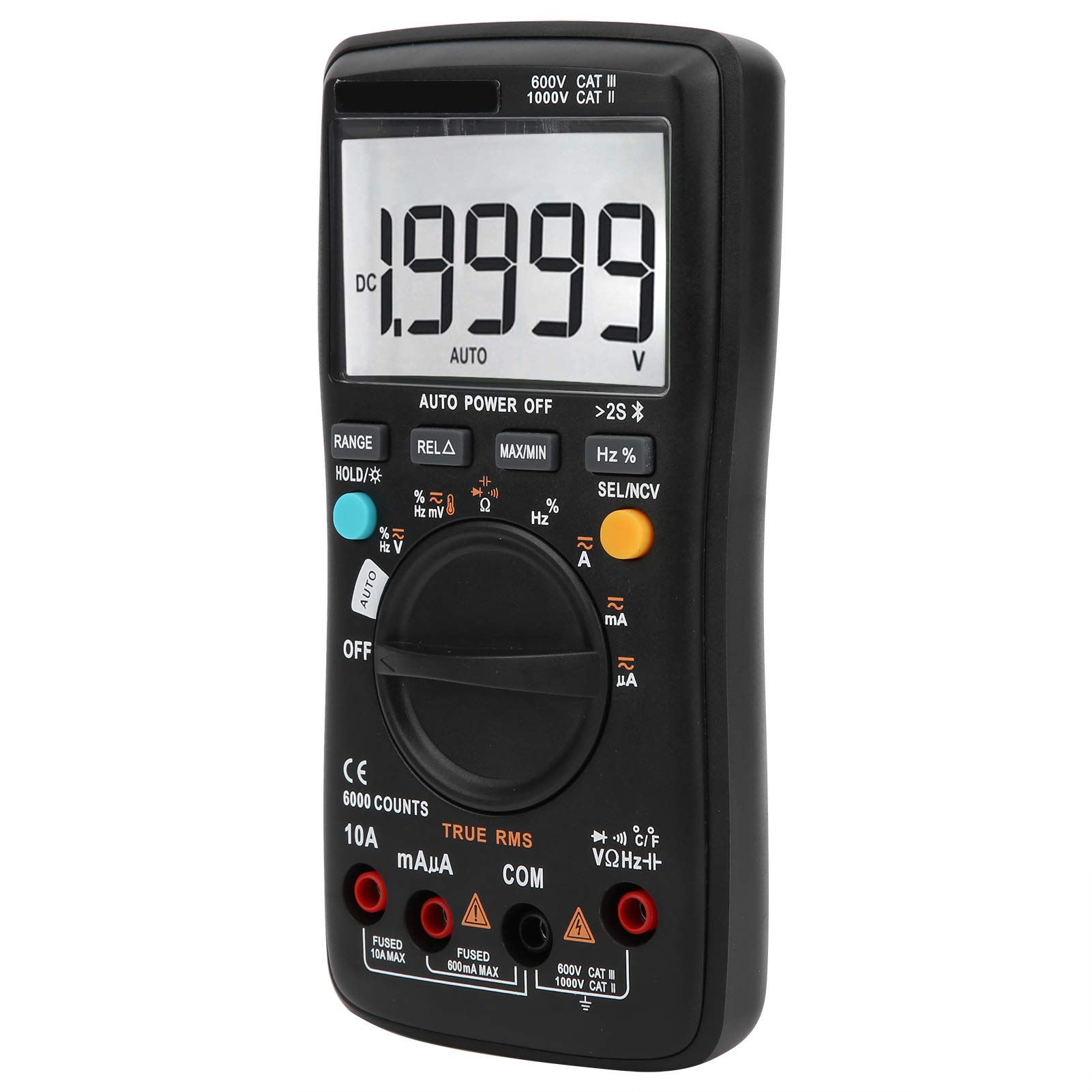
Aworan 1.1: Iwaju view of the LiebeWH ZT-300AB Wireless Digital Multimeter, showing the large LCD display and function dial.
2. Alaye Aabo
Lati rii daju iṣẹ ailewu ati iṣẹ ti mita, tẹle awọn itọnisọna wọnyi. Ikuna lati ma kiyesi awọn ikilo wọnyi le ja si ipalara nla tabi iku.
- Máa yọ àwọn ìtọ́sọ́nà ìdánwò kúrò nínú àyíká náà kí o tó yí àwọn iṣẹ́ padà.
- Maṣe lo diẹ sii ju iwọn voltage, bi samisi lori mita, laarin awọn ebute tabi laarin eyikeyi ebute oko ati ilẹ ayé.
- Lo iṣọra nigbati o ba n ṣiṣẹ pẹlu voltages loke 30V AC RMS, 42V tente oke, tabi 60V DC. Iru voltages duro a mọnamọna ewu.
- Always use the proper terminals, function, and range for your measurements.
- Ma ṣe lo mita ti o ba han pe o bajẹ tabi ti ọran naa ba wa ni sisi.
- Replace the battery as soon as the low battery indicator appears to avoid incorrect readings.
- Má ṣe lo mita náà níbi tí afẹ́fẹ́, èéfín, tàbí eruku bá ń gbóná.
- Ensure test leads are in good condition, with no damaged insulation.
3. Eto
3.1 Package Awọn akoonu
Jẹrisi pe package rẹ ni awọn nkan wọnyi ninu:
- LiebeWH ZT-300AB Digital Multimeter
- Awọn itọsọna Idanwo (Pupa ati Dudu)
- Iwadii iwọn otutu
- Itọsọna olumulo

Image 3.1: The multimeter shown with its included test leads and temperature probe.
3.2 Fifi sori batiri
The multimeter requires batteries for operation. To install or replace batteries:
- Rí i dájú pé a ti pa multimeter náà, kí o sì yọ gbogbo àwọn ìtọ́wò ìdánwò kúrò.
- Wa ideri iyẹwu batiri ni ẹhin ẹyọ naa.
- Lo screwdriver lati ṣii yara batiri naa.
- Insert the new batteries, observing the correct polarity (+ and -).
- Rọpo ideri kompaktimenti batiri ki o ni aabo pẹlu dabaru.
3.3 Nsopọ Awọn itọsọna Igbeyewo
So awọn itọsọna idanwo pọ si awọn jacks titẹ sii ti o yẹ lori multimeter:
- Sopọ awọn dudu test lead to the COM (wọpọ) jack.
- Sopọ awọn pupa test lead to the VΩHz jack fun voltage, àwọn ìwọ̀n resistance, ìgbagbogbo, capacitance, diode, àti continuity.
- For current measurements (mA/µA), connect the pupa test lead to the mAµA jaki.
- For high current measurements (up to 10A), connect the pupa test lead to the 10A jaki.
3.4 Wireless Function and Mobile App
The ZT-300AB can connect to your smartphone via its wireless function for real-time data monitoring and analysis.
- Download the dedicated mobile application from your device's app store. (App name not specified, refer to product packaging or manufacturer's webaaye).
- Enable wireless on your smartphone and the multimeter.
- Open the app and follow the on-screen instructions to pair your multimeter.
- The app allows real-time data display, recording, and curve graphing. It can connect to and monitor up to four wireless multimeters simultaneously.

Image 3.2: The multimeter displaying a reading, with a smartphone screen showing the companion application for data monitoring.
4. Awọn ilana Iṣiṣẹ
4.1 Agbara Tan / Pa
Turn the rotary dial from the OFF position to any measurement function to power on the multimeter. To power off, turn the dial back to the OFF position. The multimeter also features an automatic power-off function to conserve battery life.
4.2 Aṣayan iṣẹ
Rotate the central dial to select the desired measurement function (e.g., V~ for AC Voltage, V- fún DC Voltage, Ω for Resistance, A~ for AC Current, A- for DC Current, Temp for Temperature, etc.).
4.3 bọtini Awọn iṣẹ
- RANGE: Switches between automatic and manual ranging. In manual range, press repeatedly to cycle through available ranges.
- HOLD/☀: Press once to hold the current reading on the display. Press again to release. Long press to activate/deactivate the backlight.
- REL△: Relative measurement mode. Displays the difference between the current reading and a stored reference value.
- O pọju/MIN: Records and displays the maximum and minimum values measured during a session.
- Hz%: For frequency and duty cycle measurements.
- SEL/NCV: Selects between different sub-functions within a dial position (e.g., AC/DC, Diode/Continuity). Long press to activate Non-Contact Voltage (NCV) erin.
4.4 Performing Measurements
Always ensure the test leads are connected to the correct jacks and the function dial is set to the appropriate measurement type before connecting to a circuit.
- VoltagÌwọ̀n e (AC/DC): Select V~ for AC or V- for DC. Connect test leads in parallel with the circuit or component.
- Ìwọ̀n Lọ́wọ́lọ́wọ́ (AC/DC): Select A~ for AC or A- for DC. Connect test leads in series with the circuit. Ensure the correct current jack (mAµA or 10A) is used.
- Wiwọn Atako (Ω): Select Ω. Connect test leads across the component when it is de-energized.
- Iwọn Agbara: Select the capacitance function. Connect test leads across the capacitor when it is de-energized.
- Idanwo Diode: Select the diode function. Connect test leads across the diode.
- Idanwo Ilọsiwaju: Select the continuity function. Connect test leads across the circuit. A beep indicates continuity.
- Igbohunsafẹfẹ (Hz) / Iṣẹ́ iyipo (%): Select the Hz% function. Connect test leads to the signal source.
- Iwọn iwọn otutu: Connect the temperature probe to the appropriate jacks (usually VΩHz and COM). Select the temperature function.
- Non-Olubasọrọ Voltage (NCV): Long press the SEL/NCV button. Bring the top of the multimeter near an AC voltagorísun e. Mita naa yoo fihan wiwa voltage lai taara olubasọrọ.
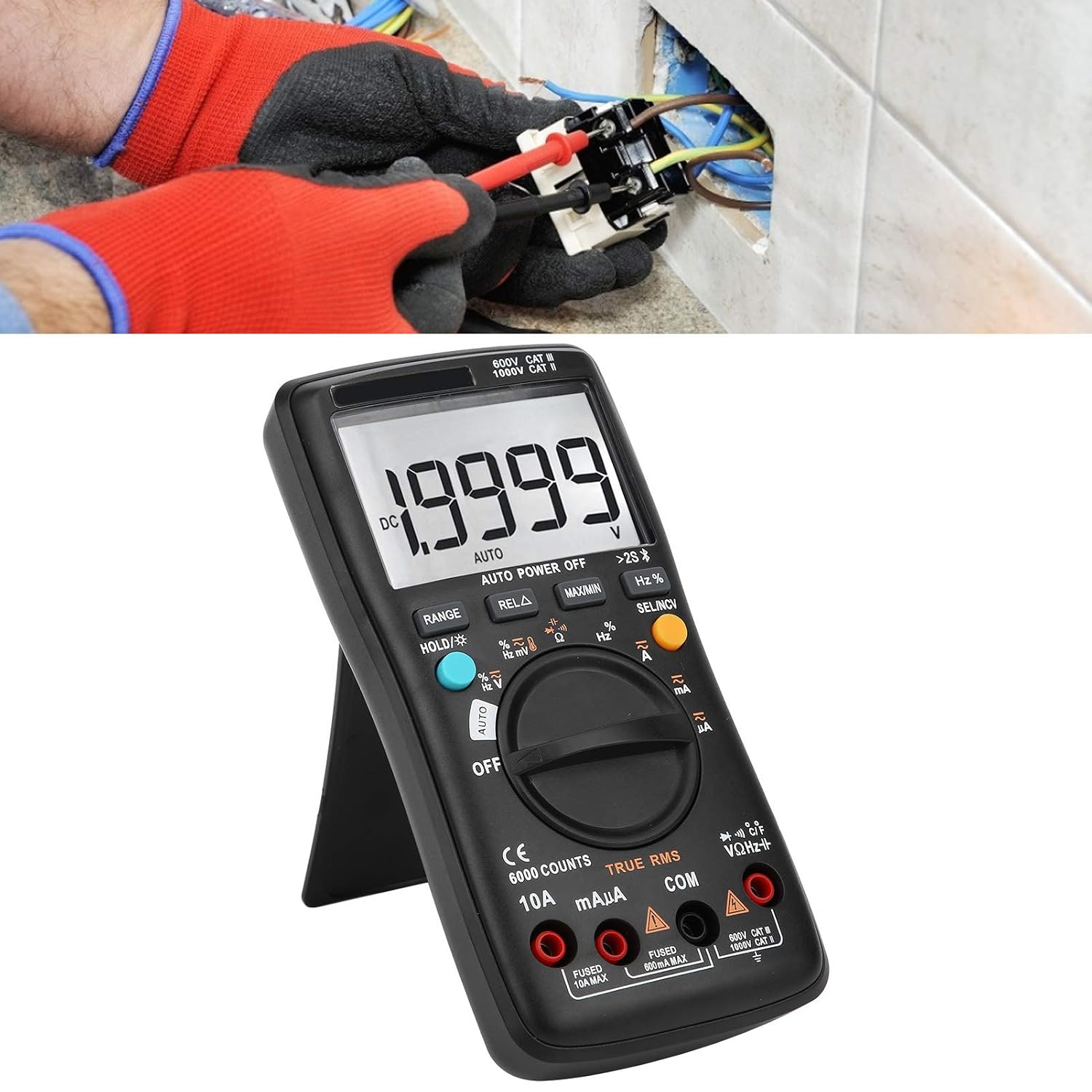
Image 4.1: The multimeter in use, positioned on its integrated kickstand for convenient viewing nigba wiwọn.
5. Itọju
5.1 Ninu
Pa ọran naa pẹlu ipolowoamp Aṣọ àti ọṣẹ ìfọṣọ díẹ̀. Má ṣe lo àwọn ohun ìfọṣọ tàbí àwọn ohun tí ó ń yọ́ omi. Jẹ́ kí àwọn ohun èlò ìfọṣọ náà wà ní ìpamọ́ kúrò nínú ẹ̀gbin àti ọrinrin.
5.2 Batiri Rirọpo
Refer to Section 3.2 for battery replacement instructions. Replace batteries promptly when the low battery indicator appears on the display.
5.3 Fiusi Rirọpo
If the current measurement functions stop working, the fuse may need replacement. Fuses are located inside the multimeter. Fuse specifications are typically printed near the current input jacks (e.g., FUSED 10A MAX, FUSED 600mA MAX). To replace a fuse:
- Rí i dájú pé a ti pa multimeter náà, kí o sì yọ gbogbo àwọn ìtọ́wò ìdánwò kúrò.
- Open the back case of the multimeter (this may require removing screws).
- Carefully locate and remove the blown fuse.
- Replace it with a fuse of the exact same type and rating. Using an incorrect fuse can damage the meter or pose a safety hazard.
- Reassemble the multimeter, ensuring all screws are securely fastened.
6. Laasigbotitusita
- Ko si ifihan tabi ifihan ti ko lagbara: Ṣayẹwo fifi sori batiri ati ipele idiyele. Rọpo awọn batiri ti o ba wulo.
- Awọn kika ti ko tọ: Ensure test leads are properly connected to the correct jacks. Verify the function dial is set to the appropriate measurement type and range. Check for damaged test leads.
- Wiwọn lọwọlọwọ ko ṣiṣẹ: Check the fuse (refer to Section 5.3). Ensure the red test lead is connected to the correct current input jack (mAµA or 10A).
- Awọn iṣoro asopọ alailowaya: Ensure wireless is enabled on both the multimeter and your smartphone. Restart both devices and try pairing again. Check the mobile app for troubleshooting tips.
- Mita ko dahun: Turn the meter off and then on again. If the issue persists, remove batteries for a few minutes and then reinsert them.
7. Awọn pato
| Ẹya ara ẹrọ | Sipesifikesonu |
|---|---|
| Ifihan | 6000 Awọn iṣiro |
| Ibiti o wa | Laifọwọyi / Afowoyi |
| SampOṣuwọn ling | 3 aaya / akoko |
| RMS otitọ | Atilẹyin |
| Idaduro data | Atilẹyin |
| Imọlẹ ẹhin | Atilẹyin |
| Itọkasi Batiri Kekere | Atilẹyin |
| Agbara Aifọwọyi Paa | Atilẹyin |
| DC Voltage (V) | 6V, 60V, 600V, 1000V |
| DC Voltage (mV) | 60mV |
| Awọn iwọn | 20 x 12 x 5 cm (7.9 x 4.7 x 2 inches) |
| Iwọn | 374 g (0.82 lbs) |
| Olupese | LiebeWH |
| Nọmba awoṣe Ọja | LiebeWHso0iq29gfn |

Image 7.1: Dimensions of the LiebeWH ZT-300AB Multimeter, showing its compact size.
8. Atilẹyin ọja ati Support
For warranty information and technical support, please refer to the documentation included with your purchase or contact the manufacturer directly. Contact details can typically be found on the product packaging or the official LiebeWH webojula.