
1. Ifihan
This manual provides instructions for the safe and efficient use of your FOSSiBOT Solar Plug to XT90 Charging Cable. This 14 AWG, 5-meter cable is designed to connect solar panels to FOSSiBOT F2400 and F3600 power stations, facilitating solar charging for various outdoor activities.
2. Awọn ilana aabo
- Do not expose the cable to water or extreme moisture.
- Má ṣe yí okùn náà padà tàbí tú u ká.
- Keep the cable out of reach of children.
- Ensure all connections are secure before use to prevent electrical hazards.
- Avoid placing heavy objects on the cable or bending it sharply.
3. Package Awọn akoonu
- 1 x FOSSiBOT Solar Plug to XT90 Charging Cable (5 meters)
4. Ọja Ipariview
The FOSSiBOT Solar Plug to XT90 Charging Cable is a durable 14 AWG cable designed for efficient solar power transmission. It features a standard solar plug connector on one end and an XT90 connector on the other, ensuring broad compatibility with portable solar panels and FOSSiBOT power stations.
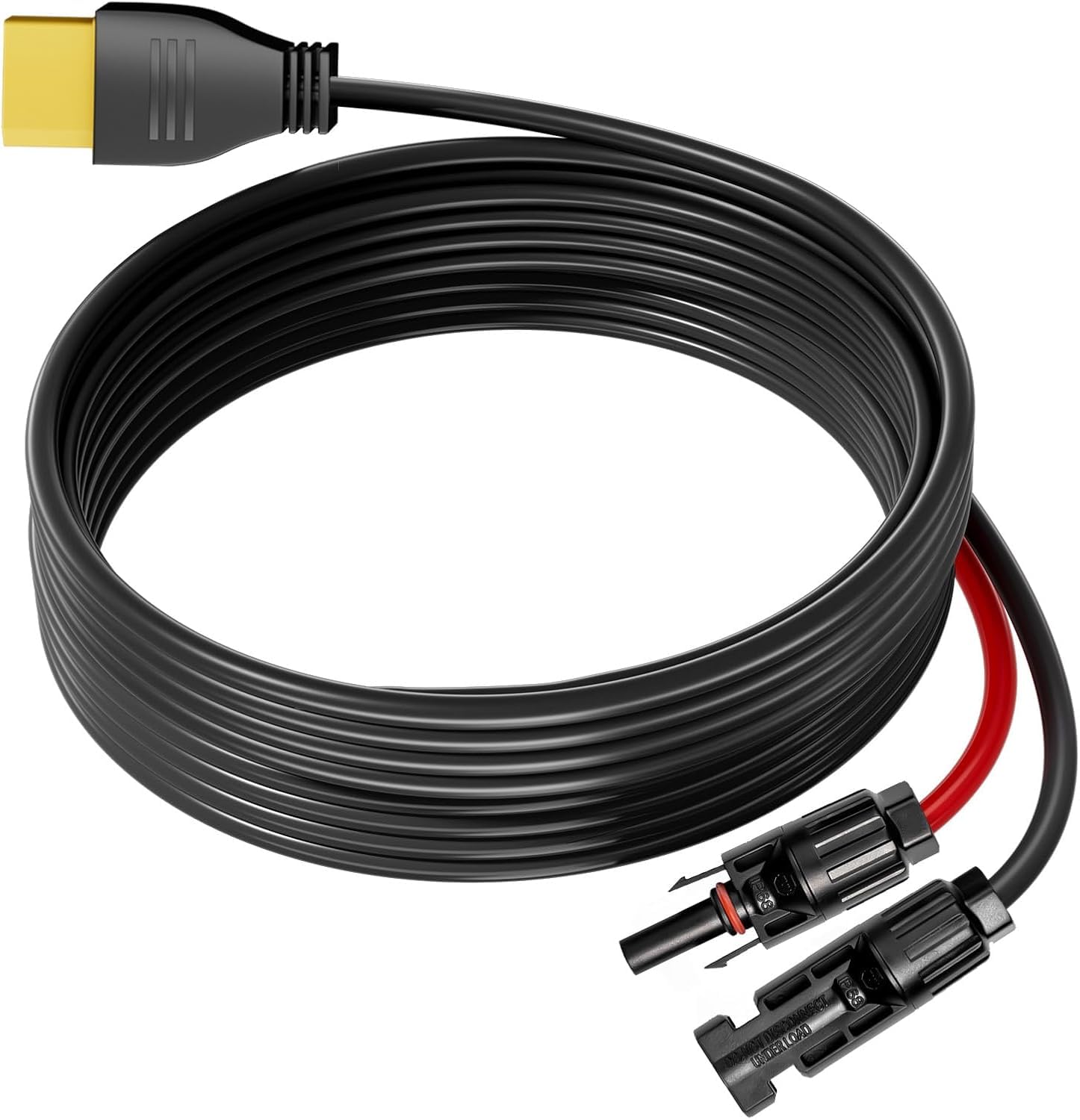
Image: FOSSiBOT Solar Plug to XT90 Charging Cable. This image shows the black 5-meter cable with a solar plug connector on one end and an XT90 connector on the other, illustrating its design for connecting solar panels to power stations.
5. Eto
- Sopọ si Igbimọ Oorun: Locate the solar plug output on your portable or foldable solar panel. Connect the solar plug end of the FOSSiBOT cable to this output. Ensure the connection is firm and secure.
- Sopọ si Ibusọ Agbara: Locate the XT90 input port on your FOSSiBOT F2400 or F3600 power station. Connect the XT90 end of the FOSSiBOT cable to this input port. Ensure the connection is firm and secure.
- Ipo: Utilize the 5-meter cable length to position your solar panel in direct sunlight for optimal charging, while keeping your power station in a safe, shaded, and dry location if necessary.
The cable offers a simple plug-and-play installation, requiring no complex setup procedures.
6. Awọn ilana Iṣiṣẹ
Once the FOSSiBOT Solar Plug to XT90 Charging Cable is securely connected between your solar panel and power station:
- Ensure your solar panel is exposed to direct sunlight to begin generating power.
- Monitor the charging indicator or display on your FOSSiBOT power station to confirm that charging is active.
- The 14 AWG wire gauge ensures stable power transmission from the solar panel to the power station.
7. Itọju
- Ninu: Wipe the cable with a dry, clean cloth to remove any dust or dirt. Do not use liquid cleaners.
- Ibi ipamọ: When not in use, coil the cable neatly and store it in a dry, cool place away from direct sunlight and extreme temperatures.
- Ayewo: Periodically inspect the cable for any signs of damage, such as cuts, fraying, or bent connectors. Discontinue use if damage is found.
8. Laasigbotitusita
- Power Station Not Charging:
- Verify that both the solar plug and XT90 connectors are fully and securely inserted.
- Ensure the solar panel is receiving adequate direct sunlight and is not obstructed.
- Check if the solar panel itself is functioning correctly (refer to your solar panel's manual).
- Inspect the cable for any visible damage. If damaged, replace the cable.
9. Awọn pato
| Brand | FOSIBOT |
| USB Iru | Solar Plug to XT90 Charging Cable |
| Ẹya Waya | 14 AWG |
| Gigun | 5 mita |
| Àwọ̀ | Dudu |
| Voltage Rating | 12 Volts DC (for compatible systems) |
| Compatible Power Station Models | FOSSiBOT F2400, FOSSiBOT F3600 |
| Iṣeduro Lilo | Connecting solar panels for charging power stations (e.g., camping, awọn iṣẹ ita gbangba) |
10. Atilẹyin ọja ati Support
For detailed warranty information, product registration, or technical support, please visit the official FOSSiBOT webojula tabi kan si wọn onibara iṣẹ Eka. Tọju iwe-ẹri rira rẹ bi ẹri rira fun eyikeyi awọn ibeere atilẹyin ọja.