
Ọrọ Iṣaaju
This manual provides detailed instructions for the safe and effective use of your Acouto F6 Three-Axis Handheld Stabilizer. Please read this manual thoroughly before operating the device and retain it for future reference.
The Acouto F6 is designed to provide enhanced stability for smartphone video recording, eliminating unwanted picture shake with its high-precision brushless motor and advanced anti-shake technology. It supports both horizontal and vertical shooting modes and offers intelligent tracking features for dynamic content creation.
Ọja irinše
Carefully unpack your Acouto F6 Stabilizer and ensure all components are present:
- Acouto F6 Three-Axis Handheld Stabilizer
- Mini Tripod
- Okun Ngba agbara USB
- Afowoyi Olumulo (iwe-ipamọ yii)

Image: The Acouto F6 Three-Axis Handheld Stabilizer, mini tripod, USB charging cable, and a small instruction booklet.
Eto Itọsọna
1. Ngba agbara Stabilizer
Before first use, fully charge the stabilizer. Connect the provided USB charging cable to the charging port on the stabilizer and to a 5V USB power adapter (not included). The charging time is approximately 2.5 hours.
2. Attaching the Mini Tripod (Optional)
For stable standing, live broadcasting, or time-lapse photography, attach the mini tripod to the 1/4-inch screw hole located at the bottom of the stabilizer handle. Rotate clockwise until secure.
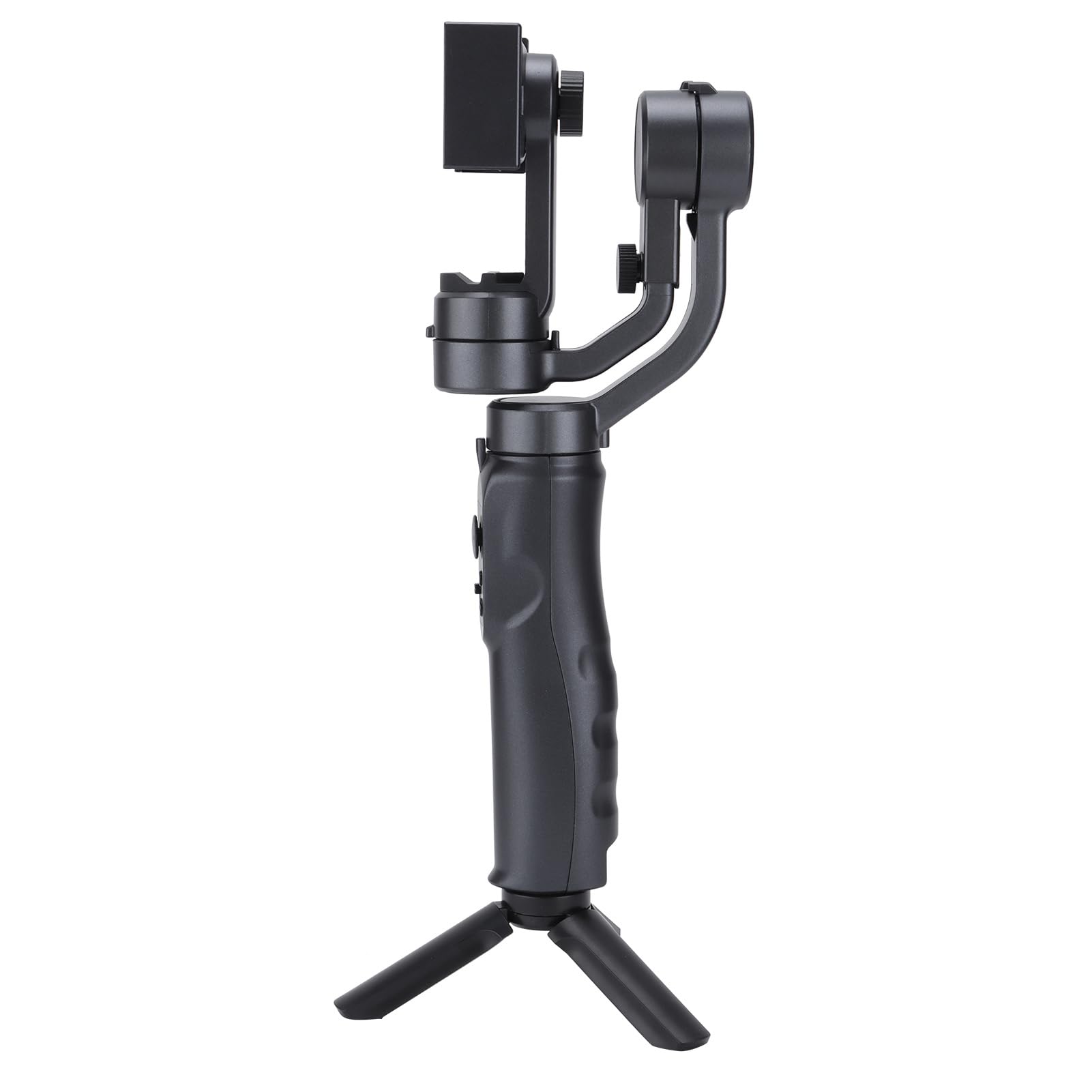
Image: The Acouto F6 Stabilizer shown upright with the mini tripod attached to its base.
3. Fifi Foonuiyara Rẹ sori ẹrọ
- Fa foonu klamp on the stabilizer.
- Carefully place your smartphone into the clamp, ensuring it is centered and secure.
- Adjust the horizontal bar by stretching it to quickly level the screen, whether for horizontal or vertical orientation. The stabilizer supports phones up to 280g.

Aworan: A sunmọ-soke view of the phone clamp mechanism on the Acouto F6 Stabilizer, ready to hold a smartphone.
Awọn ilana Iṣiṣẹ
1. Agbara Tan / Paa
Locate the power button on the handle. Press and hold for a few seconds to power on or off the stabilizer.

Aworan: A alaye view of the control panel on the Acouto F6 Stabilizer handle, showing buttons and ports.
2. Switching Between Horizontal and Vertical Modes
The stabilizer allows seamless switching between horizontal (landscape) and vertical (portrait) shooting modes. When your arm tilts to the left more than 70 degrees, the stabilizer can automatically rotate the phone to vertical portrait mode. You can also manually adjust as needed.

Image: The Acouto F6 Stabilizer displayed with a smartphone mounted in both horizontal and vertical orientations, demonstrating its versatility.
3. Anti-Shake and Tracking Features
The high-precision brushless motor provides real-time compensation to eliminate picture shake. In full follow mode, the DC stepping motor upgrades to 150°/SEC, allowing quick locking onto targets.
The stabilizer also features accurate human face tracking and object tracking, ensuring your subjects remain in focus during recording.
4. Using the Companion App
Connect your smartphone to the stabilizer's companion app (if available, check your phone's app store for "Acouto Stabilizer" or similar). The app may offer additional features such as:
- Fọtoyiya-akoko
- Slow-motion photography
- Advanced camera controls
Itoju
To ensure the longevity and optimal performance of your Acouto F6 Stabilizer, follow these maintenance guidelines:
- Ninu: Use a soft, dry cloth to wipe the stabilizer. Do not use harsh chemicals or abrasive materials.
- Ibi ipamọ: Store the stabilizer in a cool, dry place away from direct sunlight and extreme temperatures.
- Itọju Batiri: For long-term storage, charge the battery to approximately 50% every three months to prevent deep discharge.
- Yago fun Ipa: Protect the stabilizer from drops and impacts, which can damage internal components.
Laasigbotitusita
If you encounter issues with your Acouto F6 Stabilizer, refer to the following common problems and solutions:
- Stabilizer does not power on:
- Rii daju pe batiri ti gba agbara ni kikun.
- Press and hold the power button for the required duration.
- Phone is not stable/shaking:
- Rii daju pe foonuiyara wa ni ile-iṣẹ daradara ati ni aabo clamped.
- Verify the horizontal bar is stretched to level the phone correctly.
- Check if the phone's weight exceeds the maximum load capacity (280g).
- Gimbal motors are unresponsive:
- Restart the stabilizer.
- Ensure there are no obstructions preventing motor movement.
- Cannot connect to the app:
- Rii daju pe Bluetooth ti ṣiṣẹ lori foonuiyara rẹ.
- Restart both the stabilizer and your smartphone.
- Ṣayẹwo boya ohun elo naa ti ni imudojuiwọn si ẹya tuntun.
If problems persist, please contact Acouto customer support.
Awọn pato
| Nkan Iru | Three-axis Handheld Stabilizer |
| Brand | Acuto |
| Awoṣe | Acouto4smwt0ihg1 |
| Àwọ̀ | Dudu |
| Ohun elo | ABS |
| Iwọn | Isunmọ. 595g / 21 iwon |
| Ṣiṣẹ Lọwọlọwọ | Minimum 80mA, Standard 120mA, Maximum 3000mA |
| Ṣiṣẹ Voltage | 5V |
| Awọn iwọn otutu ṣiṣẹ | 0°C - 40°C |
| Pitch Axis Movement Range | -165° to +165° |
| Roll Axis Movement Range | -90° to +90° |
| Yaw Axis Movement Range | -165° to +165° |
| Akoko gbigba agbara | Awọn wakati 2.5 |
| Akoko Ṣiṣẹ | 6-8 Hours (depending on balance and phone size) |
| O pọju fifuye Agbara | 280 giramu |
| Awọn ẹrọ ibaramu | Foonuiyara |
Alaye Aabo
Jọwọ ṣe akiyesi awọn iṣọra ailewu wọnyi:
- Do not disassemble or modify the stabilizer.
- Jeki ẹrọ naa kuro ninu omi ati awọn olomi miiran.
- Avoid exposing the stabilizer to extreme temperatures or direct heat sources.
- Lo okun gbigba agbara ti a pese nikan tabi iwe-ẹri deede.
- Jeki kuro ni arọwọto awọn ọmọde.