
Ọrọ Iṣaaju
Thank you for choosing the Parsonver 5ATM Waterproof Smart Watch. This manual provides essential information for setting up, operating, and maintaining your device. Please read it carefully to ensure proper use and to maximize the watch's features.

Image: The Parsonver 5ATM Waterproof Smart Watch, showcasing awọn oniwe-aso oniru.
Eto Itọsọna
1. Ngba agbara ẹrọ
Before first use, fully charge your Parsonver Smart Watch. Connect the magnetic charging cable to the charging contacts on the back of the watch and plug the USB end into a standard USB power adapter (not included).
- Gbigba agbara ni kikun maa n gba to wakati mẹta.
- The watch display will show the charging status.
2. App Download ati Sisopọ
To unlock all features, download the official Parsonver app on your smartphone.
- Scan the QR code provided in the watch's packaging or search for "Parsonver" in your smartphone's app store (iOS App Store or Google Play Store).
- Fi sori ẹrọ ati ṣii app naa.
- Rii daju pe Bluetooth ti ṣiṣẹ lori foonuiyara rẹ.
- In the app, follow the on-screen instructions to add your device. Select your Parsonver Smart Watch from the list of available devices.
- Jẹrisi ibeere sisopọ lori aago mejeeji ati foonuiyara rẹ.
Note: If you have a 2-pack, repeat the pairing process for the second watch with the same or a different smartphone as desired.
3. Awọn Eto ibẹrẹ
After successful pairing, you can customize basic settings through the app, such as time format, unit preferences, and personal profile alaye.
Awọn ilana Iṣiṣẹ
Ipilẹ Lilọ kiri
- Afi ika te: Ra soke, isalẹ, osi, tabi sọtun lati lilö kiri nipasẹ awọn akojọ aṣayan ati awọn iwifunni. Fọwọ ba lati yan awọn ohun kan.
- Bọtini ẹgbẹ: Typically, a short press returns to the previous screen or watch face. A long press may access power options or a quick menu. Refer to the watch's on-screen prompts for specific button functions.
Smart Calls & Notifications
Stay connected by receiving call, text, and app notifications directly on your wrist.
- Awọn ipe ti nwọle: The watch will display caller ID. You can reject calls directly from the watch. Answering calls is not supported directly on the watch.
- Awọn ifiranṣẹ: View SMS, emails, and alerts from apps like WhatsApp, LinkedIn, Instagàgbo, ati Twitter.
- Ṣeto: Enable desired notifications through the Parsonver app on your smartphone.
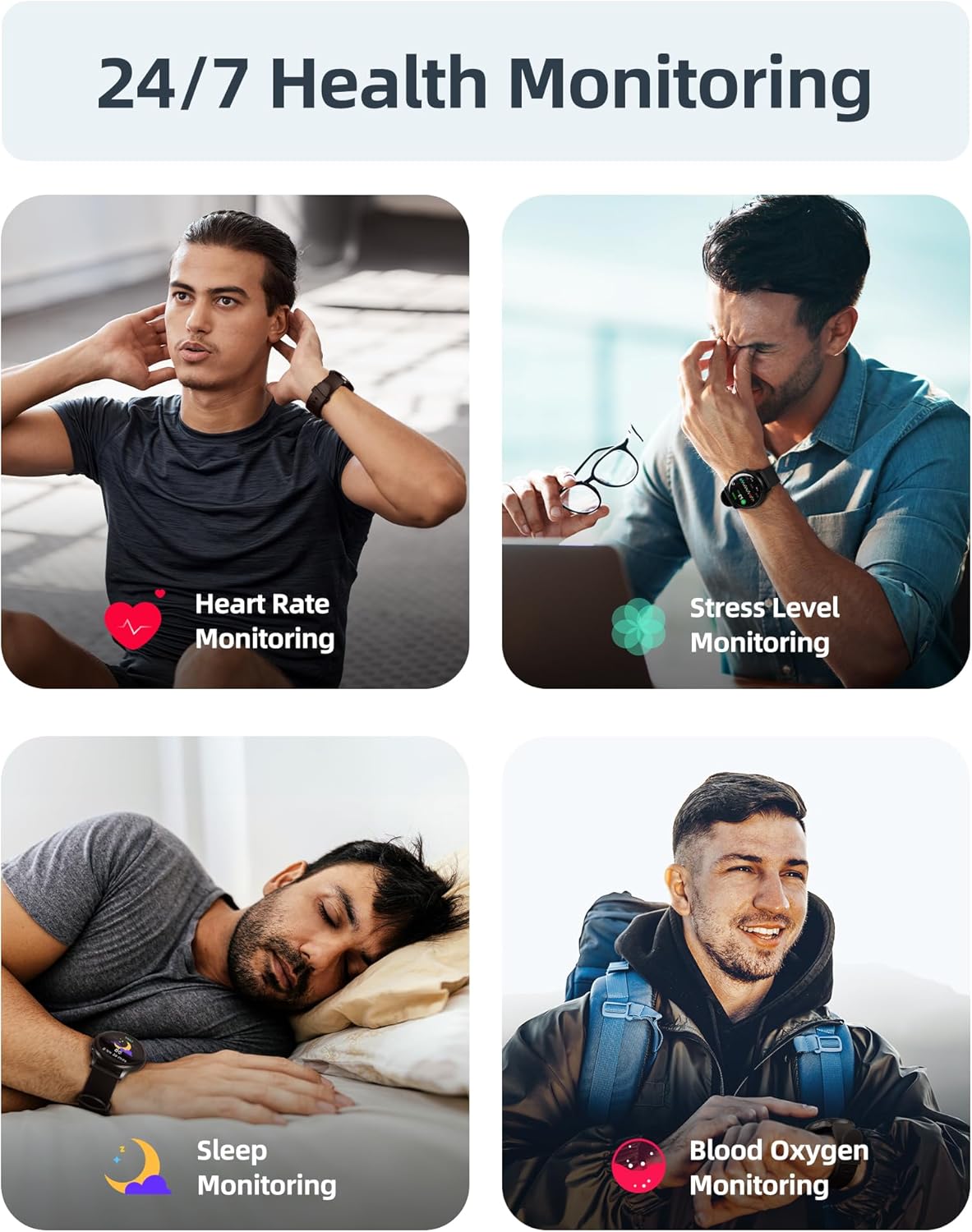
Image: A user interacting with the smartwatch to manage incoming calls and view app iwifunni.
24/7 Health Monitoring
The watch continuously monitors various health metrics to help you stay informed about your well-being.
- Abojuto Oṣuwọn Ọkàn: Titele oṣuwọn okan akoko gidi ni gbogbo ọjọ naa.
- Iwọn Atẹgun Ẹjẹ (SpO2): On-demand or continuous blood oxygen level monitoring.
- Itupalẹ oorun: Awọn orin orun stages (jin, imọlẹ, REM) ati pese awọn oye sinu didara oorun.
- Abojuto Ipele Wahala: Helps identify periods of high stress.
- Sedentary Alerts: Ṣe iranti rẹ lati gbe lẹhin awọn akoko aiṣiṣẹ.
- Àtòjọ Ìyípo Osu: Specialized tracking for female users.

Image: Visual representation of the smartwatch's health monitoring capabilities, including heart rate, stress, sleep, and blood oxygen tracking.
110+ Sports Modes & Fitness Tracking
Track your workouts with a wide range of sports modes, both indoors and outdoors.
- Àtòjọ iṣẹ́: Monitors steps, calories burned, distance, and active time.
- Awọn ọna atilẹyin: Includes walking, running, cycling, swimming, yoga, gym workouts, and many more.
- Amuṣiṣẹpọ data: All workout data is synced to the Parsonver app for detailed analysis and progress tracking.

Image: A person cycling while wearing the smartwatch, with an overlay showing different sports modes like treadmill, outdoor running, and yoga.
5ATM Waterproof & Swim Tracking
The Parsonver Smart Watch is rated 5ATM waterproof, suitable for swimming and daily water exposure up to 50 meters.
- Swimming Metrics: Automatically detects swim strokes (Butterfly, Backstroke, Breaststroke, Freestyle) and provides data on stroke count, stroke rate, and SWOLF score.
- Lilo: Ideal for pool swimming and open water activities. Not suitable for diving or high-pressure water activities.
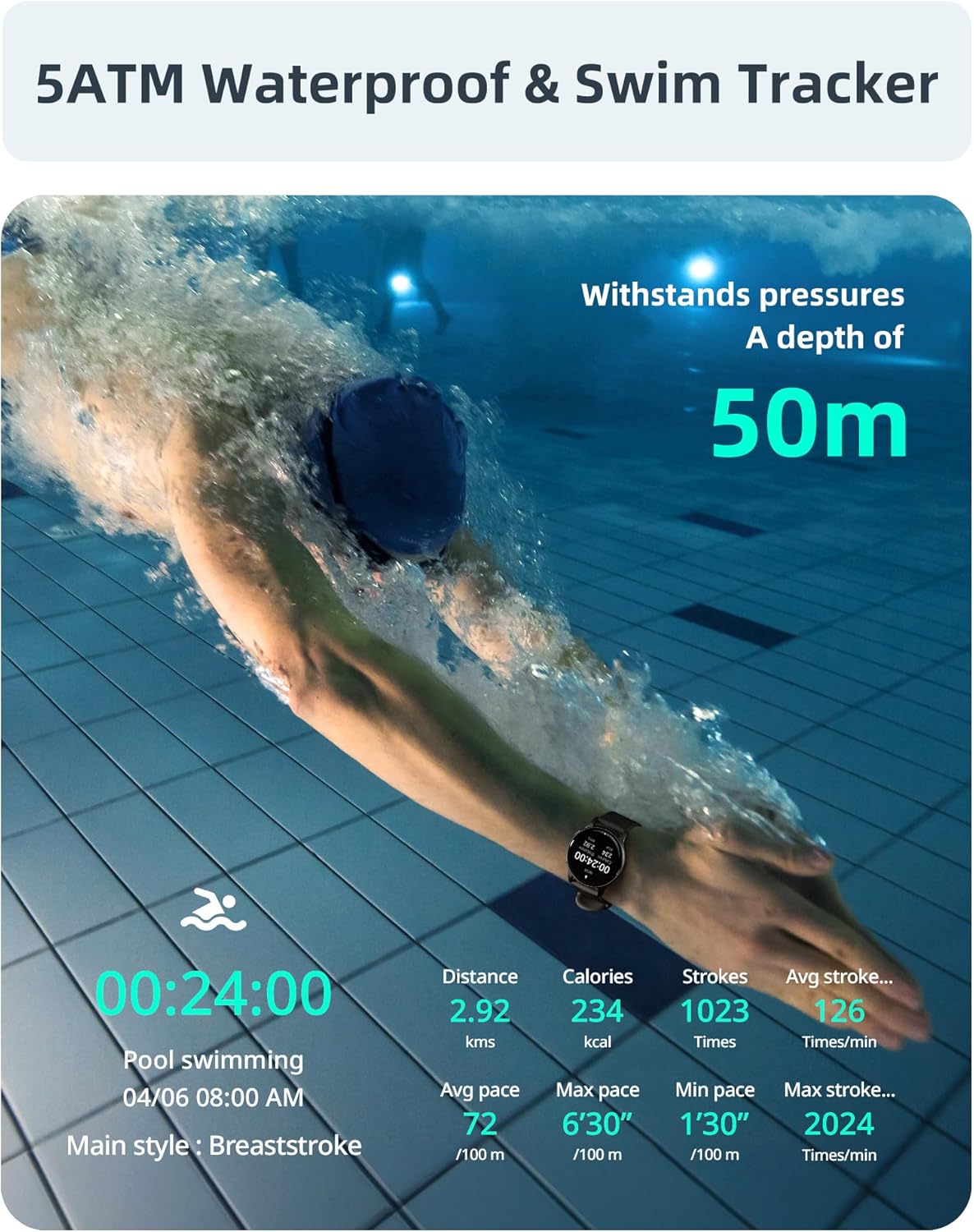
Image: A swimmer in a pool, with the smartwatch displaying swim tracking data such as distance, calories, strokes, and average pace.
Asefara Watch oju
Personalize your watch with over 200 customizable watch faces available through the Parsonver app.
- Aṣayan: Choose from a wide variety of built-in and dynamic watch faces.
- Ti ara ẹni: Upload your own photos to create unique watch faces.

Image: The smartwatch screen showing various customizable watch face options, including a photo of a family.
Itọju ati Itọju
- Ninu: Ṣe nu aago rẹ nigbagbogbo ati okun pẹlu asọ, damp asọ. Yago fun awọn kẹmika lile tabi awọn ohun elo abrasive.
- Ifihan omi: While 5ATM waterproof, it is recommended to rinse the watch with fresh water after exposure to saltwater or chlorinated water to prevent corrosion. Dry thoroughly.
- Itọju okun: The watch features an anti-allergic, soft, and comfortable strap. Ensure it is not too tight or too loose for optimal comfort and sensor accuracy.
- Itọju Batiri: Avoid extreme temperatures. Do not fully discharge the battery for extended periods. Charge regularly to prolong battery life.
- Ibi ipamọ: Tọju aago naa ni itura, aye gbigbẹ nigbati o ko ba lo.

Image: Close-up of the smartwatch, emphasizing its lightweight design (37g) and the anti-allergic, soft, and comfortable strap material.
Laasigbotitusita
- Wo Ko Tii: Rii daju pe aago naa ti gba agbara ni kikun. Sopọ mọ ṣaja fun o kere 30 iṣẹju.
- Ko le So pọ pẹlu Foonuiyara:
- Rii daju pe Bluetooth ti ṣiṣẹ lori foonu rẹ ati aago.
- Rii daju pe aago wa laarin Bluetooth ti foonu rẹ.
- Tun foonu rẹ ati aago bẹrẹ mejeeji.
- Try unpairing and re-pairing through the Parsonver app.
- Data ilera ti ko pe:
- Rii daju pe aago naa ti wọ snugly lori ọwọ ọwọ rẹ, ṣugbọn kii ṣe ju.
- Nu sensọ lori ẹhin aago naa.
- Yago fun gbigbe pupọ lakoko awọn wiwọn.
- Awọn iwifunni Ko farahan:
- Check notification settings in the Parsonver app.
- Ensure app notifications are enabled in your phone's system settings.
- Daju pe aago naa ti sopọ nipasẹ Bluetooth.
- Idapada si Bose wa tele: If issues persist, you may perform a factory reset via the watch's settings menu. This will erase all data on the watch and restore it to its original state.
Awọn pato
| Brand | Parsonver |
| Awoṣe | Parsonver 5ATM Waterproof Smart Watch |
| Omi Resistance | 5ATM (up to 50 meters) |
| Ifihan | 1.8-inch HD Touchscreen |
| Pataki Awọn ẹya ara ẹrọ | Heart Rate Monitor, Blood Oxygen Monitor, Sleep Tracker, Stress Monitor, 110+ Sports Modes, Smart Notifications |
| Apẹrẹ | Yika |
| Iwọn | 37g (approximate, watch body only) |
| ASIN | B0DH2P2SJP |
Atilẹyin ọja ati Support
For warranty information, please refer to the documentation included with your product or visit the official Parsonver website. If you encounter any issues or require technical assistance, please contact Parsonver customer support through their official channels.
O le rii nigbagbogbo awọn alaye olubasọrọ atilẹyin lori olupese website or within the Parsonver application.