
1. Ifihan
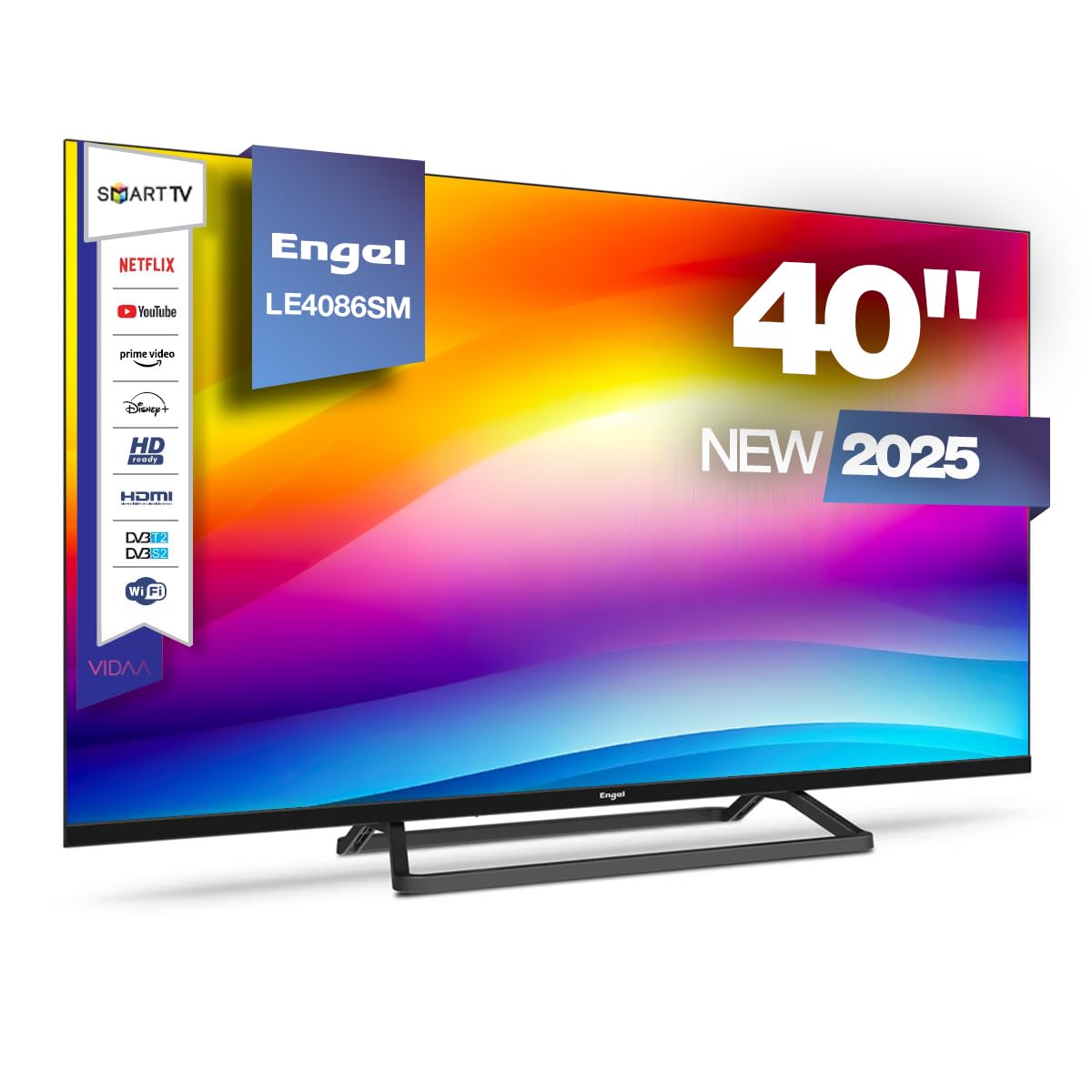
This manual provides essential information for the safe and efficient operation of your Engel LE4086SM Smart TV. Please read these instructions carefully before using the product and retain them for future reference. This television features a 40-inch Full HD LED display, integrated VIDAA Smart TV system, and Dolby Audio for an enhanced viewiriri iriri.
2. Alaye Aabo
Ṣe akiyesi awọn iṣọra aabo wọnyi lati yago fun ibajẹ si ẹrọ tabi ipalara ara ẹni:
- Ibi ti ina elekitiriki ti nwa: Rii daju pe ipese agbara voltage bá àmì ìdíyelé tó wà lórí TV mu. Má ṣe fi agbára púpọ̀ jù àwọn ibi tí a ti ń ta iná.
- Afẹfẹ: Ma ṣe dina awọn ṣiṣi atẹgun. Gba aaye to peye ni ayika TV fun ṣiṣan afẹfẹ to dara.
- Omi ati Ọrinrin: Ma ṣe fi TV han si ojo tabi ọrinrin. Ma ṣe gbe awọn nkan ti o kun fun awọn olomi, gẹgẹbi awọn ikoko, lori TV.
- Awọn orisun Ooru: Keep the TV away from heat sources like radiators, heat registers, stoves, or other heat-producing appliances.
- Ninu: Yọ TV kuro lati inu iṣan ogiri ṣaaju ṣiṣe mimọ. Lo asọ asọ ti o gbẹ. Maṣe lo awọn olutọpa olomi tabi awọn ẹrọ aerosol.
- Iṣagbesori: If wall-mounting, ensure the wall mount is compatible with the TV's VESA standard and can support its weight. Follow the wall mount manufacturer's instructions carefully.
- Awọn ọmọde: Supervise children to ensure they do not play with the TV or its remote control.
3. Package Awọn akoonu
Rii daju pe gbogbo awọn nkan wa ninu apoti:
- Engel LE4086SM Smart TV
- Iṣakoso latọna jijin (awọn batiri ko si)
- Okun agbara
- Afowoyi Olumulo (iwe-ipamọ yii)
- Iduro TV (ti ko ba gbe ogiri)
4. Ọja Ipariview
4.1. Ifihan ati Audio Awọn ẹya ara ẹrọ
The Engel LE4086SM features a 40-inch Full HD (1920x1080) LED display with a 3000:1 contrast ratio, ensuring vibrant and deep colors. The wide 178°/178° viewing angle allows for clear images from various positions. With a maximum brightness of 230 cd/m² and support for 16.7 million colors, the TV delivers high-quality visuals for all content types. The integrated audio system includes Dolby Audio and two 8W speakers, providing a clear and immersive sound experience.
4.2. Awọn iwọn
Refer to the diagram below for the physical dimensions of the television.
This diagram illustrates the physical dimensions of the television, providing measurements for width (954mm), height (509mm without stand, 551mm with stand), and depth (80mm without stand, 221mm with stand) for installation planning.
4.3. Àwọn Ibudo Ìsopọ̀
The TV offers a comprehensive range of connectivity options for various devices.
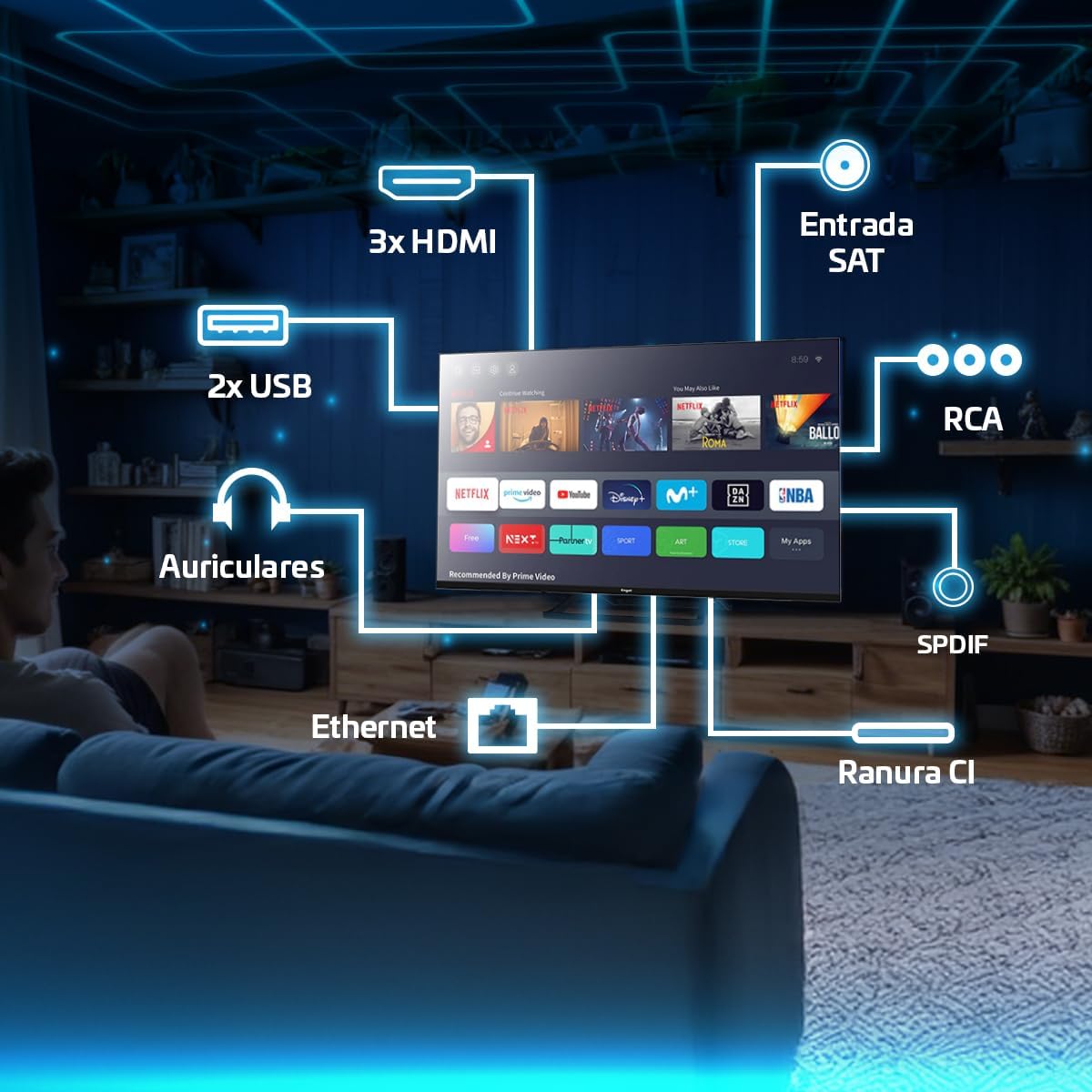
This image highlights the available connectivity options on the television, such as three HDMI ports, two USB 2.0 ports, an Ethernet port, headphone output, SPDIF optical output, RCA input, a Satellite input, and a Common Interface (CI) slot.
5. Eto
5.1. So Iduro tabi Odi iṣagbesori
If using the included stand, carefully attach it to the base of the TV using the provided screws. Ensure the stand is securely fastened before placing the TV on a stable surface. If wall-mounting, use a VESA-compatible wall mount (not included) and follow the wall mount manufacturer's instructions. The TV supports wall mounting.
5.2. Nsopọ Agbara
So okun agbara pọ si titẹ agbara TV ati lẹhinna si iṣan ogiri. Rii daju pe asopọ wa ni aabo.
5.3. Ni ibẹrẹ Oṣo
Upon first power-on, the TV will guide you through the initial setup process. This includes selecting your language, country, network connection (Wi-Fi or Ethernet), and scanning for available TV channels. Follow the on-screen prompts.
6. Awọn ilana Iṣiṣẹ
6.1. Latọna Iṣakoso Lilo
The remote control allows you to navigate the TV's interface, adjust settings, and access various functions. Insert two AAA batteries (not included) into the remote control, observing polarity. Common functions include:
- Bọtini agbara: Tan TV si tan tabi paa.
- Awọn bọtini lilọ kiri: Àwọn ọfà òkè, ìsàlẹ̀, òsì, ọ̀tún láti gbé láàárín àwọn àkójọ.
- O dara/Bọtini Tẹ sii: Jẹrisi awọn aṣayan.
- Bọtini Pada/Jade: Pada si iboju iṣaaju tabi jade ni akojọ aṣayan kan.
- Iwọn didun +/-: Ṣe atunṣe ipele iwọn didun.
- ikanni +/-: Ayipada TV awọn ikanni.
- Bọtini Orisun: Yan awọn orisun titẹ sii (HDMI, AV, Tuner).
- Awọn bọtini TV Smart: Dedicated buttons for popular streaming services like Netflix, Prime Video, and Disney+.

This image demonstrates the television's capability to display dynamic sports content, highlighting the remote control for easy navigation and access to smart features.
6.2. Navigating the VIDAA Smart TV System
The VIDAA operating system provides a user-friendly interface for accessing applications, settings, and media. Use the navigation buttons on your remote to browse the home screen and select desired apps or functions.

This image shows the television being used for gaming, demonstrating its suitability for interactive entertainment.
6.3. Accessing Streaming Applications
The VIDAA system provides direct access to popular streaming services such as Netflix, Prime Video, and Disney+. You can launch these applications directly from the home screen or using dedicated buttons on the remote control. An active internet connection is required.
6.4. Cast Function
The built-in Cast function allows you to wirelessly mirror content from compatible smartphones, tablets, or computers to your TV. Ensure your device and the TV are connected to the same Wi-Fi network. The specific steps for casting may vary depending on your source device and application.
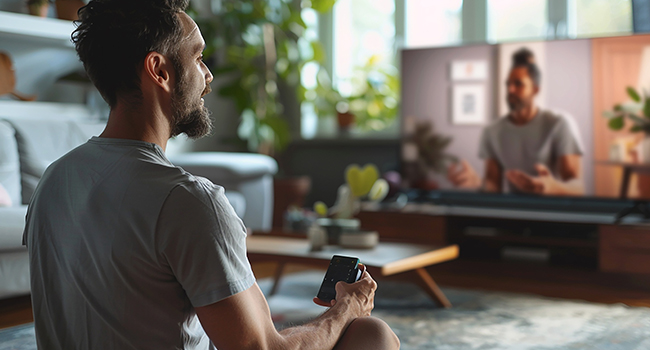
This image depicts a user interacting with the TV using a smartphone, illustrating the convenience of the Cast function for sharing content.
6.5. PVR and Time-Shift Functions
The TV supports Personal Video Recorder (PVR) and Time-Shift functions. To use these features, connect a USB storage device (e.g., a USB flash drive or external hard drive) to one of the TV's USB ports. You can then record live TV programs or pause and resume live broadcasts.
- PVR (Recording): Access the TV guide or channel information to schedule recordings.
- Time-Shift (Pause Live TV): While watching live TV, press the pause button on your remote. The TV will begin recording to the connected USB device, allowing you to resume playback later.
6.6. Tuner Setup
The TV includes DVB-T2, DVB-S2, and DVB-C tuners, supporting terrestrial, satellite, and cable television signals. During initial setup or via the settings menu, you can scan for and configure channels for your preferred broadcast type.
7. Asopọmọra
This section details the various connection options available on your TV.
- Awọn ibudo HDMI (x3): Connect external devices such as Blu-ray players, game consoles, or set-top boxes.
- Awọn ibudo USB 2.0 (x2): Connect USB storage devices for media playback (photos, videos, music) or for PVR/Time-Shift functions.
- Ibudo Ethernet (LAN): So okun Ethernet pọ fun asopọ intanẹẹti onirin ti o duro ṣinṣin.
- Agbekọri Ijade: So awọn agbekọri pọ fun igbọran aladani.
- SPDIF Optical Output: Connect to an external audio receiver or soundbar for high-quality digital audio.
- Iṣawọle RCA: So awọn ẹrọ agbalagba pọ nipa lilo fidio apapo ati awọn kebulu ohun sitẹrio.
- Ibaraẹnisọrọ ti o wọpọ (CI) Iho: Insert a CI module and smart card (provided by your service provider) to access encrypted digital TV channels.
8. Itọju
8.1. Ninu TV
Before cleaning, unplug the TV from the power outlet. Use a soft, dry, lint-free cloth to gently wipe the screen and cabinet. Do not use liquid cleaners, abrasive cleaners, or chemical sprays, as these can damage the TV's surface or screen coating.
8.2. Software imudojuiwọn
TV le gba awọn imudojuiwọn sọfitiwia lati mu iṣẹ ṣiṣe dara si ati lati ṣafikun awọn ẹya tuntun. Rii daju pe TV rẹ sopọ mọ intanẹẹti lati gba awọn imudojuiwọn wọnyi. O le ṣayẹwo fun awọn imudojuiwọn ninu akojọ aṣayan eto TV naa.
9. Laasigbotitusita
Ti o ba pade awọn ọran pẹlu TV rẹ, tọka si awọn solusan ti o wọpọ wọnyi:
| Isoro | Owun to le Solusan |
|---|---|
| Ko si agbara | Ṣayẹwo boya okun agbara ti sopọ ni aabo si TV ati iṣan ogiri. Rii daju pe iṣan jade jẹ iṣẹ-ṣiṣe. |
| Ko si aworan, ṣugbọn ohun wa | Ensure the correct input source is selected. Check cable connections (HDMI, AV). |
| Ko si ohun, ṣugbọn aworan wa | Check the volume level and mute status. Ensure external audio devices are correctly connected and configured. |
| Isakoṣo latọna jijin ko ṣiṣẹ | Rọpo awọn batiri. Rii daju pe ko si awọn idena laarin isakoṣo latọna jijin ati sensọ IR ti TV. |
| Smart TV apps not loading or slow | Check your internet connection. Restart the TV and your router. Clear app cache if available in settings. |
Ti iṣoro naa ba wa, jọwọ kan si atilẹyin alabara.
10. Awọn pato
Key technical specifications for the Engel LE4086SM Smart TV:
- Awoṣe: LE4086SM
- Iwọn Ifihan: 40 inches
- Ipinnu: Full HD (1920x1080)
- Iru ifihan: LED
- Ipin Itansan: 3000:1
- Viewigun Angle: 178°/178°
- Imọlẹ: 230 cd/m²
- Awọn awọ: 16.7 Milionu
- Ohun: Dolby Audio, 2 x 8W Speakers
- Smart TV System: VIDAA
- Asopọmọra: 3x HDMI, 2x USB 2.0, Ethernet, Headphone Out, SPDIF Optical, RCA, CI Slot
- Awọn oluṣatunṣe: DVB-T2, DVB-S2, DVB-C
- Awọn ẹya pataki: PVR, Time-Shift, Cast Function, Hotel Mode
- Awọn iwọn (laisi iduro): 95.4 x 8.2 x 50.9 cm (Iwọn x Ijinle x Giga)
- Ohun elo: Ṣiṣu
- Iru fifi sori: Ògiri Ògiri (VESA ibaramu)
11. Atilẹyin ọja ati Support
Your Engel LE4086SM Smart TV comes with a 3-odun atilẹyin ọja in Spain, covering manufacturing defects and malfunctions under normal use. For warranty claims or technical assistance, please contact Engel's specialized technical service. Keep your proof of purchase for warranty validation.

This graphic confirms the product comes with a 3-year warranty in Spain and access to specialized technical support.
For further support, visit the official Engel webaaye tabi tọka si alaye olubasọrọ ti a pese pẹlu iwe rira rẹ.