
Edifier NeoBuds Plus
Edifier NeoBuds Plus User Manual
Model: NeoBuds Plus
Ọrọ Iṣaaju
This manual provides detailed instructions for the setup, operation, maintenance, and troubleshooting of your Edifier NeoBuds Plus active noise cancelling earbuds. Please read this manual thoroughly before using the product to ensure optimal performance and longevity.
Ohun ti o wa ninu Apoti
- Edifier NeoBuds Plus Earbuds (1 pair)
- Ngba agbara (1)
- Ear Tips (7 sets: XXS/XS/S/M/L/XL/XXL)
- Okun gbigba agbara (1)
- Apo (1)
- Afowoyi Olumulo (iwe-ipamọ yii)

Image: The Edifier NeoBuds Plus earbuds are shown inside their open charging case, with one earbud also displayed separately. The black earbuds and case have a sleek, modern design.
Ọja Pariview
The Edifier NeoBuds Plus feature a compact design with advanced audio components. Each earbud is equipped with a 10mm dynamic driver and a Knowles balanced armature driver for a balanced sound profile. The charging case provides extended battery life and supports wireless charging.

Image: A cutaway diagram illustrates the internal structure of an Edifier NeoBuds Plus earbud, highlighting the 10mm Dynamic Driver and the Balanced Armature Driver, which work together to produce high-quality audio.
Ṣeto
1. Gbigba agbara akọkọ
Before first use, fully charge the NeoBuds Plus and their charging case. Connect the charging cable to the USB-C port on the case, or place the case on a compatible wireless charging pad. A 15-minute charge provides approximately 4 hours of playtime.

Image: The Edifier NeoBuds Plus charging case is shown resting on a wireless charging pad, indicating its wireless charging capability. The earbuds are inside the open case, and text highlights the 47-hour total battery life with ANC off.
2. Sisọpọ
The NeoBuds Plus support Bluetooth 5.4 for stable connections and Google Fast Pair for quick setup with Android devices. They also feature multipoint connection, allowing simultaneous connection to two devices.
- Ṣii apoti gbigba agbara. Awọn agbekọri yoo tẹ ipo isọpọ sii laifọwọyi.
- On your device (smartphone, laptop, tablet), enable Bluetooth and select "Edifier NeoBuds Plus" from the list of available devices.
- For Google Fast Pair, simply open the case near a compatible Android device and follow the on-screen prompts.

Image: A smartphone displaying the Edifier Connect app and a laptop showing activity data are positioned next to the open Edifier NeoBuds Plus charging case, illustrating the multipoint connection and Google Fast Pair features.
3. Àṣàyàn Àmì Etí
Choose the ear tips that provide the best seal and comfort for your ears. A proper fit is crucial for optimal sound quality and noise cancellation. Seven different sizes (XXS to XXL) are included to ensure a secure and comfortable fit.
Awọn ilana Iṣiṣẹ
Awọn iṣakoso
The NeoBuds Plus can be controlled via the Edifier Connect App, push buttons on the earbuds, or voice commands. The push buttons offer customizable functions for playback, call management, and noise control.
- Tẹ ni kia kia Typically for play/pause.
- Tẹ lẹẹmeji: Customizable (e.g., next track, answer/end call).
- Meteta Tẹ ni kia kia: Customizable (e.g., previous track, activate voice assistant).
- Fọwọ ba Mu: Customizable (e.g., switch ANC modes).
Refer to the Edifier Connect App for full customization options and detailed control settings.
Fagilee Ariwo Ti nṣiṣe lọwọ (ANC)
The NeoBuds Plus feature hybrid ANC with up to -48dB noise reduction. Various modes are available to adapt to your environment:
- Ifagile Ariwo giga: For maximum noise reduction in very noisy environments (e.g., airplanes, trains).
- Ifagile Ariwo Alabọde: Ó dara fún àwọn àyíká ariwo díẹ̀ (fún àpẹẹrẹ, ọ́fíìsì, àwọn káfí).
- Low Noise Cancellation: For subtle noise reduction.
- Ipo Ohun Ibaramu: Ó máa jẹ́ kí o gbọ́ ohun tó wà ní àyíká rẹ láìsí pé o yọ àwọn ètí ìgbọ́rọ̀ kúrò.
- Idinku Afẹfẹ: Minimizes wind noise during outdoor activities.

Image: A woman is depicted using her smartphone while wearing Edifier NeoBuds Plus earbuds, with an overlay illustrating the -48dB noise cancellation capability. Icons below depict various noise cancellation modes: High, Low, Medium, Wind Reduction, and Ambient Sound, demonstrating adaptability to different environments.
High-Fidelity Audio
Experience superior sound quality with Hi-Res Audio Wireless certification. The NeoBuds Plus support LHDC5.0, LDAC, and AAC codecs, delivering near-lossless 24bit/192kHz audio at up to 990kbps for exceptional detail and clarity.

Image: A woman is shown wearing the Edifier NeoBuds Plus earbuds, with visual cues indicating immersive high-resolution sound. Logos for Hi-Res Audio Wireless, LDAC, LHDC192, and LHDCX are displayed, signifying support for advanced audio codecs.
Awọn iṣẹ ipe
Each earbud is equipped with three microphones and AI voice pickup technology, totaling six microphones for clear hands-free calls. This system ensures your voice is transmitted clearly, even in challenging conditions like winds up to 25km/h.
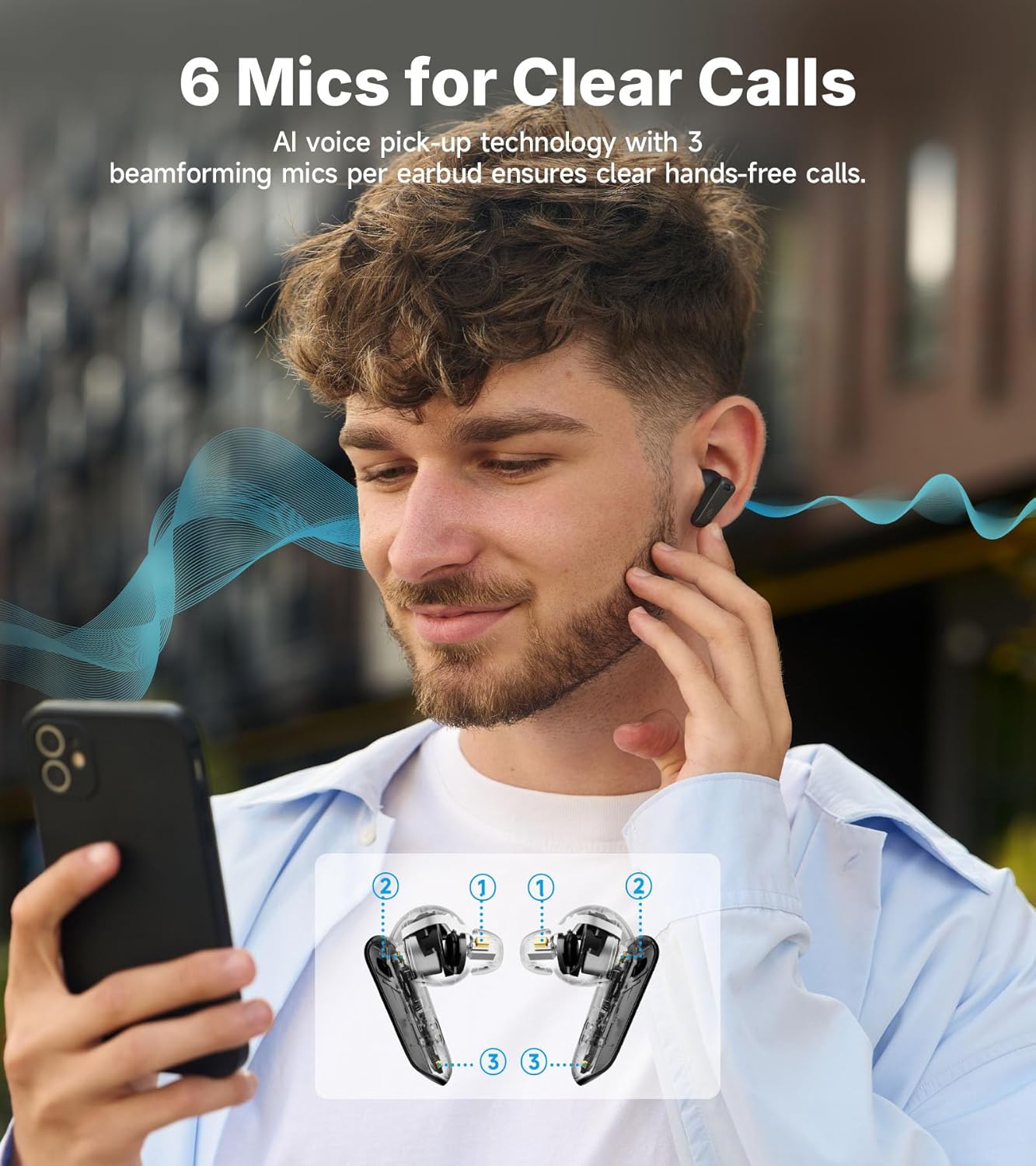
Image: A man is depicted using his smartphone while wearing Edifier NeoBuds Plus earbuds. An inset diagram highlights the location of the six microphones (three per earbud) used for AI voice pickup, ensuring clear call quality.
Intelligent Start-Stop
The earbuds feature wear sensors that automatically pause audio when removed from your ears and resume playback when reinserted, ensuring you never miss a beat.
Itoju
Ninu
Regularly clean your earbuds and charging case with a soft, dry cloth. For ear tips, remove them from the earbuds and clean with mild soap and water, then dry thoroughly before reattaching. Avoid using harsh chemicals or abrasive materials.
batiri Life & Ngba agbara
The NeoBuds Plus offer up to 47 hours of total playtime with ANC off (earbuds + charging case). With ANC on, you can expect up to 34 hours. The case supports both USB-C wired charging and convenient wireless charging.
Omi Resistance
The earbuds are rated IP54 for dust and water resistance, making them suitable for light splashes and sweat. They are not designed for submersion in water.
Laasigbotitusita
| Isoro | Owun to le Fa | Ojutu |
|---|---|---|
| Earbuds ko ni agbara lori. | Batiri kekere. | Fi awọn agbekọri sinu apoti gbigba agbara ati gba agbara ni kikun. |
| Ko le so pọ pẹlu ẹrọ. | Àwọn etí kò sí ní ipò ìsopọ̀; Bluetooth ti kú lórí ẹ̀rọ; ẹ̀rọ náà ti jìnnà jù. | Open case to enter pairing mode. Ensure device Bluetooth is on. Move device closer to earbuds. |
| Ko si ohun tabi iwọn kekere. | Volume too low; improper ear tip fit; earbud obstruction. | Adjust volume on device. Ensure ear tips provide a good seal. Clean earbud mesh if obstructed. |
| ANC ko munadoko. | Improper ear tip fit; incorrect ANC mode selected. | Ensure ear tips provide a tight seal. Switch to High Noise Cancellation mode via the app or earbud controls. |
| Didara ipe ko dara. | Ìdènà gbohùngbohùn; ariwo àyíká. | Ensure microphones are not covered. Move to a quieter environment if possible. |
Awọn pato
- Orukọ awoṣe: NeoBuds Plus
- Imọ-ẹrọ Asopọmọra: Ailokun (Bluetooth 5.4)
- Irú Awakọ Olohun: Hybrid Driver (Knowles balanced armature + 10mm dynamic)
- Iṣakoso Ariwo: Active Noise Cancellation (-48dB Hybrid ANC)
- Igbesi aye batiri: Up to 47 hours (ANC off with case)
- Akoko gbigba agbara: Awọn iṣẹju 15 fun wakati 4 akoko ere
- Awọn gbohungbohun: 6 (3 per earbud with AI voice pickup)
- Omi Resistance: IP54
- Ni atilẹyin Audio Codecs: LHDC5.0, LDAC, AAC
- Ibiti Bluetooth: 10 Mita
- Ọna Iṣakoso: App, Push Button, Voice
- Iwọn Igbohunsafẹfẹ: 20Hz - 40kHz
- Ìwọ̀n Nkan: 10.8 iwon
Official ọja Video
Fídíò: Fídíò ọjà tí a fọwọ́ sí láti ibi ìfihàn Edifierasing the key features and design of the NeoBuds Plus earbuds, including their active noise cancellation, sound quality, and battery life.
Atilẹyin ọja ati Support
Edifier products are designed and manufactured to the highest quality standards. For warranty information, technical support, or service inquiries, please visit the official Edifier webaaye tabi kan si atilẹyin alabara wọn taara. Tọju iwe-ẹri rira rẹ bi ẹri rira fun awọn iṣeduro atilẹyin ọja.
Ile-itaja Edififẹ Oṣiṣẹ: Itaja Edifier on Amazon
Ask a question about this manual
Ask about setup, troubleshooting, compatibility, parts, safety, or missing instructions. Manuals+ will review the question and use this page’s manual context to help answer it.