
1. Ọja Ipariview
The Homary Modern Lighted Nightstand is designed to enhance your bedroom or living space with its contemporary features and aesthetic. This smart bedside table integrates a wireless charging station, motion sensor LED lighting, and practical storage solutions.
Awọn ẹya pataki pẹlu:
- Ibudo Ngba agbara Alailowaya: Conveniently charge compatible devices without cables.
- Motion Sensor LED Light: Provides subtle illumination upon detecting movement, ideal for nighttime use.
- Acrylic Shelves & Leather Drawer: Offers both open display and concealed storage options.
- Ikole ti o tọ: Features stainless steel legs for stability and longevity.

Image 1.1: The Homary Modern Lighted Nightstand, showcasing awọn oniwe-apẹrẹ ati awọn ẹya ara ẹrọ.
2. Alaye Aabo
Jọwọ ka ati loye gbogbo awọn ilana aabo ṣaaju apejọ ati lilo. Ikuna lati tẹle awọn ilana wọnyi le ja si ipalara tabi ibajẹ ọja.
- This product requires assembly using a screwdriver.
- Pa awọn ẹya kekere kuro lọdọ awọn ọmọde lakoko apejọ.
- Do not exceed the weight limit of 43 pounds (19.5 kg) on the nightstand.
- Assemble and anchor the product properly to prevent tipping or collapse.
- Ọja yii jẹ ipinnu fun lilo agbalagba nikan.
3. Package Awọn akoonu
Rii daju pe gbogbo awọn paati wa ṣaaju ki o to bẹrẹ apejọ. Ti eyikeyi awọn ẹya ba sonu tabi bajẹ, jọwọ kan si atilẹyin alabara.
- Nightstand Frame (Acrylic and Stainless Steel)
- Leather Drawer Assembly
- Alailowaya Ngba agbara Module
- Išipopada Sensọ LED Light
- Hardware Apejọ (awọn skru, awọn asopọ, ati bẹbẹ lọ)
- Apejọ Itọsọna
4. Apejọ Awọn ilana
Follow the included Assembly Guide for detailed, step-by-step instructions. A screwdriver is recommended for assembly.
- Yọọ gbogbo awọn paati ati rii daju lodi si atokọ akoonu package.
- Attach the stainless steel legs to the acrylic frame using the provided hardware. Ensure all connections are secure.
- Install the drawer slides into the designated slots within the frame.
- Insert the leather drawer into the installed slides.
- Connect the wireless charging module and motion sensor LED light according to the wiring diagram in the Assembly Guide.
- Place the nightstand in its desired location, ensuring it is stable and level.

Image 4.1: Detail of the stainless steel legs, which provide stability to the nightstand.
5. Awọn ilana Iṣiṣẹ
5.1 Alailowaya Ngba agbara Station
The nightstand features a built-in wireless charging pad on its top surface. To use this feature:
- Ensure the nightstand is connected to a power source.
- Place your wireless-compatible device (e.g., smartphone) directly onto the designated charging area on the nightstand's top surface.
- The device should indicate that it is charging. If not, adjust its position on the pad.
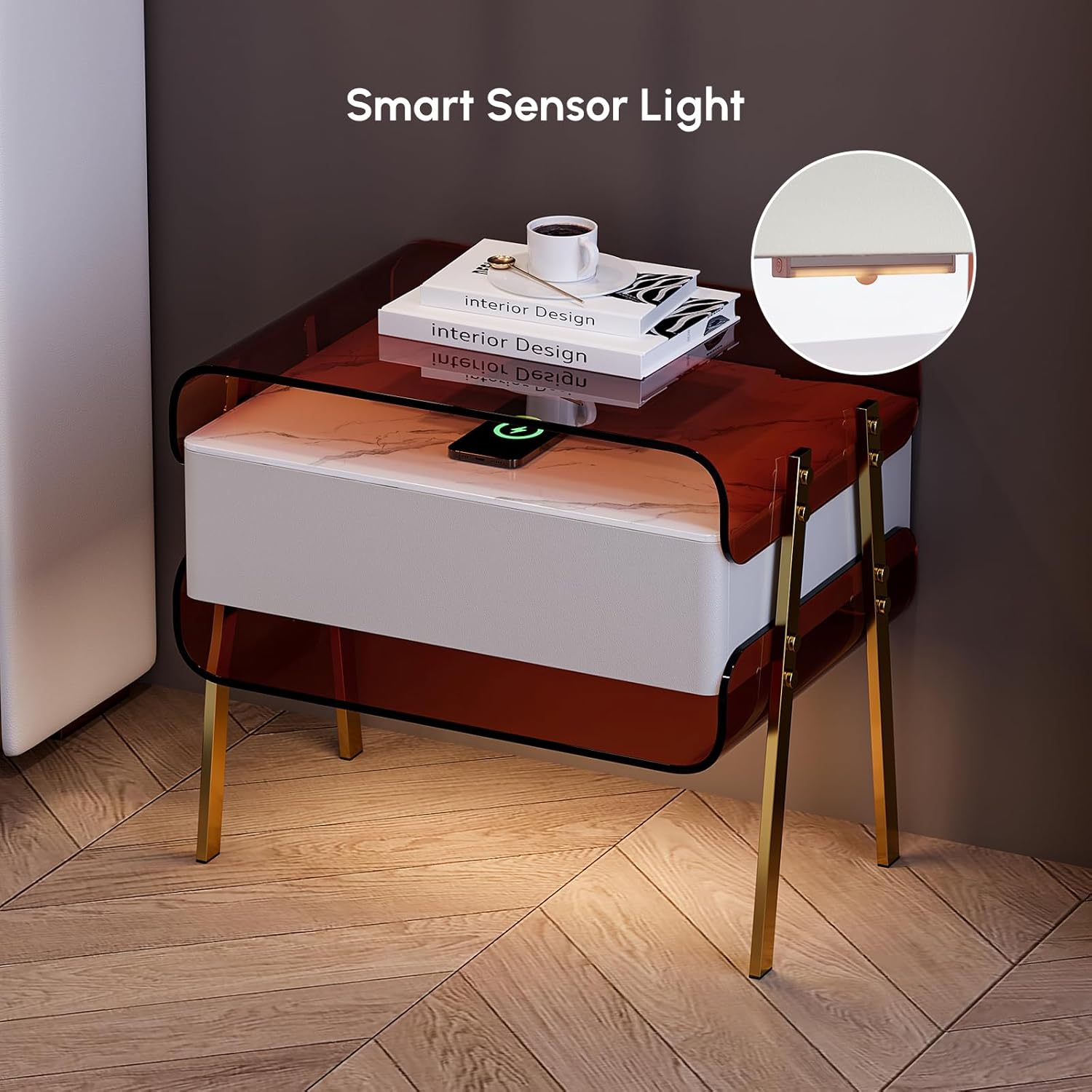
Image 5.1: A smartphone being charged wirelessly on the nightstand's surface.
5.2 Motion Sensor LED Light
The integrated motion sensor LED light provides automatic illumination for convenience, especially during the night.
- The LED light is located beneath the drawer.
- It will automatically activate when motion is detected within its sensor range.
- The light will typically remain on for approximately 30 seconds after motion ceases, then turn off automatically.

Image 5.2: The nightstand's motion sensor LED light illuminating the area below.
5.3 Iṣẹ́ Drawer
The nightstand includes a smooth-gliding drawer for concealed storage.
- Lati ṣii, rọra fa apamọwọ iwaju.
- To close, push the drawer until it is fully seated.
- The drawer is upholstered in faux leather and features smooth operation for easy access to your belongings.
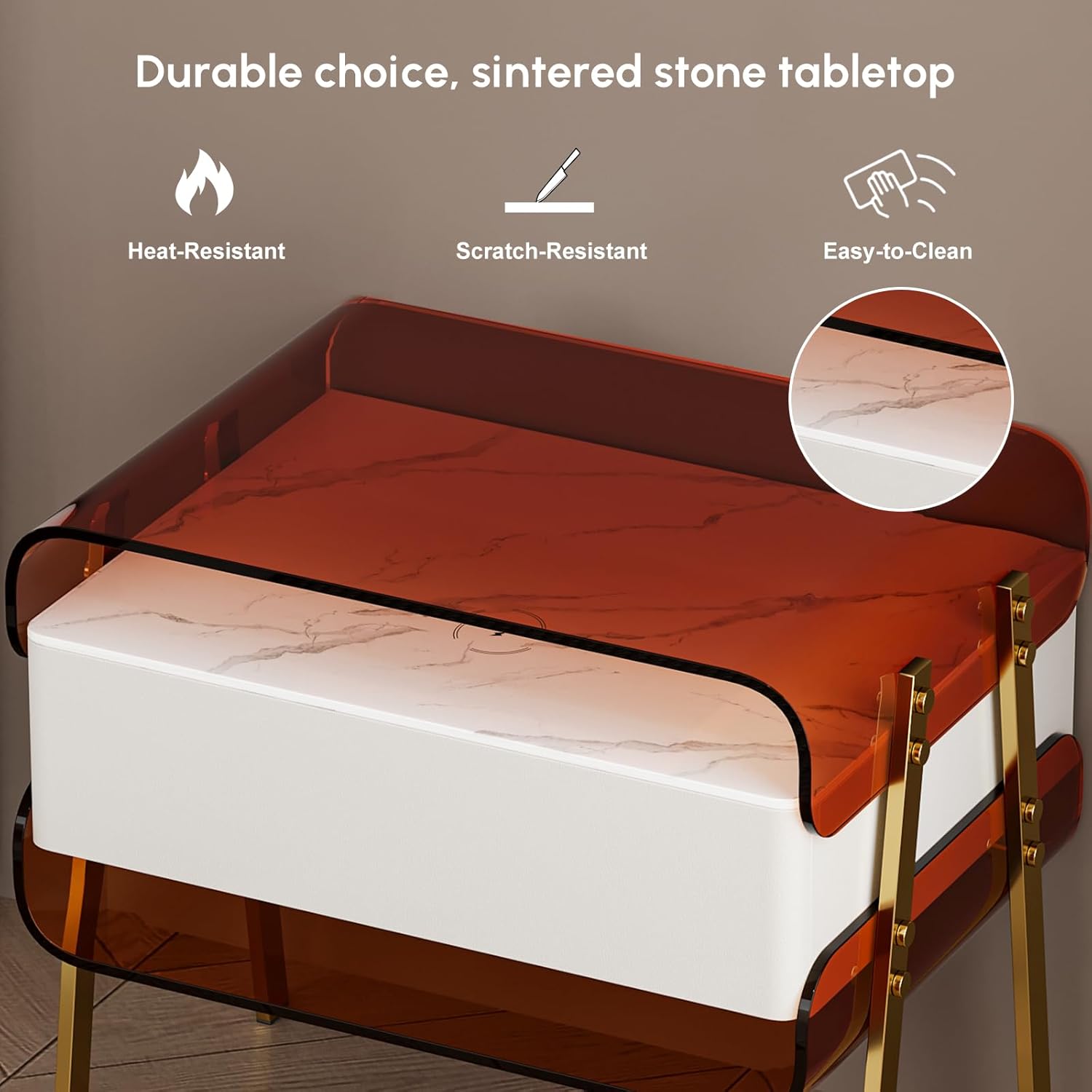
Image 5.3: The nightstand drawer shown open, revealing its interior storage capacity.
5.4 ọja Video
Video 5.4: An official product video demonstrating the features and functionality of the Homary Modern Lighted Nightstand.
6. Itọju
Ìtọ́jú tó tọ́ yóò jẹ́ kí àsìkò àti ìrísí àṣálẹ́ rẹ pẹ́ títí.
- Ninu: Mu awọn oju ilẹ pẹlu asọ, damp cloth. Avoid abrasive cleaners or harsh chemicals that may damage the acrylic, faux leather, or metal finishes.
- Idasonu: Clean spills immediately to prevent staining, especially on the faux leather drawer.
- Paadi Ngba agbara Alailowaya: Keep the charging area clean and free of debris to ensure optimal charging performance.
- Iduroṣinṣin: Lokọọkan ṣayẹwo gbogbo awọn skru ati awọn asopọ lati rii daju pe wọn wa ni wiwọ. Tun ṣe bi o ṣe nilo.
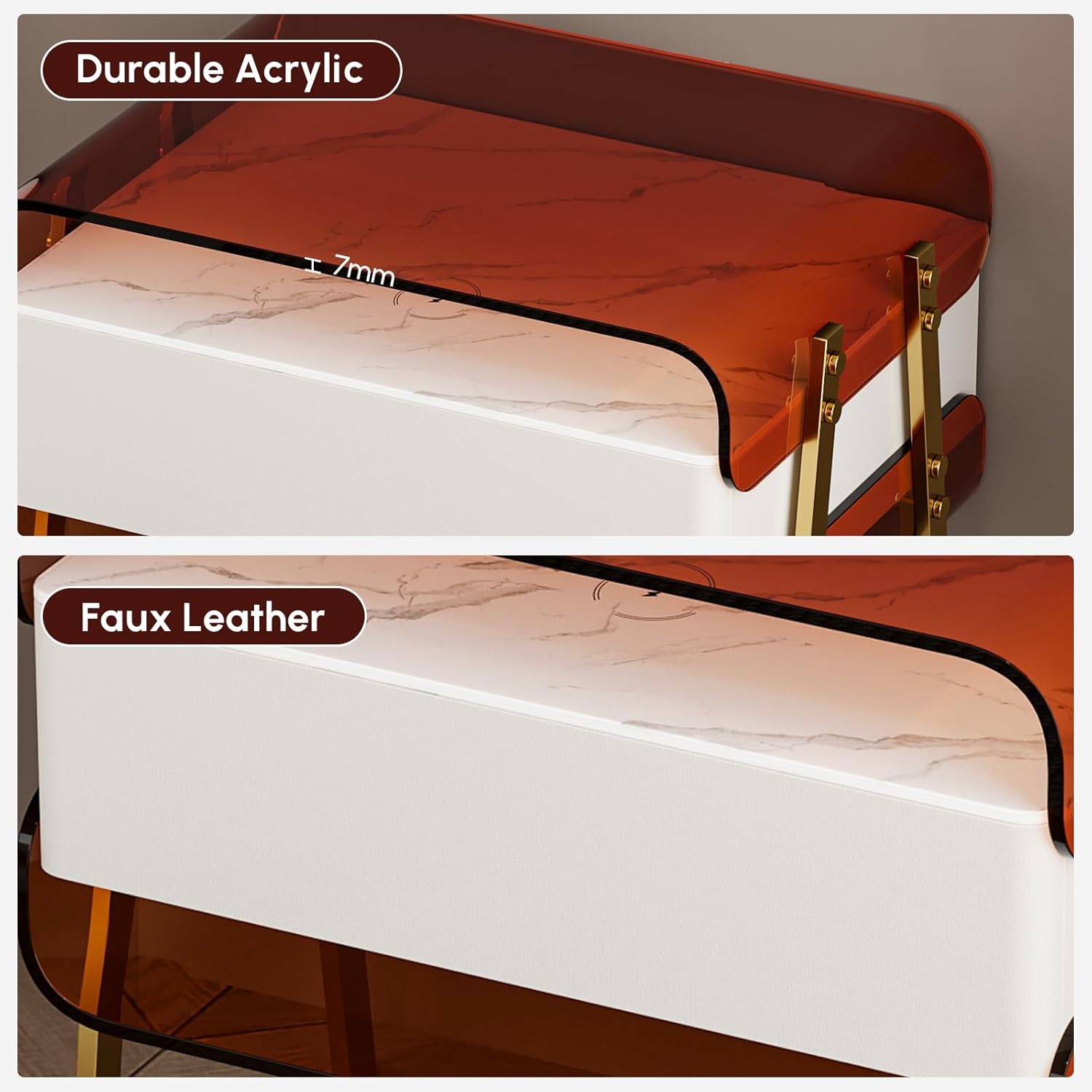
Image 6.1: The sintered stone tabletop, known for its heat and scratch-resistant properties, making it easy to clean.

Image 6.2: A close view of the durable acrylic frame and the faux leather drawer panel.
7. Laasigbotitusita
If you encounter issues with your nightstand, refer to the following common solutions:
- Gbigba agbara Alailowaya Ko Ṣiṣẹ:
- Ensure the nightstand is plugged into a functional power outlet.
- Verify your device is wireless charging compatible.
- Adjust the position of your device on the charging pad.
- Yọ eyikeyi awọn ọran foonu ti o nipọn ti o le dabaru pẹlu gbigba agbara.
- Motion Sensor LED Not Activating:
- Check if the nightstand is powered on.
- Rii daju pe sensọ ko ni idinamọ.
- Test the sensor by moving within its detection range.
- Drawer tí ó ń lẹ̀ mọ́ tàbí tí kò ń yọ̀ láìsí ìyọ́nú:
- Ṣàyẹ̀wò fún àwọn ìdènà èyíkéyìí nínú àpótí tàbí ní ẹ̀gbẹ́ àwọn sílíìdì náà.
- Rí i dájú pé àwọn pákó kọ̀ǹpútà náà wà ní ìbámu dáadáa àti ní ìpamọ́.
- Lightly lubricate the drawer slides if necessary (use a silicone-based lubricant).
- Nightstand Wobbles:
- Ensure the nightstand is on a flat, even surface.
- Check and tighten all assembly screws, especially those connecting the legs.
8. Awọn pato
Detailed product specifications for the Homary Modern Lighted Nightstand.
| Ẹya ara ẹrọ | Sipesifikesonu |
|---|---|
| Brand | ilowo |
| Nọmba awoṣe | JJT572813H |
| Awọn iwọn Ọja (D x W x H) | 15.7" x 21.3" x 19.7" (400mm x 540mm x 500mm) |
| Iwọn Nkan | 43 iwon (19.5 kg) |
| Ohun elo fireemu | Stainless Steel, Acrylic |
| Drawer Ohun elo | Faux Leather, Solid Wood |
| Top elo Iru | Acrylic, Sintered Stone |
| Àwọ̀ | Brown (Acrylic), Clear (Top), White (Drawer) |
| Nọmba ti Drawers | 1 |
| Motion Sensor LED | Bẹẹni |
| Ngba agbara Alailowaya | Bẹẹni |
| Apejọ ti a beere | Bẹẹni |
| Irinṣẹ Niyanju Fun Apejọ | Screwdriver |

Image 8.1: Dimensional drawing of the nightstand, showing height, width, and depth.
9. Onibara Support
For any questions, assistance, or to report missing/damaged parts, please contact Homary customer support.
- Imeeli: service@homary.com
- Please provide your order number when contacting via email.
- Customer service typically responds within 24 hours, excluding public holidays.

Image 9.1: Homary customer support contact details.