
Ọrọ Iṣaaju
The OnePlus Buds Pro 3 are advanced wireless Bluetooth earbuds designed to deliver a high-quality audio experience with features such as adaptive noise cancellation, dual-driver audio, and extended battery life. This manual provides essential information for setting up, operating, and maintaining your earbuds.

Image: OnePlus Buds Pro 3 earbuds and their charging case in Midnight Opus.
Ohun ti o wa ninu Apoti
Your OnePlus Buds Pro 3 package includes the following items:
- OnePlus Buds 3 Pro x 1 pair
- OnePlus Buds 3 Pro charging case x 1
- Itọsọna olumulo x 1
- Silicon eartips x 3 (S, M, L)
- USB Iru-C okun gbigba agbara x 1

Image: All items included in the OnePlus Buds Pro 3 retail packaging.
Ọja Pariview
The OnePlus Buds Pro 3 feature a sleek design with a metallic finish on the earbud stems and a textured charging case. Each earbud is equipped with dual drivers for enhanced audio quality.

Iwaju view of earbuds and case.

Apa view of earbuds and case.
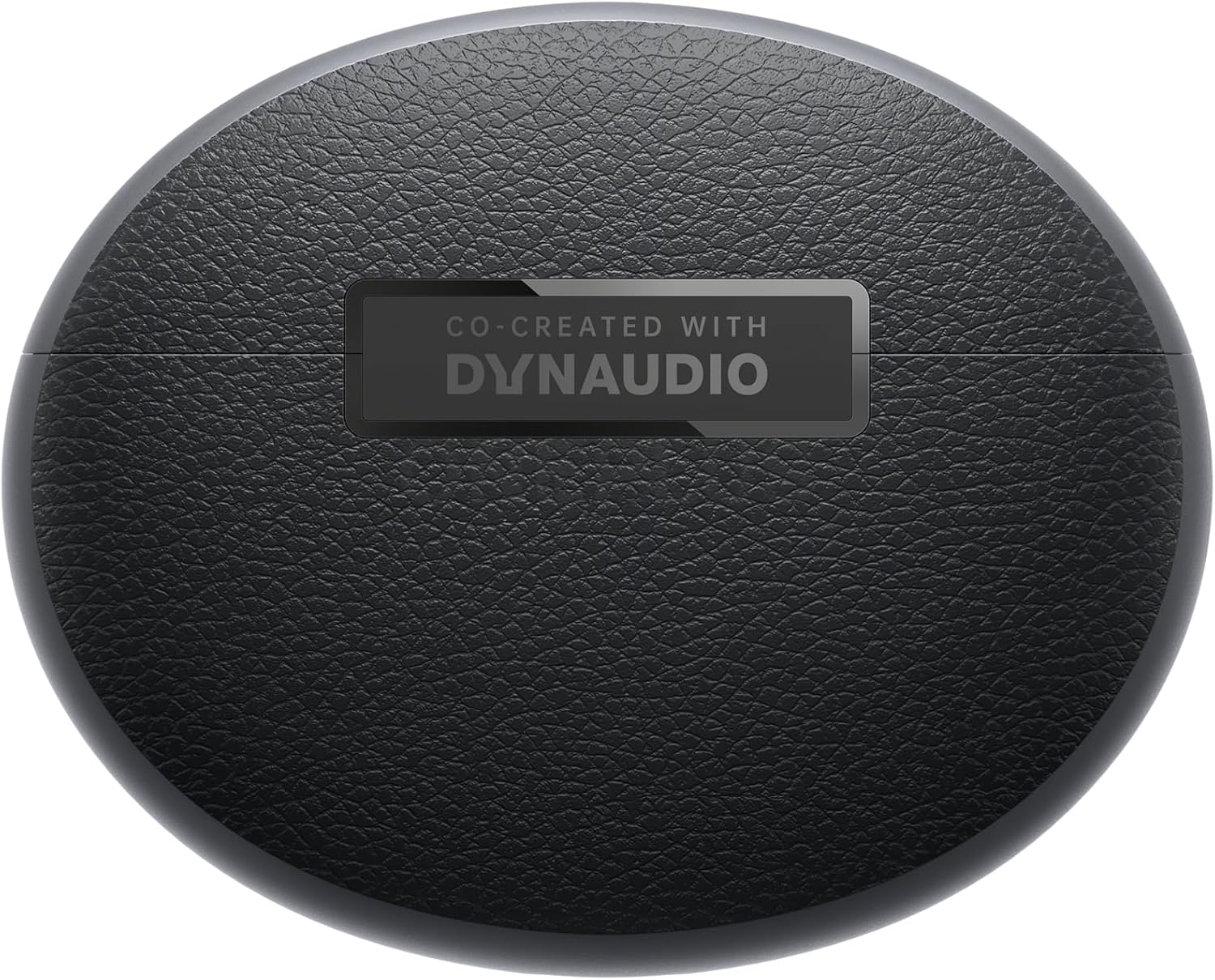
Pada view of earbuds and case.
Ṣeto
Sisọpọ
- Ensure your OnePlus Buds Pro 3 are charged.
- Ṣii apoti gbigba agbara. Awọn agbekọri yoo tẹ ipo isọpọ sii laifọwọyi.
- Lori ẹrọ rẹ (foonuiyara, tabulẹti, ati be be lo), jeki Bluetooth.
- Wa fun "OnePlus Buds Pro 3" in the list of available Bluetooth devices and select it to pair.
- For quick pairing with compatible Android devices, Google Fast Pair is supported.
HeyMelody App Installation
For full functionality and customization of your OnePlus Buds Pro 3, download the HeyMelody app from your device's app store (Google Play Store for Android, Apple App Store for iOS). The app allows you to manage settings, update firmware, and access advanced features.
Earbud Fit Test
Use the HeyMelody app to perform an earbud fit test. This ensures you have the optimal seal for the best audio quality and effective noise cancellation. Experiment with the included silicone eartips (S, M, L) to find the size that provides the best fit for your ears.
Awọn ilana Iṣiṣẹ
Awọn iṣakoso ifọwọkan
The OnePlus Buds Pro 3 feature intuitive touch and squeeze controls on the earbud stems. These controls can be customized via the HeyMelody app.
- Quick Squeeze: Mu/Dá ohùn dúró.
- Fun pọ lẹmeji: Itele orin.
- Pọn Mẹta: Ti tẹlẹ orin.
- Slide on Earbud Stem: Iṣakoso iwọn didun.
- Fun pọ ati Mu: Switch between Noise Cancellation and Transparency modes.
Awọn ọna Iṣakoso Ariwo
The earbuds offer various noise control modes to adapt to your environment:
- Ifagile Ariwo Nṣiṣẹ (ANC): Reduces ambient noise by up to 50dB for an immersive listening experience.
- Ìfàgilé Ariwo Aláyípadà: Automatically adjusts the noise cancellation level based on your surroundings.
- Ipo akoyawo: Ó máa jẹ́ kí o gbọ́ ohun tó wà ní àyíká rẹ nígbà tí o sì ń gbádùn ohùn rẹ, èyí tó wúlò fún ìmọ̀ ní àwọn àyíká tó kún fún ìgbòkègbodò.
Spatial Audio with Head Tracking
Experience immersive 3D sound with dynamic head tracking. This feature creates a sound environment that adapts to your head movements, providing a more realistic audio experience for supported music, video, and game apps.

Image: Spatial Audio with head tracking provides an immersive sound experience.
Low-Lairi Awọn ere Awọn Ipo
Activate Gaming Mode via the HeyMelody app to reduce audio lag, ensuring seamless sound synchronization for an enhanced gaming experience.
Smart Dual Connection
The earbuds support dual connection, allowing you to seamlessly switch between two paired devices (e.g., a smartphone and a laptop) without manually disconnecting and reconnecting.
Sound Master EQ
The HeyMelody app provides access to various Sound Master EQ presets, including Dynaudio-featured tuning, to customize your audio experience. You can also adjust the BassWave™ feature for deeper bass with clarity and fidelity.
Gbigba agbara
Igbesi aye batiri ti o gbooro sii
The earbuds offer up to 9 hours of playback on a single charge. With the charging case, the total battery life extends up to 44 hours.
Yara Gbigba agbara Technology
A quick 10-minute charge provides up to 5 hours of playback, ensuring your music is always ready when you are.
Ngba agbara Alailowaya
The charging case supports wireless charging for convenient power replenishment.

Image: Battery life details for various usage scenarios.
Itọju ati Itọju
IP55 Water and Sweat Resistance
The earbuds are rated IP55 for water and sweat resistance, making them suitable for workouts and outdoor activities. This rating protects against splashes and sweat, but they are not designed for submersion in water.

Image: IP55 rating ensures protection against water splashes and sweat.
Ninu
Regularly clean the earbuds and charging case with a soft, dry cloth. Remove any earwax or debris from the eartips and speaker grilles to maintain optimal sound quality and hygiene.
Laasigbotitusita
- Ko si Awọn iṣoro Ohun/Asopọmọra: Ensure earbuds are charged, Bluetooth is enabled on your device, and the earbuds are paired correctly. Try unpairing and re-pairing.
- Didara Ohun Ko dara: Check earbud fit using the HeyMelody app's fit test. Ensure eartips are clean and free of debris.
- Fagilé Ariwo Kò Munádóko: Verify ANC mode is active and that earbuds have a good seal.
- Ekọti Ko Ngba agbara: Ensure the charging case is charged and that the earbuds are properly seated in the case. Clean charging contacts if necessary.
Awọn pato
| Ẹya ara ẹrọ | Sipesifikesonu |
|---|---|
| Orukọ awoṣe | OnePlus Buds Pro 3 (E512A) |
| Ariwo Iṣakoso | Adaptive Noise Cancellation (up to 50dB) |
| Audio Driver Type | Hybrid Driver (11mm woofer, 6mm tweeter) |
| Asopọmọra Technology | Bluetooth 5.2 |
| Igbesi aye batiri (Earbuds) | Titi di wakati 9 |
| Igbesi aye batiri (pẹlu Ọran) | Titi di wakati 44 |
| Gbigba agbara yara | 10 iseju gba agbara fun 5 wakati šišẹsẹhin |
| Omi Resistance | IP55 (Earbuds) |
| Iṣakoso Iru | Iṣakoso ifọwọkan |
| Ipalara | 18 ohms |
| Ifamọ | 100 dB |
| Idahun Igbohunsafẹfẹ | 40 Hz |
| Iwọn | 7.4 iwon (0.21 kilo) |
Official ọja Video
Video: An official short preview ifihanasing the design and features of the OnePlus Buds Pro 3.
Atilẹyin ọja ati Support
For detailed warranty information and support, please refer to the official OnePlus website or contact OnePlus customer service. Keep your proof of purchase for warranty claims.


