
1. Ifihan
This user manual provides detailed instructions for the installation, operation, and maintenance of your VIMIN 16-Port 2.5G PoE Switch. This unmanaged switch features 16x 2.5G Base-T PoE ports and 2x 10Gbps SFP ports, designed for high-performance network connectivity. Please read this manual thoroughly before using the device to ensure proper setup and functionality.
2. Alaye Aabo
- Rii daju pe ipese agbara voltage baamu awọn ibeere ẹrọ naa.
- Ma ṣe ṣi ẹrọ naa casing. Tọkasi gbogbo iṣẹ si oṣiṣẹ oṣiṣẹ.
- Avoid placing the switch in areas with high humidity, dust, or extreme temperatures.
- Rii daju pe fentilesonu to dara lati ṣe idiwọ igbona.
- Ge asopọ agbara ṣaaju ṣiṣe mimọ tabi ṣiṣe itọju eyikeyi.
- This device includes 6KV surge protection; however, it is recommended to use additional surge protectors in areas prone to electrical surges.
3. Package Awọn akoonu
Daju pe gbogbo awọn nkan ti a ṣe akojọ rẹ si isalẹ wa ninu package rẹ:
- 1x VIMIN 16-Port 2.5G PoE Switch
- 1x Itọsọna olumulo
- 1x Okun Agbara
- 2x Mounting Bracket (for rack installation)
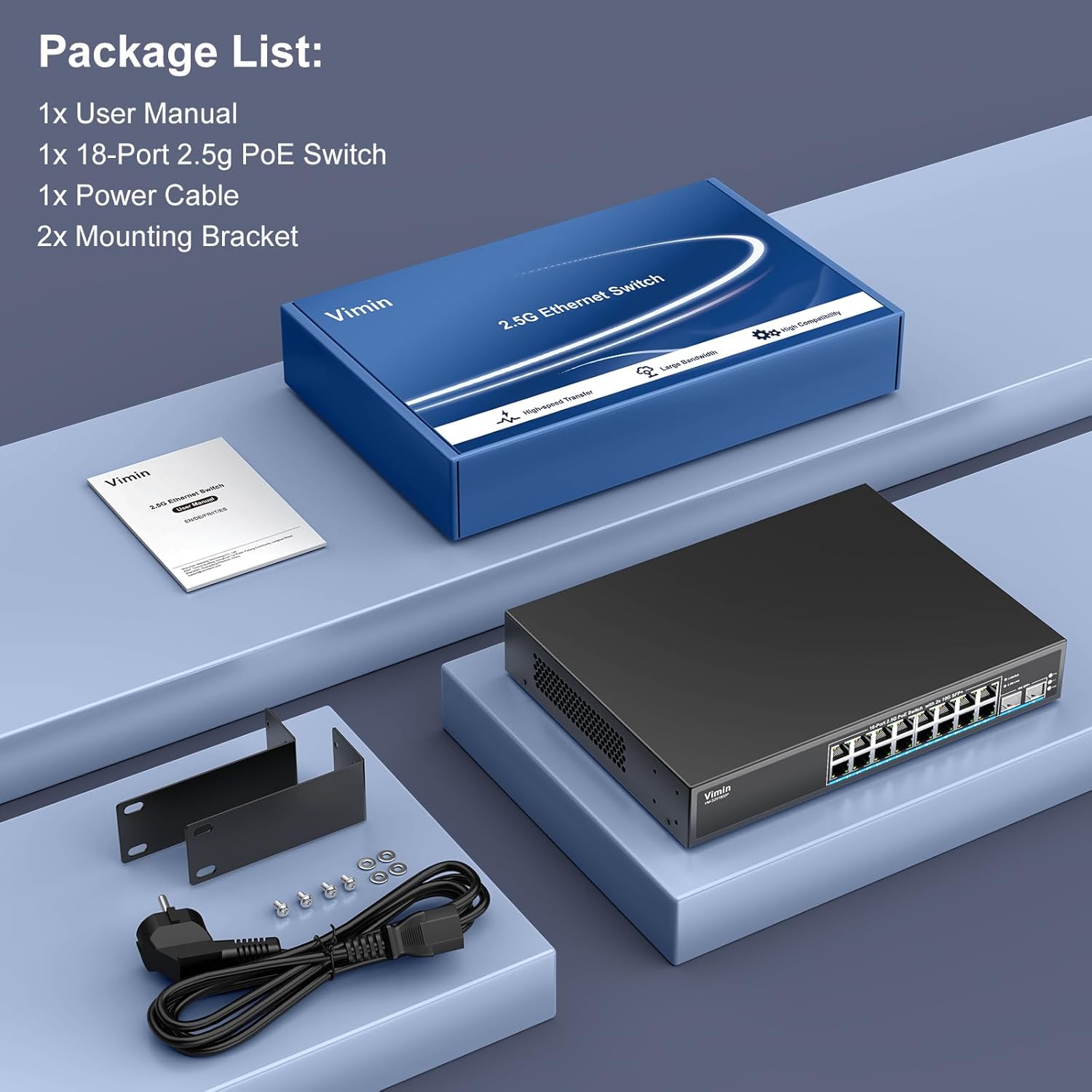
Image: Contents of the VIMIN 16-Port 2.5G PoE Switch package.
4. Ọja Ipariview
The VIMIN 16-Port 2.5G PoE Switch is designed for high-speed network environments, offering robust performance and Power over Ethernet capabilities.
4.1 Key Awọn ẹya ara ẹrọ
- High-Performance PoE+ 2.5G: Equipped with 16 RJ45 PoE+ ports (100/1000/2500 Mbps) and 2x 10 Gigabit SFP ports for seamless data transfer with 2.5 Gbps NAS, wireless access points (APs), and PCs.
- Robust PoE+ Functionality: Supports IEEE 802.3af/at standards, delivering up to 30W per port with a total PoE power budget of 220W. This allows powering compatible devices without separate power adapters. Note: This switch does not support passive PoE.
- Agbara Yiyipada 120Gbps: Provides super data processing capabilities for efficient network operation.
- One-Touch VLAN: Isolate ports 1-16 while maintaining communication with SFP ports to enhance network security, monitor network interruptions, reduce interference, and optimize port bandwidth utilization.
- 6KV Surge Protection and Fanless Design: Integrated 6KV surge protection safeguards devices from electrical surges. The fanless design ensures silent operation.
- Pulọọgi ati Ṣiṣẹ: As an unmanaged switch, it requires no complex configuration, offering easy installation and immediate use.
- Ibugbe Irin ti o tọ: Constructed with a robust metal casing for enhanced durability and heat dissipation.
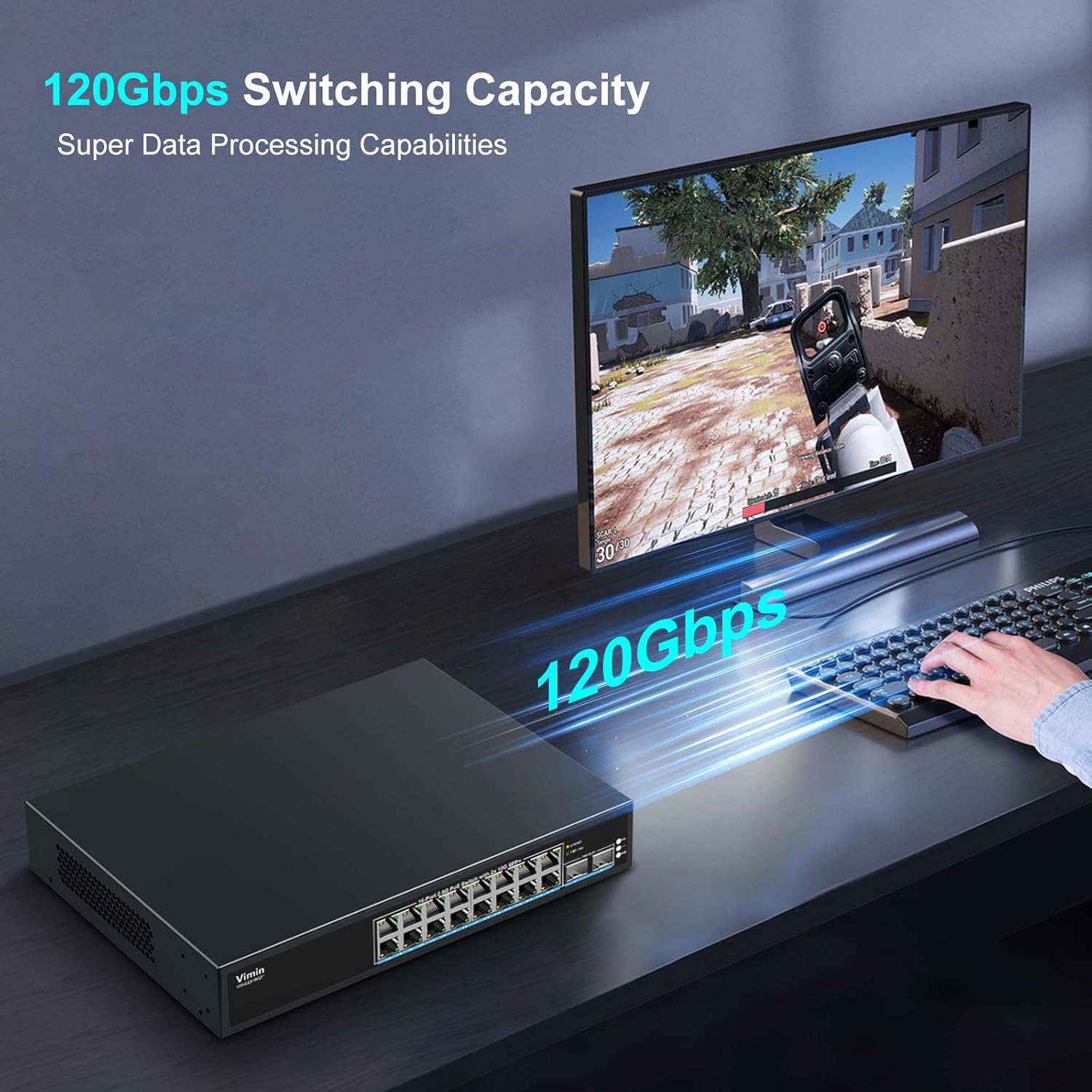
Image: VIMIN 16-Port 2.5G PoE Switch demonstrating 120Gbps switching capacity.
4.2 Ìṣètò Pánẹ́lì Iwájú

Image: Front panel of the VIMIN 16-Port 2.5G PoE Switch.
- 16x 2.5G PoE+ Ports: RJ45 ports supporting 100/1000/2500 Mbps speeds and IEEE 802.3af/at PoE. Each port can deliver up to 30W.
- Àwọn Ibudo SFP+ 2x 10G: High-speed SFP+ slots for fiber optic connections, supporting 1G/2.5G/10G optical fiber modules (module not included).
- Awọn itọkasi LED:
- Link/Act LED (Yellow): Indicates network activity or connection status.
- 2.5Gbps Link LED (Green): Indicates a 2.5Gbps link speed.
- LED PoE: Indicates PoE power status for each port.
- VLAN Switch: A physical switch to enable/disable VLAN mode.
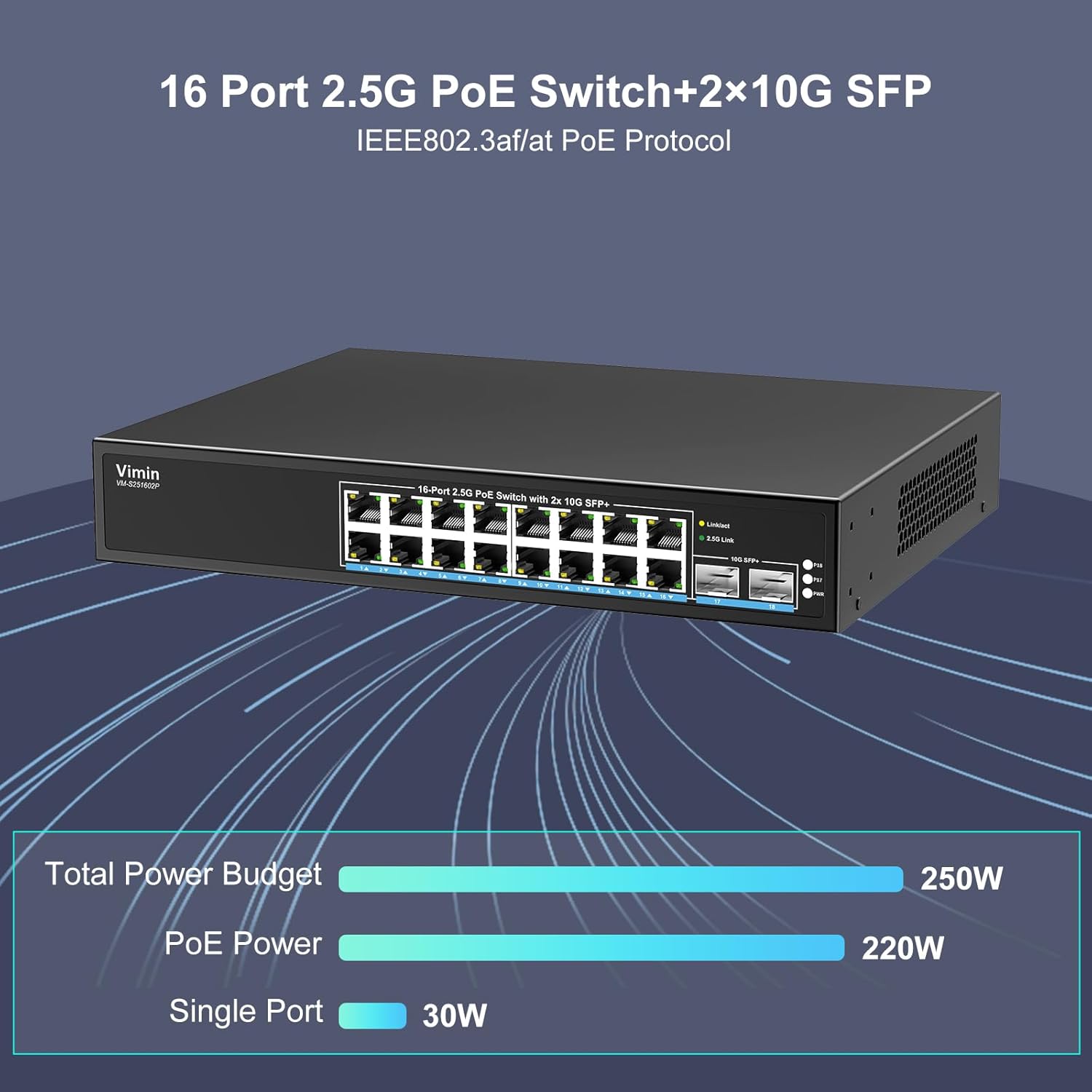
Aworan: Alaye view of ports and power budget information.

Image: Detail of the 10G SFP+ ports.

Image: Detail of the 2.5G RJ45 PoE ports.
4.3 Ru Panel Ìfilélẹ
The rear panel typically contains the power input and grounding screw (if applicable). Ensure the power cable is securely connected to the power input port.
5. Eto
5.1 Fifi sori ti ara
- Ibi: Place the switch on a stable, flat surface or install it into a standard 19-inch rack using the provided mounting brackets. Ensure adequate space around the switch for proper airflow.
- Asopọ agbara: Connect the power cable to the switch's power input and then to a suitable power outlet.
- Ilẹ-ilẹ (Aṣayan): For enhanced safety, connect a grounding wire to the grounding screw on the switch (if present) and to a proper ground source.

Image: Rack mount design and cooling features.
5.2 Àwọn Ẹ̀rọ Nẹ́tíwọ́ọ̀kì Tó Ń Sopọ̀
As an unmanaged switch, the VIMIN 16-Port 2.5G PoE Switch is plug-and-play. Simply connect your devices:
- Connect your network devices (e.g., computers, NAS, access points, IP cameras) to the RJ45 PoE+ ports using standard Ethernet cables.
- For high-speed uplinks or fiber connections, insert compatible SFP+ modules (not included) into the 10G SFP+ slots and connect fiber optic cables.
- The switch will automatically detect the connected devices and establish network links. For PoE-compatible devices, power will be supplied automatically.

Image: Plug and Play connectivity with various devices.
6. Awọn ilana Iṣiṣẹ
6.1 Ipilẹ isẹ
Once powered on and devices are connected, the switch operates automatically. The LED indicators will provide status information:
- A solid Link/Act LED indicates a stable network connection.
- A blinking Link/Act LED indicates data activity.
- A solid 2.5Gbps Link LED indicates a 2.5Gbps link speed.
- A solid PoE LED indicates that power is being supplied to the connected PoE device.
6.2 Ipo VLAN
The switch features a one-touch VLAN mode. When enabled, this mode isolates ports 1-16 from each other, preventing direct communication between them. However, all isolated ports can still communicate with the SFP uplink ports. This feature is useful for:
- Enhancing network security by segmenting traffic.
- Monitoring network interruptions more effectively.
- Reducing broadcast storms and optimizing bandwidth.
To activate or deactivate VLAN mode, use the physical VLAN switch located on the front panel of the device.
7. Itọju
- Ninu: Lo asọ ti o tutu, ti o gbẹ lati nu ode ti yipada. Ma ṣe lo olomi tabi awọn olutọpa aerosol.
- Afẹfẹ: Ensure that the cooling vents on the sides of the switch are not obstructed to maintain optimal operating temperature. The fanless design relies on natural convection.
- Awọn ipo Ayika: Operate the switch within the specified temperature range of 0°C to 45°C (32°F to 113°F).
- Awọn imudojuiwọn famuwia: As an unmanaged switch, firmware updates are generally not required or available.
8. Laasigbotitusita
| Isoro | Owun to le Fa | Ojutu |
|---|---|---|
| Ko si agbara si iyipada naa. | Power cable disconnected or power outlet faulty. | Ṣàyẹ̀wò ìsopọ̀ okùn agbára. Ṣe ìdánwò ibi ìjáde agbára pẹ̀lú ẹ̀rọ mìíràn. |
| No link light on a connected port. | Faulty cable, incorrect cable type, or connected device is off/faulty. | Ensure the Ethernet cable is properly connected and not damaged. Verify the connected device is powered on and functioning. Try a different port or cable. |
| Poe ẹrọ ko gba agbara. | Device is not PoE compatible, exceeds PoE budget, or faulty cable. | Confirm the device supports IEEE 802.3af/at PoE. Check the total power budget (220W) and individual port limit (30W). Use a known good Ethernet cable. |
| Network performance issues (slow speed). | Cable quality, network congestion, or VLAN mode misconfiguration. | Ensure high-quality Ethernet cables are used (Cat5e or better for 2.5G). Check for excessive network traffic. Verify VLAN mode setting is appropriate for your network setup. |
9. Awọn pato
| Ẹya ara ẹrọ | Apejuwe |
|---|---|
| Nọmba awoṣe | 16x2.5G PoE+2x 10G SFP (VM-S251602P) |
| Brand | VIMIN |
| Ni wiwo Iru | 16x RJ45 (100/1000/2500Mbps), 2x SFP+ (10Gbps) |
| Yipada Iru | Ti ko ṣakoso |
| Poe Standard | IEEE 802.3af / ni |
| Poe Power isuna | 220W Lapapọ |
| Max Power per PoE Port | 30W |
| Yipada Agbara | 120 Gbps |
| VLAN Feature | One-Touch VLAN (Port isolation for 1-16, SFP uplink communication maintained) |
| Aabo Idaabobo | 6KV |
| Itutu agbaiye | Fanless design with double-sided cooling holes |
| Ohun elo Ile | Irin |
| Àwọ̀ | Dudu |
| Awọn iwọn Ọja (L x W x H) | 16L x 10.9W x 3.3H sẹntimita |
| Iwọn Nkan | 2.2 kilo |
| Awọn iwọn otutu ti nṣiṣẹ | 0°C si 45°C (32°F si 113°F) |
| Awọn ẹrọ ibaramu | Server, Laptop, Desktop, Printer, Camera |
| UPC | 790885296086 |
10. atilẹyin ọja Information
Specific warranty details are not provided in the product information. Please refer to the warranty card included with your product or contact VIMIN customer support for detailed warranty terms and conditions.
11. Onibara Support
For technical assistance, troubleshooting, or any product-related inquiries, please contact VIMIN customer support:
- Imeeli: support@vimintech.com
- Iṣẹ: Professional technical team available for 24-hour high-quality service.