
1. Ifihan
The Focal Lensys Professional Closed-Back Headphones are engineered for detailed audio monitoring and playback. Featuring advanced Aluminum/Magnesium (Al/Mg) drivers and a sound-isolating design, these headphones provide an immersive listening experience for studio work, monitoring sessions, and general audio enjoyment. This manual provides essential information for the proper setup, operation, and maintenance of your Lensys Professional headphones.

Image 1.1: Focal Lensys Professional Closed-Back Headphones, showcasing apẹrẹ gbogbogbo.
2. Eto
2.1 Unpacking ati Awọn akoonu
Carefully unpack your headphones and verify that all components are present:
- Focal Lensys Professional Closed-Back Headphones
- Ọran Idaabobo
- Audio Cables (various lengths/types may be included)

Image 2.1: The various audio cables supplied with the headphones for different connection needs.
2.2 So Àwọn Agbọ́rọ̀kalẹ̀ Mọ́
- Identify the 3.5mm audio jack on your audio source (e.g., laptop, desktop, cellphone, tablet, gaming console, smart speaker).
- Select the appropriate audio cable from the included accessories.
- Insert one end of the audio cable into the designated port on the Focal Lensys Professional headphones.
- Insert the other end of the audio cable into the 3.5mm audio jack of your audio source.
Rii daju pe asopọ wa ni aabo lati ṣe idiwọ awọn idilọwọ ohun.
2.3 Siṣàtúnṣe fun Itunu
The Lensys Professional headphones are designed with memory foam earpads and a flexible headband for extended comfort. To achieve the best fit:
- Adjust the headband slides on both sides until the earpads sit comfortably over your ears, ensuring a snug but not overly tight fit.
- The memory foam earpads will conform to the shape of your ears, providing optimal sound isolation and comfort.
3. Awọn ilana Iṣiṣẹ
3.1 Ipilẹ Audio Sisisẹsẹhin
Once connected to your audio source, begin playing audio. Adjust the volume directly from your connected device. The headphones are designed for a neutral sound profile, making them suitable for critical listening and mixing.
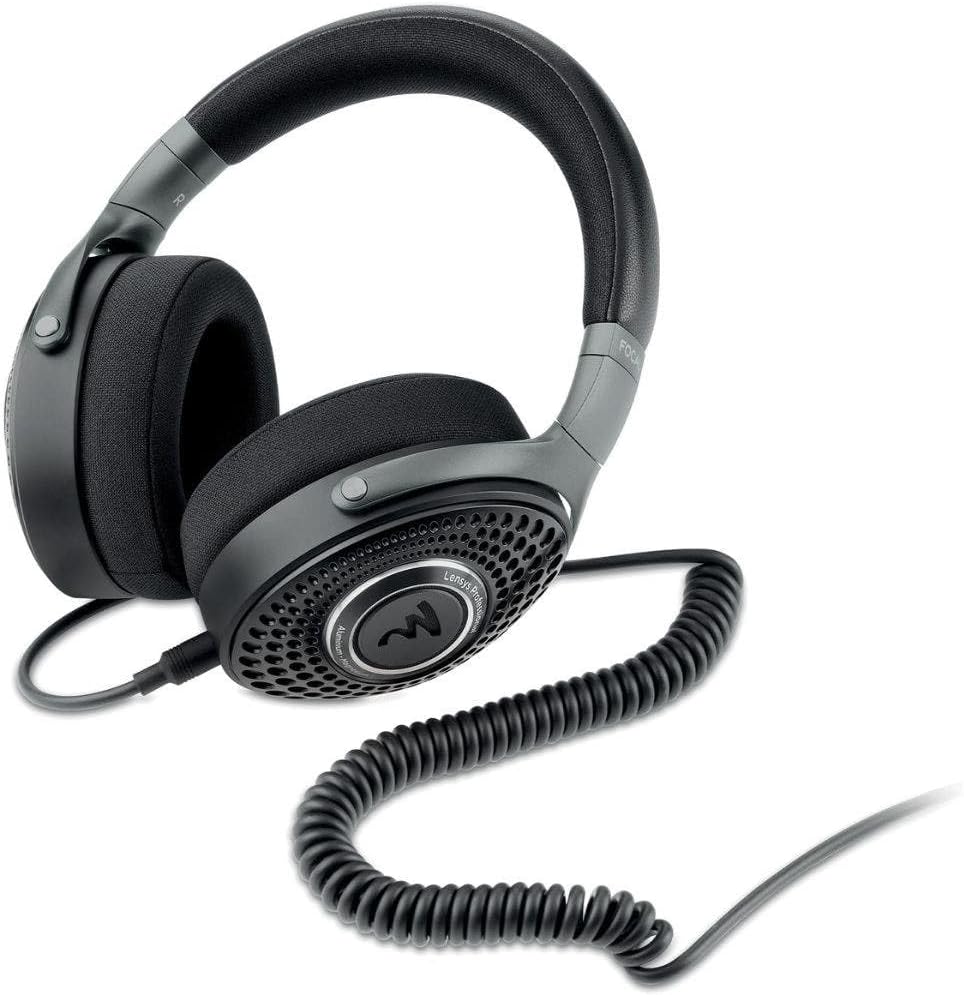
Image 3.1: The Focal Lensys Professional Headphones shown with a coiled audio cable connected, ready for use.
3.2 Iṣakoso Latọna jijin (ti o ba wulo)
Some audio cables may include an inline remote control. If your cable features a remote, refer to your audio source device's manual for specific functions such as play/pause, track skipping, or volume control, as functionality can vary.
3.3 ti a ti pinnu Lilo
These headphones are specifically designed for:
- Gbigbasilẹ: Providing accurate monitoring during recording sessions.
- Idapọ: Offering a neutral sound signature for precise audio mixing.
- Gbigbọ Gbogbogbo: Delivering high-fidelity audio for everyday enjoyment.
4. Itọju
4.1 Ninu
To maintain the condition and performance of your headphones:
- Use a soft, dry, lint-free cloth to wipe the exterior surfaces of the earcups and headband.
- For the memory foam earpads, gently wipe with a slightly damp cloth if necessary, and allow them to air dry completely before use. Avoid excessive moisture.
- Do not use harsh chemicals, solvents, or abrasive cleaners, as these can damage the materials (Aluminum/Magnesium, Memory Foam, Plastic/Fabric).
4.2 Ibi ipamọ
When not in use, store your Focal Lensys Professional headphones in the provided protective case. This helps to prevent dust accumulation, scratches, and physical damage, extending the lifespan of the product.

Image 4.1: The protective carrying case, designed to safely store your Focal Lensys Professional Headphones.
5. Laasigbotitusita
If you encounter issues with your Focal Lensys Professional headphones, consider the following:
- Ko si Ohun:
- Rí i dájú pé okùn ohùn náà so mọ́ agbekọri àti orísun ohùn náà dáadáa.
- Ṣayẹwo ipele iwọn didun lori ẹrọ orisun ohun rẹ.
- Test the headphones with a different audio source or cable to rule out device or cable issues.
- Didara Ohun Ko dara:
- Verify that the audio cable is fully inserted and not damaged.
- Rí i dájú pé orísun ohùn náà ń gba ohùn tó dára jùlọ files.
- Check for any debris in the headphone jack or port.
- Ibanujẹ lakoko Lilo:
- Re-adjust the headband for a more comfortable fit.
- Take short breaks during extended listening sessions.
If problems persist, refer to the Warranty & Support section for further assistance.
6. Awọn pato
Detailed technical specifications for the Focal Lensys Professional Closed-Back Headphones:
| Ẹya ara ẹrọ | Sipesifikesonu |
|---|---|
| Orukọ awoṣe | Lensys Ọjọgbọn |
| Nọmba Awoṣe Nkan | RM |
| Asopọmọra Technology | Ti firanṣẹ |
| Awọn agbekọri Jack | 3.5 mm Jack |
| Audio Driver Type | Dynamic Driver (Al/Mg) |
| Apẹrẹ Akọti | Àwọn ife tí ó wà lórí etí |
| Fọọmù ifosiwewe | Lori Eti |
| Gbigbe Eti | Lori Eti |
| Ipalara | 26 ohms |
| Ariwo Iṣakoso | Iyasọtọ ohun |
| Ohun elo | Aluminum/Magnesium, Memory Foam, Plastic/Fabric |
| Awọn irinše to wa | Ọran Idaabobo |
| Ọja Mefa | 9.55 x 8.6 x 3.25 inches |
| Iwọn Nkan | 2.53 iwon |
| Olupese | Idojukọ |

Àwòrán 6.1: Apá kan view highlighting the design and materials of the Focal Lensys Professional Headphones.
7. Atilẹyin ọja ati Support
7.1 atilẹyin ọja Alaye
For detailed information regarding the warranty coverage for your Focal Lensys Professional Headphones, please refer to the warranty card included with your purchase or visit the official Focal webojula. Awọn ofin atilẹyin ọja le yatọ nipasẹ agbegbe ati alagbata.
7.2 Onibara Support
Should you require technical assistance, have questions about your product, or need to report a defect, please contact Focal customer support through their official website or the contact information provided in your product documentation. Ensure you have your product model number (RM) and proof of purchase available when contacting support.


