
Ọrọ Iṣaaju
The Xiaomi Smart Camera C500 is an advanced indoor surveillance camera designed to provide comprehensive monitoring for your home. Featuring a dual-lens system, 4-megapixel resolution, and dual-band Wi-Fi 6 connectivity, it offers enhanced security features such as human tracking, crying detection, and pet tracking. This manual provides detailed instructions for setting up, operating, and maintaining your camera to ensure optimal performance.
Alaye Aabo
- Rii daju pe kamẹra ti fi sori ẹrọ ni ipo iduroṣinṣin lati ṣe idiwọ lati ja bo.
- Lo adapter agbara atilẹba ti a pese pẹlu ẹrọ naa nikan.
- Má ṣe fi kámẹ́rà náà sí ojú ọjọ́ tó le koko, ọ̀rinrin tàbí oòrùn tààrà.
- Keep the camera away from water or other liquids. This product is not water-resistant.
- Do not attempt to disassemble or repair the camera yourself. Contact authorized service personnel for assistance.
- Jeki kuro ni arọwọto awọn ọmọde.
Package Awọn akoonu
Daju pe gbogbo awọn nkan wa ninu apo rẹ:
- 1 × Xiaomi Smart Camera C500 4MP Dual Lens with Wi-Fi 6 Dual-Band
- Adapter agbara
- Mounting Accessories (if applicable for ceiling/wall mount)
- Itọsọna olumulo
Ọja Pariview
The Xiaomi Smart Camera C500 features a compact dome design with dual lenses for extended coverage. It includes a power port, status indicator light, and a microSD card slot for local storage.
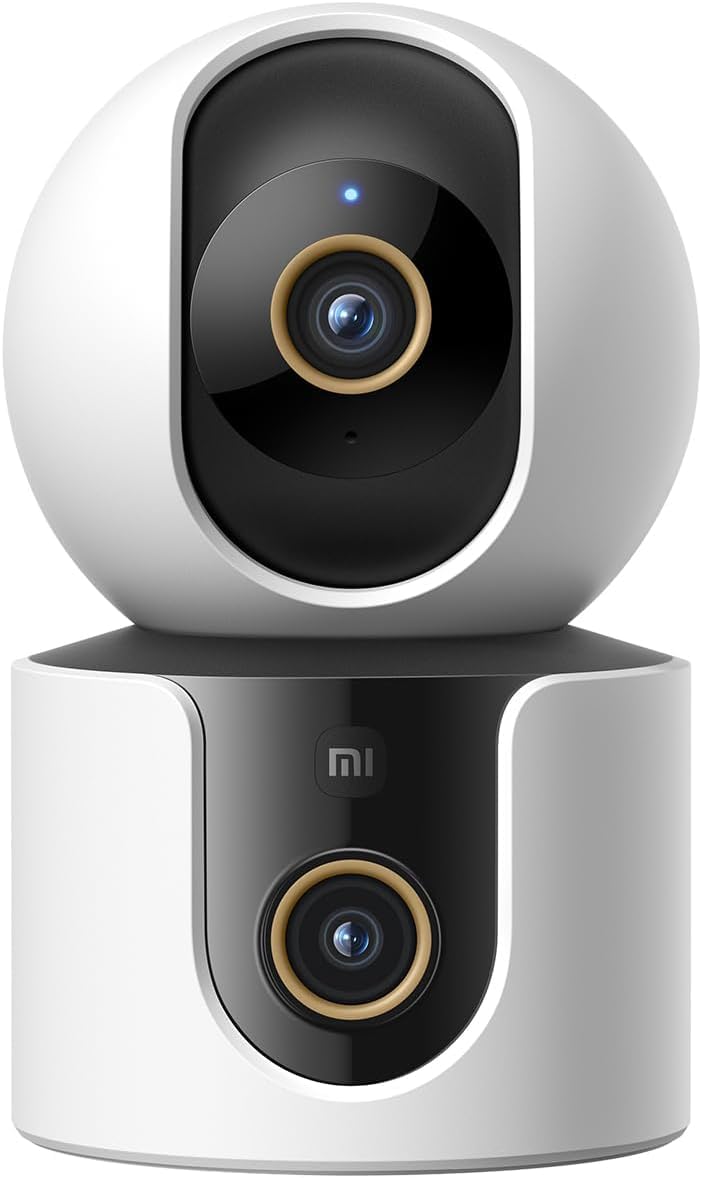
olusin 1: Iwaju view of the Xiaomi Smart Camera C500, showing its dual-lens design and white and black casing.

olusin 2: Top-isalẹ view of the Xiaomi Smart Camera C500, highlighting its spherical upper section and ventilation holes.

olusin 3: Apa view of the Xiaomi Smart Camera C500, showing the power input and other ports on the base.
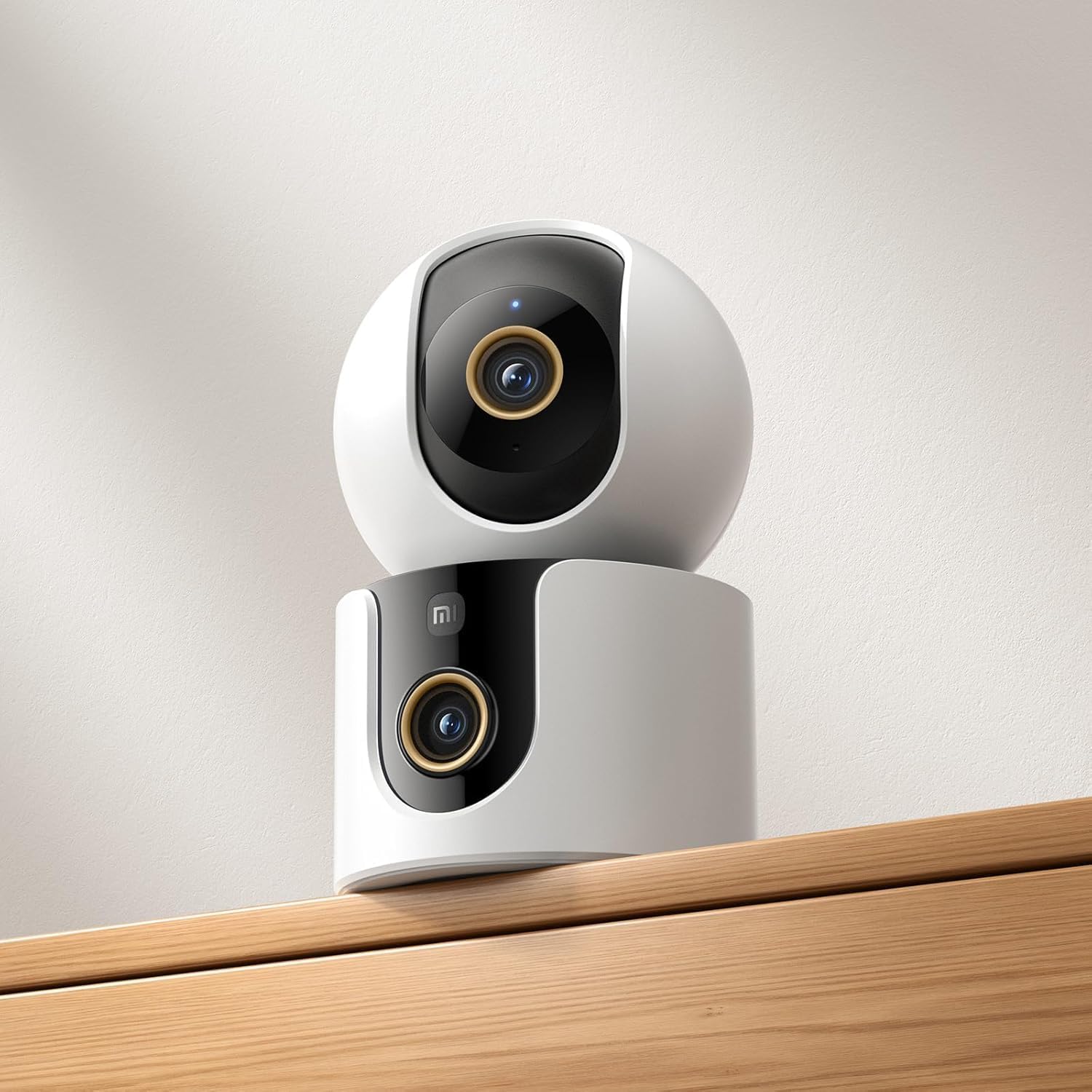
Figure 4: The Xiaomi Smart Camera C500 positioned on a wooden shelf, demonstrating its compact size and discreet placement.
Ṣeto
1. Agbara Lori
- Connect the power adapter to the camera's power input port.
- Pulọọgi ohun ti nmu badọgba agbara sinu iṣan ogiri kan.
- The camera will automatically power on, and the indicator light will begin to flash, indicating it is ready for connection.
2. App sori
- Gba awọn Ile Xiaomi àpù láti inú ilé ìtajà àpù fóònù rẹ (Google Play Store fún Android tàbí Apple App Store fún iOS).
- Open the app and create a Xiaomi account or log in if you already have one.
3. Sisopọ pẹlu App
- In the Xiaomi Home app, tap the "+" icon in the top right corner to add a new device.
- Select the Xiaomi Smart Camera C500 from the list of available devices.
- Follow the on-screen instructions to connect the camera to your Wi-Fi network. Ensure your phone is connected to a 2.4GHz or 5GHz Wi-Fi network (the camera supports dual-band Wi-Fi 6).
- Scan the QR code displayed on your phone screen using the camera lens. You will hear a voice prompt confirming successful scanning.
- Nígbà tí o bá ti so mọ́ra, o lè sọ orúkọ kámẹ́rà rẹ kí o sì yàn án fún yàrá kan pàtó.
4. Iṣagbesori Kamẹra
The camera supports tabletop placement or ceiling/wall mounting.
- Oke Tabili: Place the camera on a flat, stable surface.
- Ceiling/Wall Mount: Use the provided mounting base and screws to secure the camera to a desired location. Ensure the camera is securely attached and has a clear field of view.
Awọn ilana Iṣiṣẹ
1. Gbe View
Open the Xiaomi Home app and select your camera to view the live feed. You can pan and tilt the camera remotely using the controls in the app to achieve 360-degree coverage.
2. Gbigbasilẹ ati Sisisẹsẹhin
- Ibi ipamọ agbegbe: Insert a microSD card (up to 256GB) into the camera's slot for continuous or event-triggered recording.
- Ibi ipamọ awọsanma: Optional cloud storage services may be available through the Xiaomi Home app for secure backup of recordings.
- Sisisẹsẹhin: Wiwọle gba silẹ footage through the app's playback feature, navigating by date and time.
3. Audio-Ona Meji
Use the microphone and speaker icon in the live view interface to enable two-way communication. This allows you to speak through the camera and hear audio from its location.
4. Motion Detection and Human Tracking
The camera can detect motion and intelligently track human figures. Enable these features in the app settings to receive alerts and automatically record when activity is detected.
5. Crying Detection
For parents, the crying detection feature can be enabled to send instant notifications to your phone when a baby's cry is detected, allowing for quick response.
6. Pet Tracking
The camera can also track pets, providing alerts and recording their movements. This feature is useful for monitoring your furry companions throughout the day.
7. Night Iran
The camera automatically switches to ultra-low light color mode or infrared night vision in dim conditions, ensuring clear visibility up to 15 meters even in complete darkness.
Itoju
- Ninu: Fi rọra nu lẹnsi kamẹra ati ara pẹlu asọ ti o gbẹ. Maṣe lo awọn kẹmika ti o lewu tabi awọn afọmọ abrasive.
- Awọn imudojuiwọn famuwia: Regularly check for and install firmware updates through the Xiaomi Home app to ensure optimal performance and access to new features.
- Kaadi MicroSD: If using a microSD card, periodically check its status and format it if necessary to maintain recording quality and prevent data corruption.
Laasigbotitusita
| Oro | Owun to le Solusan |
|---|---|
| Camera fails to connect to Wi-Fi | Ensure your Wi-Fi network is 2.4GHz or 5GHz. Check Wi-Fi password. Move camera closer to router. Reset camera and try pairing again. |
| Ko si laaye view tabi gbigbasilẹ | Check power connection. Ensure Wi-Fi is stable. Verify microSD card is inserted correctly and not full. Check app permissions. |
| Didara fidio ti ko dara | Clean the camera lens. Ensure adequate lighting. Check Wi-Fi signal strength. Adjust video resolution settings in the app. |
| Awọn iwifunni ko gba | Check app notification settings on your phone. Ensure motion/crying detection is enabled in the camera settings. Verify app has necessary permissions. |
| Ohun afetigbọ ọna meji ko ṣiṣẹ | Check microphone and speaker settings in the app. Ensure phone volume is up. Avoid placing camera in noisy environments. |
Awọn pato
| Ẹya ara ẹrọ | Ẹ̀kúnrẹ́rẹ́ |
|---|---|
| Orukọ Brand | Xiaomi |
| Orukọ awoṣe | Kamẹra ibojuwo |
| Nọmba awoṣe | C500 Meji |
| Iṣeduro Awọn lilo fun Ọja | Aabo inu ile |
| Asopọmọra Technology | Ailokun |
| Pataki Awọn ẹya ara ẹrọ | Itumọ giga |
| inu ile / ita gbangba Lo | Ninu ile |
| Awọn ẹrọ ibaramu | Foonuiyara |
| Orisun agbara | Okun Itanna |
| Ilana ibaraẹnisọrọ | Wi-Fi Nẹtiwọọki |
| Adarí Iru | Amazon Alexa |
| Iṣagbesori Iru | Tabletop Mount, Freestanding |
| Àwọ̀ | Funfun |
| Fọọmù ifosiwewe | Dome |
| Ohun elo | Acrylonitrile Butadiene Styrene (ABS) |
| Omi Resistance Ipele | Ko Omi Resistant |
| Apẹrẹ Nkan | Dome |
| Iru Itaniji | Audio ati išipopada |
| Yara Iru | Ọfiisi |
| Orisun Imọlẹ | Infurarẹẹdi |
| Ipinnu sensọ aworan | 4 Megapiksẹli |
| Ọna Iṣakoso | Nipasẹ App |
| Voltage | 5.0 |
| Wattage | 10.0 |
| Ti beere awọn batiri? | Rara |
| Nọmba ti awọn ikanni | 2 |
| Fidio fifi koodu | H.265 |
| Fidio Yaworan kika | MPEG-4 |
| Ibiti Iran Night | 15 mita |
| Alẹ Iranran | Night Awọ |
| Number of Infrared LED Lights | 10 |
| Flash Memory Iru | Micro SD |
| Maximum Supported Flash Memory Size | 256 GB |
| Nọmba ti Awọn nkan | 1 |
| Specific Product Nlo | 360 ìyí Ideri, kakiri |
| Olupese | Xiaomi |
| Imọ-ẹrọ Ibaraẹnisọrọ Alailowaya | Wi-Fi |
| Ipinnu Yaworan fidio | 1080p |
| Iwọn fireemu | 25 awọn fireemu fun keji |
| Viewigun igun | 360 iwọn |
| Idojukọ Iru | Idojukọ aifọwọyi |
| Imọ-ẹrọ sensọ Aworan | CMOS |
| Awọn iwọn Nkan | 7.8 x 7.8 x 11.5 cm |
| Iwọn Nkan | 327 giramu |
| Iwọn Ẹka | 1.0 Iṣiro |
Atilẹyin ọja ati Support
For warranty information, please refer to the warranty card included in your product packaging or visit the official Xiaomi website. For technical support, troubleshooting assistance, or to report issues, please contact Xiaomi customer service through their official channels or the Xiaomi Home app.
You can find additional resources and FAQs on the Xiaomi official support page.