
Tuni S1-BP
Tuni S1-BP Mini Coffee Scale Instruction Manual
Model: S1-BP | Brand: Tuni
Ọrọ Iṣaaju
The Tuni S1-BP Mini Coffee Scale is designed for precision and convenience in coffee brewing. Featuring high accuracy, multiple smart modes, and a long-lasting rechargeable battery, it is an essential tool for both espresso and pour-over coffee enthusiasts. This manual provides detailed instructions for setup, operation, and maintenance to ensure optimal performance.
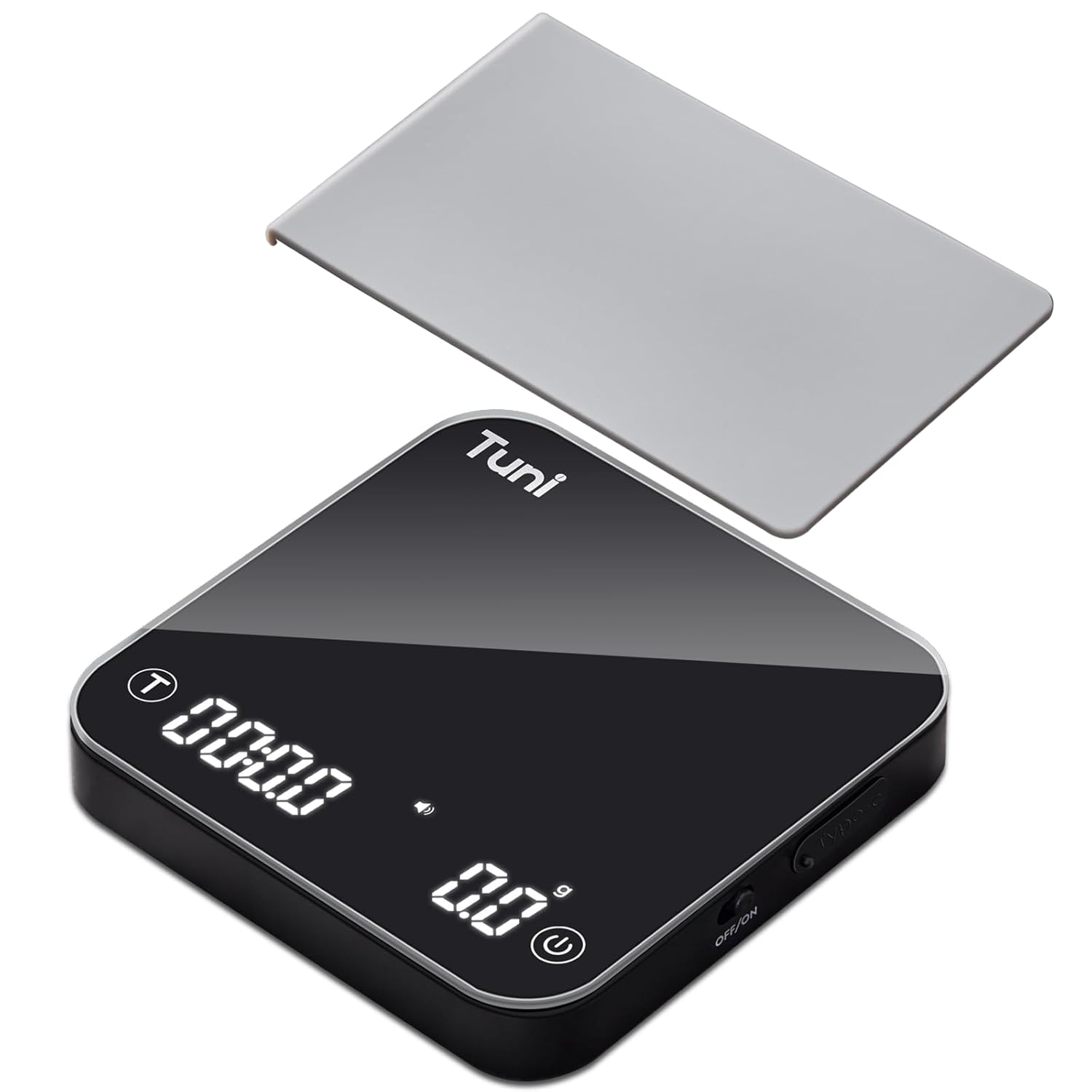
Figure 1: Tuni S1-BP Mini Coffee Scale with removable silicone pad.
Ohun ti o wa ninu Apoti
- 1 x Tuni S1-BP Mini Coffee Scale
- 1 x USB Iru-C Okun Ngba agbara
- 1 x Anti-Slip Silicone Pad
- 1 x Itọsọna olumulo (iwe yii)
Key Awọn ẹya ara ẹrọ
- 4 Smart Modes & 3 Units: Effortlessly switch between grams (g), milliliters (ml), and ounces (oz). Includes manual timing, automatic mode, powder/water ratio mode, and flow rate mode for precise measurements.
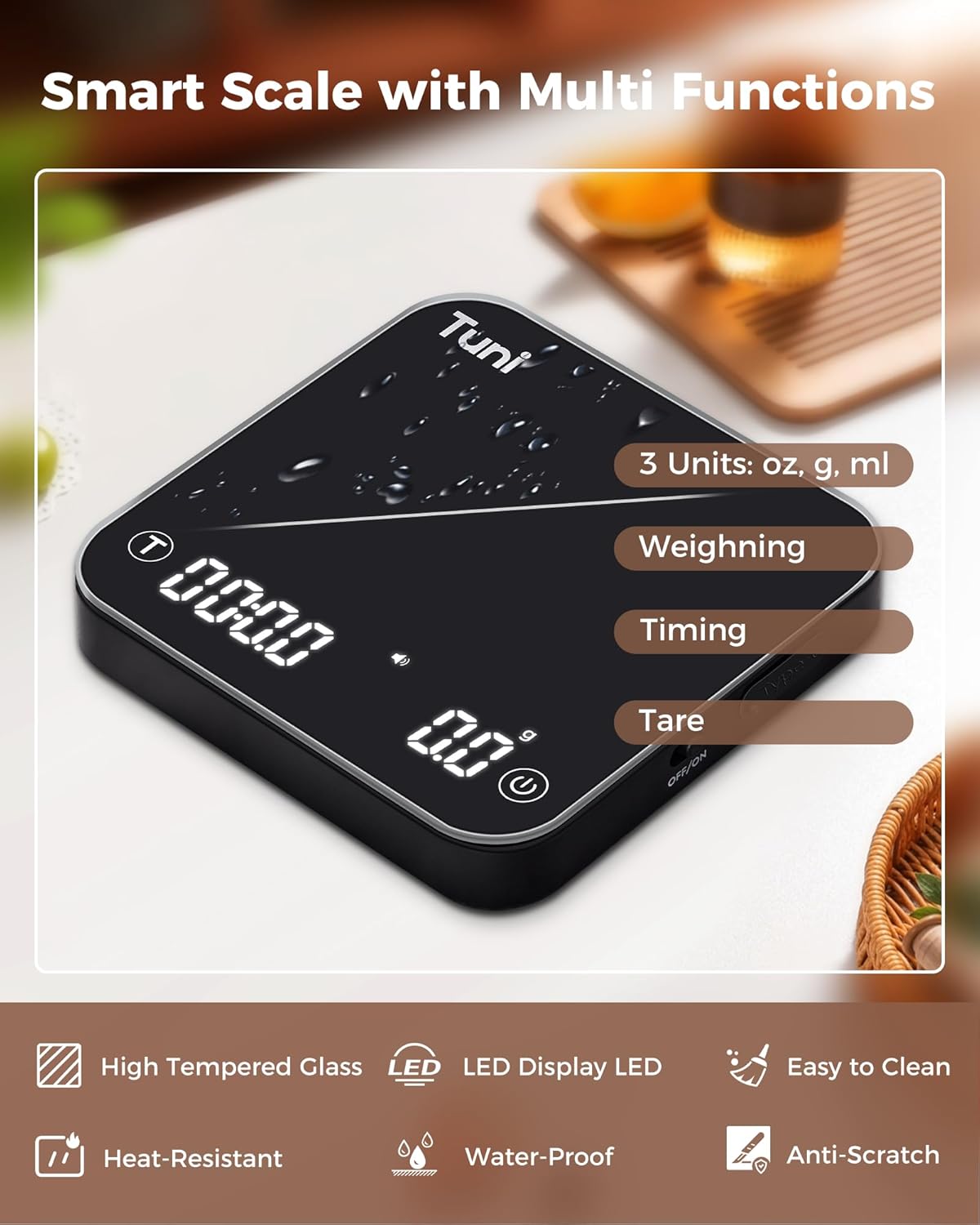
Olusin 2: Pariview of smart functions and unit options.
- Awọn ohun elo Didara: Features a hidden LED display and a high-temperature resistant, waterproof tempered glass surface. Includes non-slip, heat-resistant silicone pads for durability and easy cleaning.

Figure 3: Tempered glass surface for durability and easy cleaning.
- 0.1g High Precision Accuracy: Measures from 0.3g to 2000g with 0.1g accuracy, ideal for precise coffee brewing, kitchen ingredients, or jewelry.
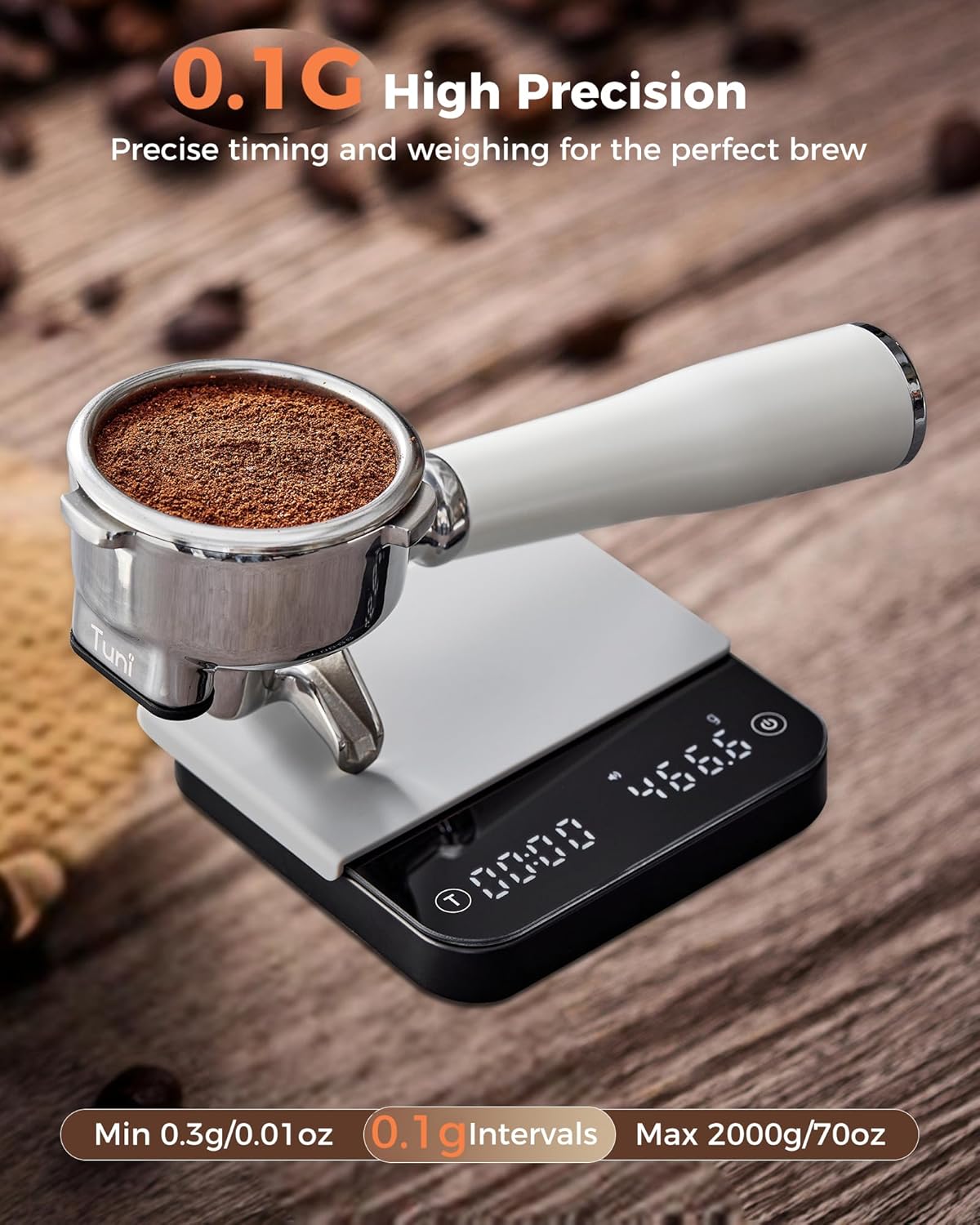
Figure 4: The scale's display showing precise 0.1g measurements.
- Batiri Gbigba agbara-pẹpẹ: Built-in 500mAh lithium battery provides up to 90 days of use on a single charge. Includes a Type-C charging cable. The scale enters sleep mode after 2 minutes of inactivity.

Figure 5: The scale features a long-lasting rechargeable battery with Type-C charging.
- Pa Iṣẹ́ Dakẹ́ Silence beeping sounds by pressing the 'Power' and 'T' buttons simultaneously for 2 seconds.

Figure 6: Activating the mute function for silent operation.
- Iwapọ ati Apẹrẹ to gbe: Measures 4.1" x 4.1" x 0.8" and weighs only 0.33lb, making it easy to carry.

Figure 7: Compact size for easy portability.
Ṣeto
1. Gbigba agbara akọkọ
Before first use, fully charge the scale using the provided USB Type-C cable. Connect the cable to the scale's Type-C port and a compatible USB power source (e.g., computer, wall adapter, power bank). The battery indicator on the display will show charging status.
2. Agbara Tan / Paa
The scale has two ways to power on/off:
- Ìyípadà ti ara: Locate the ON/OFF physical switch on the side of the scale. Slide it to the 'ON' position to activate the scale.
- Digital Button: Once the physical switch is ON, press the digital power button (circle icon) on the scale's surface to turn the display on/off.

Figure 8: Physical ON/OFF switch and digital power button.
Awọn ilana Iṣiṣẹ
Familiarize yourself with the scale's interface:

Figure 9: Detailed function diagram of the Tuni S1-BP scale.
1. Iṣẹ́ Tare
To zero out the weight of a container (e.g., coffee mug, portafilter), place the empty container on the scale and short press the 'T' button. The display will reset to 0.0g.
2. Switching Units
Short press the 'Power' button (circle icon) to cycle through the available units: grams (g), milliliters (ml), and ounces (oz).
3. Smart Modes
The scale offers four smart modes for different brewing needs. Double-press the 'Power' button to cycle through these modes:
- Manual Timing Mode: Allows you to manually start and stop the timer while measuring weight. Ideal for precise control over your pour-over or espresso shot.
- Ipo Aifọwọyi: The timer automatically starts when weight is detected (e.g., when coffee begins to brew) and stops when the weight stabilizes or is removed.
- Powder/Water Ratio Mode: Calculates the ratio of coffee grounds to water and tracks brew time. The timer automatically stops when water addition ceases.
- Flow Rate Mode: Measures the water flow rate in real-time, providing insights into your pouring consistency. The timer automatically stops when the kettle or filter is removed.
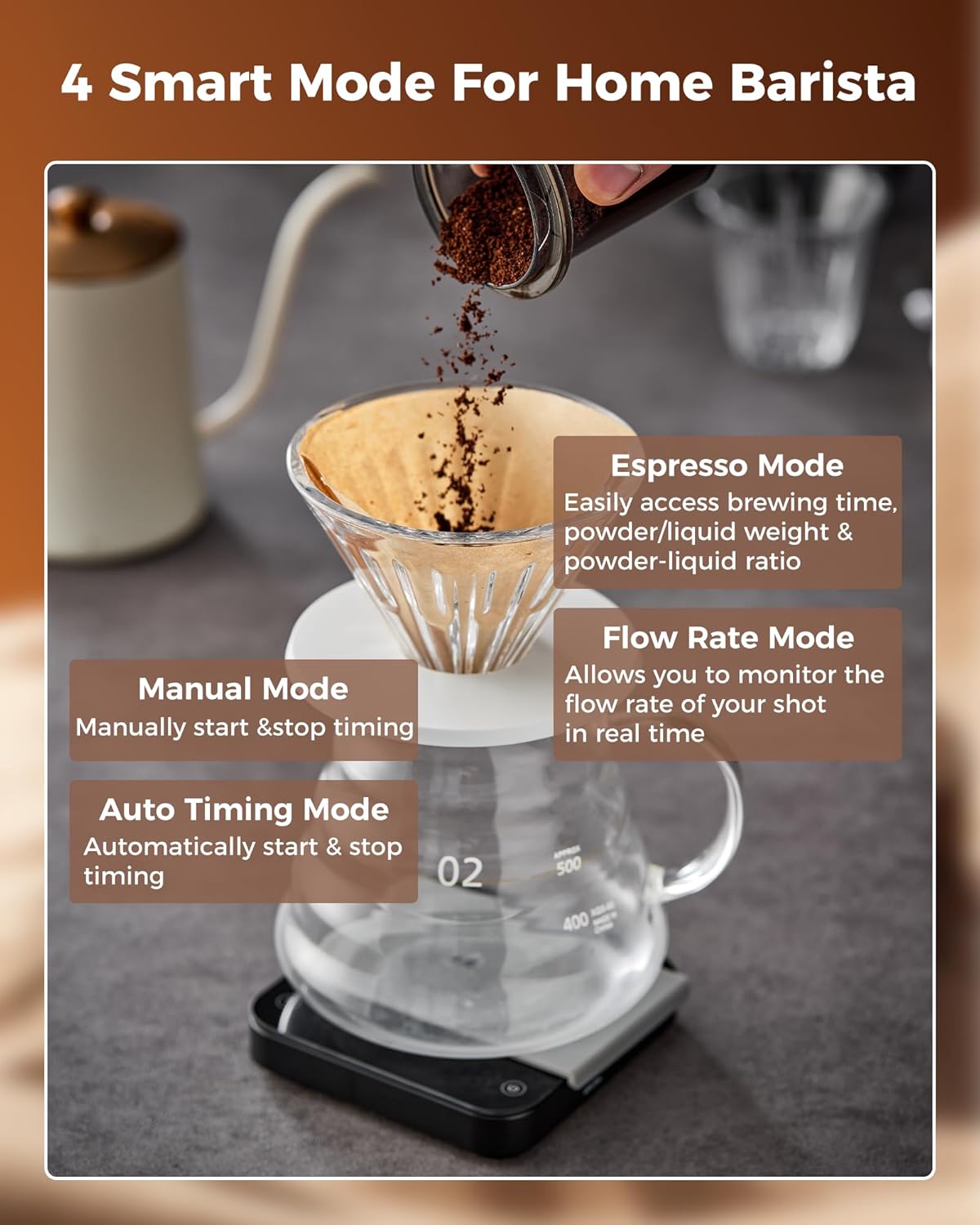
Figure 10: Visual representation of the four smart modes.
4. Using Ratio Mode (Video Guide)
For a detailed demonstration on how to use the Ratio Mode, please watch the official video below:
Video 1: How to use the Ratio Mode on the Tuni S1-BP Coffee Scale.
5. General Operation (Video Guide)
Fun kan gbogboogbo loriview of the scale's features and basic operation, refer to the official product video:
Video 2: Tuni S1 Mini Smart Coffee Scale - Tare, Weighing, Timing.
Awọn pato
| Ẹya ara ẹrọ | Ẹ̀kúnrẹ́rẹ́ |
|---|---|
| Brand | Tuni |
| Nọmba awoṣe | S1-BP |
| Yiye | 0.1g |
| Agbara | 0.3g si 2000g |
| Awọn ẹya | g, ml, oz |
| Batiri | 500mAh Lithium Ion (a le gba agbara pada, pẹlu rẹ) |
| Igbesi aye batiri | Up to 90 days (standby) |
| Gbigba agbara Port | USB Iru-C |
| Awọn iwọn | 4.1" x 4.1" x 0.8" |
| Iwọn | 0.33lb |
| Ifihan Iru | Farasin LED |
| Pataki Awọn ẹya ara ẹrọ | Auto Shut Off, Mute Function, Tempered Glass Surface, Anti-Slip Silicone Pad |
| Ilu isenbale | China |
Itoju
Ninu
The tempered glass surface is waterproof and easy to clean. Use a soft, damp cloth to wipe down the scale. For stubborn stains, a mild soap solution can be used. Ensure the scale is completely dry before storage or next use. The silicone pad is removable and can be washed separately.

Figure 11: The removable silicone pad for easy cleaning and protection.
Ibi ipamọ
Store the scale in a cool, dry place away from direct sunlight and extreme temperatures. Avoid placing heavy objects on the scale when not in use to prevent damage to the sensor.
Laasigbotitusita
- Iwọn naa ko tan:
- Ensure the physical ON/OFF switch on the side is in the 'ON' position.
- Check if the battery is charged. Connect the scale to a power source using the Type-C cable.
- Awọn kika ti ko pe:
- Rii daju pe a gbe iwọnwọn sori alapin, dada iduroṣinṣin.
- Tare the scale before adding items to be weighed.
- Avoid placing the scale near strong electromagnetic fields or vibrating surfaces.
- Display not visible:
- The display is hidden when off. Press the digital power button to activate it.
- Ensure the scale is powered on and the battery is not depleted.
- Mute function not working:
- Ensure you are pressing both the 'Power' and 'T' buttons simultaneously for 2 seconds.
Atilẹyin ọja & Atilẹyin
Tuni offers 18 months of after-service support and lifetime technical assistance for the S1-BP Mini Coffee Scale. For any inquiries or assistance, please contact Tuni customer support through your purchase platform or the official Tuni webojula.
Ask a question about this manual
Ask about setup, troubleshooting, compatibility, parts, safety, or missing instructions. Manuals+ will review the question and use this page’s manual context to help answer it.