
1. Ọja Ipariview
The HiBy Cu4 Balance Earphone Cable features an O.C.C. (Ohno Continuous Casting) and Coaxial Structure, designed to deliver a soft and lightweight cable experience. This design aims to faithfully reproduce the original sound, enhancing music signal transmission efficiency and allowing various headphones to express their unique audio characteristics.

Aworan 1: Pariview of the HiBy Cu4 Balance Earphone Cable and its core features.
2. Ohun ti o wa ninu Apoti
Your HiBy Cu4 package includes the following components:
- Balanced Replacement Cable
- 3.5mm Single-Ended Plug
- 4.4mm Balanced Plug

Image 2: All components included in the HiBy Cu4 Balance Earphone Cable package.
3. Key Awọn ẹya ara ẹrọ
3.1. O.C.C. & Coaxial Structure for Faithful Sound Reproduction
The HiBy Cu4 cable is engineered with O.C.C. and a coaxial structure to ensure accurate and faithful reproduction of the original sound. This design minimizes signal loss and preserves audio integrity.

Image 3: The HiBy Cu4 cable's design for faithful sound reproduction.
3.2. Litz Type 4 Construction
Braided with Litz Type 4 construction, the single crystal copper (OCC) IEM Cable features a fully balanced coaxial design. This construction ensures lossless signal transmission and provides interference immunity, contributing to a warm and dynamic sound while ensuring rapid and accurate signal delivery.
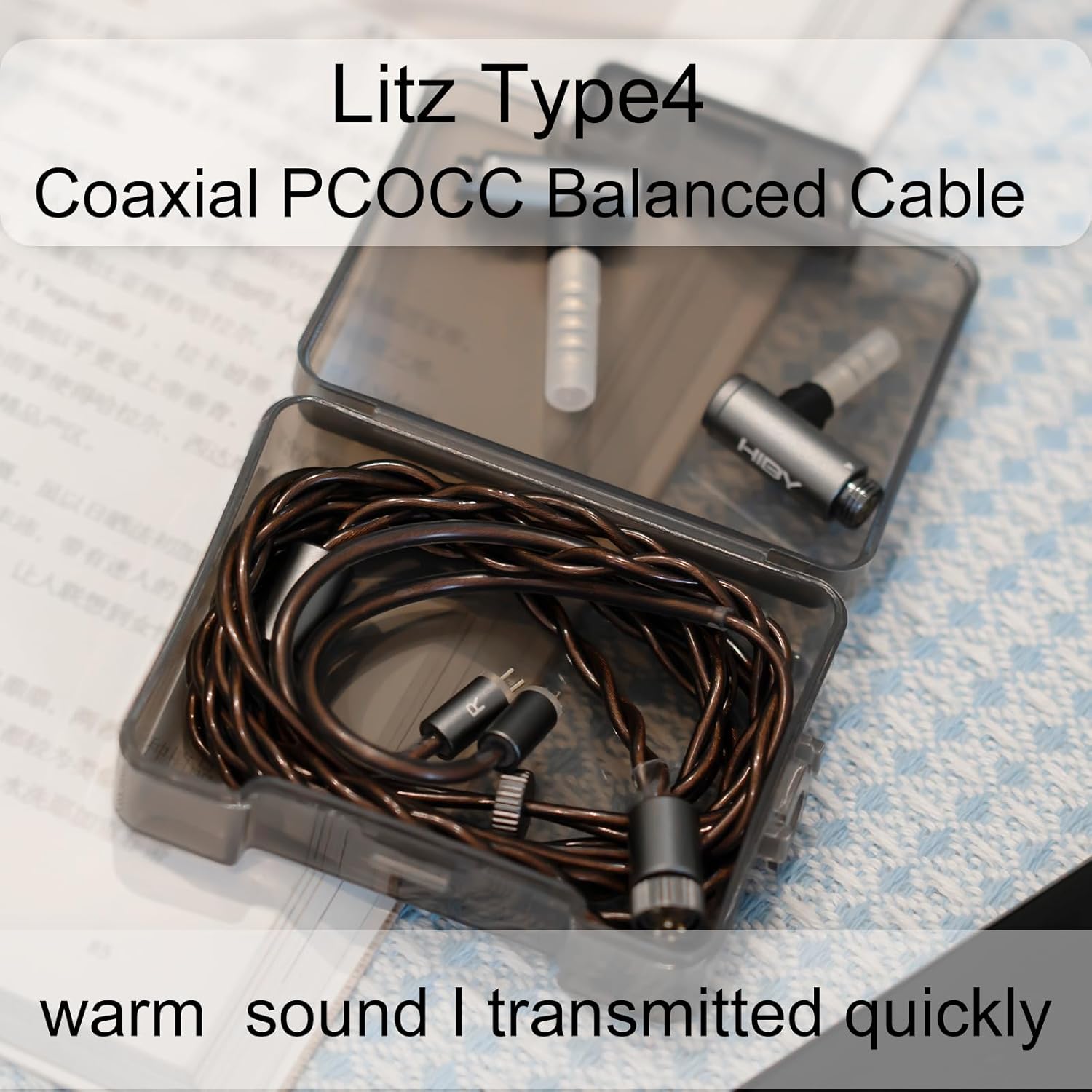
Image 4: Close-up of the Litz Type 4 construction of the HiBy Cu4 cable.
3.3. 2-in-1 Wired Coaxial Construction
Each wire within the HiBy Cu4 cable utilizes an innovative coaxial double-core stranding method. This design reduces transmission resistance, significantly improves channel separation, and provides anti-interference characteristics to the cable.

Image 5: Illustration of the 2-in-1 wired Coaxial Construction and its benefits.
3.4. 4PIN-Lock Multi-functional Adapter System
The cable features HiBy's 4PIN-Lock multi-functional adapter system with a screwcap-fastening design. This allows for easy compatibility with various mainstream connectors, including 3.5mm single-ended, 4.4mm balanced, and even USB-C digital outputs (USB-C adapter sold separately).

Image 6: The 4PIN-Lock multi-functional adapter system.
3.5. 0.78 2-Pin Detachable Design
The HiBy Cu4 cable incorporates a compatible 0.78 2-pin design, enabling users to easily upgrade and connect to a wide range of earphones.

Image 7: The 0.78 2-Pin detachable design.
3.6. Official ọja Video
Fídíò 1: Ìfihàn fídíò kan tí ìjọba ṣeasing the premium coaxial earphone cable features and design.
4. Eto ati fifi sori
4.1. Connecting to Earphones
- Identify the left (L) and right (R) connectors on the HiBy Cu4 cable and your earphones.
- Carefully align the 0.78 2-pin connectors on the cable with the corresponding sockets on your earphones.
- Gently push the pins into the sockets until they are securely seated. Do not force the connection.
4.2. Attaching the Output Plug
- Select either the 3.5mm single-ended plug or the 4.4mm balanced plug, depending on your audio device.
- Align the 4-pin connector of the chosen plug with the 4PIN-Lock socket on the main cable.
- Push the plug in and then rotate the screwcap clockwise to fasten and secure the connection. Ensure it is tight to prevent accidental disconnection and maintain optimal signal integrity.

Aworan 8: alaye view of the cable's connectors for proper installation.
5. Awọn ilana Iṣiṣẹ
Once the HiBy Cu4 cable is securely connected to your earphones and audio device, you can begin enjoying your music. Ensure your audio device's volume is set to a low level before playing audio to protect your hearing.
- Iṣakoso iwọn didun: Adjust the volume directly from your audio source (e.g., smartphone, digital audio player).
- Iṣakoso USB: Yẹra fún yíyí tó mú ṣinṣin tàbí fífà okùn náà jù láti dènà ìbàjẹ́ inú.
- Awọn isopọ to ni aabo: Periodically check that all connections (earphone pins and output plug) remain secure for optimal sound quality.
6. Itọju
Proper care will extend the lifespan and maintain the performance of your HiBy Cu4 cable.
- Ninu: Use a soft, dry cloth to wipe the cable and connectors. Avoid using harsh chemicals or abrasive materials.
- Ibi ipamọ: When not in use, gently coil the cable and store it in a protective case to prevent tangling and damage. Avoid extreme temperatures and humidity.
- Mimu: Always grasp the plug housing when connecting or disconnecting the cable, rather than pulling on the cable itself.
7. Laasigbotitusita
If you encounter issues with your HiBy Cu4 cable, consider the following troubleshooting steps:
- Kò sí Ohùn tàbí Ohùn Tí Kò Lẹ́sẹ̀kẹsẹ̀:
- Ensure all connections (earphone to cable, cable to audio device) are fully seated and secure.
- Verify that the correct output plug (3.5mm or 4.4mm) is used for your audio device.
- Test with another audio source or another pair of earphones to isolate the issue.
- Poor Sound Quality or Static:
- Ṣàyẹ̀wò fún ìbàjẹ́ èyíkéyìí tí ó bá hàn sí okùn tàbí àwọn asopọ̀ náà.
- Ensure the 4PIN-Lock screwcap is tightened to maintain a stable connection.
- Yago fun gbigbe okun si sunmọ awọn orisun kikọlu itanna eletiriki.
- Cable Tangles Easily:
- Properly coil the cable after each use and store it in its protective case.
8. Awọn pato
| Ẹya ara ẹrọ | Ẹ̀kúnrẹ́rẹ́ |
|---|---|
| Orukọ awoṣe | Kú4 |
| Brand | HiBy |
| Connector Type (Earphone) | 0.78 2-pin |
| USB Iru | Coaxial |
| Ohun elo | PCOCC (Pure Crystal Ohno Continuous Casting) |
| Ikole | Litz Type 4, Coaxial Braid-Stranded |
| Awọn Plugs ti njade | 3.5mm Single-Ended, 4.4mm Balanced (via 4PIN-Lock adapter system) |
| USB Ipari | 1.25m |
| Outer Diameter (Single Wire) | 1.65 mm |
| Iwọn Nkan | 51 giramu |
| inu ile / ita gbangba Lilo | Ninu ile |

Image 9: Detailed parameter configuration for the HiBy Cu4 cable.
9. Atilẹyin ọja ati Support
For warranty information, technical support, or any product-related inquiries, please refer to the official HiBy website or contact HiBy customer service directly. Keep your purchase receipt for warranty claims.
O le ṣàbẹwò awọn HiBy Store on Amazon for more information and to explore other HiBy products.


