
1. Ifihan
The MiBOXER K3S Rotating Wheel Remote provides intuitive control over LED lighting systems, allowing for precise adjustment of both color temperature and brightness. Utilizing 2.4GHz wireless technology, this remote ensures stable and responsive operation. Its ergonomic design facilitates easy handling and accurate adjustments, making it suitable for various lighting applications.
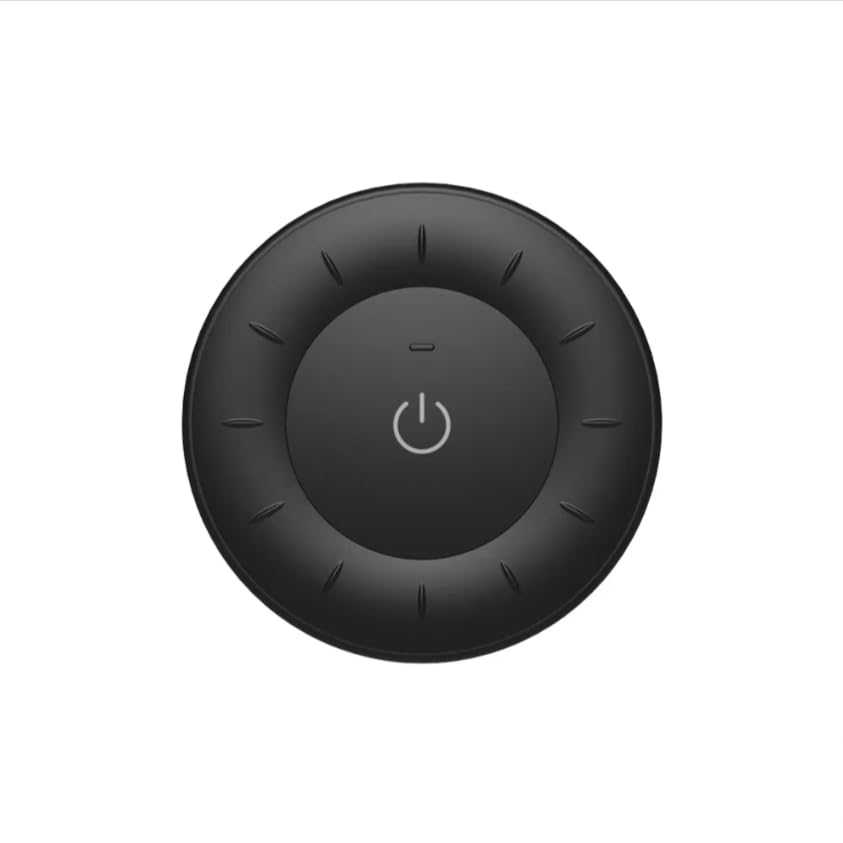
Image 1.1: MiBOXER K3S Rotating Wheel Remote (Black)
This image displays the MiBOXER K3S remote control in black, highlighting its circular design and central power button.
2. Awọn ẹya Ọja
- Adjustable Brightness & Color Temperature: Allows fine-tuning of lighting intensity and warmth.
- Apẹrẹ Kẹkẹ Yiyi: Provides smooth and intuitive control for easy adjustments.
- Imọ-ẹrọ Alailowaya 2.4GHz: Ensures stable, interference-free connectivity with compatible devices.
- Apẹrẹ Ergonomic: Comfortable to hold and operate.
- Multi-Environment Compatibility: Suitable for various settings including homes, offices, and commercial spaces.
3. Package Awọn akoonu
Ni ṣiṣi package, rii daju pe gbogbo awọn paati wa:
- MiBOXER K3S Yiyi Wheel Remote
- Itọsọna olumulo
Note: CR2032 battery is purchased separately and is not included in the package.
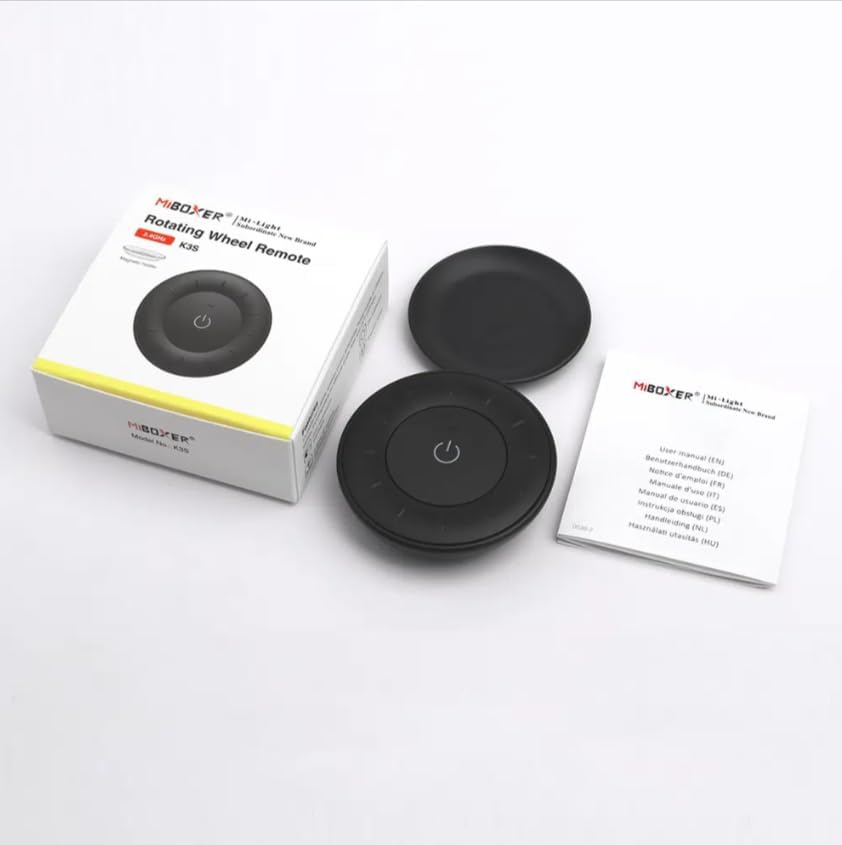
Image 3.1: Package Contents Overview
This image shows the MiBOXER K3S remote, its packaging box, and the included user manual, laid out on a surface.
4. Aworan atọka ọja

Image 4.1: Remote Control Components
This diagram illustrates the main components of the MiBOXER K3S remote, including the ON/OFF button, brightness/color temperature rotating wheel, and the battery compartment with Link/Unlink button.
- Bọtini TAN/PA: Central button to power the connected light on or off.
- Brightness / Color Temperature Rotating Wheel: The outer ring used to adjust brightness by default. Long press the ON/OFF button for 3 seconds to switch to color temperature adjustment mode.
- Link / Unlink Button: Located inside the battery compartment, used for pairing the remote with compatible lighting devices.
5. Eto
5.1 Fifi sori batiri
- Wa yara batiri ni ẹhin isakoṣo latọna jijin.
- Ṣii ideri iyẹwu batiri naa.
- Fi batiri CR2032 kan sii, ki o rii daju pe polarity to tọ (+/-).
- Pa ideri batiri naa ni aabo.
Image 5.1: Battery Installation Area
This image shows the underside of the remote, indicating the location for the CR2032 battery and the Link/Unlink button.
5.2 Linking / Unlinking the Remote
The K3S remote uses 2.4GHz RF wireless technology to communicate with compatible MiBOXER lighting devices.
Linking Procedure:
- Ensure the light fixture you wish to control is powered off.
- Power on the light fixture.
- Within 3 seconds of powering on the light, press the "Link/Unlink" button (located inside the battery compartment) on the K3S remote igba mẹta.
- Imọlẹ yẹ ki o tan imọlẹ ni igba mẹta laiyara, nfihan sisopọ aṣeyọri.
Unlinking Procedure:
- Ensure the light fixture you wish to unlink is powered off.
- Power on the light fixture.
- Within 3 seconds of powering on the light, press the "Link/Unlink" button (located inside the battery compartment) on the K3S remote igba marun.
- Imọlẹ yẹ ki o tan ni igba mẹwa ni kiakia, ti o nfihan sisopọ aṣeyọri.
6. Awọn ilana Iṣiṣẹ
6.1 Agbara ON / PA
- Press the central ⏻ (ON/OFF) button once to turn the connected light on or off.
6.2 Siṣàtúnṣe Imọlẹ
- By default, rotating the outer wheel adjusts the brightness of the light.
- Yi lọ si ọna aago lati mu imọlẹ pọ si.
- Rotate counter-clockwise to decrease brightness.
6.3 Siṣàtúnṣe iwọn otutu Awọ
- To switch to color temperature adjustment mode, gun tẹ the central ⏻ (ON/OFF) button for 3 seconds.
- Once in color temperature mode, rotate the outer wheel to adjust the color temperature.
- Rotate clockwise for cooler (bluer) light.
- Rotate counter-clockwise for warmer (yellower) light.
- To switch back to brightness adjustment, long press the ⏻ (ON/OFF) button for another 3 seconds.
7. Awọn pato
| Orukọ awoṣe | K3S |
| Brand | MIBOXER |
| Asopọmọra Technology | 2.4G RF Wireless |
| Iṣakoso Iru | Imọlẹ, Iwọn Awọ |
| Ibiti o pọju | 30 Mita |
| Batiri Iru | CR2032 (purchased separately) |
| Awọn iwọn (Opin x Giga) | Ø60mm x 15mm (approx.) |
| Weight (Gross Weight per box) | 0.05 KGS (approx.) |

Image 7.1: Remote Control Dimensions
This diagram provides the physical dimensions of the MiBOXER K3S remote, showing a diameter of 60mm and a thickness of 15mm (or 19.5mm with the base).
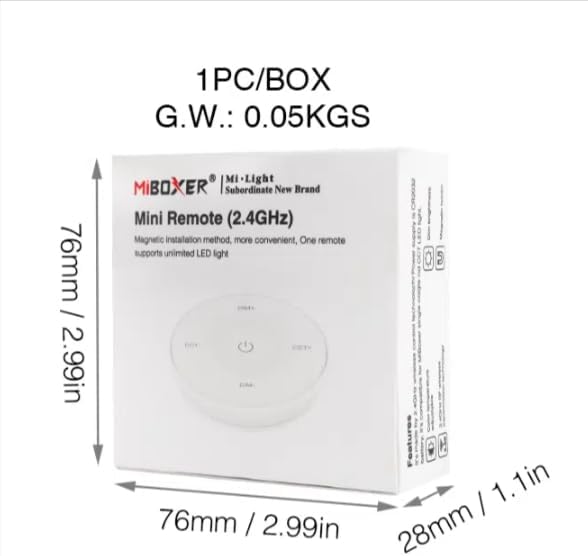
Image 7.2: Packaging Dimensions
This image displays the dimensions of the product packaging, indicating it is 76mm x 76mm x 28mm with a gross weight of 0.05 KGS.
8. Itọju
- Jẹ́ kí iṣakoso latọna jijin mọ́ nípa fífi aṣọ rírọrùn àti gbígbẹ nu ún.
- Avoid exposing the remote to moisture, extreme temperatures, or direct sunlight.
- If the remote is not used for an extended period, remove the battery to prevent leakage.
- Replace the battery when the remote's performance degrades or it stops responding.
9. Laasigbotitusita
| Isoro | Owun to le Fa | Ojutu |
|---|---|---|
| Latọna jijin ko dahun | Kekere tabi okú batiri | Rọpo batiri CR2032. |
| Light not linking | Incorrect linking procedure or light not compatible | Ensure the light is powered on within 3 seconds of pressing the link button. Verify light compatibility with MiBOXER 2.4G RF remotes. |
| Iwọn to lopin | Idiwo tabi kikọlu | Reduce distance between remote and light. Remove obstructions. Avoid areas with strong 2.4GHz interference. |
| Brightness/Color Temp adjustment not working | Latọna jijin ni ipo aṣiṣe | Long press the ON/OFF button for 3 seconds to switch between brightness and color temperature adjustment modes. |
10. Atilẹyin ọja ati Support
The product comes with a manufacturer's warranty. For specific warranty details and duration, please refer to the documentation included with your purchase or contact MiBOXER customer support.
For technical support or inquiries, please visit the official MiBOXER webojula tabi kan si wọn onibara iṣẹ Eka.
Olupese: Miboxer