
groov e Cuties Sleep Trainer Alarm Clock
Aago Itaniji Groov e Cuties pẹlu Imọlẹ Alẹ LED - Itọsọna Olumulo Unicorn Rainbow
Ọrọ Iṣaaju
This manual provides comprehensive instructions for the setup, operation, and maintenance of your groov e Cuties Sleep Trainer Alarm Clock with LED Night Light. Please read this manual thoroughly before using the product to ensure proper function and longevity.

Aworan 1: Iwaju view of the groov e Cuties Sleep Trainer Alarm Clock, illuminated, displaying the time and sleep/wake indicators.
Ọja Awọn ẹya ara ẹrọ
The groov e Cuties Sleep Trainer Alarm Clock is designed to assist children with sleep routines and provide a comforting night light. Key features include:
- Imọlẹ Alẹ LED: Offers 9 vibrant color options and 5 light modes. Tap the device to change colors.
- Aago itaniji: Features 6 preset alarm sounds for wake-up.
- White Noise & Soothing Sounds: Includes 6 soothing sounds, such as white noise, to aid sleep.
- Sleep Trainer: Visual cues (sun/moon icons) help children understand when it's time to sleep and wake up.
- Ohun elo Ailewu: Constructed from safe silicone material.
- Iṣẹ́ lẹ́ẹ̀kọ̀ọ̀kan: Allows for temporary delay of the alarm.
- Ifihan akoko: 12/24 hour clock format.
- Eto Aago: Includes 30 and 60-minute timer options.
- Imọlẹ Adijositabulu: 5 levels of display brightness.
- Iwọn ti o le ṣatunṣe: 5 levels of sound volume.
- Batiri gbigba agbara: Built-in 1800mAH rechargeable battery with USB-C charging.
Ṣeto
1. Gbigba agbara akọkọ
Before first use, fully charge the device. Connect the included USB-C charging cable to the charging port on the back of the unit and plug the other end into a compatible USB power adapter (not included).
- Ina Atọka gbigba agbara yoo fihan ni deede ipo gbigba agbara.
- The device can also be operated while connected to a USB power source.

Aworan 2: Ẹyin view of the alarm clock, highlighting control buttons and the USB-C charging port.
2. Agbara lori / Paa
Press and hold the Power button (usually located on the back) to turn the device on or off.
Awọn ilana Iṣiṣẹ
1. Ṣiṣeto Akoko naa
- Tẹ awọn AKOKO button (refer to Image 2 for button location).
- Lo awọn Up ati Isalẹ awọn bọtini itọka lati ṣatunṣe wakati naa. Tẹ AKOKO lẹẹkansi lati jẹrisi.
- Lo awọn Up ati Isalẹ arrow buttons to adjust the minute. Press AKOKO lẹẹkansi lati jẹrisi.
- To switch between 12-hour and 24-hour format, typically this is done during the time setting process or via a dedicated button/menu option. Consult the quick start guide if available for specific button combinations.
2. Ṣiṣeto Itaniji
- Tẹ awọn Itaniji button (refer to Image 2).
- Lo awọn Up ati Isalẹ arrow buttons to set the desired alarm hour. Press Itaniji lẹẹkansi.
- Lo awọn Up ati Isalẹ arrow buttons to set the desired alarm minute. Press Itaniji lẹẹkansi.
- To select an alarm sound (from 6 preset options), use the Akọsilẹ Orin button or arrow buttons during the alarm setting process. Press Itaniji lati jẹrisi.
- To activate/deactivate the alarm, there is usually a dedicated switch or a long press on the Itaniji bọtini.
3. Sleep Trainer Function
The sleep trainer uses visual cues to indicate sleep and wake times. The display will show a moon icon during sleep time and a sun icon during wake time.
- Access the sleep trainer settings (specific button combination may vary, often involves holding the AKOKO or Itaniji bọtini).
- Set the desired "sleep time" (when the moon icon appears).
- Set the desired "wake time" (when the sun icon appears).
- Confirm settings. The device will then visually guide your child.
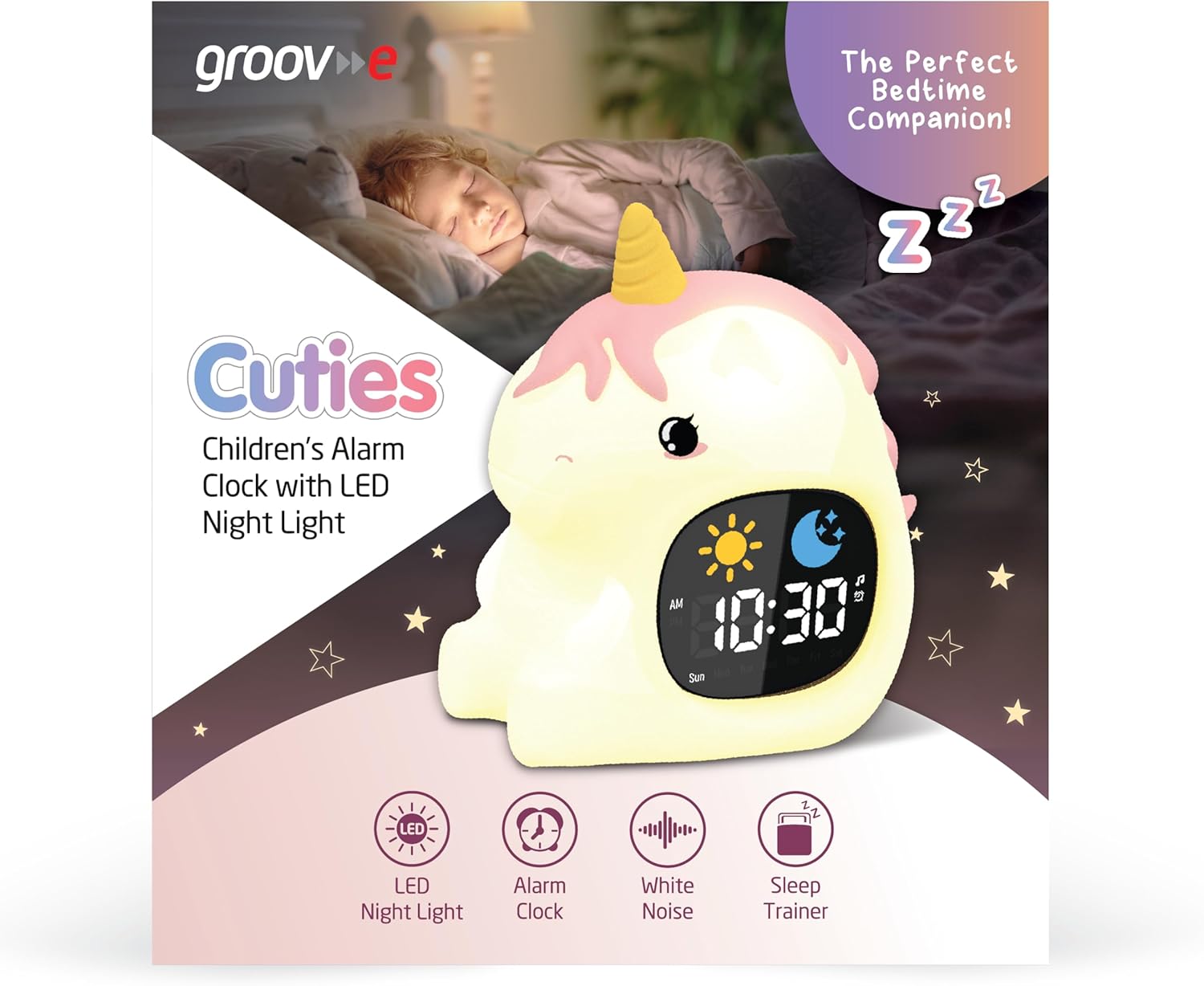
Image 3: The alarm clock functioning as a sleep trainer, displaying the sun icon for wake-up.
4. Ìmọ́lẹ̀ Alẹ́ LED
The device features an integrated LED night light with multiple color and brightness options.
- Yiyipada Awọn awọ: Tap the silicone body of the device to cycle through 9 vibrant colors and 5 light modes.
- Ṣiṣatunṣe Imọlẹ: Use dedicated brightness buttons (if available) or a combination with the AKOKO button to adjust between 5 brightness levels.
5. White Noise and Soothing Sounds
To activate soothing sounds:
- Tẹ awọn Akọsilẹ Orin button (refer to Image 2) to cycle through the 6 available soothing sounds, including white noise.
- Satunṣe iwọn didun nipa lilo awọn Up ati Isalẹ arrow buttons (5 volume levels available).
6. Iṣẹ lẹẹkọọkan
When the alarm sounds, press any button (other than the power button) or tap the device to activate the snooze function. The alarm will temporarily pause and sound again after a set interval (e.g., 9 minutes).
7. Awọn Eto Aago
The device includes 30 and 60-minute timer settings, useful for short sleep cycles or quiet time.
- Consult the quick start guide for specific button presses to activate and select timer durations.
Itoju
- Ninu: Nu ẹrọ naa pẹlu asọ, damp asọ. Ma ṣe lo awọn olutọpa abrasive tabi fi ẹrọ bọ inu omi.
- Ibi ipamọ: Tọju ẹrọ naa ni itura, aye gbigbẹ nigbati o ko ba wa ni lilo fun awọn akoko gigun.
- Itọju Batiri: Láti mú kí batiri pẹ́ sí i, má ṣe jẹ́ kí batiri náà máa jáde nígbà gbogbo. Tún gba agbára padà nígbà tí àmì batiri tó wà nílẹ̀ bá fara hàn.
Laasigbotitusita
| Isoro | Owun to le Fa | Ojutu |
|---|---|---|
| Ẹrọ ko tan. | Batiri ti dinku. | Connect the device to a USB power source using the provided USB-C cable and allow it to charge for at least 30 minutes before attempting to power on. |
| Itaniji ko dun. | Itaniji ko mu ṣiṣẹ tabi iwọn didun ti lọ silẹ ju. | Ensure the alarm is set and activated. Check the volume level and adjust if necessary. |
| Night light is not changing colors. | Incorrect tapping or mode selection. | Ensure you are tapping the silicone body firmly. Check if the device is in a specific light mode that prevents color changes. |
| Device is not charging properly. | USB ti ko tọ, ohun ti nmu badọgba, tabi ibudo gbigba agbara. | Try using a different USB-C cable and/or a different USB power adapter. Ensure the cable is securely connected to both the device and the power source. If the issue persists, contact customer support. |
Awọn pato
| Brand | groov e |
| Awoṣe | Cuties Sleep Trainer Alarm Clock |
| Iwọn Nkan | 0.34 kilo |
| Batiri | 1800mAH Rechargeable Battery (USB-C charging) |
| Ifihan Iru | Oni-nọmba |
| Pataki Ẹya | Sleep Trainer, LED Night Light, White Noise |
Atilẹyin ọja ati Support
For warranty information or technical support, please refer to the documentation included with your purchase or visit the official groov e webojula. Jeki ẹri rira rẹ fun awọn iṣeduro atilẹyin ọja.
Manufacturer: Rashmian Ltd.
Ask a question about this manual
Ask about setup, troubleshooting, compatibility, parts, safety, or missing instructions. Manuals+ will review the question and use this page’s manual context to help answer it.