
Ọrọ Iṣaaju
The VEMER TUO 4G-LTE thermostat provides advanced remote control and monitoring of your heating system. Featuring integrated 4G LTE connectivity, it allows operation even without a Wi-Fi connection, making it ideal for primary residences, secondary homes, offices, or environments without a fixed internet line. This smart chronothermostat offers security and comfort with intuitive app control and weekly programming capabilities.
It is compatible with boilers, heat pumps, and mixed heating systems, ensuring easy integration into various installations. The device is powered by 230V, designed for stability and reliability in heating control.
Eto ati fifi sori
The VEMER TUO 4G thermostat is designed for straightforward installation and configuration. Follow these steps for initial setup:
- Ibi ti ina elekitiriki ti nwa: Connect the thermostat to a 230V power supply. This ensures stable and reliable operation within conventional electrical installations.
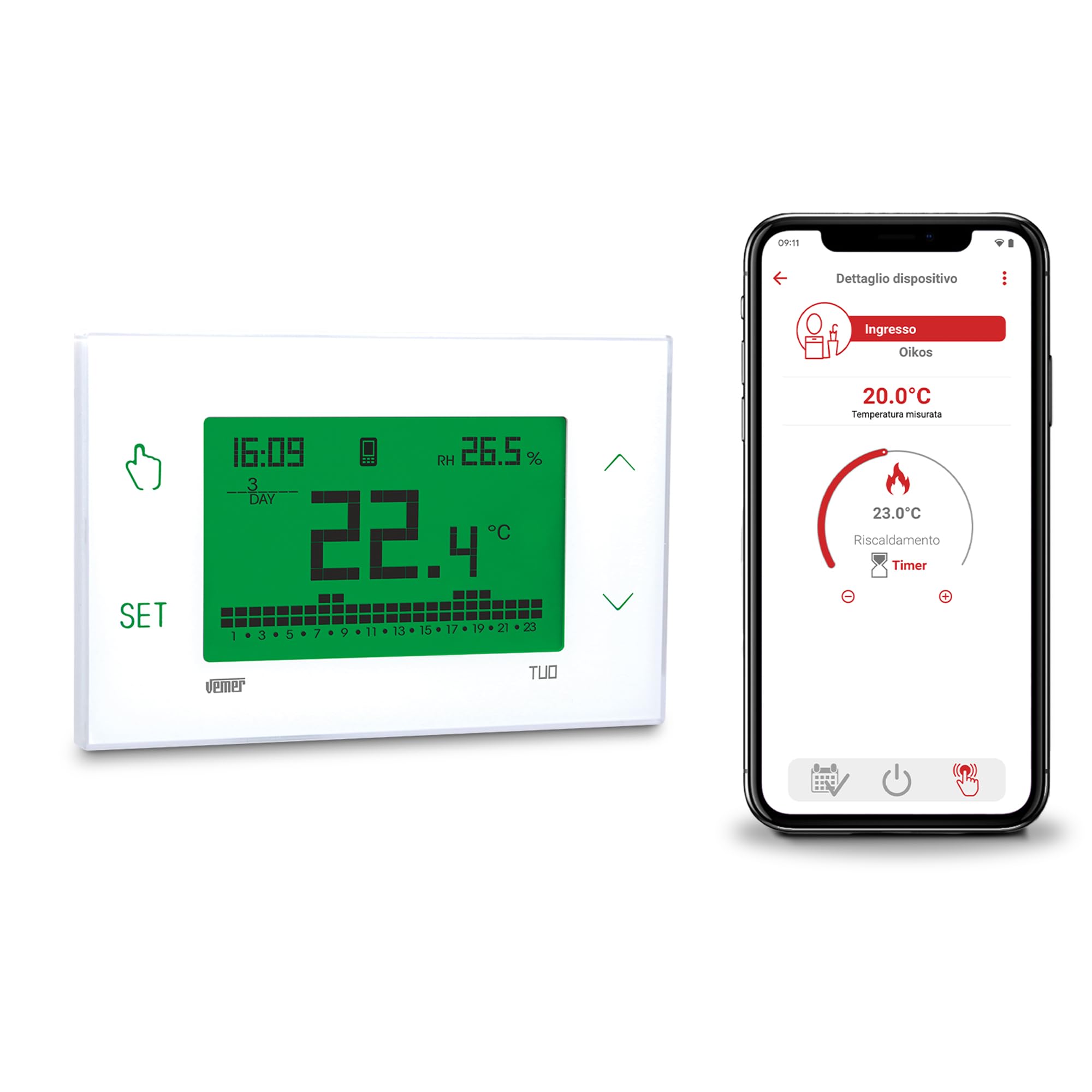
Aworan: Iwaju view of the VEMER TUO 4G thermostat display, showing time, temperature, and programming indicators.
- Fifi sori ẹrọ ti ara: The thermostat can be easily installed on a wall or within a 503 flush-mounted box cover. Detailed installation instructions are provided in the included manual.

Image: The VEMER TUO 4G thermostat mounted on a wall in a modern living room setting.
- Kaadi SIM: The thermostat comes with a pre-installed SIM card, including 1 year of data traffic (for activations after 01-09-2025). No initial additional costs apply. After this period, you can renew your subscription via the app. Alternatively, you can remove the pre-installed SIM and insert a new one from a different mobile provider.
- Iṣeto App: Configuration is performed via the dedicated smartphone app (available for Android and iOS) using Bluetooth. This ensures a quick and simple setup process.

Image: A smartphone displaying the VEMER TUO 4G control app interface, showing temperature settings.
Awọn ilana Iṣiṣẹ
The VEMER TUO 4G thermostat offers both local and remote control options for managing your heating system efficiently.
Isakoṣo latọna jijin nipasẹ App
- Iṣakoso Ọlọgbọn: Use the free smartphone app to manage and monitor your heating remotely. The app allows for intelligent and programmable control, including setting weekly schedules to optimize energy consumption.
- Eto Ọsẹ: Configure detailed weekly programs to adapt heating to your household or business habits, ensuring comfort and energy savings.
Local Operation via Touch Screen
- Ifihan: The large, multi-color backlit touch screen provides an elegant and simple interface. You can choose from 48 different display colors, or set it to vary between red, green, and blue based on the temperature deviation from the set point.
- Awọn bọtini Fọwọkan: Four touch keys located on the sides of the screen allow for direct management, programming, and configuration of the chronothermostat.
- Iṣakoso Agbegbe: In case of temporary connectivity issues, the local operation feature enables full control of the thermostat directly from its keypad.
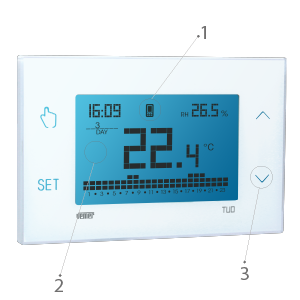
Image: Close-up of the VEMER TUO 4G thermostat display with labeled touch controls and screen elements.
Itoju
Regular maintenance ensures the longevity and optimal performance of your VEMER TUO 4G thermostat.
- Ninu: Gently wipe the display and casing pẹlu asọ ti o gbẹ. Yago fun lilo abrasive ose tabi epo.
- Batiri Afẹyinti: The device includes a replaceable AAA NiMH backup battery. This battery allows the thermostat to send a notification in case of a power outage and retains the time until full discharge. Replace the battery as needed without disconnecting the main power supply.
- Isọdọtun Kaadi SIM: If you are using the pre-installed SIM card, remember to renew your data subscription via the app after the initial 1-year period to maintain remote connectivity.
Laasigbotitusita
If you encounter issues with your VEMER TUO 4G thermostat, consider the following common solutions:
- Ko si Ifihan/Agbara:
- Check the 230V power supply connection.
- Ensure the backup battery is correctly installed and charged.
- Connectivity Issues (4G/App):
- Verify that the SIM card is active and has a valid data plan.
- Check for local network coverage in your area.
- Ensure the thermostat is within Bluetooth range of your smartphone during initial app configuration.
- If remote control is unavailable, utilize the local operation feature directly from the thermostat's touch screen.
- Awọn kika iwọn otutu ti ko tọ:
- Rii daju pe thermostat ko farahan si imọlẹ orun taara, awọn iyaworan, tabi awọn orisun ooru ti o le ni ipa lori sensọ inu rẹ.
- Àwọn Àṣìṣe Ìṣètò:
- Review your weekly programming settings in the app or directly on the device.
- Refer to the detailed manual for specific programming steps.
For persistent issues, please contact VEMER technical support as described in the Support section.
Awọn pato
| Ẹya ara ẹrọ | Ẹ̀kúnrẹ́rẹ́ |
|---|---|
| Brand | VEMER |
| Orukọ awoṣe | TUO 4G |
| Nọmba awoṣe | VE795800 |
| Adarí Iru | App Iṣakoso |
| Pataki Awọn ẹya ara ẹrọ | Ifihan iwọn otutu |
| Àwọ̀ | Funfun |
| Product Specific Use | Air conditioner, Boiler, Oven, Heat pump |
| Iwọn Iṣakoso Iru | Eto, Smart/Latọna jijin |
| Asopọmọra Technology | Bluetooth, LTE (4G) |
| Awọn irinše to wa | Data SIM card pre-installed in the chronothermostat |
| Orisun agbara | Okun Itanna |
| Voltage | 230 Volts |
| Ifihan Iru | LCD |
| Iṣagbesori Iru | Ògiri Ògiri |
| Imọlẹ ẹhin | Bẹẹni |
| Iwọn Nkan | 1 kilogram |
| Ilu isenbale | Italy |
Alaye atilẹyin ọja
Specific warranty details for the VEMER VE795800 TUO 4G thermostat are typically provided with the product packaging or on the manufacturer's official website. Please refer to these sources for comprehensive warranty terms and conditions.
Oluranlowo lati tun nkan se
For any technical issues or assistance with your VEMER TUO 4G thermostat, VEMER technical support is available. You can contact them by sending an email to:
Please include your product model number (VE795800) and a detailed description of the issue when contacting support.