
Ergear EGESD7W-CA
Ìwé Ìtọ́sọ́nà Olùlò Ibùdó Iduro Ina ErGear
Model: EGESD7W-CA | Brand: ErGear
Ọrọ Iṣaaju
Thank you for choosing the ErGear Electric Standing Desk. This manual provides detailed instructions for assembly, operation, maintenance, and troubleshooting to ensure optimal performance and longevity of your desk. Please read this manual thoroughly before installation and use, and retain it for future reference.
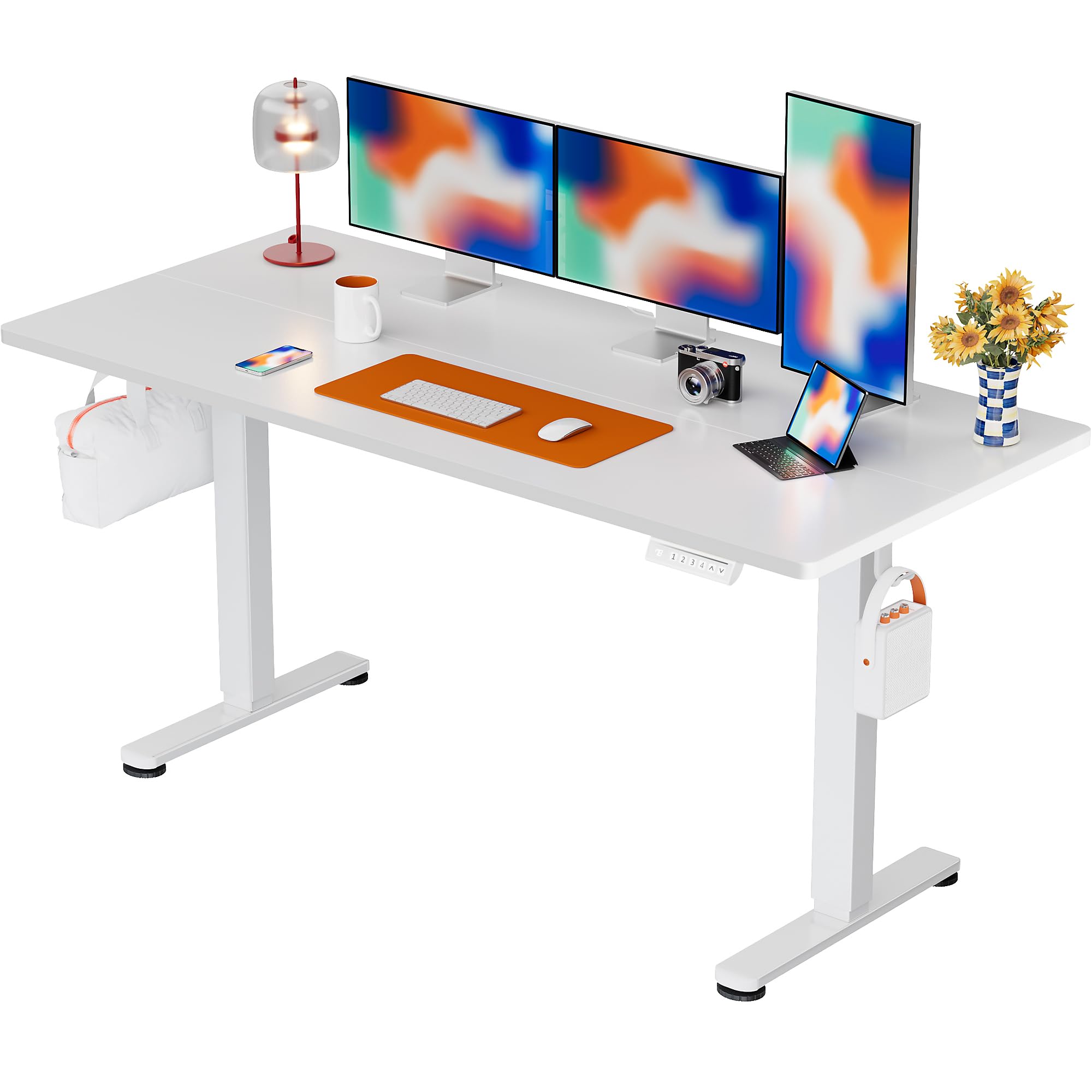
The ErGear Electric Standing Desk, 63x28 inch, in a white finish, featuring a spacious desktop and electric height adjustment capabilities.
Alaye Aabo
- Rii daju pe gbogbo awọn paati wa ati ti ko bajẹ ṣaaju apejọ. Ma ṣe lo ti eyikeyi awọn ẹya ba nsọnu tabi alebu awọn.
- Pa awọn ọmọde ati awọn ohun ọsin kuro ni tabili lakoko iṣẹ lati ṣe idiwọ ipalara.
- Má ṣe fi ẹrù kún tábìlì náà. Ìwọ̀n tó pọ̀ jùlọ tí a lè gbà ni 176 pọ́ọ̀nù (80 kg).
- Ensure the power cord is not pinched or damaged. Connect to a grounded outlet.
- Yago fun gbigbe awọn olomi taara lori ibi iṣakoso tabi sunmọ awọn paati itanna.
- Regularly check all screws and connections to ensure they are tight and secure.
- A ṣe apẹrẹ tabili yii fun lilo inu ile nikan.
Package Awọn akoonu
Ṣaaju ki o to bẹrẹ ikojọpọ, jọwọ rii daju pe gbogbo awọn paati wọnyi wa ninu package rẹ:
- Desktop Boards ×2
- Leg with Motor ×1
- Ẹsẹ ×1
- Leg Bases ×2
- Crossbar & Transmission Rod
- Controller & Power Cable
- Gbogbo pataki ijọ irinṣẹ ati hardware
Awọn ilana Apejọ
Follow these steps carefully to assemble your ErGear Electric Standing Desk. An assembly video is also provided for visual guidance.
Official ErGear Electric Standing Desk Assembly Video. This video demonstrates the step-by-step process for setting up your desk.
Step 1: Assemble the Desk Legs
Attach the leg bases to the desk legs using the provided screws. Ensure they are securely fastened.

The stable T-shaped desk legs provide a sturdy foundation for the electric standing desk.
Step 2: Attach Side Plates and Transmission Rod
Connect the side plates to the desk legs. Insert the transmission rod fully into the left leg and secure it. If the two desk legs are not at the same height, insert the rod into the left leg and turn to adjust.
Step 3: Assemble and Attach the Desktop
Place the two desktop boards together, aligning the dowels. Secure the desktop to the assembled frame using the provided screws and brackets. Ensure all connections are tight.
Igbesẹ 4: So awọn okun pọ
Connect the motor and control panel cables to the main control box. Ensure all connections are firm and correctly oriented.
Step 5: Install Cable Hole Covers
Place the cable hole covers into the designated openings on the desktop to manage wires neatly.

Ergonomic guidelines for using the standing desk, showing optimal monitor and arm positions for both sitting and standing.
Awọn ilana Iṣiṣẹ
Ibi iwaju alabujutoview
The desk features an intuitive control panel with height adjustment buttons and memory presets.
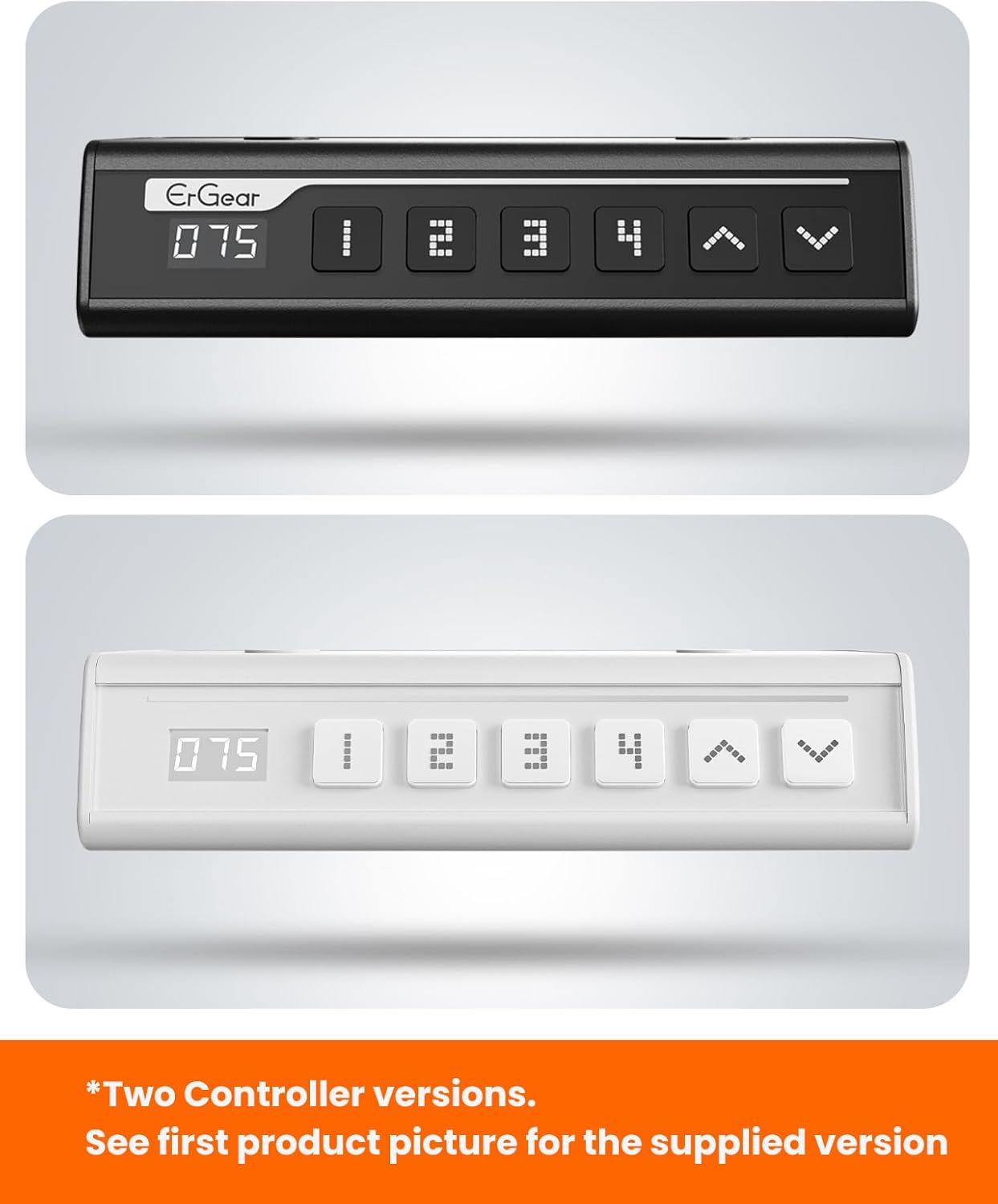
The ErGear control panel, available in two versions, features a digital height display and four programmable memory settings.
Atunṣe Giga
- Lo awọn Gíga (^) ati Isalẹ (v) arrows to smoothly adjust the desk height between 28.35 inches and 46.46 inches.
- Tu bọtini naa silẹ ni giga ti o fẹ.
Awọn tito iranti
The desk allows you to save up to 4 preferred height settings.
- Ṣatunṣe tabili naa si giga ti o fẹ nipa lilo awọn itọka oke/isalẹ.
- Tẹ awọn M button (or equivalent memory set button). The display will flash.
- Tẹ ọkan ninu awọn bọtini ti a ti ṣeto tẹlẹ ti nọmba kan (1, 2, 3, tabi 4) within 3 seconds to save the current height to that preset.
- Láti rántí gíga tí a ti fipamọ́, tẹ bọ́tìnì tí a ti ṣètò tẹ́lẹ̀ tí ó báramu. Tẹ́ḿpìlì náà yóò gbé lọ sí ipò tí a ti fipamọ́ láìfọwọ́sí.
This video demonstrates the smooth and quiet operation of the ErGear Electric Standing Desk, showcasing its height adjustment and memory preset features.
Itoju
- Ninu: Nu tabili ati fireemu nu pẹlu asọ, damp asọ. Yẹra fun awọn kẹmika lile tabi awọn olutọpa abrasive.
- Ayewo: Periodically check all screws and connections for tightness. Re-tighten if necessary.
- Iṣakoso USB: Ensure cables are neatly organized and not tangled or pinched to prevent damage.
Laasigbotitusita
If you encounter any issues with your ErGear Electric Standing Desk, please refer to the following common problems and solutions:
| Isoro | Owun to le Fa | Ojutu |
|---|---|---|
| Iduro ko gbe | Power cable disconnected, motor error, overloaded desk. | Check power connections. Unplug for 30 seconds and plug back in. Reduce weight on the desk. |
| Iwọn ti kii ṣe deede | Transmission rod not fully inserted or adjusted. | Refer to Step 2 of assembly to ensure the transmission rod is correctly installed and adjusted. |
| Ariwo nigba isẹ | Normal operation sound, loose screws. | A slight motor sound is normal. Check and tighten any loose screws on the frame. |
| Awọn tito tẹlẹ iranti ko ṣiṣẹ | Ilana fifipamọ ti ko tọ. | Follow the memory preset instructions carefully (press M, then the number within 3 seconds). |
Awọn pato
| Ẹya ara ẹrọ | Ẹ̀kúnrẹ́rẹ́ |
|---|---|
| Brand | ErGear |
| Nọmba awoṣe | EGESD7W-CA |
| Apẹrẹ Iduro | Iduro Iduro |
| Apẹrẹ | onigun merin |
| Awọn iwọn Ọja (D x W x H) | 71.1D x 160W x 118H |
| Iwọn | 63 * 28 inch |
| Àwọ̀ | Funfun |
| Igi to kere julọ | 28.35 inches |
| O pọju Giga | 46.46 inches |
| Sisanra Tabletop | 1.5 centimita |
| Ohun elo mimọ | Alloy Irin |
| Top elo Iru | Engineered Wood (Walnut Wood finish) |
| Pataki Awọn ẹya ara ẹrọ | Adjustable Height, Electric, Ergonomic |
| Iṣeduro iwuwo ti o pọju | 176 iwon (80 kg) |
| Apejọ ti a beere | Bẹ́ẹ̀ni (Pẹ̀lú gbogbo àwọn irinṣẹ́ ìṣètò) |
Atilẹyin ọja ati Support
ErGear is committed to providing high-quality products and customer satisfaction. This product comes with:
- 5-odun Idaabobo on the desktop and desk frame.
- 2-odun Idaabobo on motors and electrical components.
For any questions, concerns, or warranty claims, please contact ErGear customer support. You can typically find contact information on the product packaging or the official ErGear website. Please have your model number (EGESD7W-CA) and purchase details ready when contacting support.

The ErGear Electric Standing Desk seamlessly integrates into various home office environments.
Ask a question about this manual
Ask about setup, troubleshooting, compatibility, parts, safety, or missing instructions. Manuals+ will review the question and use this page’s manual context to help answer it.