
1. Ifihan
This manual provides detailed instructions for the safe and efficient use of your mouhtfao Automatic Swing Door Opener, Model ZDKQJ1. This device is designed to automate the opening and closing of swing doors, enhancing accessibility and convenience in various settings. Please read this manual thoroughly before installation and operation to ensure proper function and to prevent damage or injury.

Image 1.1: The main unit of the mouhtfao Automatic Swing Door Opener, showcasing awọn oniwe-iwapọ oniru.
2. Alaye Aabo
Your safety is paramount. This automatic door opener incorporates several safety features. Adhere to all warnings and instructions to prevent accidents.
- Ṣiṣawari Idiwo: The system is equipped with a safety feature that automatically reopens the door if an object is detected in its closing path. This prevents accidents and injuries.
- Ensure all installation steps are followed correctly by a qualified individual.
- Keep the area around the door clear of obstructions during operation.
- Ma ṣe gbiyanju lati tun tabi ṣe atunṣe ẹyọ naa funrararẹ. Kan si oṣiṣẹ iṣẹ ti o peye.
- This product is not water-resistant. For outdoor use, ensure adequate rain shelter is provided.
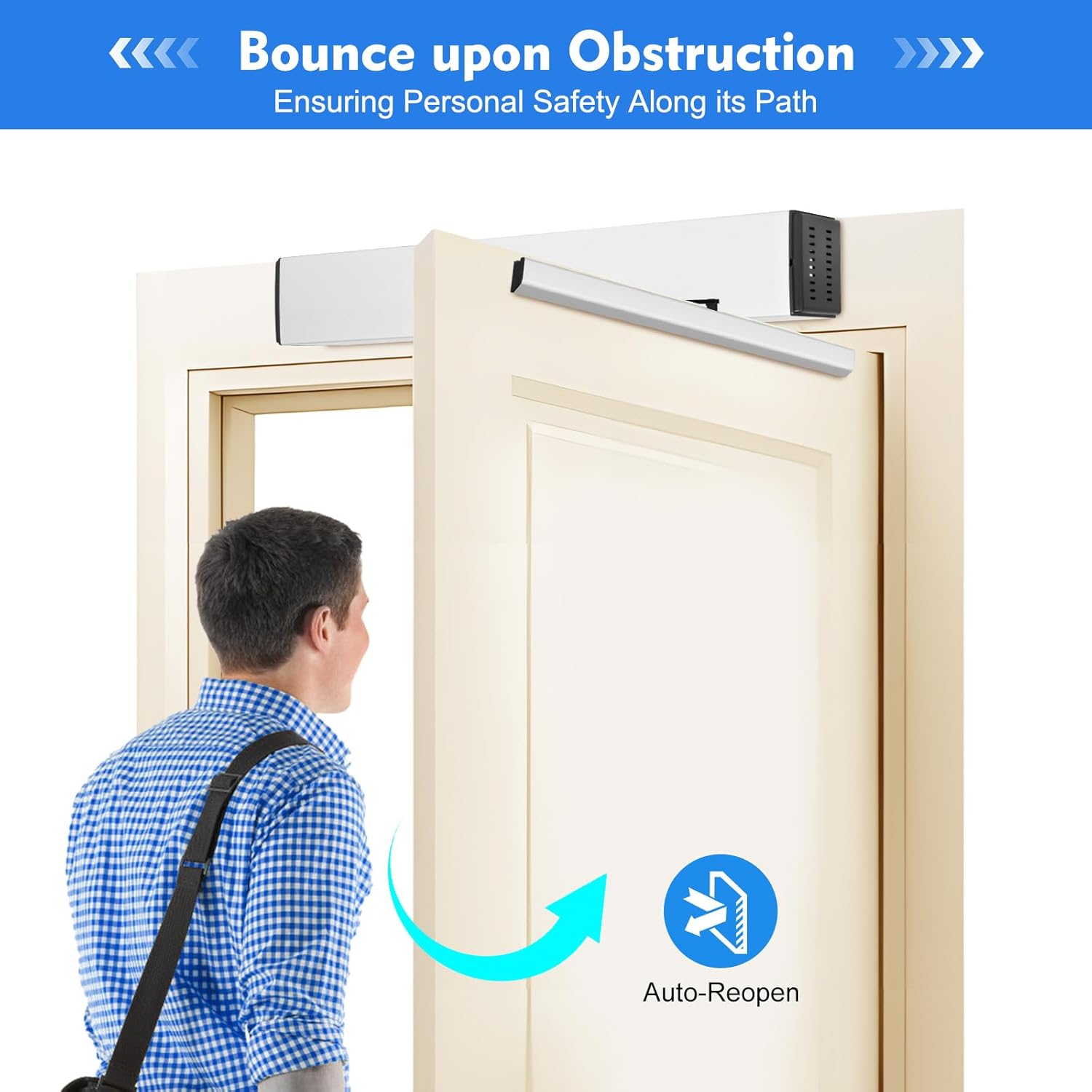
Image 2.1: Illustration of the automatic door opener's obstacle detection feature, showing the door reopening when a person is in its path.
3. Package Awọn akoonu
Daju pe gbogbo awọn paati wa ati pe ko bajẹ lori ṣiṣi silẹ:
- 1 x Automatic Swing Door Opener Unit
- 2 x Awọn oludari latọna jijin
- 2 x Switches
- 1 x Pull Arm
- 1 x Push Arm
- 5 x ID Cards
- 1 x Ibi iwaju alabujuto
- 1 x Sensor
- 1 x English RF Card Access Manual
- 1 x Chinese Installation Manual (Refer to English manual for primary instructions)
- 1 x Chinese Sensor Manual (Refer to English manual for primary instructions)
- All necessary accessories for assembly
4. Awọn ẹya Ọja
The mouhtfao Automatic Swing Door Opener offers a range of features designed for convenience, safety, and adaptability:
- Awọn aṣayan Iwọle pupọ: Control door opening and closing within a 49-foot radius using the remote control. Additional access methods include a code entry via the control panel, ID card swipe, or a dedicated door opener switch.
- Powerful and Compact Design: The opener unit measures approximately 20.27 x 3.15 x 3.74 inches. It supports doors with a maximum weight of 220 pounds and a width between 26 and 47.24 inches. It can open doors up to 120° and provides a closing force of approximately 66 lbs.
- Awọn paramita ti o le ṣatunṣe: A dedicated programmer allows for customization of operational parameters, such as opening time and door holding time, to suit specific user needs.
- Safety Obstacle Detection: If an object is detected in the door's closing path, the system will automatically reverse and reopen to prevent accidents.
- Manual / Automatic Modes: The system can operate in both automatic and manual modes. In manual mode, the door opens with low pressure and closes slowly, facilitating easier use for individuals with mobility challenges or pedestrians.
- Durable Construction for Outdoor Use: Features an ABS shell and an aluminum alloy cover, suitable for environments with temperatures ranging from -4°F to 122°F. Note: This product requires additional rain shelter for outdoor installation.
- Ohun elo jakejado: Suitable for various settings including residential homes, commercial buildings, hospitals, meeting rooms, and other high-traffic areas.

Image 4.1: Visual representation of the door opener's capacity, including maximum weight (220 lbs), width (47.24 inches), open angle (120°), and closing force (66 lbs).

Image 4.2: The door opener's suitability for outdoor use, highlighting its ABS shell and aluminum alloy cover, and operational temperature range.

Image 4.3: Various application scenarios for the door opener, including family homes, hospitals, meeting rooms, and residential halls.
5. Awọn pato
| Iwa | Ẹ̀kúnrẹ́rẹ́ |
|---|---|
| Brand | mouhtfao |
| Nọmba awoṣe | ZDKQJ1 |
| Iwọn Nkan | 18.3 iwon |
| Ọja Mefa | 20.2 x 3.1 x 3.7 inches |
| Ohun elo | Acrylonitrile Butadiene Styrene (ABS), Aluminiomu |
| Max ilekun iwuwo | 220 iwon |
| Max ilekun Iwon | 47.24 inches |
| Max Open Angle | 120° |
| Ipa agbara | Ni isunmọ 66 lbs |
| Awọn iwọn otutu ti nṣiṣẹ | -4°F si 122°F |
| UPC | 756804430603 |
6. Eto ati fifi sori
The mouhtfao Automatic Swing Door Opener supports multiple installation configurations to accommodate different door types and opening directions. Professional installation is recommended.
6.1 Installation Types
- Pull Rod Installation: For doors that open inward. The pull arm is configured to pull the door open.
- Push Rod Installation: For doors that open outward. The push arm is configured to push the door open.
Refer to the included installation manual for detailed diagrams and step-by-step instructions specific to your chosen installation type. Ensure all mounting hardware is securely fastened.

Image 6.1: Visual guide illustrating the two primary installation methods: Pull Rod for inward-opening doors and Push Rod for outward-opening doors.
7. Awọn ilana Iṣiṣẹ
The door opener offers several convenient methods for operation:
7.1 Access Methods
- Isakoṣo latọna jijin: Use the provided remote controllers to open and close the door from up to 49 feet away. The remote typically includes buttons for Lock, Hold-Open, Reset, and Auto functions.
- ID Card: Swipe a registered ID card on the control panel to activate the door.
- Ìfilọ́lẹ̀ Ọ̀rọ̀ìpamọ́: Enter a pre-programmed password on the control panel keypad.
- Odi Yipada: Press the installed door opener switch for quick access.
7.2 Manual / Automatic Mode Selection
The system can be switched between automatic and manual modes:
- Ipo Aifọwọyi: The door operates fully automatically based on sensor detection or remote/panel commands.
- Ipo afọwọṣe: In this mode, the door opens with low pressure and closes slowly, requiring a gentle push or pull to initiate movement. This is particularly useful for individuals who prefer a slower, more controlled operation or for those with limited mobility.

Aworan 7.1: Pariview of convenient door opening options, including remote control, ID card, password entry, and a wall-mounted switch.

Image 7.2: A user operating the door in manual mode, illustrating the low-pressure opening and slow-moving closing features.
8. Ṣíṣe àtúnṣe paramita
The automatic door opener is equipped with a programmer that allows you to customize various operational parameters to best suit your requirements.
8.1 Eto adijositabulu
- Akoko Isii: Adjust the speed at which the door opens (e.g., 3-7 seconds for 90° opening).
- Door Holding Time: Set the duration the door remains open before automatically closing (e.g., 1-30 seconds).
Refer to the specific instructions provided with the programmer for detailed steps on how to access and modify these settings. The system also supports external connections for components like electric locks or magnetic locks (not included) for enhanced functionality.

Image 8.1: Visual guide for parameter adjustment, highlighting options for door opening time (3-7s/90°) and door holding time (1-30s).
9. Itọju
Regular maintenance ensures the longevity and optimal performance of your automatic door opener.
- Ninu igbagbogbo: Keep the main unit, arms, and sensors clean from dust and debris. Use a soft, dry cloth.
- Ṣayẹwo Awọn isopọ: Periodically inspect all electrical connections and mounting hardware for tightness and wear.
- Lubrication: Consult the detailed installation manual for any specific lubrication requirements for moving parts.
- Iṣẹ ṣiṣe sensọ: Test the obstacle detection sensor regularly to ensure it is functioning correctly.
- Ṣayẹwo Batiri: If remote controllers use batteries, check and replace them as needed.
For any complex maintenance or repairs, contact a qualified technician.
10. Laasigbotitusita
If you encounter issues with your automatic door opener, refer to the following common problems and solutions:
| Isoro | Owun to le Fa | Ojutu |
|---|---|---|
| Ilekun ko ṣii/tilekun | No power; Remote battery low; Sensor obstructed; System error. | Check power supply; Replace remote battery; Clear sensor path; Reset system (refer to programmer manual). |
| Door opens/closes slowly or with difficulty | Door weight exceeds limit; Obstruction in door path; Parameter settings incorrect. | Verify door weight is within specifications; Remove obstructions; Adjust opening/closing speed parameters. |
| Obstacle detection not working | Sensor dirty or misaligned; Sensor faulty. | Clean and realign sensor; Contact support if sensor is faulty. |
| Isakoṣo latọna jijin ko dahun | Battery low/dead; Out of range; Remote not paired. | Replace battery; Move closer to the door opener; Re-pair remote control (refer to RF card access manual). |
Ti iṣoro naa ba wa lẹhin igbiyanju awọn iṣeduro wọnyi, jọwọ kan si atilẹyin alabara.
11. Atilẹyin ọja ati Support
Specific warranty details for the mouhtfao Automatic Swing Door Opener, Model ZDKQJ1, are not provided in this manual. For information regarding warranty coverage, technical support, or replacement parts, please refer to your purchase documentation or contact the manufacturer directly through their official webojula tabi onibara iṣẹ awọn ikanni.