
1. Ọja Ipariview
The DOOGEE Fire 6 Power is a robust and high-performance rugged smartphone designed for durability and extended use. It features a massive 15500mAh battery with 33W fast charging, a powerful Unisoc T606 octa-core processor, and runs on Android 14. Equipped with a 50MP AI main camera and a bright 120LM top-mounted flashlight, it is built to withstand challenging environments while providing excellent functionality.
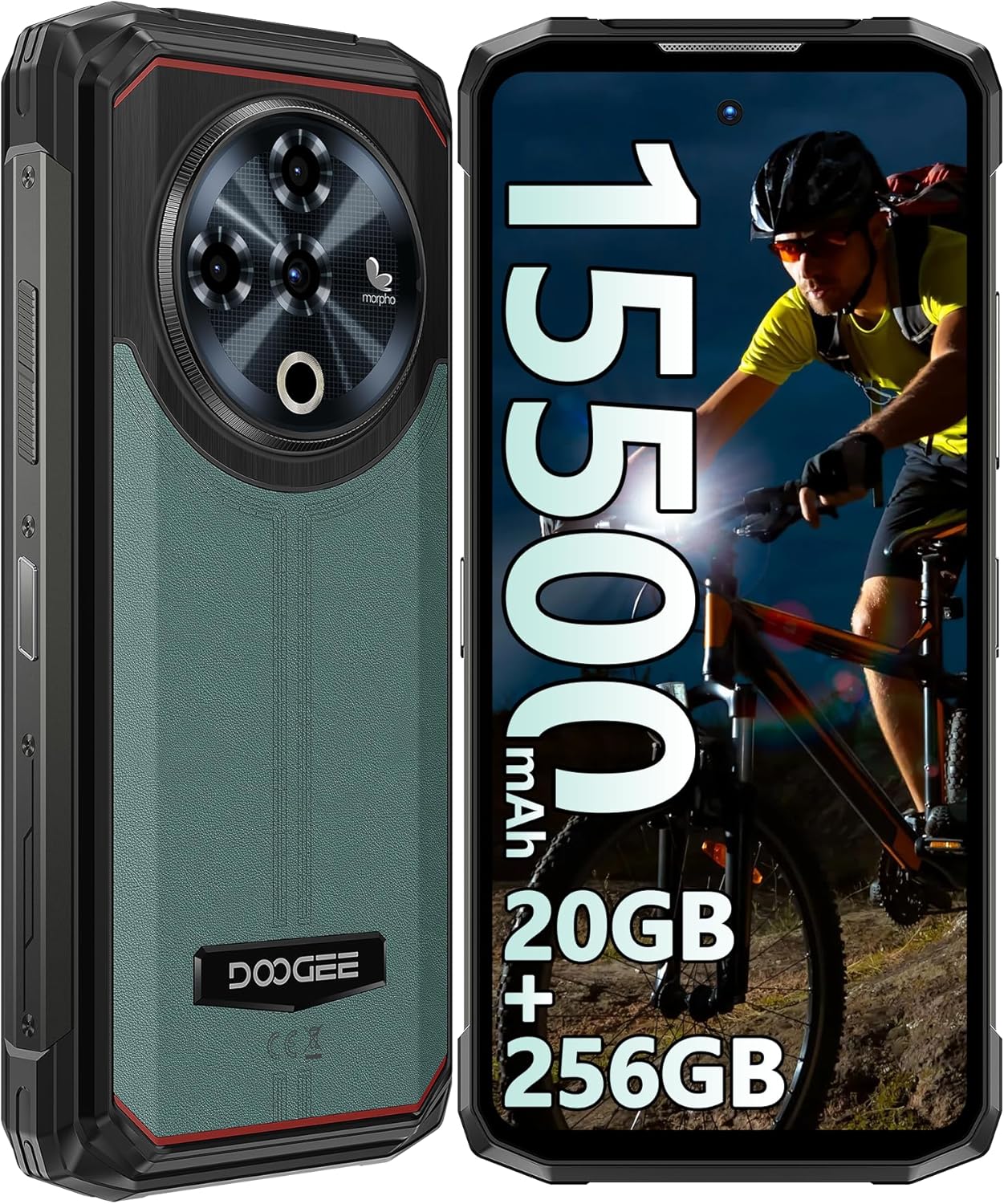
olusin 1: Iwaju ati ki o ru view of the DOOGEE Fire 6 Power Rugged Phone, highlighting its robust design and large display.
This device is IP68/IP69K certified for water and dust resistance and meets MIL-STD-810H standards for shockproof durability, making it an ideal companion for outdoor adventures and demanding work conditions.
2. Bibẹrẹ
2.1 Package Awọn akoonu
Jọwọ rii daju pe gbogbo awọn nkan wa ninu package rẹ:
- DOOGEE Fire 6 Power Smartphone
- Adaparọ agbara (33W)
- Okun USB-C
- SIM Ejector Ọpa
- Afowoyi Olumulo (iwe-ipamọ yii)
- Kaadi atilẹyin ọja
2.2 Kaadi SIM ati TF Kaadi fifi sori
The DOOGEE Fire 6 Power supports a triple SIM card slot configuration, allowing for two Nano SIM cards and one TF (microSD) card simultaneously.
- Wa atẹ kaadi SIM ni ẹgbẹ foonu naa.
- Fi ohun elo SIM ejector sii sinu iho kekere ti o tẹle atẹ naa ki o tẹ rọra titi ti atẹ naa yoo fi jade.
- Farabalẹ fa atẹ kaadi SIM jade.
- Place your Nano SIM cards and/or TF card into the designated slots on the tray, ensuring correct orientation as indicated on the tray.
- Rọra Titari atẹ naa pada sinu foonu titi ti o fi tẹ sinu aaye.

Figure 2: Illustration of the triple card slot for two SIM cards and one TF card.
2.3 Gbigba agbara ibẹrẹ ati Agbára
Your device comes with a large 15500mAh battery. For optimal performance, fully charge the phone before first use.
- Connect the USB-C cable to the phone's charging port.
- So opin keji okun naa pọ mọ adapter agbara 33W.
- Pulọọgi ohun ti nmu badọgba agbara sinu iṣan ogiri kan.
- Atọka gbigba agbara yoo han loju iboju.
- Once charged, press and hold the Power button (located on the side) until the DOOGEE logo appears to power on the device.

Figure 3: The phone connected to its 33W fast charger, illustrating its large battery capacity.
The phone also supports 18W OTG reverse charging, allowing it to act as a power bank for other devices (OTG cable not included).

Figure 4: The phone demonstrating its 18W OTG reverse charging feature, capable of powering other devices.
2.4 Security Features: Fingerprint and Face ID
For enhanced security, the DOOGEE Fire 6 Power offers both side-mounted fingerprint recognition and facial recognition.
- To set up Fingerprint ID: Go to Settings > Security & privacy > Device unlock > Fingerprint. Follow the on-screen instructions to register your fingerprint.
- To set up Face ID: Go to Settings > Security & privacy > Device unlock > Face unlock. Follow the on-screen instructions to register your face.

Figure 5: Visual representation of the Face ID and side fingerprint unlock functionalities.
3. Ṣiṣẹ ẹrọ rẹ
3.1 Ìfihàn àti Ìbáṣepọ̀ Olùlò
The phone features a 6.56-inch HD+ IPS Notch-less Punch Display with a 90Hz dynamic refresh rate, providing a smooth and vivid visual experience.

Figure 6: The 6.56-inch HD+ IPS display, showcasing its vibrant colors and smooth 90Hz refresh rate.
The device runs on the Android 14 operating system, offering an intuitive interface, enhanced privacy controls, and optimized performance.

Figure 7: A visual representation of the Android 14 system, highlighting its modern interface and features.
3.2 kamẹra Awọn ẹya ara ẹrọ
Ya awọn fọto ati awọn fidio ti o yanilenu pẹlu eto kamẹra ti o le lo:
- 50MP AI akọkọ kamẹra: For high-resolution photos with AI scene recognition.
- 8MP Kamẹra iwaju: Fun awọn selfie ati awọn ipe fidio ti o han gbangba.
- Kamẹra Makiro 2MP: For detailed close-up shots of small objects.

Olusin 8: Pariview of the phone's camera system, including the 50MP main, 8MP front, and 2MP macro lenses.
The camera app includes features like audio note, beauty mode, watermark, filter options, composition lines, smile shutter, and AI scene recognition to enhance your photography experience.
Video 1: A demonstration of the DOOGEE Fire 6 Power's features, including camera capabilities and rugged design.
3.3 Top Position Dual Lamp Ina filaṣi
The phone is equipped with a powerful 120LM top-mounted dual lamp flashlight, providing strong illumination for various situations. It can be controlled via a customized key and an APP function.
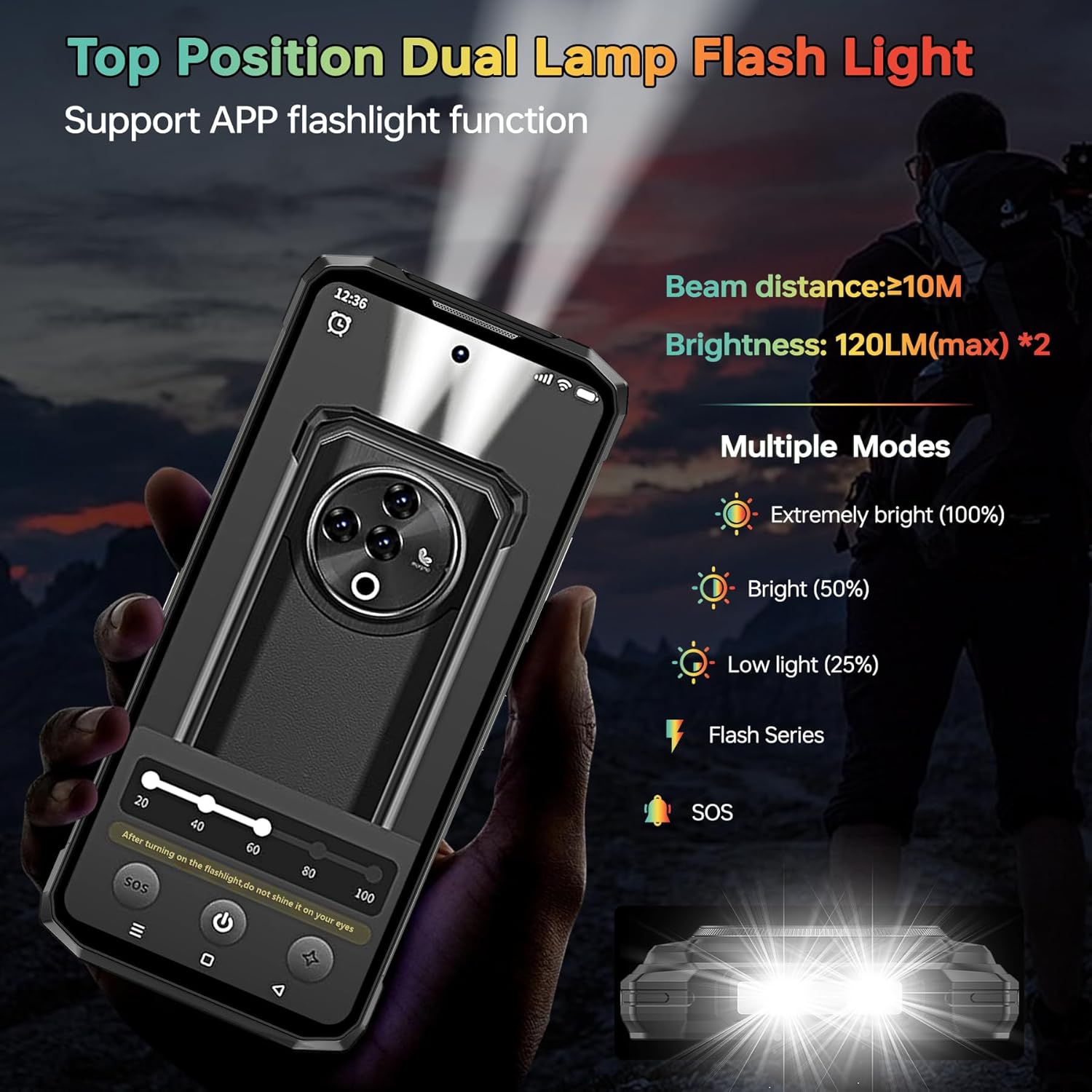
Figure 9: The powerful top-mounted dual lamp flashlight in action, illustrating its various modes and brightness levels.
3.4 Išẹ ati Ibi ipamọ
Powered by the Unisoc T606 octa-core 12nm processor, the Fire 6 Power delivers smooth performance for multitasking and gaming. It comes with 20GB RAM (8GB physical + 12GB virtual) and 256GB internal storage, expandable up to 1TB with a TF card.

Figure 10: The Unisoc T606 octa-core processor, highlighting its 12nm technology and performance benefits.

Figure 11: Visual representation of the 20GB RAM and 256GB ROM, with an emphasis on 1TB TF card expandability.
3.5 Asopọmọra
Ẹrọ naa ṣe atilẹyin fun ọpọlọpọ awọn aṣayan Asopọmọra:
- Nẹtiwọọki 4G: Supports a wide range of FDD and TDD bands for reliable cellular connectivity.
- NFC & Google Pay: Fun awọn sisanwo ti ko ni ifọwọkan ati gbigbe data ti o rọrun.
- GPS/GLONASS/Beidou/Galileo: Provides accurate geographic location information for navigation.
- Bluetooth 5.0: For wireless connection to accessories.
- Wi-Fi: Supports 2.4G and 5G Wi-Fi networks.
Figure 12: An illustration of the phone's comprehensive connectivity features, including Wi-Fi, Bluetooth, 4G, and the triple card slot.
4. Agbara ati Itọju
The DOOGEE Fire 6 Power is built to be highly durable, with certifications for water, dust, and shock resistance.
- IP68 Mabomire: Can withstand immersion in 1.5 meters of water for up to 30 minutes.
- IP69K Idaabobo eruku: Ni aabo ni kikun lodi si eruku eruku.
- MIL-STD-810H: Military-grade standard for shockproof durability, enduring multiple drop tests from various angles.
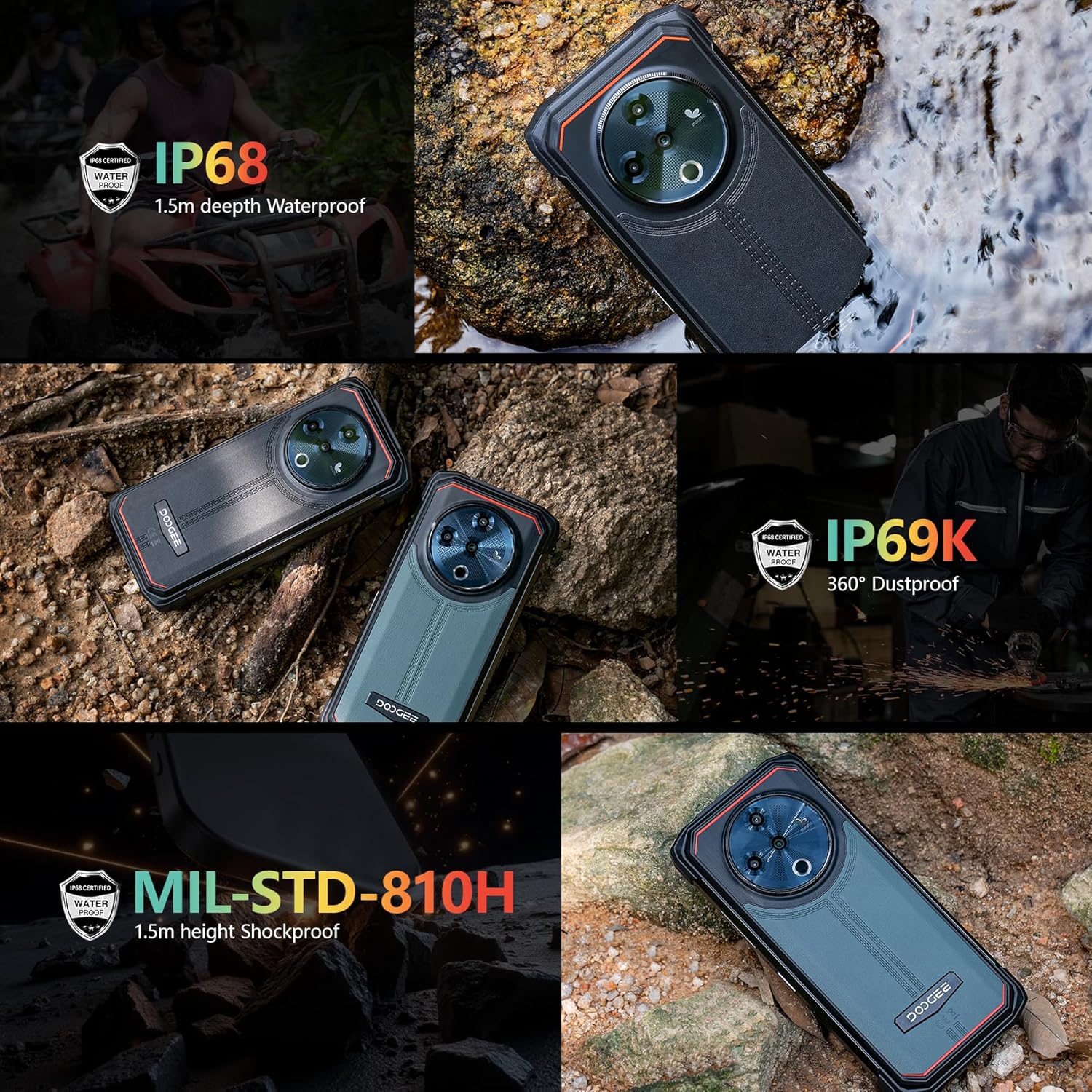
Figure 13: The phone demonstrating its IP68 waterproof, IP69K dustproof, and MIL-STD-810H shockproof capabilities in various environments.
To maintain the phone's ruggedness, ensure all port covers are securely closed before exposing the device to water or dust. Avoid intentional drops or extreme impacts beyond the certified limits.
5. Laasigbotitusita
5.1 Wọpọ Oran ati Solusan
| Oro | Owun to le Fa | Ojutu |
|---|---|---|
| Foonu ko tan | Batiri kekere, jamba sọfitiwia | Gba agbara foonu naa fun o kere ju iṣẹju 30. Tẹ bọtini agbara naa ki o si di mu fun awọn aaya 10-15 lati fi agbara mu lati tun bẹrẹ. |
| Ifihan nẹtiwọki ti ko dara | Out of coverage, incorrect SIM installation, incompatible frequency band | Move to an area with better coverage. Reinstall SIM card. Verify network compatibility with your local carrier (refer to specifications). |
| Apps crashing/slow performance | Too many apps running, low storage, software bug | Close background apps. Clear app cache. Free up storage space. Restart the phone. Update apps and system software. |
| Charging slowly or not at all | Faulty cable/adapter, dirty charging port | Use the original 33W charger and cable. Clean the charging port gently. Ensure port cover is fully open during charging. |
5.2 Ibamu nẹtiwọki
Ṣaaju riraasing or if experiencing network issues, please verify that your local carrier's frequency bands are supported by the DOOGEE Fire 6 Power. The supported bands are:
- GSM: B2/3/5/8
- WCDMA: B1/2/4/5/8
- TDD: B34/38/39/40/41
- FDD: 1/2/3/4/5/7/8/18/19/20/25/26/28AB/66
6. Imọ ni pato
| Ẹya ara ẹrọ | Sipesifikesonu |
|---|---|
| Brand | DOOGEE |
| Nọmba awoṣe | Fire 6 Power |
| Eto isesise | Android 14 |
| Iwọn Ifihan | 6.56 inches |
| Ipinnu Ifihan | 720 x 1612 |
| Ramu Memory sori iwọn | 20 GB (8GB ti ara + 12GB foju) |
| Agbara Ibi ipamọ Iranti | 256 GB (A le faagun soke titi di 1TB pẹlu kaadi TF) |
| Batiri Power Rating | 15500 mAh |
| Gbigba agbara Iyara | 33W Yara Ngba agbara |
| Kamẹra akọkọ | 50MP AI kamẹra |
| Kamẹra iwaju | 8MP |
| Kamẹra Makiro | 2MP |
| Ìmọ́lẹ̀ iná mànàmáná | 120LM (max) |
| Omi Resistance | IP68 |
| Resistance eruku | IP69K |
| mọnamọna Resistance | MIL-STD-810H |
| Alailowaya ti ngbe | Ṣii silẹ |
| Cellular Technology | 4G LTE |
| Awọn ọna ẹrọ Asopọmọra | LTE, Wi-Fi, Bluetooth 5.0, NFC, GPS/GLONASS/Beidou/Galileo |
| Iwọn Nkan | 1.55 iwon |
| Package Mefa | 7.61 x 4.07 x 2.5 inches |
7. Atilẹyin ọja ati Support
For warranty information and technical support, please refer to the warranty card included in your product package or visit the official DOOGEE webojula. Jeki ẹri rira rẹ fun eyikeyi awọn ibeere atilẹyin ọja.
For further assistance, you may contact DOOGEE customer service through their official channels.