
Arikasen A6
Ìwé Ìtọ́sọ́nà Olùlò Agbekọri Bluetooth Arikasen A6
Model: A6 | Wireless On-Ear Earphones
Ọrọ Iṣaaju
Welcome to the user manual for your Arikasen A6 Bluetooth On-Ear Headset. This manual provides detailed instructions on how to set up, operate, maintain, and troubleshoot your new wireless earphones. Designed for comfort and superior sound, the A6 headset features Bluetooth 5.0 for stable connections, deep bass, and 3D stereo sound. Please read this manual carefully to ensure optimal performance and longevity of your device.
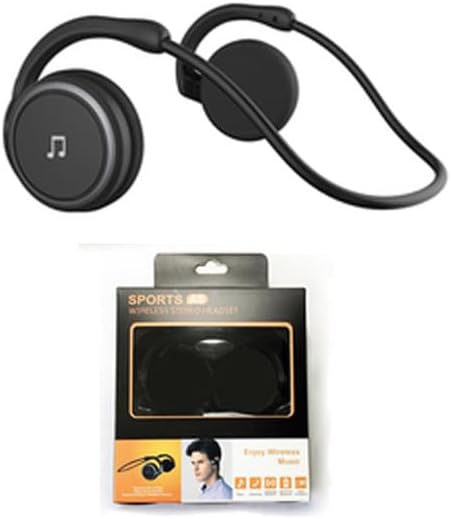
Figure 1: Arikasen A6 Bluetooth Headset. This image displays the overall design of the black on-ear headset, highlighting its lightweight and ergonomic form factor.
Eto ati Lilo akọkọ
1. Ngba agbara si Agbekọri
Before first use, fully charge your Arikasen A6 headset. The headset charges via a cable connection.
- So okùn gbigba agbara pọ mọ ibudo gbigba agbara agbekọri naa.
- So opin okun miiran pọ si orisun agbara USB (fun apẹẹrẹ, ibudo USB kọnputa, ohun ti nmu badọgba ogiri).
- The indicator light will show charging status (refer to device for specific light behavior).
- A full charge provides approximately 11 hours of music playback time.
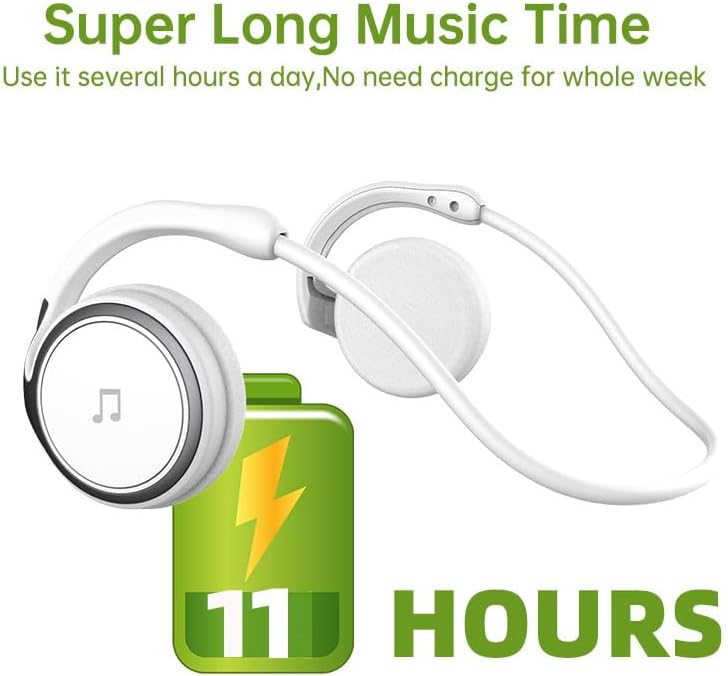
Figure 2: Battery Life Indication. This image illustrates the headset's capability to provide up to 11 hours of continuous music playback on a single charge.
2. Sisopọ Bluetooth
To connect your headset to a device (smartphone, tablet, computer), follow these steps:
- Ensure the headset is charged and turned off.
- Press and hold the power button on the headset until the indicator light flashes, indicating pairing mode.
- Lori ẹrọ rẹ, lọ si awọn eto Bluetooth ki o tan-an Bluetooth.
- Wa fun available devices. The headset should appear as "Arikasen A6" or similar.
- Select "Arikasen A6" to connect. Once connected, the indicator light will change (e.g., solid blue or off).
- Ti o ba beere fun ọrọ igbaniwọle, tẹ "0000".

Figure 3: Bluetooth 5.0 Connectivity. This image highlights the headset's Bluetooth 5.0 capabilities, ensuring stable and swift connections for both audio and voice calls.
Awọn ilana Iṣiṣẹ
Awọn Iṣakoso Loriview
The Arikasen A6 headset features intuitive controls located on the earcup. Familiarize yourself with these buttons for easy operation.
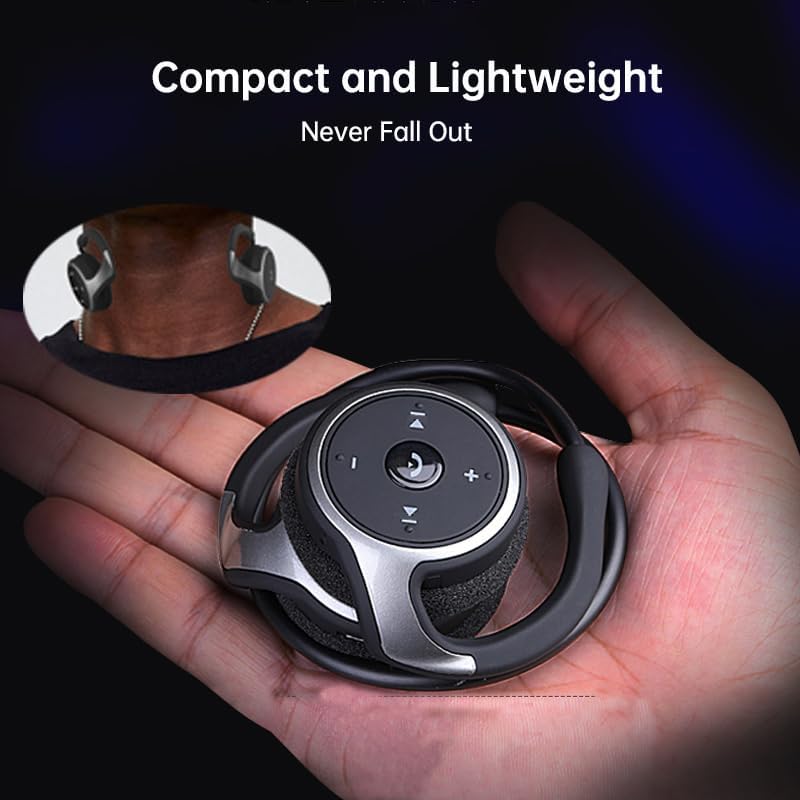
Figure 4: Headset Controls. This image provides a close-up view of the control panel on the headset's earcup, detailing the button layout for music and call management.
- Power Button (Multi-function Button):
- Tẹ ki o si dimu mọ lati tan/pa agbara.
- Tẹ lẹẹkan lati mu/danu orin.
- Tẹ lẹẹkan lati Dahun/Pari awọn ipe.
- Tẹ ki o si dimu mọ lati kọ awọn ipe.
- Iwọn didun soke (+): Tẹ lati mu iwọn didun pọ si.
- Iwọn didun isalẹ (-): Tẹ lati dinku iwọn didun.
- Next Track (>>|): Tẹ lati fo si orin atẹle.
- Previous Track (|<<): Tẹ lati lọ si orin ti tẹlẹ.
Wọ Agbekọri
The Arikasen A6 is designed for ultra-comfort, balancing stress on the ear. Its lightweight and compact design ensures it stays securely in place.
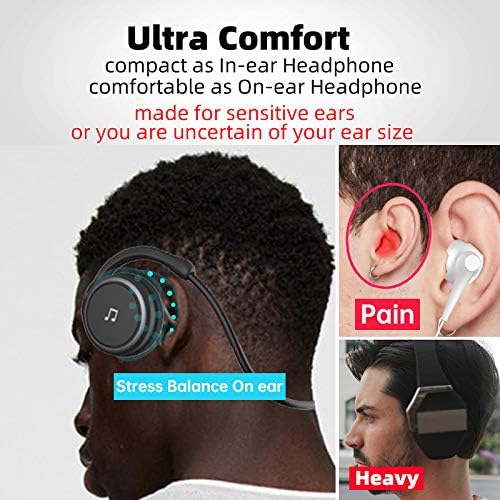
Figure 5: Ultra Comfort Design. This image demonstrates the ergonomic design of the headset, emphasizing its comfortable fit for extended wear, particularly beneficial for sensitive ears.
Itọju ati Itọju
Proper maintenance ensures the longevity and optimal performance of your Arikasen A6 headset.
- Ninu: Use a soft, dry cloth to wipe the headset. Do not use abrasive cleaners, solvents, or strong chemicals.
- Ibi ipamọ: Nigbati o ko ba si ni lilo, tọju agbekari ni itura, aye gbigbẹ, kuro lati orun taara ati awọn iwọn otutu to gaju.
- Yago fun Ọrinrin: Do not expose the headset to water or excessive moisture. It is not waterproof.
- Mu pẹlu Itọju: Yago fun sisọ agbekari silẹ tabi fifisilẹ si awọn ipa to lagbara.
- Gbigba agbara: Only use the provided charging cable or a certified equivalent. Do not overcharge the battery.
Laasigbotitusita
If you encounter issues with your Arikasen A6 headset, refer to the following common problems and solutions:
| Isoro | Owun to le Fa | Ojutu |
|---|---|---|
| Agbekọri ko ni titan. | Batiri kekere. | Gba agbara si agbekari ni kikun. |
| Ko le so pọ pẹlu ẹrọ. | Agbekọri ko si ni ipo isopo; Bluetooth ti ku lori ẹrọ; ẹrọ naa ti jinna ju. | Ensure headset is in pairing mode (flashing light). Turn on Bluetooth on your device. Move headset closer to device (within 10 meters). |
| Ko si ohun tabi iwọn kekere. | Volume too low on headset or device; headset not connected properly. | Increase volume on both headset and connected device. Re-pair the headset. |
| Asopọmọra igba diẹ. | kikọlu; ẹrọ jina ju; kekere batiri. | Move away from other wireless devices. Ensure headset is within range. Charge the headset. |
If the problem persists, please refer to the Warranty and Support section for further assistance.
Awọn pato
The following are the technical specifications for the Arikasen A6 Bluetooth Headset:
- Awoṣe: A6
- Brand: Generic (Arikasen)
- Asopọmọra: Bluetooth 5.0
- Earcups Type: Ologbele-ìmọ
- Iyasọtọ ohun: Rara
- Agbara Ijade: 50mW
- Nọmba Awọn Awakọ: 2
- Iwọn Awakọ: 18mm (for superior sound and deeper bass)
- Ọna gbigba agbara: USB
- Headphone Pads Material: Foomu Asọ
- Irú oofa: Neodymium
- Ohun elo: Ṣiṣu
- Àwọ̀: Black (without box)
- Approximate Music Playback Time: wakati meji 11

Figure 6: Driver Technology. This image illustrates the internal components of the earcup, highlighting the 18mm driver responsible for delivering superior sound quality and deep bass.
Atilẹyin ọja ati Support
Your Arikasen A6 headset comes with dedicated customer support.
If you encounter any issues with your product, such as a damaged product or receiving incorrect items, please contact us directly through the Amazon platform. We are committed to providing the best solution to resolve any issues promptly.
For further assistance or inquiries, please reach out to our customer service team via the Amazon messaging system.
Ask a question about this manual
Ask about setup, troubleshooting, compatibility, parts, safety, or missing instructions. Manuals+ will review the question and use this page’s manual context to help answer it.