
Ọrọ Iṣaaju
Welcome to the Revolution R180 Connect Plus Smart Toaster. This appliance features advanced InstaGLO 2.0 heating technology, a full-color touchscreen, and Wi-Fi connectivity for a personalized toasting experience. This bundle includes the Toastie Press and Warming Rack accessories, expanding your culinary options beyond traditional toast. Please read this manual thoroughly before first use to ensure safe and optimal operation.
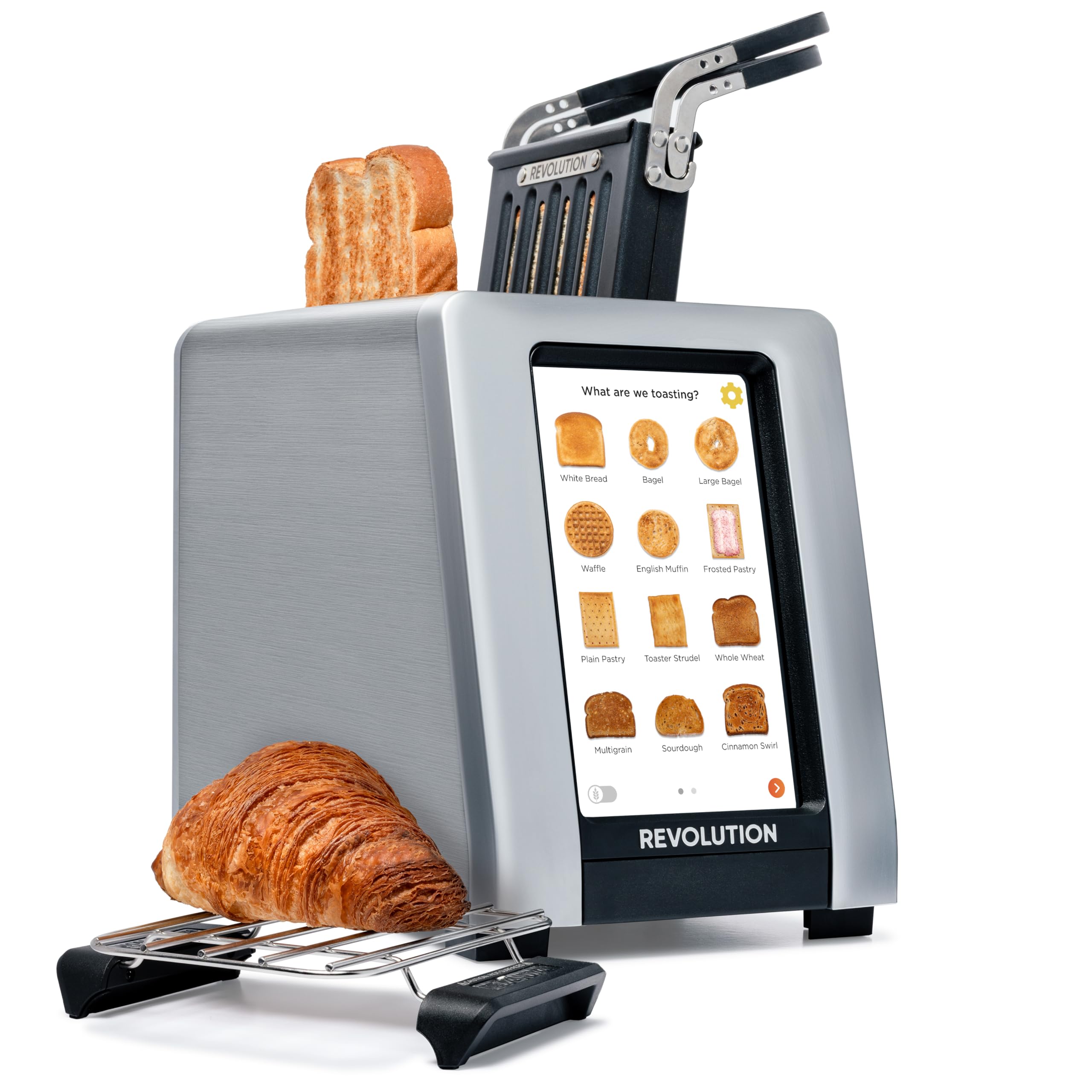
Image: The Revolution R180 Connect Plus Smart Toaster shown with the Toastie Press and Warming Rack accessories, highlighting its touchscreen interface and sleek design.
Alaye Aabo pataki
Nigbati o ba nlo awọn ohun elo itanna, awọn iṣọra aabo ipilẹ yẹ ki o tẹle nigbagbogbo, pẹlu atẹle naa:
- Ka gbogbo ilana.
- Maṣe fi ọwọ kan awọn aaye ti o gbona. Lo awọn ọwọ tabi awọn koko.
- Lati daabobo lodi si mọnamọna itanna, maṣe fi okun, plugs, tabi toaster bọ inu omi tabi omi miiran.
- Abojuto sunmọ jẹ pataki nigbati eyikeyi ohun elo ba lo nipasẹ tabi sunmọ awọn ọmọde.
- Yọọ kuro lati inu iṣan nigbati ko si ni lilo ati ṣaaju ṣiṣe mimọ. Gba laaye lati tutu ṣaaju fifi si tabi mu awọn ẹya kuro.
- Ma ṣe ṣiṣẹ ohun elo eyikeyi pẹlu okun ti o bajẹ tabi pulọọgi tabi lẹhin aṣiṣe ohun elo tabi ti bajẹ ni eyikeyi ọna.
- Maṣe lo ni ita.
- Ma ṣe jẹ ki okun duro lori eti tabili tabi counter, tabi fi ọwọ kan awọn aaye ti o gbona.
- Ma ṣe gbe sori tabi sunmọ gaasi ti o gbona tabi ina ina, tabi ni adiro ti o gbona.
- Ma ṣe lo ohun elo fun miiran ju lilo ti a pinnu lọ.
- Awọn ounjẹ ti o tobi ju, awọn idii bankanje irin, tabi awọn ohun elo ko yẹ ki o fi sii sinu toaster nitori wọn le kan eewu ina tabi mọnamọna.
- A ina le waye ti o ba ti toasters ti wa ni bo tabi kàn flammable ohun elo, pẹlu awọn aṣọ-ikele, draperies, Odi, ati bi, nigba ti ni isẹ.
- Ma ṣe gbiyanju lati tu ounjẹ kuro nigbati toaster ti wa ni edidi.
- Maṣe ṣiṣẹ lairi.
Ohun ti o wa ninu Apoti
Your Revolution R180 Connect Plus Smart Toaster package includes:
- Revolution R180 Connect Plus Smart Toaster
- Toastie Press accessory
- Warming Rack accessory
- Afowoyi Olumulo (iwe-ipamọ yii)
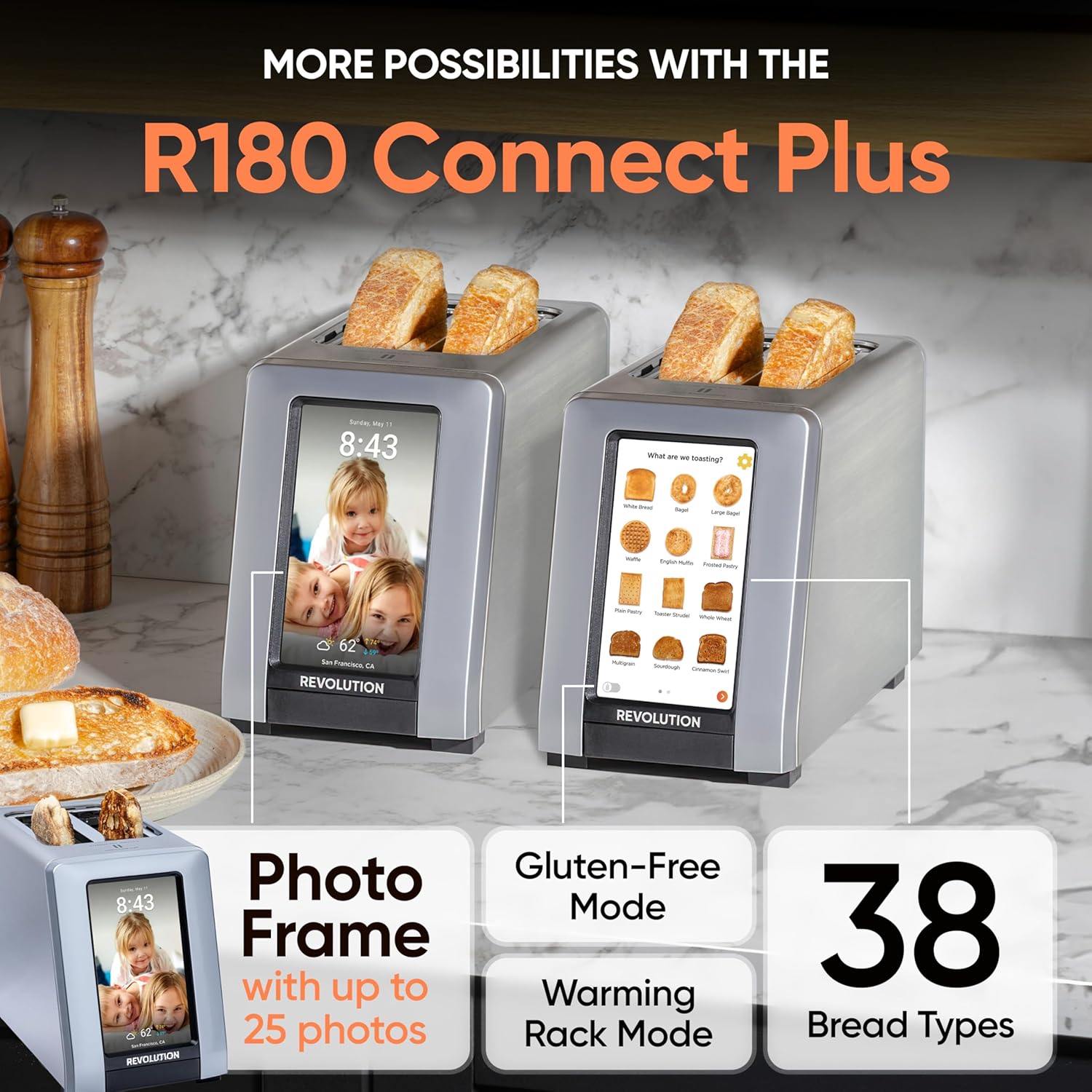
Image: The Revolution R180 Connect Plus Smart Toaster, Toastie Press, and Warming Rack are shown in their respective packaging, ready for unboxing.
Ṣeto
- Unboxing: Carefully remove all components from the packaging. Ensure all protective films and packing materials are removed from the toaster and accessories.
- Ibi: Place the toaster on a stable, flat, heat-resistant surface, away from flammable materials. Ensure adequate ventilation around the unit.
- Asopọ agbara: Plug the toaster into a grounded electrical outlet. The touchscreen will illuminate upon connection.
- Iṣeto akọkọ: Follow the on-screen prompts to complete the initial setup. This includes connecting to your Wi-Fi network, which enables features like auto-set clock and live weather updates.
- Photo Frame Setup: To personalize your toaster with photos, scan the QR code displayed on the screen or in the manual with your mobile phone. Follow the instructions to upload up to 25 of your favorite images.

Image: The Revolution R180 Connect Plus Smart Toaster displays the current time, date, and weather forecast on its touchscreen, demonstrating its smart connectivity features.
Video: A user demonstrates the unboxing and initial setup of the Revolution R180 Connect Plus Smart Toaster, highlighting its packaging and first power-on sequence.
Awọn ilana Iṣiṣẹ
Lilo awọn Touchscreen Interface
The R180 Connect Plus features an intuitive touchscreen for selecting your desired toasting settings:
- Select Food Type: Tap on the icon corresponding to the food item you wish to toast (e.g., White Bread, Bagel, Waffle, Pastry). The toaster offers over 40 bread types, including a dedicated Gluten-Free mode.
- Choose State: Select whether the item is Fresh, Frozen, or if you are Reheating it.
- Set Browning Level: Adjust the browning level using the visual indicators, typically from 1 (lightest) to 7 (darkest).
- Bẹ̀rẹ̀ sí í tò sísè: Press the "Start" button. The toaster will automatically lower the item and begin the toasting cycle. The screen will display a progress indicator.
Video: This video demonstrates the touchscreen interface of the Revolution R180 Connect Plus, showing how to select different bread types and browning levels for toasting.
Using the Toastie Press (Included)
The Toastie Press allows you to make perfectly crispy, melty sandwiches directly in your toaster without butter or oil.
- Prepare Sandwich: Assemble your grilled cheese, panini, or quesadilla. Ensure it fits within the Toastie Press dimensions.
- Insert into Press: Open the Toastie Press, place your sandwich inside, and close it securely.
- Insert into Toaster: Slide the loaded Toastie Press into one of the toaster slots.
- Select Panini Mode: On the toaster's touchscreen, navigate to the second page of food options and select "Toastie Press" mode.
- Bẹrẹ: Press "Start". The toaster will automatically lower the press and begin cooking.

Image: The Toastie Press accessory is shown in use, preparing a grilled cheese sandwich within the toaster slots.
Video: A user demonstrates the process of making a quesadilla using the Revolution Toastie Press, from preparation to the final toasted product.
Using the Warming Rack (Included)
The Warming Rack is designed to gently warm and crisp items like croissants, pastries, cookies, or leftover pizza.
- Place Rack: Position the Warming Rack securely over the toaster slots. The rubberized handles ensure stability.
- Ounjẹ Ibi: Place the item(s) you wish to warm directly on the rack.
- Select Warming Rack Mode: On the toaster's touchscreen, navigate to the second page of food options and select "Warming Rack" mode.
- Bẹrẹ: Press "Start". The toaster will activate its heating elements to warm the items on the rack.
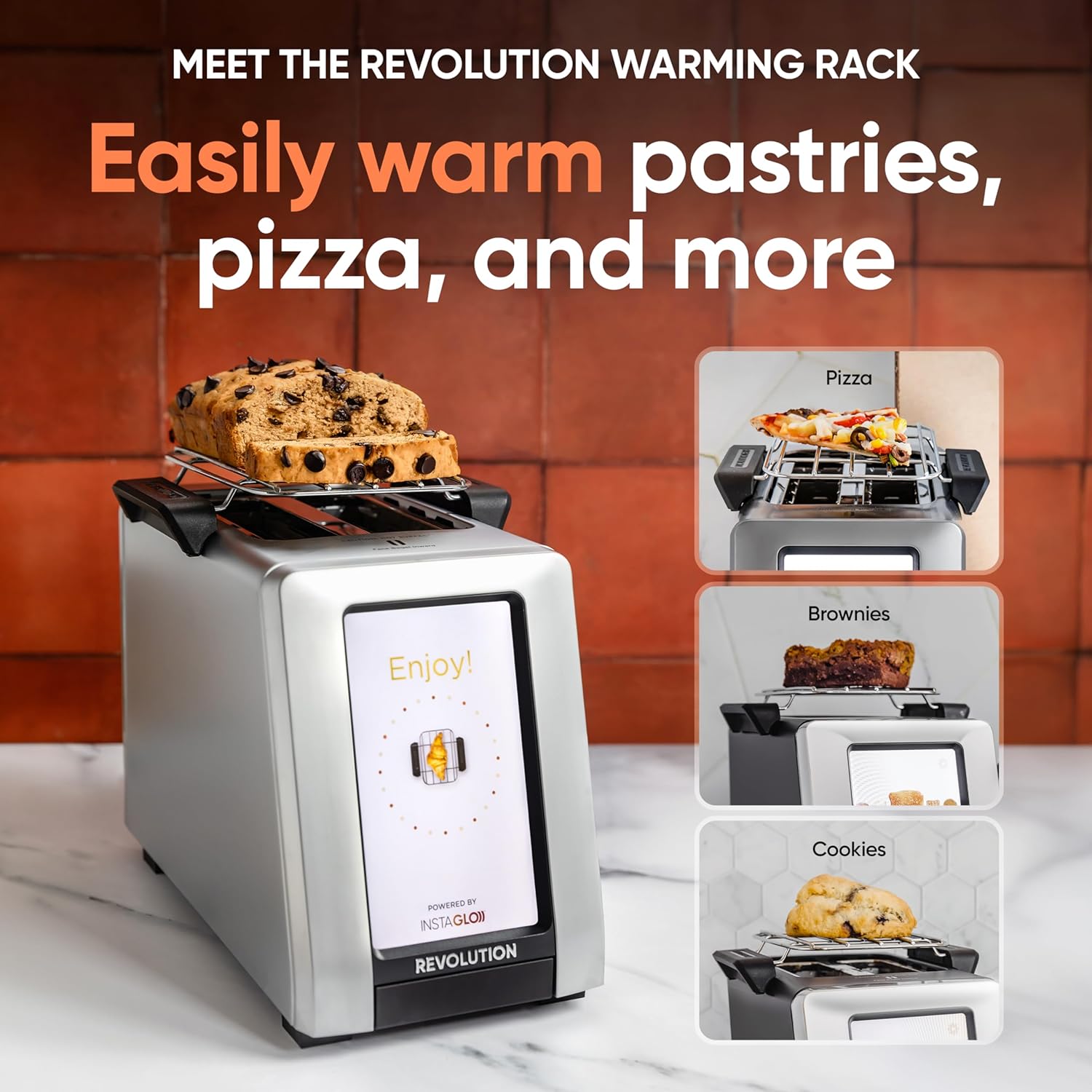
Image: The Warming Rack accessory is shown placed on top of the toaster, with various items like pastries, pizza, and cookies being warmed.
Awọn ẹya ara ẹrọ
- InstaGLO 2.0 Technology: Heats up in 2 seconds, searing the outside of bread to lock in flavor and prevent drying, resulting in a crispy exterior and soft interior.
- Digital Photo Frame: Displays up to 25 of your favorite images when the toaster is idle, transforming it into a personalized kitchen display.
- Live Weather Display: Provides updated weather forecasts on the touchscreen via Wi-Fi connectivity.
- Auto-Set Clock: Automatically sets the time via Wi-Fi, ensuring accuracy.
- Awọn imudojuiwọn sọfitiwia: Wi-Fi connectivity allows for over-the-air software updates, adding new features and improving performance.

Image: A visual comparison highlights the InstaGLO technology of the Revolution Toaster versus a standard toaster, emphasizing faster and tastier results.
Itoju
- Fífọ Àwo Ẹ̀rún: The toaster will remind you when the crumb tray needs cleaning. Simply push the tray to release it, empty crumbs, and reinsert. The Toastie Press is dishwasher safe.
- Ode Ninu: Pa ode nu pẹlu asọ, damp asọ. Maṣe lo awọn afọmọ abrasive tabi fi omi toaster bọ inu omi.
Laasigbotitusita
- Toaster Ko Nṣiṣẹ Lori: Rii daju pe okun agbara ti wa ni edidi ni aabo sinu iṣan itanna ti n ṣiṣẹ.
- Awọn ọran Asopọmọra Wi-Fi: Check your home Wi-Fi network. If issues persist, try restarting your router or the toaster.
- Toasting ti ko dọgba: Ensure bread is centered in the slots. Different bread types may require slight adjustments to browning levels.
- Food Stuck: Unplug the toaster and carefully remove the food item using non-metallic utensils.
Awọn pato
| Brand | Iyika |
| Nọmba awoṣe | 1359080 |
| Àwọ̀ | Irin ti ko njepata |
| Ohun elo | Irin ti ko njepata |
| Ọja Mefa | 16"D x 10"W x 14"H |
| Wattage | 600 watt |
| Nọmba ti Ege | 2 |
| Iwọn Nkan | 8.98 iwon |
Atilẹyin ọja & Atilẹyin
Your Revolution R180 Connect Plus Smart Toaster comes with a manufacturer's warranty. For detailed warranty information, please refer to the warranty card included in your packaging or visit the official Revolution Cooking webojula.
Awọn eto aabo ti o gbooro wa fun rira:
- 3-odun Idaabobo Eto
- 4-odun Idaabobo Eto
- Idaabobo pipe (ètò oṣooṣu)
For technical support, troubleshooting assistance, or to inquire about replacement parts, please contact Revolution Cooking customer service through their official website or the contact information provided in your product registration.
Ask a question about this manual
Ask about setup, troubleshooting, compatibility, parts, safety, or missing instructions. Manuals+ will review the question and use this page’s manual context to help answer it.