
Ọrọ Iṣaaju
This user manual provides detailed instructions for the setup, operation, and maintenance of your Anderic RRTR214D Ceiling Fan Remote Control. Designed as a direct replacement for various Harbor Breeze remote models, this remote offers comprehensive control over your ceiling fan's speed and lighting functions. Please read this manual thoroughly before use to ensure proper functionality and to maximize the lifespan of your device.
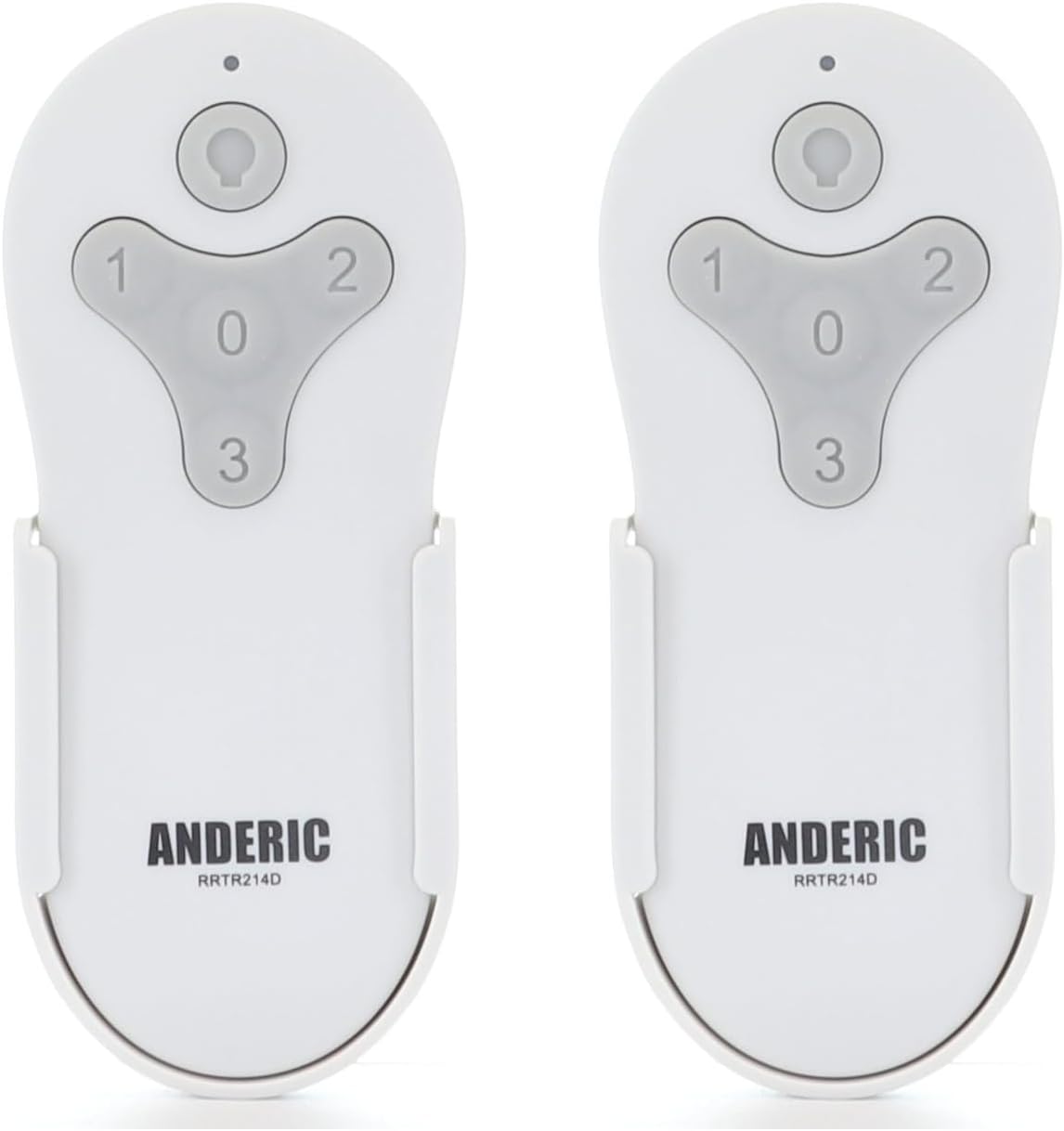
Figure 1: Two Anderic RRTR214D remote controls. These remotes are designed for ease of use and reliable performance with compatible ceiling fans.
Ọja Pariview ati Awọn ẹya ara ẹrọ
The Anderic RRTR214D remote control is engineered to provide seamless control for your ceiling fan. Its key features include:
- Rirọpo Taara: Seamlessly replaces Harbor Breeze remote models A25-FA0138, KUJCE10311, TR214B, KUJCE10712, TR214A, and KUJCE10610.
- Pipọpọ Lailaapọn: Designed for easy pairing with your current receiver, ensuring a hassle-free setup.
- Iṣakoso ni kikun: Offers complete control over fan speeds (high, medium, low, and off) and light functions (on/off and dimming).
- Batiri Agbara: Uses a 23A 12-volt battery (not included) for long-lasting operation.
- Convenient Wall Mount: Includes a wall mount for easy installation and accessibility.

Figure 2: Remote control button functions. The remote features dedicated buttons for light control (on/off/dimming) and fan speeds (1 for low, 2 for medium, 3 for high, 0 for off).

Figure 3: Remote control dimensions. The compact design ensures it fits comfortably in hand and integrates well into your living space.
Ibamu
The Anderic RRTR214D remote control is specifically designed to replace the following Harbor Breeze remote models. It is crucial that your existing ceiling fan receiver was originally supplied with one of these models for proper compatibility.
- A25-FA0138
- KUJCE10311
- TR214B
- KUJCE10712
- TR214A
- KUJCE10610
This remote cannot be paired with other ceiling fan receivers not originally supplied with these specific models.

Figure 4: Compatible Harbor Breeze models. This image illustrates the range of specific Harbor Breeze fan models that are compatible with the Anderic RRTR214D remote control.
Eto ati fifi sori
Fifi sori batiri
The Anderic RRTR214D remote control requires one 23A 12-volt battery (not included). Follow these steps to install the battery:
- Wa ideri iyẹwu batiri ni ẹhin isakoṣo latọna jijin.
- Slide the cover off in the direction indicated by the arrow (if present).
- Insert one 23A 12-volt battery, ensuring the positive (+) and negative (-) terminals align correctly with the markings inside the compartment.
- Gbe ideri iyẹwu batiri pada si aaye titi yoo fi tẹ ni aabo.

Figure 5: Battery installation. This diagram illustrates the correct orientation for inserting the 23A 12-volt battery into the remote control's battery compartment.
Awọn Ilana Sisopọ
To pair your new Anderic RRTR214D remote control with your ceiling fan receiver, follow these simple steps:
- Cycle power to the fan: Turn off the power to your ceiling fan at the wall switch or circuit breaker, wait for approximately 10 seconds, and then turn the power back on.
- Install battery in the remote: Ensure the 23A 12-volt battery is correctly installed in your remote control.
- Press and hold the "0" key: Within 30 seconds of restoring power to the fan, press and hold the "0" (fan off) button on the remote control for five seconds. The fan light should blink or the fan should respond, indicating successful pairing.
Akiyesi: Only one remote can be paired to the same fan at a time. If you are replacing an old remote, ensure it is no longer in use or its pairing is cleared (if applicable) before pairing the new remote.
Odi Mount fifi sori
The included wall mount provides a convenient storage solution for your remote control. To install the wall mount:
- Yan ipo ti o dara lori ogiri, kuro lati orun taara tabi awọn orisun ooru.
- Use the provided screws (or appropriate hardware for your wall type) to secure the wall mount to the desired surface. Ensure it is level and firmly attached.
- Slide the remote control into the wall mount for easy access.

Figure 6: Wall mount installation. The wall mount helps keep your remote accessible and prevents it from being misplaced.
Isẹ
Once paired, your Anderic RRTR214D remote control allows you to operate your ceiling fan and its light with ease.
- Iṣakoso Iyara Fan:
- Tẹ "1" fun iyara afẹfẹ kekere.
- Tẹ "2" fun iyara afẹfẹ alabọde.
- Tẹ "3" fun iyara afẹfẹ giga.
- Tẹ "0" to turn the fan Off.
- Iṣakoso ina:
- Tẹ awọn Bọtini ina (bulb icon) to turn the light On or Off.
- Láti dín ìmọ́lẹ̀ kù, tẹ kí o sì di í mú Bọtini ina. Release when the desired brightness is achieved.
Itoju
Proper maintenance will ensure the longevity and optimal performance of your remote control.
- Rirọpo Batiri: When the remote's range decreases or the fan/light response becomes inconsistent, it's time to replace the 23A 12-volt battery. Follow the battery installation steps in the "Setup and Installation" section.
- Ninu: Clean the remote control with a soft, dry cloth. Do not use abrasive cleaners, solvents, or harsh chemicals, as these can damage the surface or internal components.
- Ibi ipamọ: If the remote will not be used for an extended period, remove the battery to prevent leakage and potential damage. Store the remote in a cool, dry place.
Laasigbotitusita
If you encounter issues with your Anderic RRTR214D remote control, please refer to the following common problems and solutions:
| Isoro | Owun to le Fa | Ojutu |
|---|---|---|
| Remote not responding to fan/light. |
|
|
| Fan nṣiṣẹ sugbon ina ko. |
|
|
| Fan speeds are incorrect or inconsistent. |
|
|
Tí ìṣòro náà bá ń bá a lọ lẹ́yìn tí a bá ti gbìyànjú àwọn ìdáhùn wọ̀nyí, jọ̀wọ́ kan sí ìrànlọ́wọ́ àwọn oníbàárà fún ìrànlọ́wọ́ síwájú sí i.
Awọn pato
| Nọmba awoṣe | RRTR214D-2PK |
| Ọja Mefa | 1.7 x 3.9 x 1.8 inches |
| Iwọn Nkan | 2.24 iwon |
| Batiri Iru | 1 x 23A 12-volt (not included) |
| Àwọ̀ | Funfun |
| Olupese | Dan's Electronics àti bẹ́ẹ̀ bẹ́ẹ̀ lọ, Inc. |
Atilẹyin ọja ati Support
For warranty information or technical support, please refer to the documentation provided with your purchase or visit the official Anderic website. You may also contact the manufacturer, Dan's Electronics Etc., Inc., for assistance.
Fun awọn orisun afikun ati alaye ọja, o le ṣabẹwo si Ile itaja Anderic lori Amazon.