
1. Ifihan ati Loriview
The SUNOL Smart Ring is a comprehensive health monitoring device designed for both men and women. It offers advanced tracking capabilities for various health metrics, including sleep patterns, heart rate, blood pressure, blood oxygen levels, and daily step counts. This smart ring is built for comfort and durability, featuring an IP68 water and dust resistance rating and a long-lasting battery.
This manual provides essential information for setting up, operating, and maintaining your Smart Ring to ensure an optimal user experience. Please read all instructions carefully before use.
2. Ohun ti o wa ninu Apoti
- SUNOL Smart Ring
- Ngba agbara USB
- Apoti Gbigba agbara
- Itọsọna olumulo
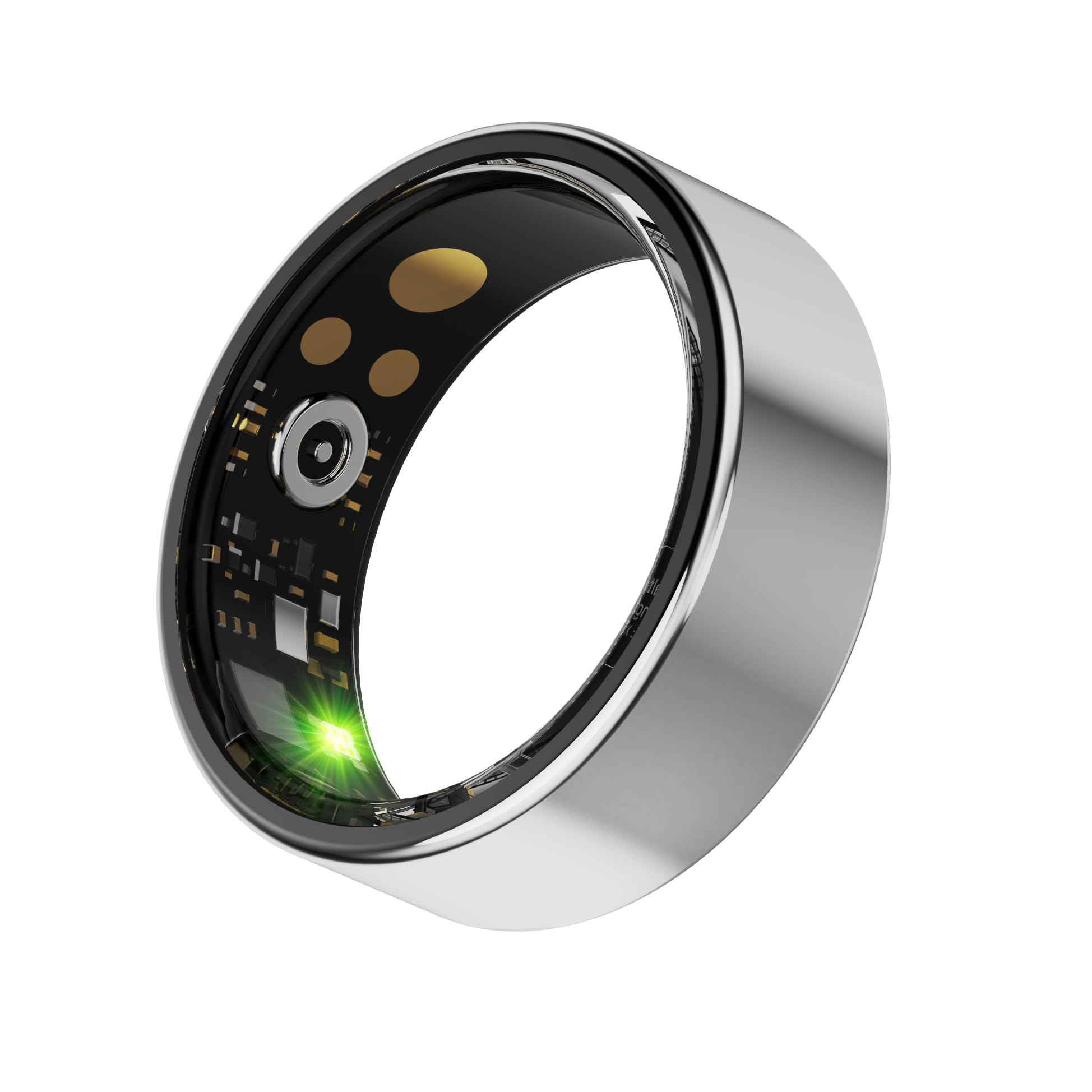
Image: The SUNOL Smart Ring resting in its charging box, connected to a charging cable.
3. Setup and App Linking
To begin using your Smart Ring, you must first download the companion application to your smartphone and pair the device via Bluetooth. This application is compatible with both iOS and Android devices.
- Ṣe igbasilẹ ohun elo naa: Wa fun the official SUNOL Smart Ring application in your device's app store (Apple App Store for iOS or Google Play Store for Android).
- Fi sori ẹrọ ati Ṣii: Install the app and open it on your smartphone.
- Awọn igbanilaaye fifunni: Follow the on-screen instructions within the app to grant necessary phone permissions (e.g., Bluetooth, location, notifications) for full functionality.
- So Oruka pọ mọ: Ensure your Smart Ring is charged and within Bluetooth range of your phone. Follow the app's pairing guide to connect your ring.

Image: The Smart Health APP interface on a smartphone, illustrating options for health monitoring.
Video: This video demonstrates the appearance of the Smart Ring, its functions, and the user interface of the companion mobile application.
4. Awọn ilana Iṣiṣẹ
Once paired, wear the Smart Ring on your finger. The ring continuously tracks your health data. To view detailed information and historical data, open the companion app on your smartphone. The app provides a user-friendly interface to navigate through different health metrics and settings.

Image: A person wearing the sleek silver Smart Ring on their finger.
5. Health Àtòjọ Awọn ẹya ara ẹrọ
The SUNOL Smart Ring offers comprehensive health monitoring:
- Itupalẹ oorun: Ó ń ṣe àkíyèsí àwọn ìlànà oorun rẹ, títí bí oorun jíjinlẹ̀, oorun díẹ̀díẹ̀, àti oorun REM, èyí tí ó ń fúnni ní òye nípa dídára oorun rẹ.
- Abojuto Oṣuwọn Ọkàn: Provides 24-hour real-time heart rate tracking, allowing you to monitor your heart health throughout the day.
- Abojuto Ipa Ẹjẹ: Tracks your blood pressure, offering valuable data for managing your cardiovascular health.
- Blood Oxygen Tracking (SpO2): Measures your blood oxygen saturation levels, an important indicator of respiratory function.
- Iṣiro Igbesẹ: Automatically records your daily steps, helping you stay active and achieve your fitness goals.

Image: Detailed sleep monitoring data displayed within the app, showing sleep stages ati iye akoko.

Image: The app displaying 24-hour heart rate monitoring data, including average, highest, and lowest readings.

Image: The app interface showing blood oxygen saturation (SpO2) monitoring data.
6. Àwọn Ìgbésẹ̀ Àdánwò
The Smart Ring supports various exercise modes to track your activity:
- Nrin
- Nṣiṣẹ
- Gigun kẹkẹ
- Yoga
- Òkè Ńlá
Select the appropriate mode in the app before starting your workout to get accurate data on heart rate, calories burned, and distance.

Image: The app interface displaying recorded exercise data for cycling, including metrics like distance, heart rate, and calories.
7. Family Care Feature
The Smart Ring's family care feature allows you to monitor the health status of your loved ones. By purchasing additional rings for family members and linking them through the app, you can access their health data remotely, providing peace of mind and enabling timely care.

Image: The 'Care for family' feature in the app, demonstrating how to add friends and view their health data.
8. Aye batiri ati gbigba agbara
The Smart Ring is equipped with a long-lasting battery, providing 2-3 days of use on a single charge. It comes with a convenient quick charge compartment (charging box) for easy recharging. To charge, place the ring in its charging box and connect the box to a power source using the provided USB cable.
Image: The SUNOL Smart Ring in its charging box, ready for charging.
9. Omi ati Eruku Resistance
The Smart Ring boasts an IP68 rating, making it highly resistant to dust, dirt, and water. This allows for worry-free use during daily activities, including workouts, showering, and exposure to rain. The ring can withstand immersion in water up to 1.5 meters deep.
10. Ìtọ́sọ́nà Ìwọ̀n
To ensure accurate health tracking and comfortable wear, selecting the correct ring size is crucial. Use the following guide to determine your ideal size:
- Diwọn ika Rẹ: Wrap a flexible measuring tape or a strip of paper snugly around the base of the finger where you intend to wear the ring. Mark the point where the end overlaps.
- Determine Circumference: Measure the length of the paper strip or tape in millimeters. This is your finger's circumference.
- Find Inner Diameter: Alternatively, measure the inner diameter of an existing ring that fits you well.
- Consult the Table: Refer to the table below to match your measurements with the corresponding ring model size.

Image: A visual guide on how to measure your finger for the correct ring size, accompanied by a sizing chart.
| Awoṣe | Opin Inu | Ayika |
|---|---|---|
| #7 | 17.3mm | 54.3mm |
| #8 | 18.1mm | 56.9mm |
| #9 | 18.9mm | 59.5mm |
| #10 | 19.8mm | 62.1mm |
| #11 | 20.6mm | 64.6mm |
| #12 | 21.4mm | 67.2mm |
| #13 | 22.2mm | 69.7mm |
| #14 | 23.4mm | 73.5mm |
11. Laasigbotitusita
If you encounter any issues with your SUNOL Smart Ring, please consider the following common solutions:
- Awọn oran Asopọmọra: Ensure Bluetooth is enabled on your smartphone and the ring is within range. Try restarting both the ring (by placing it in the charger) and your phone.
- Awọn kika ti ko pe: Ensure the ring is worn snugly on your finger. Clean the sensors on the inside of the ring. Readings can be affected by extreme temperatures or vigorous movement.
- Ohun elo Ko Mimuuṣiṣẹpọ: Check your internet connection. Ensure the app has all necessary permissions granted in your phone's settings. Try closing and reopening the app.
- Batiri Ko Ngba agbara: Verify the charging cable and box are properly connected to a power source. Ensure the ring is correctly seated in the charging box.
For further assistance, please refer to the in-app help section or contact customer support.
12. Awọn pato
| Ẹya ara ẹrọ | Ẹ̀kúnrẹ́rẹ́ |
|---|---|
| Eto isesise | Omiiran |
| Pataki Ẹya | Gbigba agbara yara |
| Asopọmọra Technology | Bluetooth |
| Alailowaya Ibaraẹnisọrọ Alailowaya | Bluetooth |
| Batiri Cell Tiwqn | Litiumu polima |
| GPS | Ko si GPS |
| Apẹrẹ | Yika |
| Brand | SUNOL |
| Àwọ̀ | Silver (as per current product) |
| Awọn ẹrọ ibaramu | Smartphone (All current iPhone models, all current Android models) |
| Afikun Awọn ẹya ara ẹrọ | Gbigba agbara yara |
| Band elo Iru | Irin |
| Omi Resistance Ipele | Water Resistant (IP68, 1.5 Meters) |
| Human Interface Input | Touchscreen (likely referring to app interaction) |
| Ohun elo atilẹyin | Blood Pressure Monitor, Fitness Tracker, Heart Rate Monitor, Sleep Monitor |
| Metiriki Tiwon | Heart Rate Monitor, Sleep Duration, Blood Pressure Monitor, Blood Oxygen Monitor |
| Iwọn Nkan | 0.1 kilo |
| Nọmba awoṣe | 588bdbf0-5847-413d-9fc8-0885e197bd75 |
| Wearable Computer Type | Smart Oruka |
| Olupese | Àwọn ará Switzerland |
13. Atilẹyin ọja ati Support
The SUNOL Smart Ring comes with a 1-odun atilẹyin ọja. For warranty claims, technical support, or any product-related inquiries, please contact the manufacturer, SWISSES, or your point of purchase. Ensure you retain your proof of purchase for warranty validation.