
1. Ifihan
O ṣeun fun riraasing the Sharp KI-TX75-W Humidifying Air Purifier. This appliance is designed to improve your indoor air quality through advanced air purification and humidification technologies. It features Plasmacluster NEXT for high-density ion emission, AI AUTO mode for intelligent operation, Coanda flow for efficient dust collection, an AI monitor for real-time air quality feedback, and COCORO AIR for smart control via a smartphone app.
This manual provides essential information for the safe and efficient use, maintenance, and troubleshooting of your air purifier. Please read it thoroughly before use and keep it for future reference.
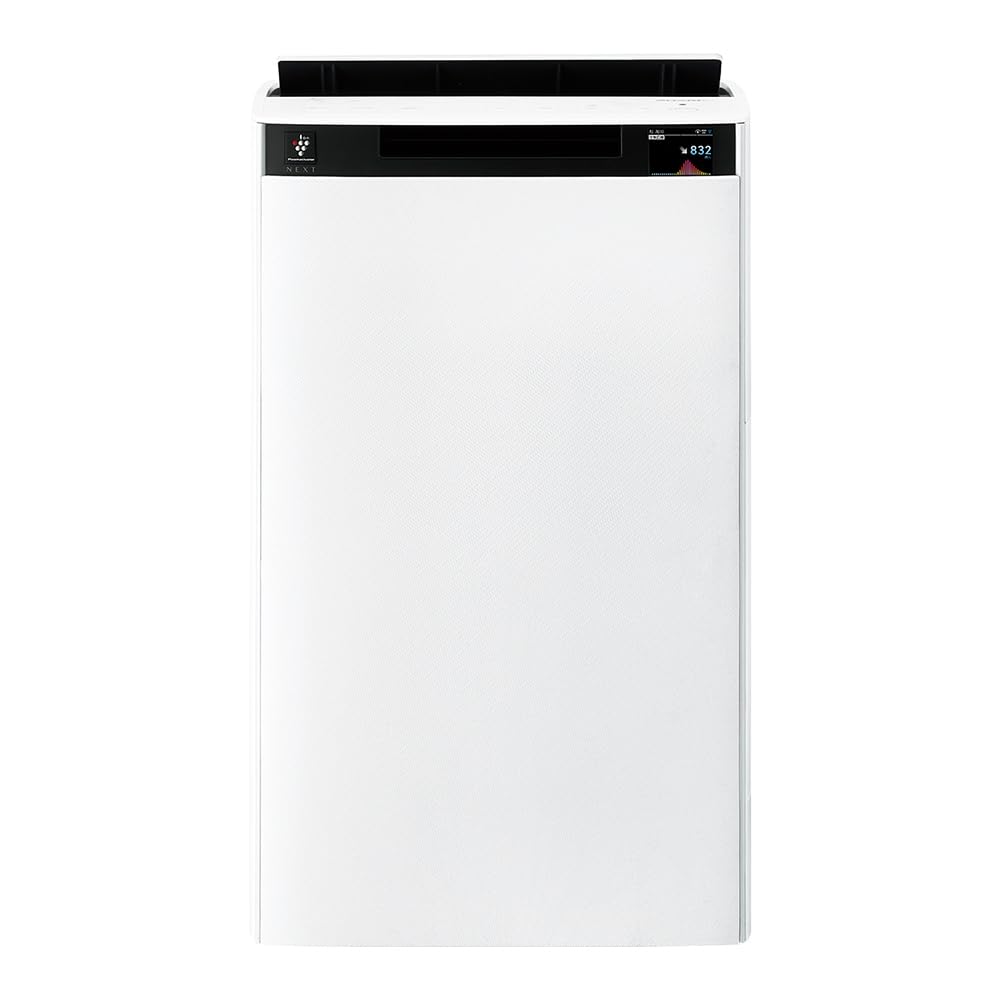
Iwaju view of the Sharp KI-TX75-W Humidifying Air Purifier.
2. Alaye Aabo
Lati rii daju iṣẹ ailewu ati yago fun ibajẹ, jọwọ ṣe akiyesi awọn iṣọra ailewu atẹle:
- Always use the appliance with the correct voltage bi pato lori awọn Rating aami.
- Má ṣe dí àwọn ihò afẹ́fẹ́ tàbí àwọn ihò tí ó ń jáde.
- Keep the appliance away from water and moisture. Do not operate with wet hands.
- Yọọ okun agbara ṣaaju ṣiṣe mimọ tabi ṣiṣe itọju eyikeyi.
- Ma ṣe gba awọn ọmọde laaye lati ṣiṣẹ ohun elo naa laisi abojuto.
- Ti okun agbara ba bajẹ, o gbọdọ paarọ rẹ nipasẹ olupese, aṣoju iṣẹ rẹ, tabi awọn eniyan ti o ni oye kanna lati yago fun ewu kan.
- Ma ṣe fi awọn nkan ajeji sii si eyikeyi ṣiṣi.
- Gbe ẹyọ naa sori iduro, ipele ipele.
3. Eto
3.1 Ṣiṣii ati Gbe
- Fara yọ afẹfẹ purifier kuro ninu apoti rẹ.
- Choose a location with adequate space around the unit for optimal airflow. Avoid placing it directly against walls or furniture.
- Ensure the unit is placed on a flat, stable surface. The built-in casters with stoppers allow for easy movement and secure positioning.

The unit features casters with stoppers for convenient movement and secure placement.
3.2 Filter fifi sori
The unit comes with pre-installed filters. Verify they are correctly seated before first use.
- Open the back panel of the air purifier.
- Ensure the HEPA filter, deodorizing filter, and pre-filter are securely in place.
- Pa nronu ẹhin.

The air purifier utilizes a three-layer filter system: pre-filter, deodorizing filter, and HEPA filter.
3.3 Omi ojò nkún
For humidification, fill the water tank with clean tap water.
- Remove the water tank from the side of the unit.
- Open the water tank cap and fill it with fresh tap water.
- Securely close the cap and reinsert the water tank into the unit.

Remove the water tank from the side of the unit to fill it with water.
3.4 Agbara-ibẹrẹ ati Asopọ Nẹtiwọọki
- Pulọọgi okun agbara sinu iṣan ogiri kan.
- Tẹ bọtini agbara lori nronu iṣakoso.
- To utilize smart features, download the COCORO AIR app on your smartphone and follow the in-app instructions to connect the air purifier to your wireless LAN network.
4. Awọn ilana Iṣiṣẹ
4.1 Iṣakoso igbimo Loriview

The control panel allows selection of various modes and settings.
4.2 Awọn ọna ṣiṣe
- AI AUTO Mode: This intelligent mode automatically adjusts operation based on detected air quality, aiming for a cleanroom Class 8 level environment. It optimizes airflow to effectively collect pollen, dust, and fine particles.
- Ipò Ìwẹ̀nùmọ́ Afẹ́fẹ́: Operates solely as an air purifier, removing airborne particles and odors.
- Humidification Mode: Adds moisture to the air while purifying. The unit can deliver up to 900 mL/h of humidification.
- Plasmacluster NEXT: This technology generates high-density Plasmacluster ions (50,000 ions/cm³) to suppress airborne and adhering viruses, allergens, and odors.

AI AUTO mode significantly reduces airborne particles to maintain a clean environment.
4.3 AI Monitor
The AI Monitor visualizes the number of particles in the room and provides feedback on air quality. It displays real-time particle counts and indicates when the air is clean or needs purification.

The AI Monitor provides a visual representation of airborne particle levels.
The AI Monitor also provides notifications for humidification status, maintenance timing, and estimated electricity costs.

Notifications include humidification status, maintenance alerts, and electricity usage.
4.4 COCORO AIR App
Connect your air purifier to the COCORO AIR app via Wi-Fi for enhanced control and monitoring. The app allows you to:
- Monitor air quality and operating status remotely.
- Customize operation schedules and settings.
- Receive notifications for filter replacement and maintenance.
- Access special operating modes, such as pet-specific modes.

The COCORO AIR app provides remote control and monitoring capabilities.
5. Itọju
Itọju deede ṣe idaniloju iṣẹ ṣiṣe ti o dara julọ ati ki o fa igbesi-aye igbesi aye ti purifier afẹfẹ rẹ.
5.1 Filter Cleaning ati Rirọpo
- Àlẹmọ-tẹlẹ: Clean regularly (e.g., once a month) by vacuuming or washing with water.
- HEPA Filter & Deodorizing Filter: These filters are not washable. Replace them according to the recommended schedule (typically every 1-2 years, depending on usage and environment). The COCORO AIR app will notify you when replacement is due.
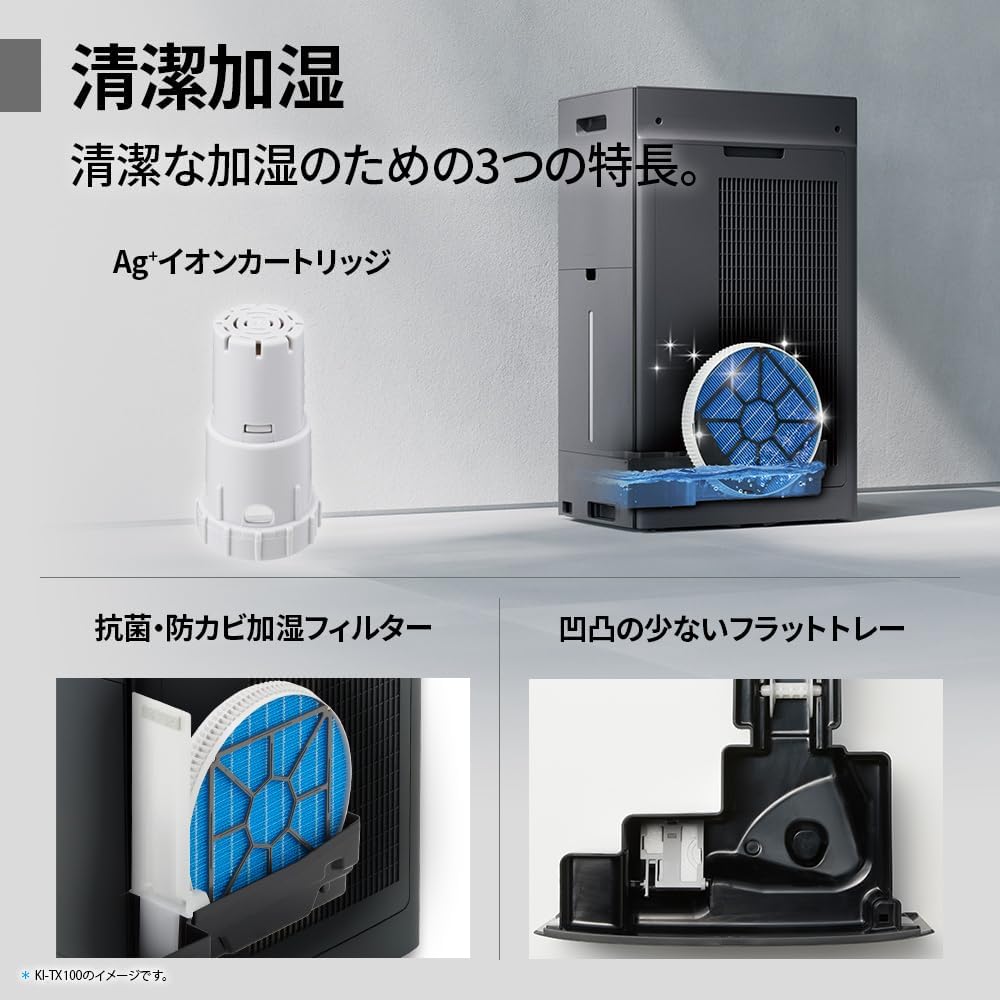
Regularly clean the pre-filter to maintain air purification efficiency.
5.2 Humidifying Filter Maintenance
The humidifying filter can be automatically cleaned using the unit's internal cleaning function. This helps prevent scale buildup.
- Remove the water tank and humidifying filter assembly.
- Add a small spoon of citric acid (commercially available) to the water tank and fill with water.
- Press the internal humidification cleaning button on the unit.
- After the cleaning cycle, rinse the tank and filter thoroughly.

The humidifying filter can be automatically cleaned using citric acid and water.
5.3 Ag+ Ion Cartridge Replacement
The Ag+ ion cartridge helps keep the water in the tank clean. Replace it approximately once a year.

Replace the Ag+ ion cartridge annually for optimal water tank hygiene.
6. Laasigbotitusita
Ti o ba ba pade awọn ọran pẹlu olutọpa afẹfẹ rẹ, tọka si awọn iṣoro ti o wọpọ ati awọn ojutu wọnyi:
| Isoro | Owun to le Fa | Ojutu |
|---|---|---|
| Ẹka ko ni agbara lori. | Kò sí okùn agbára tí a so pọ̀ dáadáa. Kò sí agbára láti ibi tí a ti ń jáde. | Ṣàyẹ̀wò ìsopọ̀ okùn agbára. Ṣe ìdánwò ibi ìjáde pẹ̀lú ẹ̀rọ mìíràn. |
| Weak airflow or poor purification. | Filters are dirty or clogged. Air intake/outlet blocked. | Clean or replace filters. Ensure vents are clear. |
| No humidification or low humidity output. | Water tank is empty. Humidifying filter is dirty. | Refill water tank. Clean the humidifying filter. |
| Ariwo dani nigbati isẹ. | Unit not on a level surface. Foreign object in fan. | Ensure unit is stable. Check for obstructions (unplug first). |
| AI Monitor shows high particle count despite operation. | Filters need cleaning/replacement. Room size exceeds recommended area. | Perform filter maintenance. Consider unit placement or additional units for larger spaces. |
Ti iṣoro naa ba wa lẹhin igbiyanju awọn solusan wọnyi, jọwọ kan si atilẹyin alabara.
7. Awọn pato
| Ẹya ara ẹrọ | Sipesifikesonu |
|---|---|
| Nọmba awoṣe | KI-TX75-W |
| Brand | Dinku |
| Awọn iwọn (W x D x H) | 39.5 cm x 26.5 cm x 65 cm |
| Iwọn | 12 kg |
| Orisun agbara | Okun Itanna |
| Ariwo Ipele | 20-52 dB |
| Recommended Room Size (Plasmacluster) | Up to 18 tatami (~29.7 m²) |
| Recommended Room Size (Air Purification) | Up to 34 tatami (~56.1 m²) |
| Maximum Humidification Capacity | 900 milimita fun wakati kan |
| Air Purification Time (8 tatami) | 9 iṣẹju |
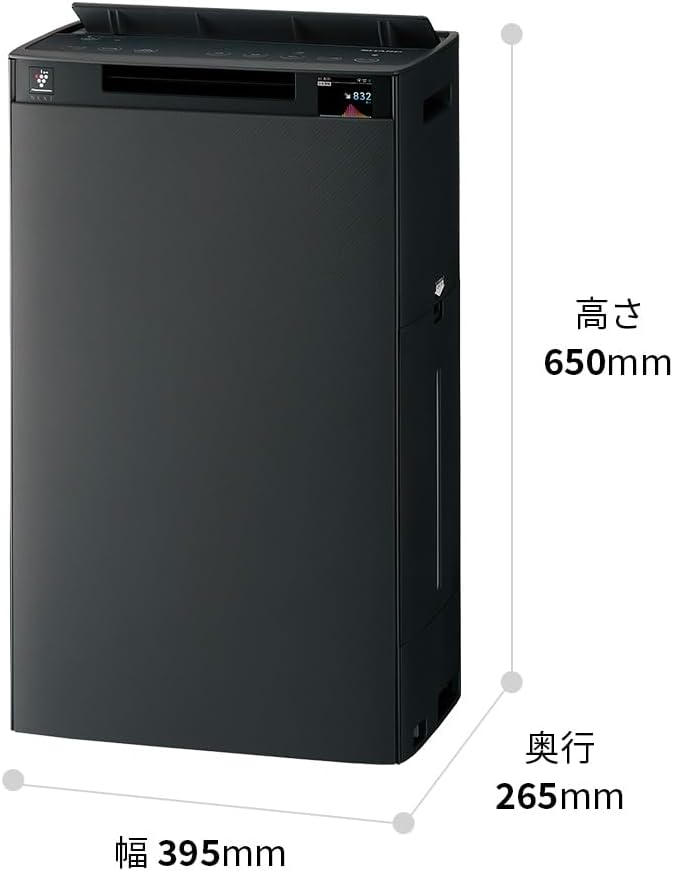
Detailed dimensions of the Sharp KI-TX75-W.
8. Atilẹyin ọja ati Support
8.1 Olupese ká atilẹyin ọja
This Sharp KI-TX75-W Humidifying Air Purifier comes with a 1-odun olupese ká atilẹyin ọja lati ọjọ ti o ra. Atilẹyin ọja yi ni wiwa awọn abawọn ninu awọn ohun elo ati iṣẹ ṣiṣe labẹ lilo deede. Jọwọ ṣe idaduro ẹri rira rẹ fun awọn iṣeduro atilẹyin ọja.
The warranty does not cover damage caused by misuse, accident, unauthorized modification, or failure to follow the instructions in this manual.
8.2 Onibara Support
For technical assistance, warranty service, or inquiries about replacement parts, please contact Sharp customer support.
You can find additional support resources and FAQs on the official Sharp webojula: