
1. Ifihan
Thank you for choosing the MESWAO 15.6 inch Android 14 Tablet Pro. This tablet is designed to provide a superior visual and performance experience with its large Full HD display, powerful octa-core processor, and extended battery life. This manual will guide you through the setup, operation, maintenance, and troubleshooting of your new device, ensuring you get the most out of its advanced features.
2. Ohun ti o wa ninu Apoti
Jọwọ ṣayẹwo awọn awọn akoonu ti rẹ package. Ti awọn ohun kan ba nsọnu tabi bajẹ, kan si atilẹyin alabara.
- 1 x MESWAO 15.6 inch Android Tablet
- 1 x Agbara Adapter
- 1 x Okun Iru-C
- 1 x Itọsọna olumulo
- 1 x Iru-C si ohun ti nmu badọgba USB
- 1 x Stuck pin (SIM ejector tool)

Image: Visual representation of the MESWAO tablet and its included accessories.
3. Ọja Ipariview
3.1 Key Awọn ẹya ara ẹrọ
- 15.6-inch 1080P FHD IPS Display: Large screen with 1920x1080p resolution, 16:9 aspect ratio, 85% screen-to-body ratio, and 350 nits adjustable brightness for clear visuals.
- Android 14 OS: Latest Android version for faster app launches, intuitive user interface, split-screen multitasking, and GMS certification for Google Play access.
- MediaTek Helio G99 CPU: Octa-core processor (6nm, up to 2.2GHz) and ARM Mali-G57 GPU for smooth performance in multitasking, streaming, and gaming.
- 12,000mAh Mega Battery & 30W Fast Charging: Provides up to 15 hours of video playback and 12+ hours of daily use, with 90% charge in 3 hours.
- 6GB RAM + 128GB ROM (Expandable to 1TB): Ample storage for apps, photos, and videos, with expandable memory via microSD card (FAT32 format).
- Dual-band Wi-Fi & Bluetooth 5.0: High-speed 2.4G/5G Wi-Fi and efficient Bluetooth connectivity for peripherals.
- 5MP Front + 32MP Rear Cameras: Capture moments and conduct clear video calls.
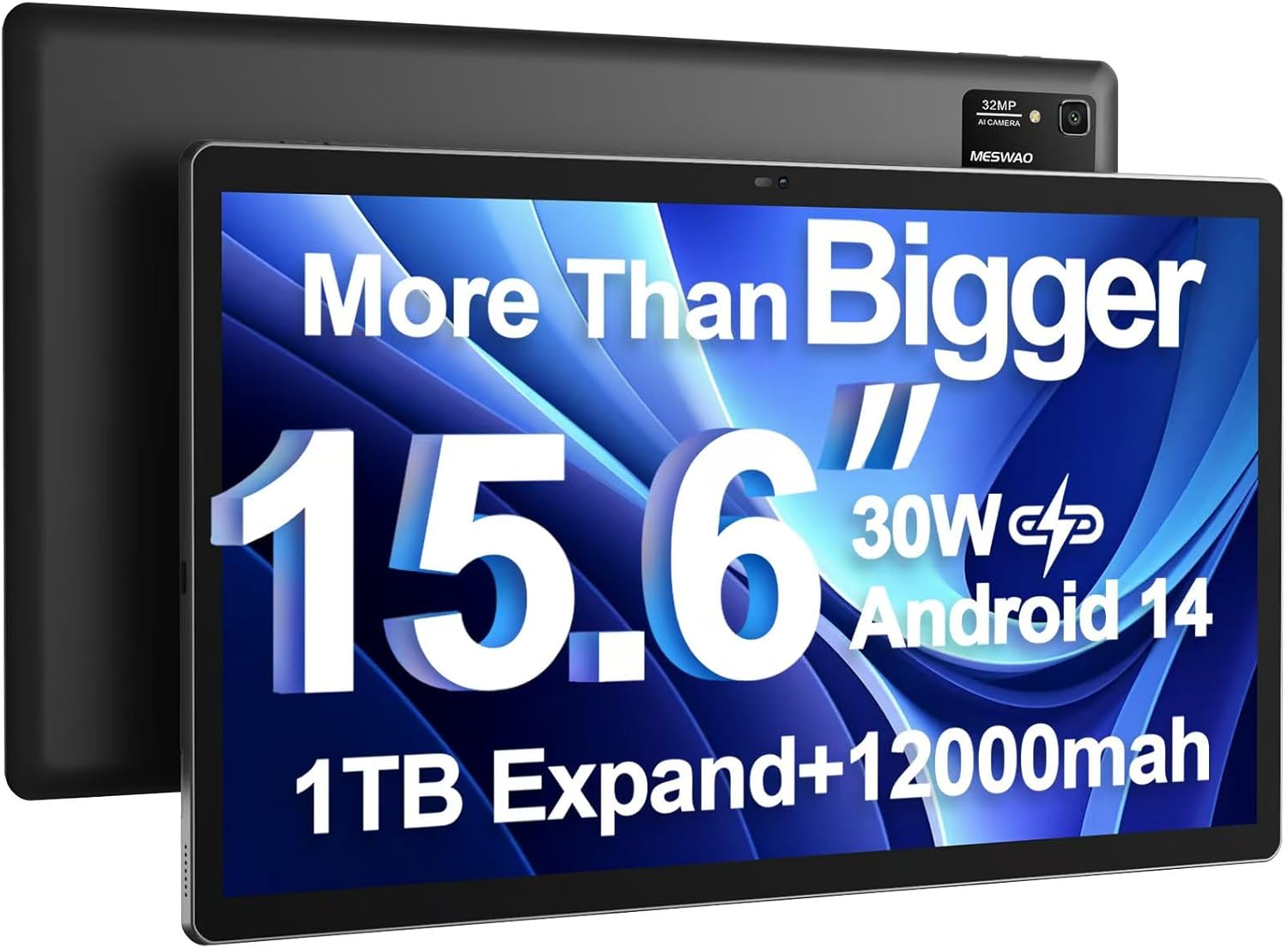
Image: The MESWAO 15.6 inch Android 14 Tablet Pro, showcasing ifihan nla rẹ ati modulu kamẹra ẹhin.

Image: Visual comparison highlighting the significantly larger screen area of the 15.6-inch tablet compared to a standard 10-inch tablet.

Image: Illustration of the tablet's 12,000mAh ultra-large capacity battery and 30W fast charging, indicating quick charge times and extended usage.
3.2 Tablet Components
Familiarize yourself with the physical components of your MESWAO tablet:
- Bọtini agbara: Ó wà ní ẹ̀gbẹ́, a máa ń lò ó láti tan/pa tábìlì tàbí jí/sùn ìbòjú náà.
- Awọn bọtini iwọn didun: Ṣe àtúnṣe ipele ìjáde ohùn.
- Kamẹra iwaju: Kámẹ́rà 5MP fún àwọn ìpè fídíò àti àwọn selfie.
- Kamẹra Tẹhin: 32MP camera with flash for high-resolution photos and videos.
- Iru Ibudo-C: Fun gbigba agbara ati gbigbe data.
- Iho Kaadi TF: For expanding storage with a microSD card.
- Awọn Agbọrọsọ Sitẹrio: Àwọn agbọ́hùnsọ̀ mẹ́rin fún ìrírí ohùn tí a mú sunwọ̀n síi.
- Jack agbekọri 3.5mm: For wired audio connection (requires included Type-C to 3.5mm adapter).
4. Eto
4.1 Ibẹrẹ Agbara Lori
- Tẹ mọlẹ Bọtini agbara until the MESWAO logo appears on the screen.
- Tẹle awọn itọnisọna loju iboju lati yan ede rẹ, agbegbe, ati sopọ si nẹtiwọki Wi-Fi kan.
- Sign in with your Google account or create a new one to access Google Play Store and other services.
4.2 Gbigba agbara si tabulẹti
Before first use, fully charge the tablet. Use the provided power adapter and Type-C cable.
- Connect the Type-C cable to the tablet's Type-C port.
- Pulọọgi ohun ti nmu badọgba agbara sinu iṣan ogiri kan.
- The charging indicator will appear on the screen. A full charge takes approximately 3 hours with the 30W fast charger.
4.3 Fi kaadi MicroSD sii
To expand storage, insert a microSD card (FAT32 format, up to 1TB, sold separately).
- Locate the TF card slot on the side of the tablet.
- Use the provided stuck pin to gently press into the small hole next to the slot to eject the tray.
- Fi kaadi microSD sinu atẹ pẹlu awọn olubasọrọ goolu ti nkọju si isalẹ.
- Fi iṣọra tun fi atẹ sii sinu iho titi ti o fi tẹ sinu aaye.
5. Awọn ilana Iṣiṣẹ
5.1 Ipilẹ Lilọ kiri
- Iboju ile: Ra osi tabi sọtun lati lilö kiri laarin awọn iboju ile.
- Drawer App: Access all installed applications (if using a launcher with an app drawer, otherwise apps are on home screens).
- Awọn iwifunni & Eto Yara: Swipe down from the top of the screen to access notifications and quick settings toggles (Wi-Fi, Bluetooth, Brightness, etc.).
- Awọn ohun elo aipẹ: Fọwọ ba aami onigun mẹrin (tabi ra soke ki o dimu lati isalẹ ti o ba nlo lilọ kiri afarajuwe) si view ati yipada laarin awọn ohun elo ti a lo laipe.
5.2 Ṣíṣe iṣẹ́ púpọ̀ pẹ̀lú ìbòjú pípín
The Android 14 OS supports split-screen functionality for enhanced productivity.
- Open the first app you want to use.
- Go to the Recent Apps view.
- Tap the app icon at the top of the first app's card and select 'Split screen'.
- Choose the second app from your recent apps or app drawer to open it in the other half of the screen.
- Adjust the size of each app by dragging the divider in the middle.

Aworan: Pariview of key features of the Android 14 operating system on the tablet, including multitasking capabilities.
5.3 Asopọmọra
- Wi-Fi: Lọ si Eto> Nẹtiwọọki & intanẹẹti> Wi-Fi to connect to available networks. Supports 2.4Ghz and 5Ghz bands.
- Bluetooth: Lọ si Eto> Awọn ẹrọ ti a ti sopọ> Awọn ayanfẹ asomọ> Bluetooth to pair with Bluetooth headphones, keyboards, or other devices.
- Simẹnti iboju: The tablet supports wireless screen casting to compatible displays. Access this feature from Quick Settings or Settings > Connected devices > Connection preferences > Cast.

Image: Depiction of the tablet's stable dual-band Wi-Fi and Bluetooth 5.0 capabilities, enabling seamless wireless connections.
6. Itọju
6.1 batiri Itọju
- Yago fun awọn iwọn otutu to gaju (gbona tabi tutu) nitori wọn le ba igbesi aye batiri jẹ.
- Do not let the battery completely drain frequently. Charge it before it reaches 0%.
- Use only the provided charger or a certified 30W PD fast charger.
6.2 Ninu
- Lo asọ ti ko ni lint lati nu iboju ati ara.
- Fun agidi smudges, die-die dampen awọn asọ pẹlu omi tabi a iboju regede. Yẹra fun awọn kẹmika lile.
- Ma ṣe fun sokiri awọn olomi taara sori tabulẹti.
6.3 Software imudojuiwọn
Ṣayẹwo nigbagbogbo fun ati fi awọn imudojuiwọn eto sori ẹrọ lati rii daju iṣẹ ṣiṣe ati aabo to dara julọ.
- Connect your tablet to a stable Wi-Fi network.
- Lọ si Eto> Eto> Imudojuiwọn eto.
- Tẹle awọn ilana loju iboju lati ṣe igbasilẹ ati fi awọn imudojuiwọn eyikeyi ti o wa sori ẹrọ.
7. Laasigbotitusita
Ti o ba pade awọn ọran pẹlu tabulẹti rẹ, tọka si awọn solusan ti o wọpọ wọnyi:
| Isoro | Owun to le Fa | Ojutu |
|---|---|---|
| Tabulẹti kii yoo tan | Batiri kekere; Eto naa kuna | Gba agbara tabulẹti naa fun o kere ju iṣẹju 30. Tẹ bọtini agbara ki o si di mu fun awọn aaya 10-15 lati fi agbara mu lati tun bẹrẹ. |
| O lọra išẹ / aisun | Ọ̀pọ̀lọpọ̀ àwọn àpù ló ń ṣiṣẹ́; Ibi ìpamọ́ díẹ̀; Sọ́fítíwètì tó ti pẹ́ jù | Ti awọn ohun elo abẹlẹ pa. Pa awọn kaṣe rẹ. Mu ibi ipamọ kuro. Ṣayẹwo fun awọn imudojuiwọn eto. |
| Awọn oran asopọ Wi-Fi | Incorrect password; Router issue; Tablet Wi-Fi off | Ensure Wi-Fi is on. Re-enter password. Restart router. Forget and reconnect to network. |
| Batiri n ṣan ni kiakia | High screen brightness; Background apps; Heavy usage | Reduce screen brightness. Close unused apps. Limit background data. Check battery usage in settings. |
| Touchscreen unresponsive/Phantom touches | Temporary software glitch; Defective unit | Restart the tablet. If the issue persists, contact MESWAO customer support for assistance. |
If the problem persists after trying these solutions, please contact MESWAO customer support for further assistance.
8. Awọn pato
| Ẹya ara ẹrọ | Ẹ̀kúnrẹ́rẹ́ |
|---|---|
| Orukọ awoṣe | MES-B3 Pro |
| Eto isesise | Android 14 |
| Iwon iboju | 15.6 inches |
| Ipinnu iboju | 1920 x 1080 pixels (IPS Full HD) |
| isise | MediaTek Helio G99 Octa-core (títí dé 2.2GHz) |
| Olupilẹṣẹ Graphics | Apa Mali-G57 |
| Àgbo | 6 GB |
| Ibi ipamọ inu (ROM) | 128 GB |
| Expandable Ibi ipamọ | Up to 1TB via MicroSD card (FAT32 format) |
| Agbara Batiri | 12,000mAh |
| Igbesi aye Batiri (Apapọ) | Awọn wakati 13 (ti o to awọn wakati 15 ṣiṣiṣẹsẹhin fidio) |
| Gbigba agbara | Gbigba agbara yara 30W PD |
| Alailowaya Asopọmọra | 802.11a/b/ac/ax (2.4G/5G Dual-band Wi-Fi), Bluetooth 5.0 |
| Kamẹra iwaju | 5MP |
| Kamẹra ẹhin | 32MP |
| Iwọn Nkan | 4.42 poun (isunmọ 2 kg) |
| Ọja Mefa | 14.49 x 8.66 x 0.39 inches (36.8 x 22 x 1 cm) |
9. Atilẹyin ọja ati Support
MESWAO products come with a standard manufacturer's warranty. Please refer to the warranty card included in your package for specific terms and conditions. For technical support, troubleshooting assistance, or warranty claims, please contact MESWAO customer service through the contact information provided on the official MESWAO webojula tabi rẹ ra Syeed.
Ibi iwifunni: Please visit the official MESWAO website or refer to the support card included in your product packaging for the most up-to-date contact details.