
1. Ifihan
This manual provides essential information for the safe and efficient use of your MESWAO 15.6 Inch Pro Android 14 Tablet. Please read this manual thoroughly before operating the device and retain it for future reference.
2. Alaye Aabo
- Má ṣe fi tábìlẹ́ẹ̀tì náà sí ojú ọjọ́ tí ó le koko, oòrùn tààrà, tàbí ọ̀rinrin gíga.
- Yago fun sisọ tabi tẹri tabulẹti si ipa ti o lagbara.
- Use only the provided power adapter and Type-C cable for charging.
- Pa tabulẹti naa mọ kuro ninu omi ati awọn omi miiran.
- Do not attempt to disassemble or repair the tablet yourself. Contact customer support for assistance.
- Ensure proper ventilation when using the tablet for extended periods.
3. Package Awọn akoonu
Jẹrisi pe gbogbo awọn ohun kan wa ninu package:
- 1 x MESWAO 15.6 inch Android Tablet
- 1 x Agbara Adapter
- 1 x Iru C USB
- 1 x Itọsọna olumulo
- 1 x Iru-C si ohun ti nmu badọgba USB
- 1 x Stuck pin
4. Ẹrọ Loriview
Familiarize yourself with the physical components of your MESWAO tablet.
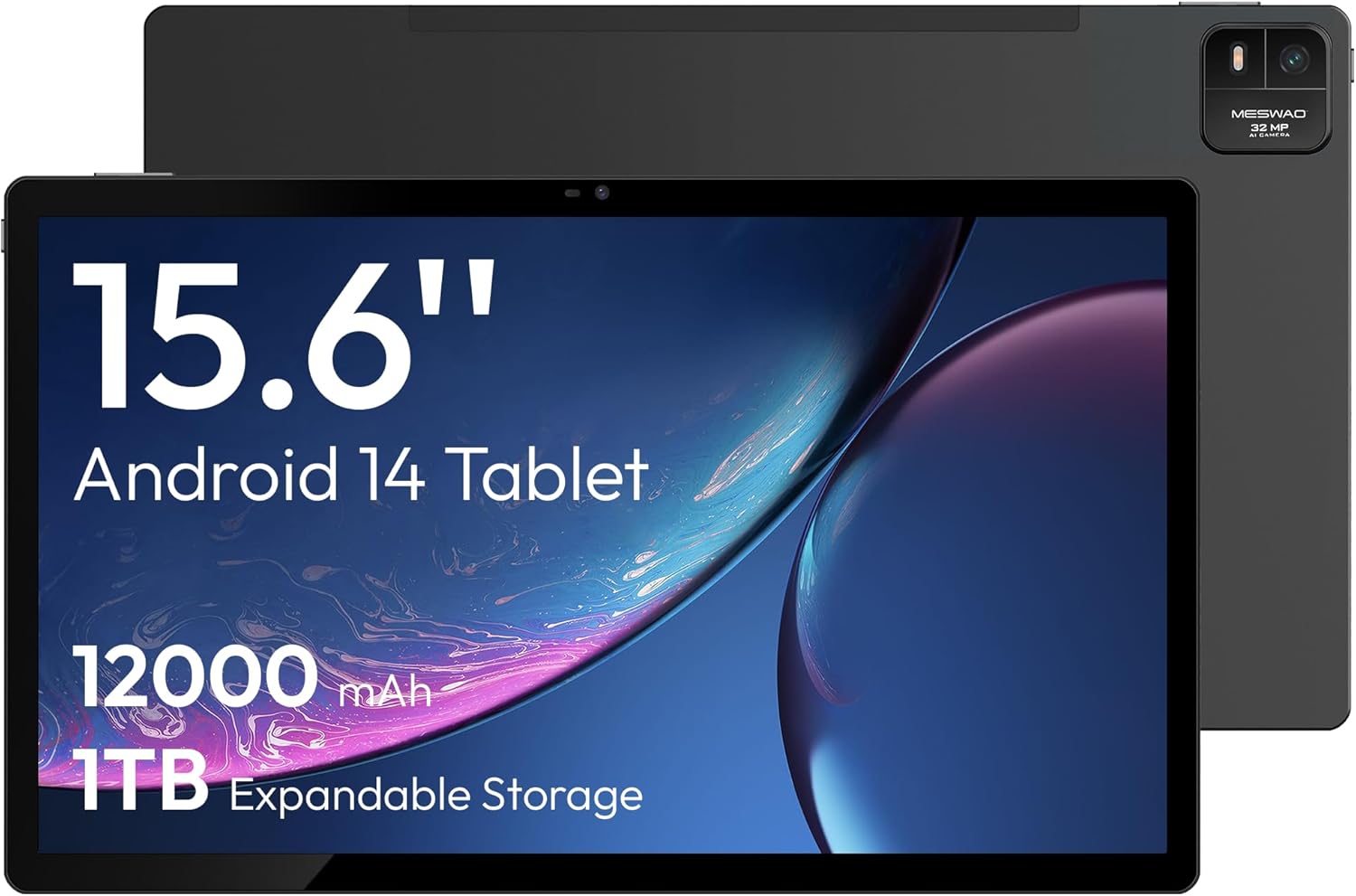
Nọmba 4.1: Iwaju view of the MESWAO 15.6-inch Android 14 Tablet, highlighting the large display and key specifications such as 12000mAh battery and 1TB expandable storage.
Nọmba 4.2: Ẹgbẹ ati ki o ru view of the tablet, indicating the location of the quad speakers, Type-C port, TF card slot, power button, volume controls, and front/rear cameras.
Awọn eroja pataki:
- 15.6-inch FHD IPS Display: Iboju nla fun immersive viewing.
- Kamẹra iwaju: Fun awọn ipe fidio ati awọn selfies.
- Kámẹ́rà ẹ̀yìn (32MP): Fun yiya awọn fọto ati awọn fidio.
- Bọtini agbara: Láti tan/pa tábìlì tàbí láti mú un sùn.
- Awọn bọtini iwọn didun: Láti ṣàtúnṣe àwọn ipele ohùn.
- Iru Ibudo-C: Fun gbigba agbara ati gbigbe data.
- Iho Kaadi TF: For expandable storage (MicroSD card).
- Quad Speakers: Fun igbejade ohun.
5. Eto
5.1 Gbigba agbara akọkọ
Before first use, fully charge the tablet. Connect the provided Type-C cable to the tablet's Type-C port and the power adapter to a wall outlet. The tablet supports 30W fast charging.

Nọmba 5.1: The tablet connected to its charger, showing the charging indicator on the screen.
5.2 Agbara Tan / Pa
- Lati Fi agbara: Tẹ bọtini Power mọlẹ titi iboju yoo fi tan.
- Lati Paarẹ: Tẹ bọtini agbara ki o si dimu, lẹhinna yan 'Pa agbara kuro' lati awọn aṣayan ti o wa lori iboju.
- Lati Sun/Ji: Ni kukuru tẹ bọtini agbara.
5.3 Iṣeto ni ibẹrẹ
Upon first power-on, follow the on-screen prompts to set up your Android 14 operating system. This includes selecting your language, connecting to Wi-Fi, and signing in with your Google account.
5.4 Wi-Fi Asopọ
- Lọ si Eto > Nẹtiwọọki & Intanẹẹti > Wi-Fi.
- Yipada Wi-Fi On.
- Yan nẹtiwọki ti o fẹ lati inu akojọ.
- Tẹ ọrọ igbaniwọle sii ti o ba ṣetan ki o tẹ ni kia kia Sopọ. The tablet supports dual-band Wi-Fi (2.4GHz and 5GHz).
5.5 Fi kaadi MicroSD sii
To expand storage up to 1TB, insert a MicroSD card:
- Locate the TF card slot on the side of the tablet.
- Use the provided stuck pin to gently press into the small hole next to the slot to eject the tray.
- Gbe kaadi MicroSD sinu atẹ pẹlu awọn olubasọrọ goolu ti nkọju si isalẹ.
- Fi iṣọra tun fi atẹ naa sinu tabulẹti.

Nọmba 5.2: Illustration of the tablet's internal storage and the option for expandable storage via MicroSD card.
6. Ṣiṣẹ tabulẹti
6.1 Ipilẹ Lilọ kiri
The Android 14 operating system uses touch gestures for navigation:
- Fọwọ ba: Yan ohun kan tabi ṣii ohun elo kan.
- Ra: Yi lọ nipasẹ awọn iboju tabi awọn akojọ.
- Fun pọ: Sun-un sinu tabi jade lori awọn aworan ati web awọn oju-iwe.
- Long Tẹ: Wọle si awọn akojọ aṣayan ọrọ-ọrọ tabi gbe awọn aami.
6.2 Ifihan Awọn ẹya ara ẹrọ
The 15.6-inch FHD IPS display offers a resolution of 1920 x 1080 pixels, providing clear and vibrant visuals for various applications.

Nọmba 6.1: Comparison of the MESWAO 15.6-inch display size to an A4 sheet of paper and a smaller tablet, emphasizing its expansive viewagbegbe ing.
6.3 išẹ
Powered by the Helio G99 octa-core processor and 8GB RAM, the tablet delivers efficient performance for multitasking, gaming, and media consumption.

Nọmba 6.2: An illustration of the Helio G99 Octa-Core chipset, detailing its technical specifications and performance benefits.
6.4 kamẹra Lilo
The tablet features a 32MP rear camera and a 5MP front camera. Open the Camera app to capture photos and videos.
6.5 Audio
The quad speakers provide clear audio. You can connect Bluetooth headphones or use the Type-C port for audio output with a suitable adapter.
6.6 Àwọn Ẹ̀yà Android 14
The tablet runs on Android 14, offering features such as:
- Smooth Multitasking: Efficiently switch between applications.
- Iṣakoso obi: Manage content and usage for children.
- Enhanced Privacy & UI: Improved security and user interface experience.

Nọmba 6.3: The Android 14 operating system interface, showcasing various applications and system features.
7. Itọju
7.1 Ninu ẹrọ naa
Lo asọ ti ko ni lint lati nu iboju ati ara tabulẹti naa. Yago fun lilo awọn kẹmika lile tabi awọn ohun elo abrasive.
7.2 Software imudojuiwọn
Ṣayẹwo nigbagbogbo fun awọn imudojuiwọn eto lati rii daju iṣẹ ti o dara julọ ati aabo. Lọ si Eto > Eto > Imudojuiwọn eto.
7.3 batiri Itọju
Lati pẹ igbesi aye batiri:
- Yago fun gbigba agbara si batiri ni kikun nigbagbogbo.
- Do not expose the tablet to high temperatures.
- Yọ agbara gbigba agbara kuro ni kete ti batiri ba ti kun.
8. Laasigbotitusita
8.1 Tabulẹti Ko Titan
- Rii daju pe batiri ti gba agbara. So ṣaja pọ ki o duro fun iṣẹju diẹ ṣaaju ki o to gbiyanju lati tan-an.
- Tẹ bọtini agbara ki o si mu fun o kere ju awọn aaya 10-15 lati fi agbara mu lati tun bẹrẹ.
8.2 Wi-Fi Asopọ oran
- Tun olulana Wi-Fi rẹ bẹrẹ.
- Gbagbe nẹtiwọki ni awọn eto tabulẹti ki o tun sopọ.
- Rii daju pe tabulẹti wa laarin iwọn ifihan Wi-Fi.
8.3 o lọra Performance
- Pa awọn ohun elo abẹlẹ ti ko wulo.
- Ko data kaṣe kuro fun awọn ohun elo.
- Rii daju aaye ibi-itọju ọfẹ ti o to.
8.4 Iboju ko dahun
- Tun tabulẹti bẹrẹ.
- Rii daju pe iboju jẹ mimọ ati laisi idoti.
9. Awọn pato
| Ẹya ara ẹrọ | Sipesifikesonu |
|---|---|
| Orukọ awoṣe | MES-B3 |
| Eto isesise | Android 14 |
| Iwọn Ifihan | 15.6 inches |
| Ipinnu iboju | 1920 x 1080 awọn piksẹli (FHD) |
| isise | MediaTek Helio G99 Octa-Core |
| Olupilẹṣẹ Graphics | Mali-G75 |
| Àgbo | 8GB |
| Ibi ipamọ inu (ROM) | 256GB |
| Expandable Ibi ipamọ | Titi di 1TB nipasẹ kaadi MicroSD |
| Kamẹra ẹhin | 32MP |
| Kamẹra iwaju | 5MP |
| Agbara Batiri | 12000mAh |
| Gbigba agbara | 30W Yara Ngba agbara |
| Alailowaya Asopọmọra | Dual-Band Wi-Fi (802.11a/b/ac/ad/ax), Bluetooth |
| Iwọn Nkan | 4.55 iwon |
| Ọja Mefa | 14.49 x 8.66 x 0.39 inches |
10. Atilẹyin ọja ati Support
10.1 atilẹyin ọja Alaye
Your MESWAO tablet comes with a 12-osu atilẹyin ọja covering manufacturing defects. Please retain your proof of purchase for warranty claims.
10.2 Onibara Support
For technical assistance, troubleshooting, or warranty inquiries, please contact MESWAO customer support. Our support team is available to assist you.
- Atilẹyin alabara wakati 24: Iranlọwọ wa ni ayika aago.
- Local After-sales Centers: Service centers are available in regions including the US, Germany, Japan, and more.
- Quick Response Flow: Issues reported receive a team response within 24 hours, aiming for prompt problem resolution or replacement.