
Ọrọ Iṣaaju
This manual provides detailed instructions for the setup, operation, and maintenance of your Transformers TF-T31 Bluetooth TWS Wireless Earbuds. Please read this manual thoroughly before using the product to ensure proper function and longevity.
Ọja Pariview
Package Awọn akoonu
- Transformers TF-T31 Wireless Earbuds (Left and Right)
- Ngba agbara Case
- USB Iru-C Ngba agbara USB
- Ìwé Ìtọ́sọ́nà Olùlò (Ìwé yìí)
Key Awọn ẹya ara ẹrọ
- Bluetooth 5.4: Provides a stable, fast, and low-power connection.
- Iṣiṣẹ Ipo Meji: Switch between Gaming Mode for low latency audio and Music Mode for HiFi sound.
- Ohun Olódodo Giga: Features 13mm magnetically levitated drivers for rich, detailed sound with deep bass.
- Ifagile Ariwo Ayika (ENC): Enhances call clarity by reducing ambient noise.
- Awọn iṣakoso Fọwọkan Intuitive: Manage music playback, calls, and mode switching directly from the earbuds.
- Igbesi aye batiri ti o gbooro sii: Up to 5 hours of playback per charge, with the charging case providing up to 50 hours total.
- Apẹrẹ Ergonomic: Lightweight and comfortable for prolonged wear.
- Mechanical Shell Design: Unique aesthetic inspired by Transformers.

Image: The Transformers TF-T31 wireless earbuds and their distinctive mechanical shell charging case, shown in yellow.

Image: Close-up of the Transformers TF-T31 charging case, highlighting its unique mechanical shell design and the Transformers logo.
Ṣeto
1. Ngba agbara si Earbuds ati Ọran
Ṣaaju lilo akọkọ, gba agbara ni kikun awọn agbekọri ati apoti gbigba agbara.
- Fi àwọn ètí ìgbọ́rọ̀ méjèèjì sínú àpótí ìgbóná. Rí i dájú pé wọ́n jókòó dáadáa.
- Connect the provided USB Type-C cable to the charging port on the case and plug the other end into a USB power source (e.g., wall adapter, computer).
- The LED digital display on the charging case will indicate the battery status during charging.
- Gbigba agbara maa n gba to wakati meji fun gbigba agbara ni kikun.
Akiyesi: The charging case has a 3.7V/300mAh battery, and each earbud has a 3.7V/30mAh built-in battery.
2. Sisopọ Bluetooth
Tẹle awọn igbesẹ wọnyi lati pa awọn agbekọri rẹ pọ pẹlu ẹrọ Bluetooth kan:
- Agbara Tan: Ṣí àpótí ìgbara. Àwọn agbekọri náà yóò tan-an láìfọwọ́sí, wọn yóò sì wọ inú ipò ìsopọ̀. O lè gbọ́ ìkéde tí a lè gbọ́.
- Mu Bluetooth ṣiṣẹ: Lori ẹrọ rẹ (foonuiyara, tabulẹti, kọnputa), lọ si awọn eto Bluetooth ki o rii daju pe Bluetooth ti ṣiṣẹ.
- Yan Ẹrọ: Look for "TF-T31" in the list of available Bluetooth devices and select it to connect.
- Ìmúdájú: Once connected, you will hear a confirmation sound from the earbuds, and your device will show "TF-T31" as connected.
Akiyesi: Awọn agbekọri naa yoo tun sopọ laifọwọyi si ẹrọ ti o so pọ to kẹhin nigbati o ba jade ninu ọran naa, ti o ba mu Bluetooth ṣiṣẹ lori ẹrọ naa.

Image: Diagram illustrating the advanced Bluetooth 5.4 technology, emphasizing stable and fast connection.
Awọn ilana Iṣiṣẹ
Titan / Paa
- Agbara Tan: Open the charging case, or long-press the touch area on both earbuds for 3 seconds.
- Agbara Pa: Fi àwọn ètítíkì náà padà sínú àpótí ìgbóná kí o sì ti ìbòrí náà, tàbí kí o tẹ ibi ìfọwọ́kàn náà fún ìṣẹ́jú-àáyá márùn-ún.
Awọn iṣakoso ifọwọkan
The TF-T31 earbuds feature intuitive touch controls on the outer surface of each earbud. The functions are as follows:
| Iṣe | Išẹ |
|---|---|
| Tẹ ẹyọkan (osi/ọtun) | Mu ṣiṣẹ/sinmi orin, Dahun/pari ipe |
| Tẹ ni kia kia lẹẹmeji (Ẹkọ Atẹti ọtun) | Next Track |
| Tẹ ni kia kia lẹẹmeji (Agbohun Akọkọ osi) | Ti tẹlẹ Track |
| Tẹ lẹẹmẹta (Osi/Ọtun) | Switch between Gaming Mode and Music Mode |
| Long Press (Left/Right, 2 seconds) | Reject incoming call, Activate Voice Assistant |
Switching Modes (Gaming/Music)
The TF-T31 earbuds offer two distinct audio modes:
- Ipo Ere: Provides ultra-low latency audio synchronization, ideal for gaming and video playback to minimize delay between audio and visuals.
- Ipo Orin: Delivers rich HiFi sound with enhanced bass and clear highs, optimized for an immersive music listening experience.
To switch between modes, tẹ lẹẹmẹta the touch area on either earbud. You will hear an audible prompt indicating the current mode.
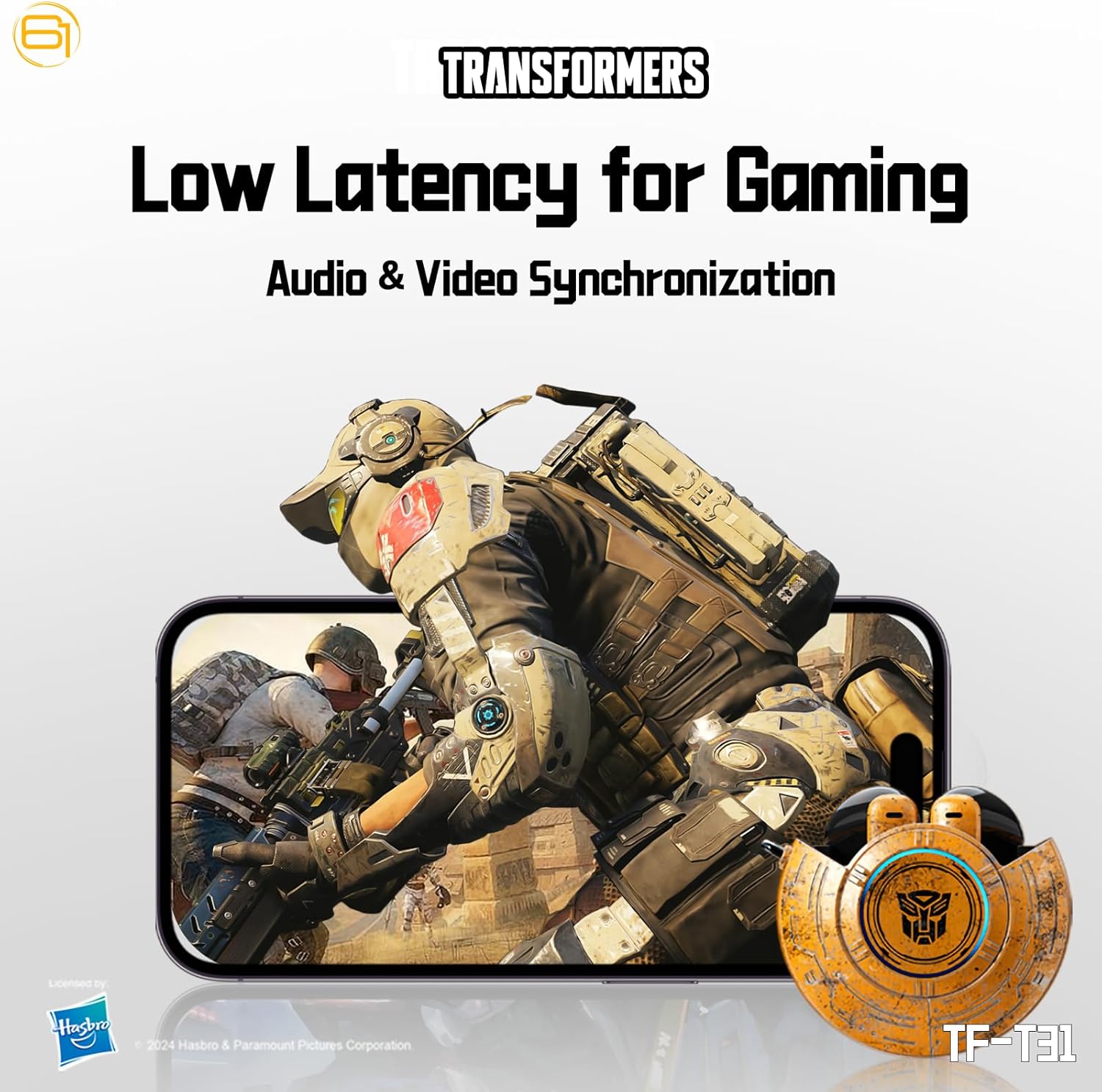
Image: Illustration of the earbuds providing low latency audio for gaming, showing a mobile gaming scenario.
Itoju
Ninu
- Mọ awọn afikọti nigbagbogbo ati apoti gbigba agbara pẹlu asọ ti o gbẹ, asọ ti ko ni lint.
- Maṣe lo awọn afọmọ abrasive, ọti-lile, tabi awọn nkan ti kemikali.
- Gently remove any earwax or debris from the earbud mesh using a small, soft brush or cotton swab.
- Ensure the charging contacts on both the earbuds and the case are clean and dry to maintain proper charging.
Ibi ipamọ
- Nigbati o ko ba si ni lilo, tọju awọn afikọti sinu apoti gbigba agbara wọn lati daabobo wọn ki o jẹ ki wọn gba agbara.
- Tọju ọja naa ni itura, aye gbigbẹ, kuro lati awọn iwọn otutu ti o ga julọ ati oorun taara.
- Avoid exposing the earbuds or case to water or excessive moisture. While the product is water-resistant, it is not waterproof.
Laasigbotitusita
If you encounter issues with your TF-T31 earbuds, please refer to the following common problems and solutions:
Earbuds Ko Sopọ tabi Sopọ
- Rii daju pe awọn agbekọri mejeeji ti gba agbara.
- Rii daju pe Bluetooth ti ṣiṣẹ lori ẹrọ rẹ.
- Gbe awọn agbekọri pada sinu apoti gbigba agbara, pa ideri naa, duro fun iṣẹju diẹ, lẹhinna ṣi i lẹẹkansi lati tun-tẹ ipo isọpọ sii.
- On your device, forget or delete "TF-T31" from your Bluetooth device list, then attempt to pair again.
- Gbiyanju lati so pọ pẹlu ẹrọ ti o yatọ lati ṣe akoso awọn oran-ẹrọ kan pato.
Ko si Ohun tabi Iwọn didun Kekere
- Ṣayẹwo ipele iwọn didun lori mejeeji ẹrọ ti o sopọ ati awọn agbekọri.
- Rii daju pe awọn agbekọri ti joko daradara ni awọn eti rẹ.
- Clean any debris from the earbud mesh that might be obstructing sound.
- Tun awọn agbekọri pọ mọ ẹrọ rẹ.
Awọn ọran gbigba agbara
- Daju pe okun gbigba agbara ti sopọ ni aabo si ọran mejeeji ati orisun agbara.
- Ensure the charging contacts on the earbuds and inside the case are clean and free of obstructions.
- Gbiyanju lilo okun USB Iru-C ti o yatọ tabi ohun ti nmu badọgba agbara.
- Confirm the power source is active.
Earbuds Disconnect Frequently
- Ensure your device is within the Bluetooth transmission distance (26-32 feet or 8-10 meters) without significant obstacles.
- Yago fun awọn agbegbe pẹlu kikọlu itanna eletiriki.
- Gba agbara ni kikun fun awọn agbekọri ati apoti gbigba agbara.
Awọn pato
| Ẹya ara ẹrọ | Ẹ̀kúnrẹ́rẹ́ |
|---|---|
| Orukọ awoṣe | TF-T31 |
| Ẹya Bluetooth | Bluetooth 5.4 |
| Ijinna Gbigbe Bluetooth | 26-32 ẹsẹ (8-10 mita) |
| Agbara Agbekọri Agbekọri | 3.7V/30mAh (each earbud) |
| Ngba agbara Batiri Case | 3.7V / 300mAh |
| Gbigba agbara Port | Iru-C |
| Akoko gbigba agbara | O fẹrẹ to awọn wakati 1.5 |
| Battery Talk/Music Time | Titi di awọn wakati 5 (awọn agbekọri agbekọri), to awọn wakati 50 (pẹlu ọran gbigba agbara) |
| Igbohunsafẹfẹ Idahun Range | 20Hz-20KHz |
| Impedance Agbọrọsọ | 32Ω |
| Ifamọ | 109dB± 3dB |
| Iṣakoso Iru | Iṣakoso ifọwọkan |
| Omi Resistance Ipele | Omi sooro |
| Ọja Mefa | 3.15 x 3.15 x 4.72 inches |
| Iwọn Nkan | 5.3 iwon (0.15 kilo) |
Alaye Aabo
- Idaabobo igbọran: Yago fun gbigbọ ni awọn ipele iwọn didun giga fun awọn akoko gigun lati dena ibajẹ igbọran.
- Aabo awakọ: Do not use earbuds while driving or operating machinery where the inability to hear ambient sounds could pose a danger.
- Ifihan omi: The earbuds are water-resistant, not waterproof. Do not submerge them in water or expose them to heavy rain. Dry them thoroughly if they get wet.
- Awọn ọmọde: Keep earbuds and small parts away from children to prevent choking hazards.
- Aabo Batiri: Do not attempt to replace the built-in batteries. Do not expose batteries to excessive heat or direct sunlight. Dispose of batteries according to local regulations.
- Ninu: Use only recommended cleaning methods. Avoid harsh chemicals.
Atilẹyin ọja ati Support
For warranty information or technical support, please refer to the documentation provided at the time of purchase or contact the retailer/manufacturer directly. Keep your proof of purchase for warranty claims.
You can visit the official Transformers store on Amazon for more product information: Transformers Store