
Ọrọ Iṣaaju
This manual provides comprehensive instructions for the safe and efficient use of your JUNJIEUNVO SY-BT1632 Wireless Bluetooth Headset. Please read this manual thoroughly before operating the device and retain it for future reference.
Ọja Pariview
The SY-BT1632 is a wireless Bluetooth headset designed for audio playback, gaming, and sports activities. It features HiFi audio capabilities, an ultra-long standby time, hands-free calling with a built-in microphone, and support for TF card and AUX input.

Figure 1: SY-BT1632 Wireless Bluetooth Headset, front view.
Awọn ẹya pataki:
- Wireless Bluetooth connectivity for audio streaming.
- Integrated microphone for hands-free communication.
- Support for TF (MicroSD) card for direct music playback.
- AUX input for wired connection to audio devices.
- Over-ear design for extended wear comfort.
- Adjustable headband for various head sizes.
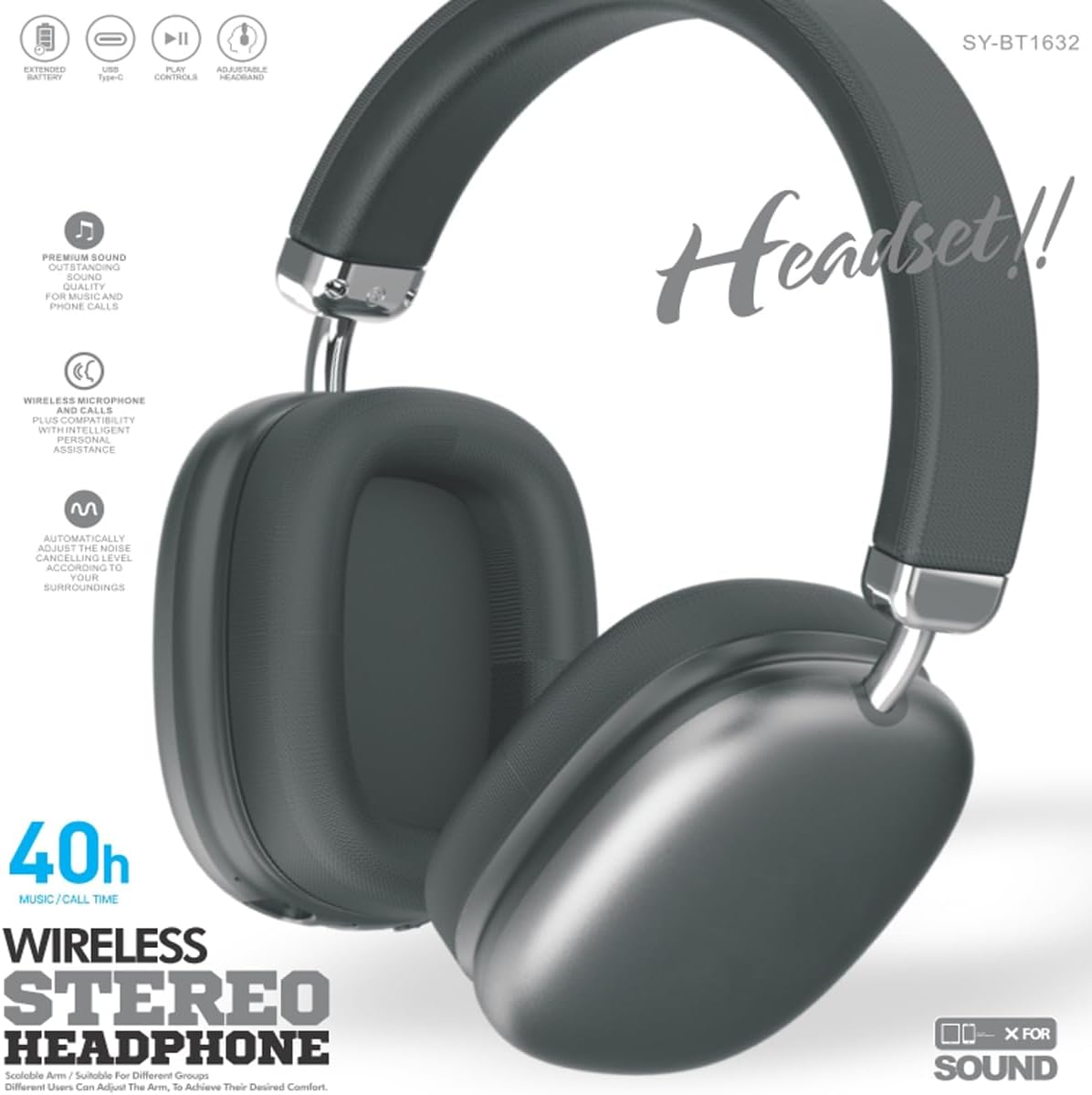
Figure 2: SY-BT1632 Wireless Bluetooth Headset being worn during activity.

Figure 3: Headband adjustment mechanism for the SY-BT1632 headset.

Figure 4: Diagram showing the 40mm dynamic speaker unit of the SY-BT1632 headset.

Figure 5: Close-up of the high-grade leather earpads for comfort.

Figure 6: Illustration of the Bluetooth 5.1 technology for stable connection and low power consumption.
Ṣeto
1. Ngba agbara si Agbekọri
Before first use, fully charge the headset. Connect the provided USB Type-C charging cable to the headset's charging port and the other end to a compatible USB power source (e.g., computer, wall adapter). The charging indicator light will show the charging status. A full charge typically takes approximately 1.2 hours.
2. Agbara lori / Paa
- Agbara Tan: Press and hold the Power button for a few seconds until the indicator light flashes.
- Agbara Pa: Tẹ mọlẹ Bọtini Agbara fun iṣẹju diẹ titi ti ina Atọka yoo wa ni pipa.
3. Sisopọ Bluetooth
- Rii daju pe agbekari ti ni agbara ni pipa.
- Tẹ bọtini agbara ki o si di mu titi ti ina ifihan yoo fi tan pupa ati buluu ni ọna miiran, ti o fihan ipo isopọmọ.
- Lori ẹrọ rẹ (foonuiyara, tabulẹti, kọmputa), mu Bluetooth ṣiṣẹ ki o wa awọn ẹrọ to wa.
- Select "SY-BT1632" from the list of found devices.
- Once paired, the indicator light will turn solid blue or flash blue slowly.
Note: The headset will automatically attempt to reconnect to the last paired device when powered on.
Awọn ilana Iṣiṣẹ
Sisisẹsẹhin Orin
- Ṣiṣẹ/Daduro: Tẹ bọtini Olona-iṣẹ lẹẹkan.
- Orin t’okan: Tẹ mọlẹ bọtini Iwọn didun Up.
- Tẹlẹ Orin: Tẹ mọlẹ bọtini Iwọn didun isalẹ.
- Iwọn didun Up: Kukuru tẹ bọtini Iwọn didun Up.
- Iwọn didun isalẹ: Kukuru tẹ bọtini Iwọn didun isalẹ.
Awọn ipe foonu
- Idahun Ipe: Tẹ bọtini Olona-iṣẹ lẹẹkan.
- Ipe Ipari: Tẹ bọtini iṣẹ-ọpọlọpọ lẹẹkan nigba ipe kan.
- Kọ Ipe: Tẹ mọlẹ bọtini iṣẹ-ọpọlọpọ fun iṣẹju-aaya 2.
- Nọmba Ikẹhin Tun Tun: Tẹ bọtini Olona-iṣẹ lẹẹmeji.
Ipo Kaadi TF
Fi káàdì TF (MicroSD) pẹ̀lú ohùn MP3 sí i files into the designated slot. The headset will automatically switch to TF card playback mode. Use the music playback controls as described above.
Ipo AUX
Connect an audio cable (3.5mm jack) from your audio device to the AUX port on the headset. The headset will automatically switch to AUX mode. Controls on the headset may be limited in this mode; use your audio device for playback control.
Fidio 1: Pariview of the SY-BT1632 Wireless Bluetooth Headset, showcasing awọn oniwe-apẹrẹ ati awọn ẹya ara ẹrọ.
Itoju
- Ninu: Lo aṣọ rírọrùn tí ó gbẹ láti nu agbekọri naa. Maṣe lo awọn ohun elo fifọ tabi awọn ohun elo olomi.
- Ibi ipamọ: Tọju agbekari naa ni itura, aye gbigbẹ kuro lati orun taara ati awọn iwọn otutu to gaju.
- Itọju Batiri: Láti mú kí batiri pẹ́ sí i, má ṣe jẹ́ kí batiri náà máa jáde dáadáa nígbà gbogbo. Gba agbára lórí agbekọri náà déédéé, kódà bí a kò bá lò ó fún ìgbà pípẹ́.
- Ifihan omi: Agbekọri yii kii ṣe omi ti o le ma da omi duro. Yẹra fun fifi omi si tabi ọrinrin ti o pọ ju.
Laasigbotitusita
| Isoro | Owun to le Fa | Ojutu |
|---|---|---|
| Agbekọri ko ni agbara. | Batiri kekere. | Gba agbara si agbekari ni kikun. |
| Ko le so pọ pẹlu ẹrọ. | Agbekọri ko si ni ipo isopo; Bluetooth ti ku lori ẹrọ; ẹrọ naa ti jinna ju. | Ensure headset is in pairing mode (flashing red/blue). Turn on Bluetooth on your device. Move device closer to headset (within 10 meters). |
| Ko si ohun nigba šišẹsẹhin. | Volume too low; incorrect audio source; headset not connected. | Increase volume on headset and device. Check if headset is correctly paired or AUX/TF card is properly inserted. |
| Gbohungbohun ko ṣiṣẹ. | Gbohungbohun ti dakẹ; a ti yan ẹrọ titẹ sii ti ko tọ lori kọmputa. | Ensure microphone is not muted. On a computer, check audio settings to confirm SY-BT1632 is selected as the input device. |
Awọn pato
| Ẹya ara ẹrọ | Ẹ̀kúnrẹ́rẹ́ |
|---|---|
| Nọmba awoṣe | SY-BT1632 |
| Asopọmọra Technology | Ailokun (Bluetooth) |
| Ẹya Bluetooth | 5.1 |
| Bluetooth Ibiti | 15 Mita |
| Gbigbe Eti | Lori Eti |
| Speaker Unit Diameter | 40mm |
| Ti won won Impedance | 32 Ohms ± 15% |
| Iwọn Igbohunsafẹfẹ | 20Hz - 20,000Hz |
| Ifamọ Gbohungbohun | -42dB d 3dB |
| Batiri Voltage | 3.7-4.2V |
| Igba agbara Batiri | Isunmọ. wakati meji 1.2 |
| Batiri Apapọ Life | Titi di awọn wakati 32 |
| Media atilẹyin | Kaadi TF, AUX |
| Awọn ẹrọ ibaramu | Car Audio Systems, Cellphones, Desktops, Gaming Consoles, Laptops, Smart Speaker, Tablets, Telephones, Television |
| Ohun elo | Irin, Ṣiṣu |
Atilẹyin ọja ati Support
Alaye atilẹyin ọja
The JUNJIEUNVO SY-BT1632 Wireless Bluetooth Headset comes with a 1-odun atilẹyin ọja lati ọjọ ti o ra. Atilẹyin ọja yi ni wiwa awọn abawọn iṣelọpọ ati awọn abawọn ohun elo labẹ lilo deede. Ko bo ibajẹ ti o ṣẹlẹ nipasẹ ilokulo, awọn ijamba, awọn iyipada laigba aṣẹ, tabi yiya ati aiṣiṣẹ deede.
Onibara Support
For technical assistance, warranty claims, or any questions regarding your SY-BT1632 headset, please contact the seller or JUNJIEUNVO customer service through the platform where the product was purchased. Please have your purchase receipt and product model number available when contacting support.