
1. Ọja Ipariview
The Adin S8BT Bone Conduction Vibration Speaker is an innovative audio device that transmits sound through vibrations, allowing any flat surface to become a speaker. Its compact and portable design makes it ideal for various indoor and outdoor environments.
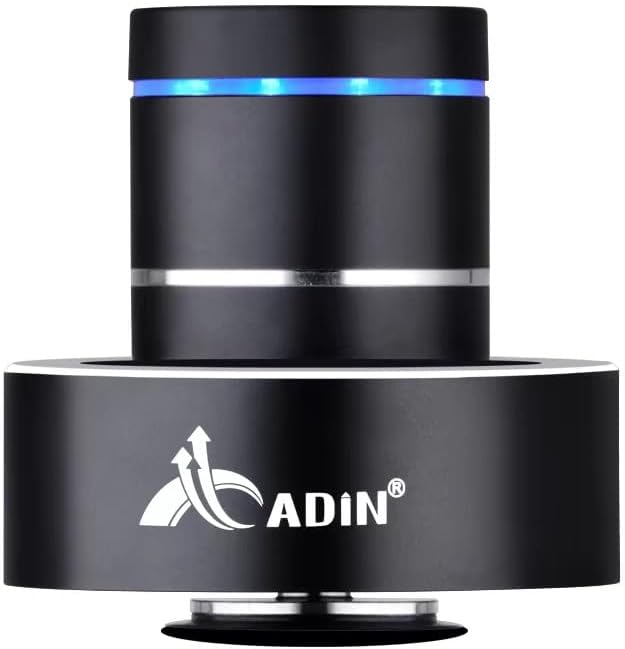
Figure 1: Adin S8BT Bone Conduction Vibration Speaker. This image displays the main unit of the speaker, showcasing its sleek black cylindrical design with a luminous blue accent ring and silver band. The speaker is designed to sit on a surface, utilizing bone conduction technology.

Figure 2: Adin S8BT Speaker and Included Accessories. This image shows the Adin S8BT speaker alongside its retail packaging, a USB charging cable, and an auxiliary audio cable, indicating the complete product package.
2. Key Awọn ẹya ara ẹrọ
- Imọ-ẹrọ Iwa Egungun: Transforms any flat surface into a speaker, delivering immersive audio.
- Asopọ Alailowaya: Seamlessly stream audio via Bluetooth from compatible devices.
- Iwapọ ati Gbigbe: Lightweight and small form factor for easy transport and placement.
- Awọn iṣakoso ogbon: Simple touch controls for volume adjustment, track switching, and playback management.
- Apẹrẹ Ọpọ Idi: Can function as a speaker, ambient lamp, or decorative item.
- Igbesi aye batiri gigun: Built-in high-performance battery with Type-C socket charging.
3. Package Awọn akoonu
Jọwọ rii daju pe gbogbo awọn ohun kan wa ninu apo rẹ:
- Adin S8BT Bone Conduction Vibration Speaker
- USB Charging Cable (1m)
- Auxiliary Audio Cable (1m)
- Instruction Manual (PDF version available online)
4. Imọ ni pato
| Ẹya ara ẹrọ | Sipesifikesonu |
|---|---|
| Orukọ awoṣe | Adin S8BT Bone Conduction Speaker |
| Agbọrọsọ Iru | Ilana Egungun |
| Asopọmọra Technology | Bluetooth |
| Bluetooth Ibiti | 10 Mita |
| Ọna Iṣakoso | Fọwọkan |
| Orisun agbara | Agbara Batiri |
| Agbọrọsọ Agbara Ijade ti o pọju | 26 Wattis |
| Idahun Igbohunsafẹfẹ | 18 kHz |
| Ipo Ijade Ohun | Sitẹrio |
| Ohun elo | Aluminiomu |
| Àwọ̀ | Dudu |
| Ọja Mefa | 3.35"D x 3.35"W x 3.35"H |
| Iwọn Nkan | 2.2 iwon |
| inu ile / ita gbangba Lilo | Ninu ile, ita gbangba |
| Se mabomire | Rara |
5. Eto Itọsọna
5.1 Gbigba agbara akọkọ
Before first use, fully charge the speaker. Connect the provided USB charging cable to the speaker's DC 5V port and the other end to a USB power adapter (not included) or a computer's USB port.

Figure 3: Adin S8BT Speaker Ports. This image shows the side of the speaker with the DC 5V charging port, ON/OFF/BT switch, and AUX input, indicating connectivity options.
5.2 Titan / Pa a
Locate the ON/OFF switch on the side of the speaker. Slide it to the "ON" position to power on the device. Slide it to the "OFF" position to power off.
5.3 Placement for Optimal Sound
For the best audio experience, place the speaker on a flat, solid surface. Different surfaces will produce varying sound qualities and volumes due to the bone conduction technology. Experiment with surfaces like wood, glass, metal, or cardboard to find your preferred sound.
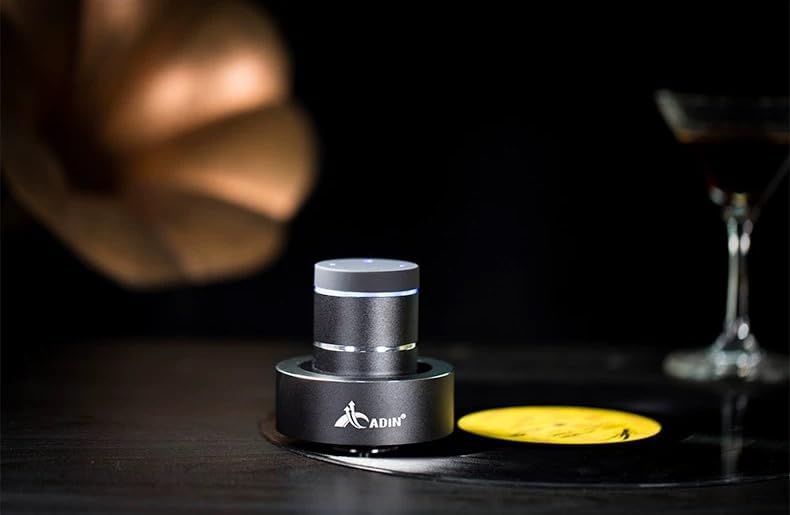
Figure 4: Adin S8BT Speaker in Use. This image depicts the Adin S8BT speaker placed on a flat surface, demonstrating its compact size and how it integrates into an environment for audio playback.
6. Awọn ilana Iṣiṣẹ
6.1 Sisopọ Bluetooth
- Ensure the speaker is powered on and in Bluetooth mode. The blue accent ring will likely flash, indicating it's ready for pairing.
- Lori foonuiyara rẹ tabi ẹrọ Bluetooth miiran ti o ṣiṣẹ, lọ si awọn eto Bluetooth.
- Wa fun available devices. The speaker should appear as "Adin S8BT" or similar.
- Select the speaker from the list to pair. Once paired, the blue light may become solid or change its flashing pattern.
6.2 Audio Sisisẹsẹhin
Once connected via Bluetooth, you can play audio from your device. Use the touch controls on the top of the speaker to manage playback:
- Fọwọ ba: Ṣiṣẹ / Sinmi.
- Ra osi/Ọtun: Previous/Next Track.
- Duro: Volume Up/Down (specific gesture may vary, refer to quick start guide for precise touch controls).
6.3 Iṣawọle AUX
For devices without Bluetooth, use the provided auxiliary cable. Connect one end to the speaker's "Link In" port and the other end to your audio source's headphone jack.
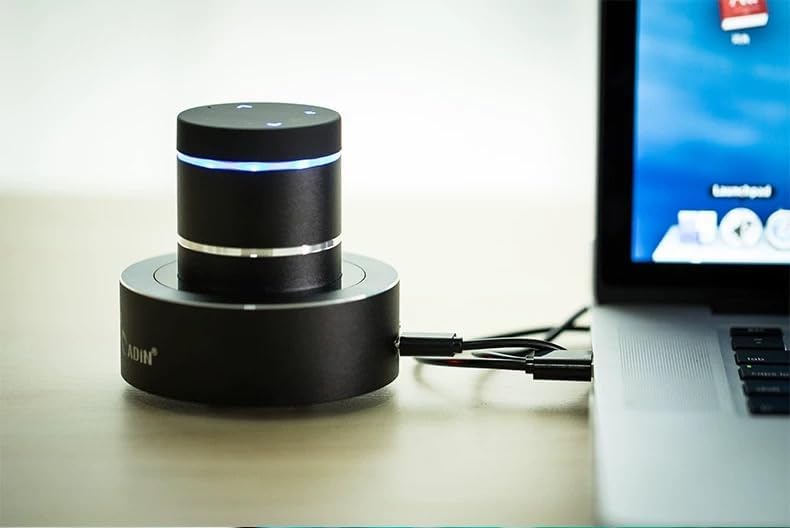
Figure 5: Adin S8BT Speaker with AUX Connection. This image illustrates the Adin S8BT speaker connected to a laptop via an auxiliary cable, demonstrating its wired connectivity option for audio input.
7. Itọju ati Itọju
- Ninu: Lo asọ ti o rọ, ti o gbẹ lati nu dada ti agbọrọsọ naa. Ma ṣe lo abrasive ose tabi epo.
- Ibi ipamọ: Tọju agbohunsoke ni itura, aye gbigbẹ kuro lati orun taara ati awọn iwọn otutu to gaju.
- Ifihan omi: Agbọrọsọ ni ko mabomire. Yago fun ifihan si omi tabi ọrinrin pupọ.
- Itọju Batiri: Láti mú kí batiri pẹ́ sí i, má ṣe jẹ́ kí batiri náà máa jáde nígbà gbogbo. Gba agbára rẹ̀ déédéé, kódà bí kò bá tiẹ̀ wà fún ìgbà pípẹ́.
8. Laasigbotitusita
| Isoro | Owun to le Fa | Ojutu |
|---|---|---|
| Ko si ohun lati agbọrọsọ. | Speaker is off, not paired, or volume is too low. | Ensure speaker is ON. Re-pair Bluetooth. Increase speaker and device volume. Check surface contact. |
| Ko le so pọ nipasẹ Bluetooth. | Speaker not in pairing mode, device Bluetooth off, or too far. | Ensure speaker is in pairing mode (flashing blue light). Turn device Bluetooth off/on. Move device closer to speaker (within 10m). |
| Didara ohun ti ko dara. | Unsuitable surface, low battery, or interference. | Try placing on a different, more solid surface. Charge the speaker. Move away from other electronic devices. |
| Agbọrọsọ ko gba agbara. | Cable issue, power source issue, or dirty port. | Check USB cable connection. Try a different USB port or power adapter. Ensure charging port is clean. |
9. Atilẹyin ọja ati Support
For information regarding warranty coverage, please refer to the warranty card included with your purchase or contact the manufacturer directly. Keep your proof of purchase for any warranty claims.
If you encounter issues not covered in this manual or require further assistance, please contact Adin customer support through their official webaaye tabi alagbata lati ọdọ ẹniti o ti ra ọja naa.