
Ọrọ Iṣaaju
This manual provides essential information for the safe and efficient operation of your TrustCell DF-DEC102EU Replacement Battery Charger. Please read these instructions carefully before use and retain them for future reference. This charger is designed to be compatible with DeWalt 12V-20V Lithium-ion batteries, specifically models DCB102, DCB105, DCB112, and DCB120.
Awọn Itọsọna Aabo pataki
To reduce the risk of injury, always follow these basic safety precautions when using your battery charger:
- ṢE ṢE attempt to disassemble, open, or service this product.
- ṢE ṢE expose this product to rain or extreme conditions.
- ṢE ṢE crush, puncture, or short external contacts.
- ṢE ṢE dispose of this product in fire or water.
- Ọja yi wa fun INU ILE NIKAN.
- Ensure the charger is placed on a stable, non-flammable surface during use.
- Yọ ṣaja kuro ninu ibudo agbara nigbati ko ba si ni lilo tabi ṣaaju ki o to nu.
- Ma ṣe gba agbara si awọn batiri ti o bajẹ.
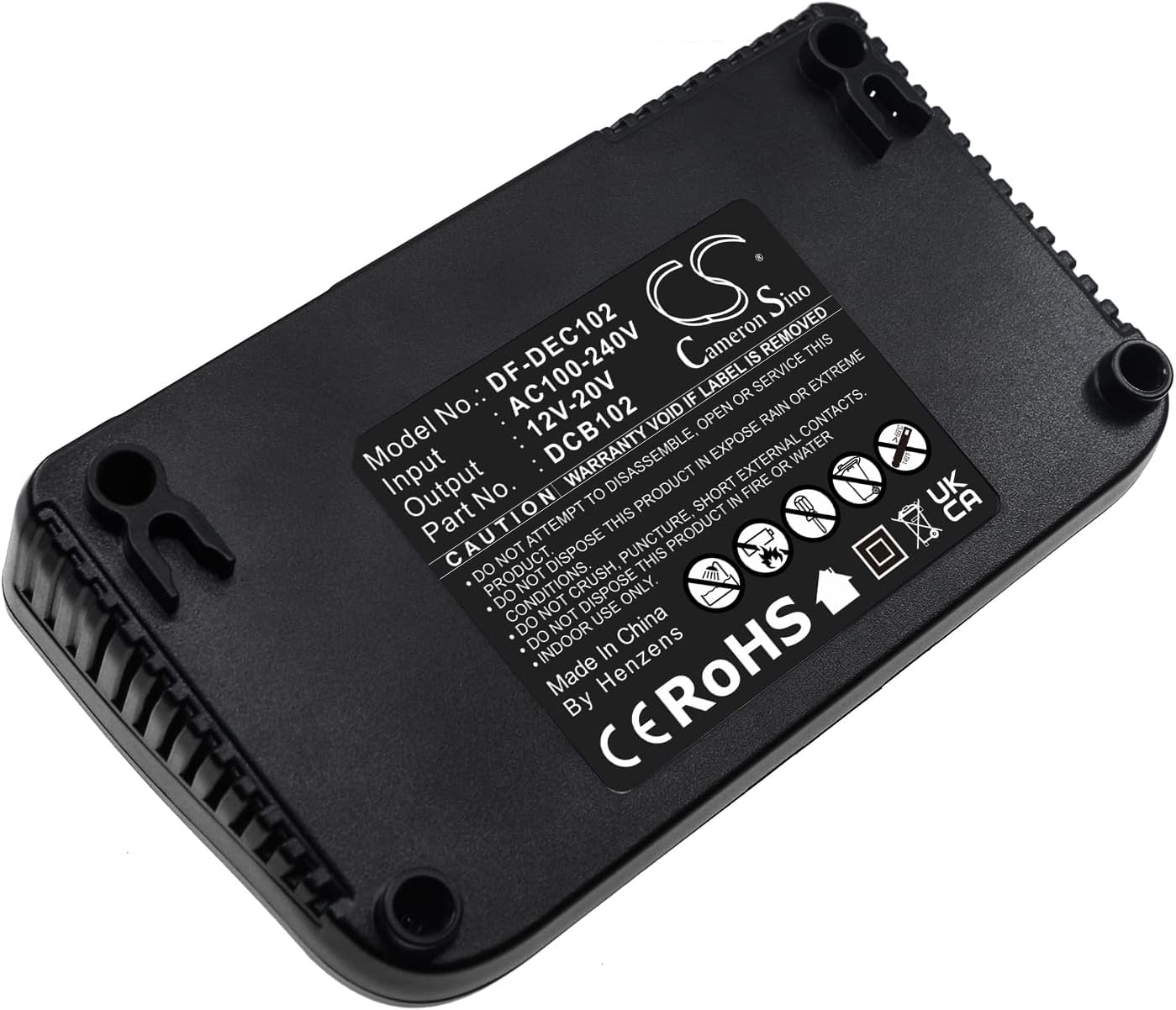
Ọja Pariview
The TrustCell DF-DEC102EU is a dual-port battery charger designed for efficiency and compatibility with various DeWalt 12V-20V Lithium-ion batteries. It features two charging bays and a USB output for additional device charging.


Ṣeto
Tẹle awọn igbesẹ wọnyi lati ṣeto ṣaja rẹ:
- Unpack the charger and power cord from the packaging.
- Connect the power cord to the charger's input port.
- Plug the power cord into a standard AC100-240V wall outlet.
- Place the charger on a flat, stable, and dry surface, away from direct sunlight or heat sources.

Awọn ilana Iṣiṣẹ
Ngba agbara si Batiri kan
To charge a compatible DeWalt 12V-20V Lithium-ion battery:
- Ensure the charger is powered on and connected to an AC outlet.
- Align the battery with one of the charging bays and slide it in until it clicks securely into place.
- Observe the indicator lights on the charger. The LEDs will illuminate to show the charging status.
- Once the battery is fully charged (indicated by all charge LEDs being solid), remove the battery by pressing the release tab (if present on the battery) and sliding it out.
- You can charge two batteries simultaneously.
Awọn imọlẹ Atọka
The charger features LED indicators to communicate the battery's charging status:
- Progressive LEDs: As the battery charges, the charge level indicator LEDs (e.g., 1/4, 1/2, 3/4, Full) will light up progressively.
- All LEDs Solid: Tọkasi batiri ti gba agbara ni kikun.
- Flashing LEDs (Error): If the LEDs flash rapidly or in an unusual pattern, it may indicate a fault with the battery (e.g., too hot, too cold, or defective). Remove the battery and allow it to reach room temperature before re-inserting. If the issue persists, the battery may be faulty.
- Aami USB: Indicates the USB charging port is active and available for charging compatible USB devices.
Itoju
Itọju to peye ṣe idaniloju pe agbara ṣaja rẹ yoo pẹ to ati pe yoo ṣiṣẹ daradara:
- Ninu: Disconnect the charger from the power source before cleaning. Use a dry, soft cloth to wipe the exterior of the charger. Do not use abrasive cleaners or solvents. Keep the charging terminals free of dust and debris.
- Ibi ipamọ: When not in use, store the charger in a clean, dry place, away from extreme temperatures and moisture. Ensure no metal objects are near the charging terminals to prevent short circuits.
Laasigbotitusita
Tí o bá ní ìṣòro pẹ̀lú ẹ̀rọ amúṣiṣẹ́ rẹ, wo tábìlì ní ìsàlẹ̀ yìí fún àwọn ìṣòro àti ìdáhùn tó wọ́pọ̀:
| Isoro | Owun to le Fa | Ojutu |
|---|---|---|
| Ṣaja ko ṣiṣẹ lori. | Ko si ipese agbara. | Check if the power cord is securely plugged into both the charger and the wall outlet. Test the outlet with another device. |
| Batiri ko ngba agbara. | Battery not properly inserted; Battery is too hot/cold; Battery is faulty. | Ensure the battery is fully seated in the charging bay. Allow the battery to reach room temperature (20-25°C or 68-77°F). If the issue persists, the battery may be defective. |
| Indicator lights flashing error. | Battery fault (e.g., over-temperature, under-temperature, defective cell). | Remove the battery from the charger. Allow it to cool down or warm up to room temperature. Re-insert the battery. If the error continues, the battery may be faulty and should be replaced. |
| Ẹrọ USB ko gba agbara. | USB cable fault; Device not compatible; Charger not powered. | Ensure the charger is powered on. Try a different USB cable or device. |
Awọn pato
Detailed specifications for the TrustCell DF-DEC102EU Replacement Battery Charger:
| Ẹya ara ẹrọ | Ẹ̀kúnrẹ́rẹ́ |
|---|---|
| Nọmba awoṣe | DF-DEC102EU |
| Iṣagbewọle Voltage | AC100-240V |
| O wujade Voltage | 12V-20V |
| Ibamu Batiri Iru | Litiumu-dẹlẹ |
| Awọn awoṣe Batiri ibaramu | DCB102, DCB105, DCB112, DCB120 (DeWalt series) |
| Ọja Mefa | 4.55 x 3.15 x 7.87 inches |
| Iwọn Nkan | 1.96 poun (891 giramu) |
| Olupese | TrustCell |
Atilẹyin ọja ati Support
Your TrustCell DF-DEC102EU Replacement Battery Charger comes with a commitment to quality and customer satisfaction.
- Atilẹyin ọja: This product is eligible for a refund or replacement for 1 year from the date of purchase.
- Iṣẹ onibara: We offer 24/7 prompt after-sales service. If you have any problems, questions, or require assistance, please do not hesitate to contact us.