
Ọrọ Iṣaaju
This manual provides instructions for the pemacom Dual Baby Car Camera, model V8-1. This product is an extension camera designed to work with the V8 model car baby camera kit, providing additional monitoring capabilities. It includes two cameras and a 7-meter cable, but no display unit. This camera is intended to expand the functionality of an existing compatible V8 system.
Ohun ti o wa ninu Apoti
- Two pemacom Baby Car Cameras (V8-1)
- One 7-meter extension cable
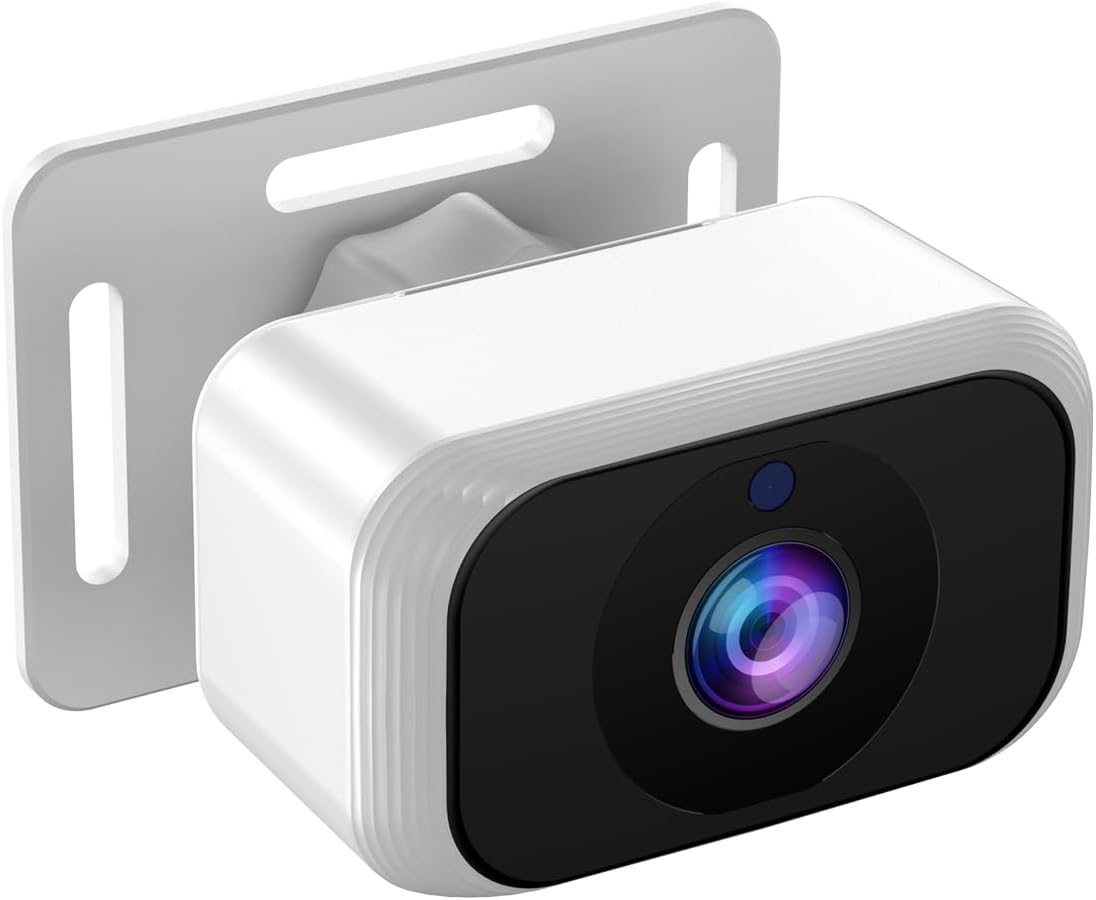
Image of the pemacom V8-1 baby car camera, showing its compact white body, black lens area, and mounting bracket.
Awọn ilana iṣeto
1. Ayẹwo ibamu
Ensure your existing car baby camera kit is compatible with the pemacom V8 model. This camera is designed as an extension for V8 systems and does not include a display unit.
2. Ibi kamẹra
Identify suitable locations within your vehicle for the two cameras. Common placements include:
- Rear-facing car seat: Position the camera to provide a clear view of the baby in a rear-facing car seat.
- Forward-facing car seat: Position the camera to monitor a child in a forward-facing car seat.
3. Iṣagbesori Kamẹra
Securely attach each camera using its integrated mounting bracket. Ensure the camera has a stable, unobstructed view. The bracket allows for angle adjustment to optimize the viewagbegbe ing.
4. USB Asopọ
Connect the 7-meter extension cable to the cameras and then to your compatible V8 car baby camera kit's main unit. Route the cable carefully to avoid interference with vehicle operations and to prevent damage. Use cable clips if necessary to secure the cable along the vehicle's interior.
5. Power On and Test
Once connected, power on your V8 car baby camera kit. The newly installed cameras should automatically be detected and display their feeds on your existing monitor. Adjust camera angles as needed for optimal viewing.
Awọn ilana Iṣiṣẹ
The pemacom V8-1 cameras function as additional viewing units for your existing V8 car baby camera system. All operational controls, such as switching between camera views, adjusting brightness, or accessing other features, are managed through your V8 system's main display unit.
- Viewing Feeds: Refer to your V8 system's manual for instructions on how to switch between multiple camera inputs.
- Iran Alẹ: The cameras are equipped with automatic night vision for clear viewing ni kekere-ina awọn ipo.
Itoju
Ninu
Gently wipe the camera lens and body with a soft, dry cloth. Do not use abrasive cleaners or solvents, as these can damage the lens or housing.
USB Ayewo
Periodically check the extension cable for any signs of wear, kinks, or damage. Ensure all connections remain secure.
Ibi ipamọ
If storing the camera for an extended period, disconnect it from the power source and store it in a cool, dry place away from direct sunlight.
Laasigbotitusita
No Image on Display
- Ṣayẹwo Awọn isopọ: Ensure the camera and extension cable are securely connected to the V8 system.
- Agbara: Verify that the V8 system is powered on and receiving power.
- Ibamu: Confirm that your V8 system supports additional cameras and that the V8-1 model is compatible.
Didara Aworan Ko dara
- Lẹnsi mimọ: Rii daju pe lẹnsi kamẹra jẹ mimọ ati ofe lati eruku tabi smudges.
- Awọn idilọwọ: Check for any objects blocking the camera's view.
- Imọlẹ: While the camera has night vision, extreme lighting conditions can affect image clarity.
Camera Not Detected
- Tun sopọ: Disconnect and reconnect the camera and cable.
- Eto atunbere: Power off and then restart your V8 car baby camera kit.
- Consult V8 Manual: Refer to your V8 system's manual for specific instructions on adding or troubleshooting multiple cameras.
Awọn pato
| Ẹya ara ẹrọ | Ẹ̀kúnrẹ́rẹ́ |
|---|---|
| Nọmba awoṣe | V8-1 |
| Ọja Mefa | 1.2"L x 0.7"W x 1.4"H (3.05 x 1.78 x 3.56 cm) |
| Iwọn Nkan | 3.2 iwon (90.7 giramu) |
| USB Ipari | Awọn mita 7 (isunmọ 23 ẹsẹ) |
| Opitika sensọ Technology | CCD CMOS |
| Lẹnsi Iru | Igun gbooro |
| Asopọmọra Iru | RCA |
| Ìwọ̀n Sensọ Opitika | 1/3 inch |
| Aaye Ti View | Awọn iwọn 120 |
| Àwọ̀ | Funfun |
Atilẹyin ọja ati Support
For warranty information and technical support, please refer to the documentation provided with your main pemacom V8 car baby camera kit or visit the official pemacom webojula. Tọju iwe-ẹri rira rẹ fun awọn ẹtọ atilẹyin ọja.