
Ọrọ Iṣaaju
Welcome to the user manual for your new Oilsky M1 128GB Bluetooth 5.4 MP3 Player. This guide provides essential information on how to set up, operate, and maintain your device, ensuring you get the best experience from its advanced features. Please read this manual thoroughly before using the product.
Ọja Awọn ẹya ara ẹrọ
- Bluetooth 5.4 Asopọmọra: Enjoy a more stable connection and extended range with Bluetooth 5.4. The device features a Bluetooth memory function for automatic reconnection upon startup, optimizing power consumption and battery life.
- Ohun Olódodo Giga: Equipped with a professional digital noise reduction chip, this MP3 player delivers high-quality audio. It supports various common audio formats including MP3, WMA, APE, FLAC, WAV, and AAC. Organize your music by title, folder, artist, or album.
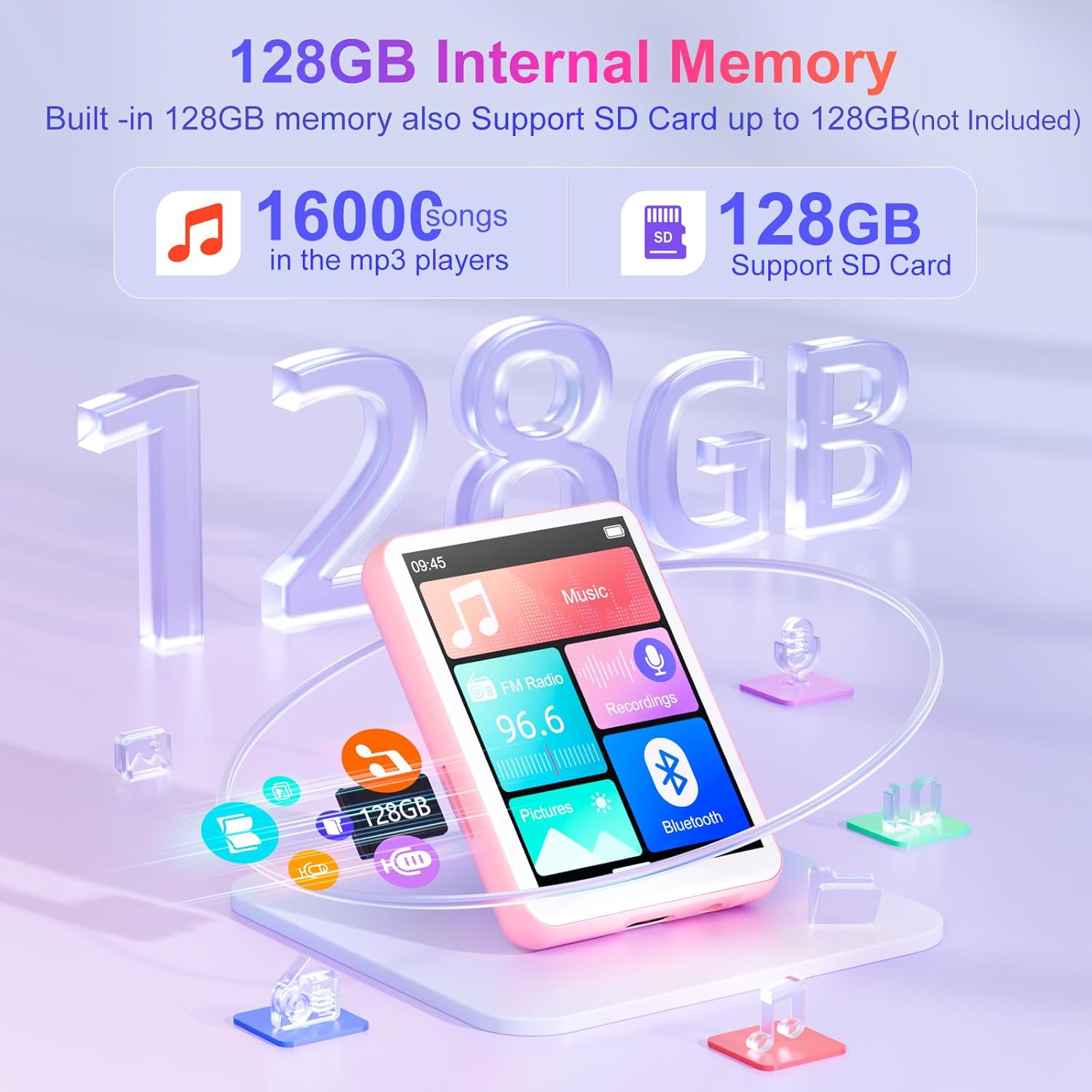
- Generous 128GB Internal Memory: The Oilsky M1 comes with 128GB of built-in memory, capable of storing approximately 16,000 lossless quality songs. It also includes a Micro-SD card slot, supporting expansion up to an additional 128GB (Micro-SD card not included).
- Ẹrọ oni-iṣẹ pupọ: Featuring a 2.4-inch touch screen for quick function selection, this MP3 player offers a range of features including music playback, FM radio, voice recorder, e-book reader, photo viewer, alarm clock, folder management, and calendar. It supports 29 languages, including English, German, French, Italian, and Spanish.
- Long-lasting 300mAh Battery: Enjoy up to 50 hours of lossless music playback on a single charge. The device fully recharges in approximately 2 hours, making it an ideal companion for travel or sports enthusiasts.
- Akiyesi pataki: This device cannot connect to mobile phones or car audio systems via Bluetooth.
Ohun ti o wa ninu Apoti
Jẹrisi pe gbogbo awọn ohun kan wa ninu package:
- 1x Oilsky M1 MP3 Player
- 1x USB Ngba agbara USB
- 1x Agbo
- 1x Itọsọna olumulo
- 1x Aabo Idaabobo
- 1x Lanyard

Ṣeto
1. Ngba agbara ẹrọ
Before first use, fully charge your MP3 player. Connect the provided USB cable to the device's charging port and the other end to a USB power adapter (not included) or a computer's USB port. The battery indicator on the screen will show charging status.
2. Agbara Tan / Paa
- Lati Fi agbara: Tẹ mọlẹ bọtini agbara titi iboju yoo fi tan.
- Lati Paarẹ: Press and hold the power button until the power-off options appear, then select 'Power Off'.
3. Initial Language Selection
Upon first startup, you may be prompted to select your preferred language. Follow the on-screen instructions to choose from the available languages.
Awọn ilana Iṣiṣẹ
Ipilẹ Lilọ kiri
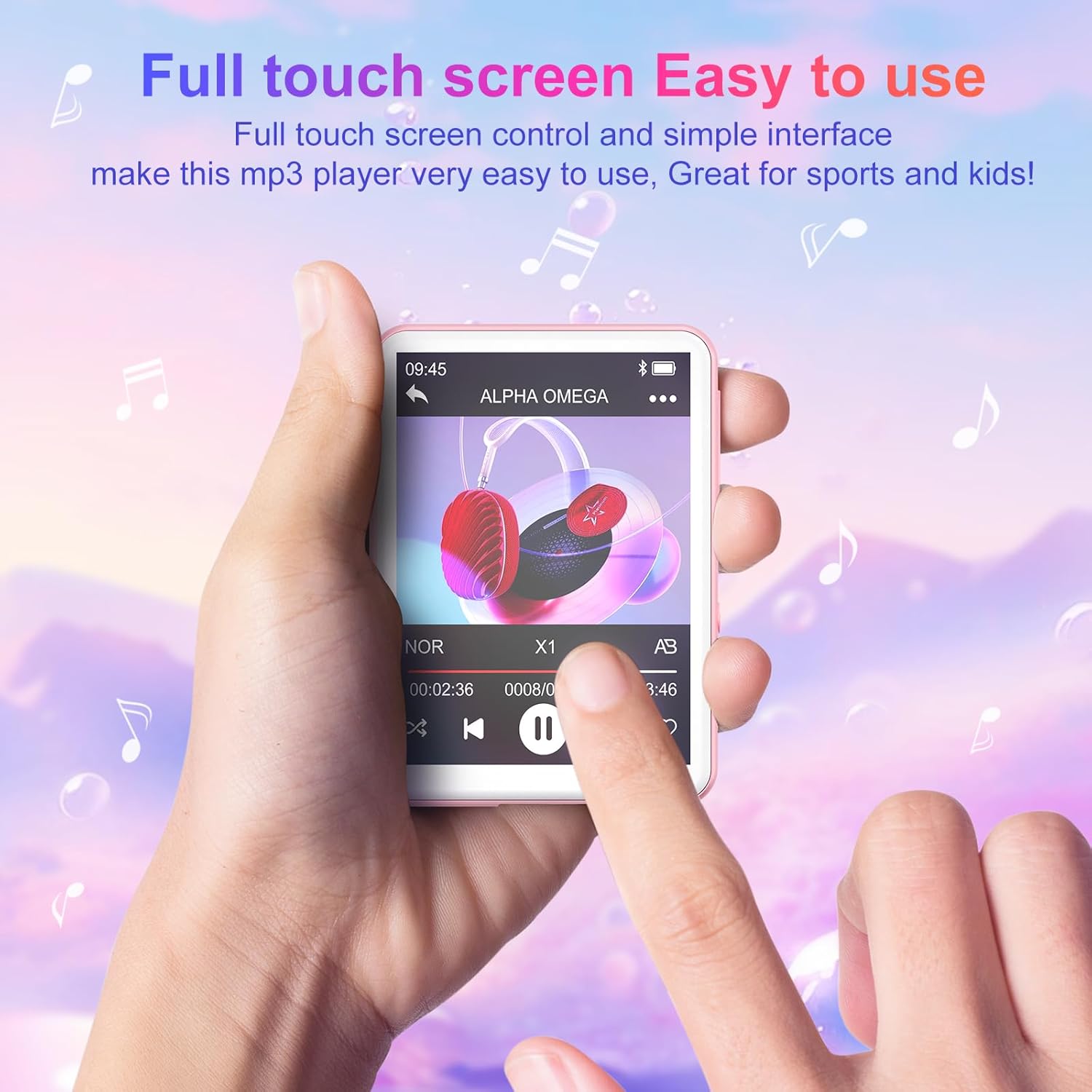
The Oilsky M1 features a 2.4-inch full touch screen for intuitive navigation. Swipe left/right or up/down to browse menus and tap icons to select functions. Use the back arrow icon to return to the previous screen.
Sisisẹsẹhin Orin
- Gbigbe Orin: Connect the MP3 player to your computer using the USB cable. The device will appear as a removable disk. Drag and drop your music files (MP3, WMA, APE, FLAC, WAV, AAC) into the 'Music' folder on the device.
- Orin ti nṣire: From the main menu, tap the 'Music' icon. You can browse your songs by title, artist, album, or folder. Tap a song to begin playback.
- Awọn iṣakoso: Use the on-screen controls for play/pause, next/previous track, volume adjustment, and repeat modes.

Bluetooth Asopọ
Láti sopọ̀ mọ́ agbekọri Bluetooth tàbí agbohunsoke:
- Rí i dájú pé agbekọri/agbọrọsọ Bluetooth rẹ wà ní ipò ìsopọ̀.
- On the MP3 player, go to the main menu and tap the 'Bluetooth' icon.
- Turn Bluetooth 'On'. The device will scan for available devices.
- Select your desired device from the list to pair. Once paired, the device will automatically reconnect when turned on, if the paired device is within range.

Redio FM
To use the FM Radio function, connect the wired earphones (included) as they act as the antenna. From the main menu, tap the 'FM Radio' icon. You can auto-scan for stations or manually tune.
Agbohunsile
Tap the 'Recordings' icon from the main menu. Use the on-screen controls to start, pause, and save recordings. The built-in microphone captures clear audio.
E-iwe Reader
Transfer TXT format e-books to the device. Tap the 'E-book' icon to access your library and read on the 2.4-inch screen.
Fọto Viewer
Transfer JPEG or BMP image files to the device. Tap the 'Pictures' icon to view awọn fọto rẹ.
Aago itaniji
Set alarms by tapping the 'Alarm' icon. You can customize alarm times and sounds.

Ibi ipamọ Management
The Oilsky M1 comes with 128GB of internal storage. If you require more space, you can insert a Micro-SD card (up to 128GB, not included) into the designated slot. The device will automatically detect the external storage, allowing you to manage files across both internal and external memory.
Awọn pato
| Nọmba awoṣe | M1 |
| Brand | Oilsky |
| Iwon iboju | 2.4 inches |
| Ifihan ọna ẹrọ | Afi ika te |
| Asopọmọra Technology | Olùrànlọ́wọ́, Bluetooth 5.4, USB |
| Ti abẹnu Ibi Agbara | 128 GB |
| Expandable Memory | Micro SD (to 128GB) |
| Supported Audio Standards | MP3, WMA, APE, FLAC, WAV, AAC |
| Batiri Iru | 1 Litiọmu-polyma (tí ó wà pẹ̀lú rẹ̀) |
| Apapọ batiri Life | Titi di wakati 50 (sisisẹsẹhin orin) |
| Akoko gbigba agbara | Isunmọ. wakati meji 2 |
| Iwọn Nkan | 63.5 giramu |
| Awọn Iwọn Nkan (L x W x H) | 7 x 5 x 1 centimeters (approx. 2.75 x 1.98 x 0.4 inches) |
| Pataki Ẹya | Agbọrọsọ ti a ṣe sinu |
| Awọn ẹrọ ibaramu | Personal Computer, Headphones, Smartphone (for file gbigbe) |
Laasigbotitusita
- Ẹrọ ti ko tan: Ensure the device is fully charged. If the battery is depleted, connect it to a power source and allow it to charge for at least 10 minutes before attempting to power on again.
- Cannot connect to Bluetooth devices: Ensure both the MP3 player's Bluetooth and the target device's Bluetooth are enabled and in pairing mode. Remember, this MP3 player cannot connect to mobile phones or car audio systems via Bluetooth.
- Ko si ohun: Check the volume level. Ensure earphones are properly connected if not using Bluetooth. If using Bluetooth, ensure the device is correctly paired and connected to your audio output.
- Files not appearing: Rii daju orin files are in supported formats (MP3, WMA, APE, FLAC, WAV, AAC) and transferred to the correct folders. For e-books, ensure they are in TXT format.
- Device frozen or unresponsive: Tẹ mọlẹ bọtini agbara fun bii iṣẹju 10-15 lati fi ipa mu tun bẹrẹ.
Alaye Aabo
- Ma ṣe fi ẹrọ naa han si awọn iwọn otutu to gaju, imọlẹ orun taara, tabi ọriniinitutu giga.
- Yago fun sisọ silẹ tabi tẹriba ẹrọ si awọn ipa to lagbara.
- Jeki ẹrọ naa kuro ninu omi ati awọn olomi miiran.
- Lo okun USB ti a pese nikan fun gbigba agbara.
- Ma ṣe gbiyanju lati tunto tabi tun ẹrọ naa funrararẹ. Kan si atilẹyin alabara fun iranlọwọ.
- Listening to audio at high volumes for extended periods can cause hearing damage.
Atilẹyin ọja ati Support
For any questions or concerns regarding your Oilsky M1 MP3 Player, please do not hesitate to contact our customer support. We are committed to providing excellent service and will be happy to assist you.
Manufacturer's warranty information is available upon request or from the point of purchase.
Ọja Pariview Fidio
Fidio: Ipariview ifihanasing the Oilsky M1 MP3 Player's features, including Bluetooth connectivity, 128GB storage, touch screen interface, and multi-functional capabilities.