
1. Ifihan
The August SE15 is a versatile portable CD player designed for a comprehensive audio experience. It features Bluetooth 5.3 for both transmitting and receiving audio, a USB port for digital music playback, and 3.5mm AUX In/Out connections. Equipped with built-in stereo speakers and a rechargeable battery, it offers portability and high-quality sound for various environments. The device supports CD, CD-R, CD-RW, MP3, and WMA formats, and includes features like adjustable EQ, anti-skip protection, and remote control for enhanced usability.
2. Package Awọn akoonu
Jọwọ ṣayẹwo apoti fun awọn nkan wọnyi:
- August SE15 Portable CD Player
- Isakoṣo latọna jijin
- Awọn agbekọri
- USB-C Ngba agbara Cable
- 3.5mm Aux USB
- Wall Mount Kit (screws and anchors)
- Ipilẹ Iduro
- Itọsọna olumulo
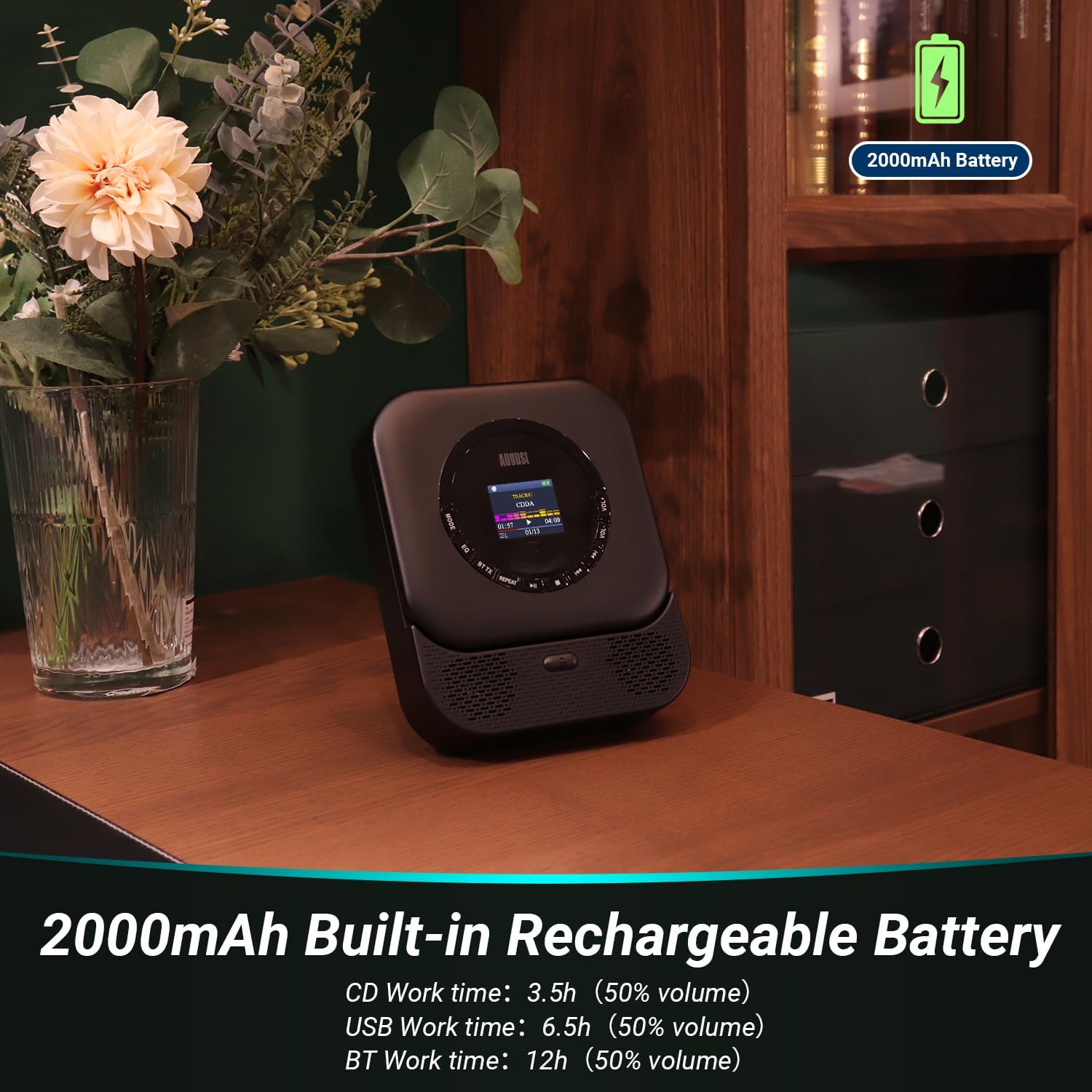
Image: All items included in the August SE15 product box.
3. Product Layout and Controls
Familiarize yourself with the various ports and controls on your SE15 CD player.

Aworan: Alaye view of the SE15's connectivity ports.
- 3.5mm AUX-Out: So olokun tabi awọn agbohunsoke ita.
- Ibudo USB: Insert a USB stick for MP3/WMA playback (Max 64GB, FAT32).
- 3.5mm AUX-In: So awọn orisun ohun ita pọ.
- Tan-an/Pa Yipada: Tan ẹrọ naa si tan tabi pa.
- Socket Gbigba agbara Iru-C: Fun gbigba agbara ti abẹnu batiri.
- Iboju ifihan: Shows track information, mode, and settings.
- Awọn bọtini Iṣakoso: Play/Pause, Skip/Search, Mode, EQ, Volume Up/Down.
4. Eto
4.1 Ngba agbara si Ẹrọ
Before first use, fully charge the SE15 using the provided USB-C cable and a compatible USB power adapter (not included). The built-in 2000mAh battery provides up to 40 hours of CD playback on a single charge.

Image: The SE15 highlighting its 2000mAh rechargeable battery and usage times.
4.2 Ibi ati iṣagbesori
The SE15 can be used freestanding with its integrated stand or mounted on a wall using the included wall bracket kit.
- Ominira: Pull out the integrated stand on the back of the unit to place it on a desk, shelf, or bedside table.
- Iṣagbede ogiri: Use the provided screws and anchors to securely attach the wall bracket to a suitable wall surface. Once the bracket is installed, slide the SE15 onto the bracket until it clicks into place.

Image: Demonstrating the wall-mounted and freestanding options for the SE15.
4.3 Agbara Tan / Pa
Slide the Power On/Off switch located on the side of the unit to the 'ON' position to power on the device. Slide it to 'OFF' to power off.
5. Awọn ilana Iṣiṣẹ
5.1 CD Sisisẹsẹhin
- Ṣii ideri iyẹwu CD.
- Carefully place a CD (CD, CD-R, CD-RW) onto the spindle, label side up.
- Close the CD compartment cover. The player will automatically begin reading the disc.
- Use the Play/Pause, Skip/Search buttons on the unit or remote to control playback.
5.2 USB Sisisẹsẹhin
- Insert a USB flash drive (formatted to FAT32, max 64GB) containing MP3 or WMA audio files sinu USB ibudo.
- Press the 'MODE' button until 'USB' mode is selected on the display.
- The player will automatically scan and begin playing audio files lati USB drive.
5.3 Bluetooth Connectivity (TX & RX)
The SE15 supports Bluetooth 5.3 for both transmitting (TX) and receiving (RX) audio.
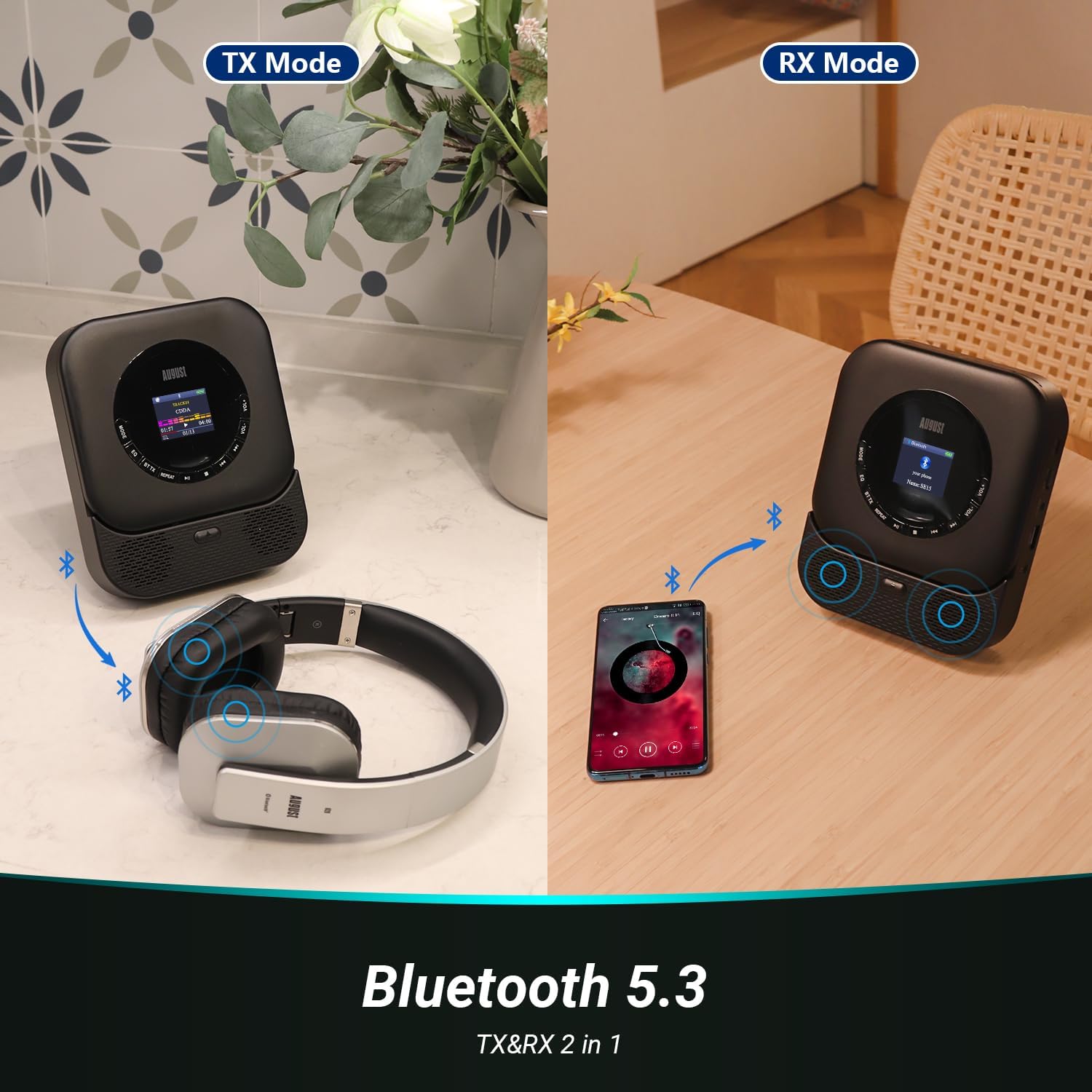
Image: Illustrating Bluetooth Transmit (TX) and Receive (RX) modes.
5.3.1 Bluetooth Transmit (TX) Mode
In TX mode, the SE15 transmits audio from CD, USB, or AUX-In to Bluetooth headphones or speakers.
- Ensure the SE15 is playing audio from a source (CD, USB, AUX-In).
- Press the 'BT TX' button on the remote control or the corresponding button on the unit to enter TX mode. The Bluetooth indicator will flash.
- Fi awọn agbekọri Bluetooth rẹ tabi agbọrọsọ sinu ipo sisọpọ.
- The SE15 will automatically search for and connect to nearby Bluetooth devices. Once connected, audio will play through the paired device.
5.3.2 Bluetooth Receive (RX) Mode
In RX mode, the SE15 acts as a Bluetooth speaker, receiving audio from a smartphone or tablet.
- Press the 'MODE' button until 'BT RX' mode is selected on the display. The Bluetooth indicator will flash.
- On your smartphone or tablet, enable Bluetooth and search for 'August SE15'.
- Select 'August SE15' to pair. Once connected, audio from your device will play through the SE15's speakers.
5.4 AUX Ni/Ode
- AUX Ninu: Connect an external audio source (e.g., MP3 player, phone) to the 3.5mm AUX-In port using the provided AUX cable. Select 'AUX In' mode using the 'MODE' button.
- AUX Jade: Connect the 3.5mm AUX-Out port to external speakers or headphones using an AUX cable for wired audio output.
5.5 Lilo isakoṣo latọna jijin
Isakoṣo latọna jijin ti o wa pẹlu n pese iraye si irọrun si gbogbo awọn iṣẹ lati ọna jijin.

Image: The SE15 CD player and its remote control in use.
- Bọtini agbara: Tan/pa a kuro.
- Bọtini Ipo: Cycles through CD, USB, AUX In, BT RX modes.
- BT TX Button: Activates Bluetooth Transmit mode.
- Play/Pause, Skip/Search Buttons: Standard ṣiṣiṣẹsẹhin idari.
- VOL+/- Buttons: Ṣatunṣe iwọn didun.
- Bọtini EQ: Yiyipo nipasẹ tito oluṣeto.
- Bọtini atunwi: Controls repeat playback modes (e.g., repeat one, repeat all).
5.6 EQ Settings and Anti-Skip Protection
- Eto EQ: Press the 'EQ' button on the unit or remote to cycle through various equalizer presets (e.g., Pop, Rock, Classic, Jazz, Flat) to optimize sound for different music genres.
- Idaabobo Atako-Rekọja: The SE15 features automatic shock and skip protection, providing 40 seconds for CD and 120 seconds for MP3 playback, ensuring uninterrupted audio even during movement.
6. Itọju
To ensure the longevity and optimal performance of your August SE15 CD player, follow these maintenance guidelines:
- Ninu: Use a soft, dry cloth to clean the exterior of the unit. For stubborn marks, a slightly damp cloth can be used, followed by a dry one. Do not use abrasive cleaners or solvents.
- Iyẹwu CD: Keep the CD compartment clean and free of dust. Avoid touching the laser lens. If necessary, use a specialized CD lens cleaner disc.
- Ibi ipamọ: When not in use for extended periods, store the player in a cool, dry place away from direct sunlight and extreme temperatures.
- Itọju Batiri: Láti pa agbára batiri mọ́, má ṣe jẹ́ kí batiri náà máa jáde nígbà gbogbo. Gba agbára ẹ̀rọ náà déédéé, kódà bí kò bá tiẹ̀ ń ṣiṣẹ́ déédéé.
7. Laasigbotitusita
If you encounter issues with your August SE15, please refer to the following common problems and solutions:
| Isoro | Owun to le Fa | Ojutu |
|---|---|---|
| Ẹrọ orin ko ni agbara lori. | Batiri ti dinku; Yipada agbara wa ni pipa. | Charge the device; Ensure the power switch is in the 'ON' position. |
| Ko si ohun lati awọn agbohunsoke/agbekọri. | Volume too low; Incorrect mode selected; Loose cable connection; Bluetooth not paired. | Increase volume; Select correct mode (CD, USB, AUX, BT); Check cable connections; Re-pair Bluetooth device. |
| CD fo tabi ko dun. | CD is dirty or scratched; CD inserted incorrectly; Player is on an unstable surface. | Clean the CD; Re-insert CD correctly; Place player on a stable surface. |
| A ko mọ awakọ USB. | USB drive not FAT32; Drive capacity too large; Corrupt files. | Ensure USB is FAT32 and max 64GB; Try a different USB drive; Check file formats (MP3/WMA). |
| Asopọ Bluetooth kuna. | Device too far; Not in pairing mode; Interference. | Ensure devices are close; Put both devices in pairing mode; Turn off other Bluetooth devices. |
If the problem persists after trying these solutions, please contact August customer support.
8. Awọn pato
| Ẹya ara ẹrọ | Sipesifikesonu |
|---|---|
| Brand | Oṣu Kẹjọ |
| Awoṣe | SE15B |
| Asopọmọra Technology | Wireless (Bluetooth 5.3), Wired (USB, 3.5mm AUX) |
| Awọn ọna kika Audio atilẹyin | CD, CD-R, CD-RW, MP3, WMA, HDCD |
| Ijade Agbọrọsọ | 6 watts (Stereo, 2.0 channel) |
| Orisun agbara | Agbara Batiri (Litium Ion 2000mAh) |
| Igbesi aye batiri (isunmọ.) | 40 hours (CD playback) |
| Ibamu USB | Max 64GB, FAT32 format |
| Pataki Awọn ẹya ara ẹrọ | Bluetooth TX/RX, Built-in Microphone, Display, Shockproof, USB Port, Auto EQ, Wall Mountable |
| Awọn iwọn Ọja (L x W x H) | 14.3 x 17.6 x 4.4 cm |
| Iwọn Nkan | 468 giramu |
| Ohun elo Iru | Ṣiṣu |
9. Atilẹyin ọja ati Support
August International Ltd. provides a warranty for this product. For detailed warranty information and customer support, please visit the official August webojula tabi kan si wọn onibara iṣẹ taara.
O le wa alaye diẹ sii ati atilẹyin ni August Store on Amazon.
For the PDF version of this user manual, please refer to: Ilana olumulo (PDF)