
Ọrọ Iṣaaju
The HiBy FC5 is a portable Hi-Fi DAC (Digital-to-Analog Converter) and headphone amplifier designed to deliver high-fidelity audio. It features a 1.1-inch OLED color display for clear status indication and robust audio processing capabilities.
Equipped with dual CS43198 DACs, dual SGM8261-5 amplifiers, and dual audio oscillators, the FC5 ensures superior sound performance with enhanced clarity and reduced distortion. It supports high-resolution audio formats including DSD512, PCM 768kHz/32bit, and MQA 8x unfolding.
The device offers versatile connectivity with 3.5mm single-ended and 4.4mm balanced outputs, making it compatible with a wide range of headphones and audio equipment. It functions as a USB sound card for iOS, Android, Mac, and Windows systems, supporting UAC 1.0 and 2.0 for seamless integration with gaming consoles like PS5, Switch, and PS4 Pro.
Physical controls include a hardware volume controller with 30 precise steps and a Mode/Function button for intuitive menu navigation.

The HiBy FC5 device showcasing its design and various features like OLED display, dual DACs, and connectivity options.
Package Awọn akoonu
Jọwọ rii daju pe gbogbo awọn nkan wa ninu package:
- HiBy FC5 Portable Hi-Fi DAC Headphone Ampitanna
- Iru-C to Iru-C USB
- USB A to C Adapter
- Afowoyi Olumulo (iwe-ipamọ yii)

Image showing the HiBy FC5 and its included accessories: a Type-C to Type-C cable and a USB A to C adapter.
Ṣeto
- Sopọ si Ẹrọ Orisun:
- For devices with a USB-C port (e.g., Android phones, modern laptops), use the provided Type-C to Type-C cable to connect the FC5.
- For devices with a standard USB-A port (e.g., older computers), use the provided USB A to C adapter with the Type-C to Type-C cable.
- For iOS devices, a separate Lightning to USB-C adapter (not included) may be required.
- For gaming consoles (PS5, Switch, PS4 Pro), connect the FC5 via USB. Ensure the console's audio output settings are configured to use the FC5 as the audio device.
The HiBy FC5 supports UAC 1.0 and UAC 2.0, offering plug-and-play functionality with most operating systems like Mac and Windows 10 without requiring additional drivers. For some Android devices, you may need to enable OTG connection in your phone's settings if the DAC is not detected.
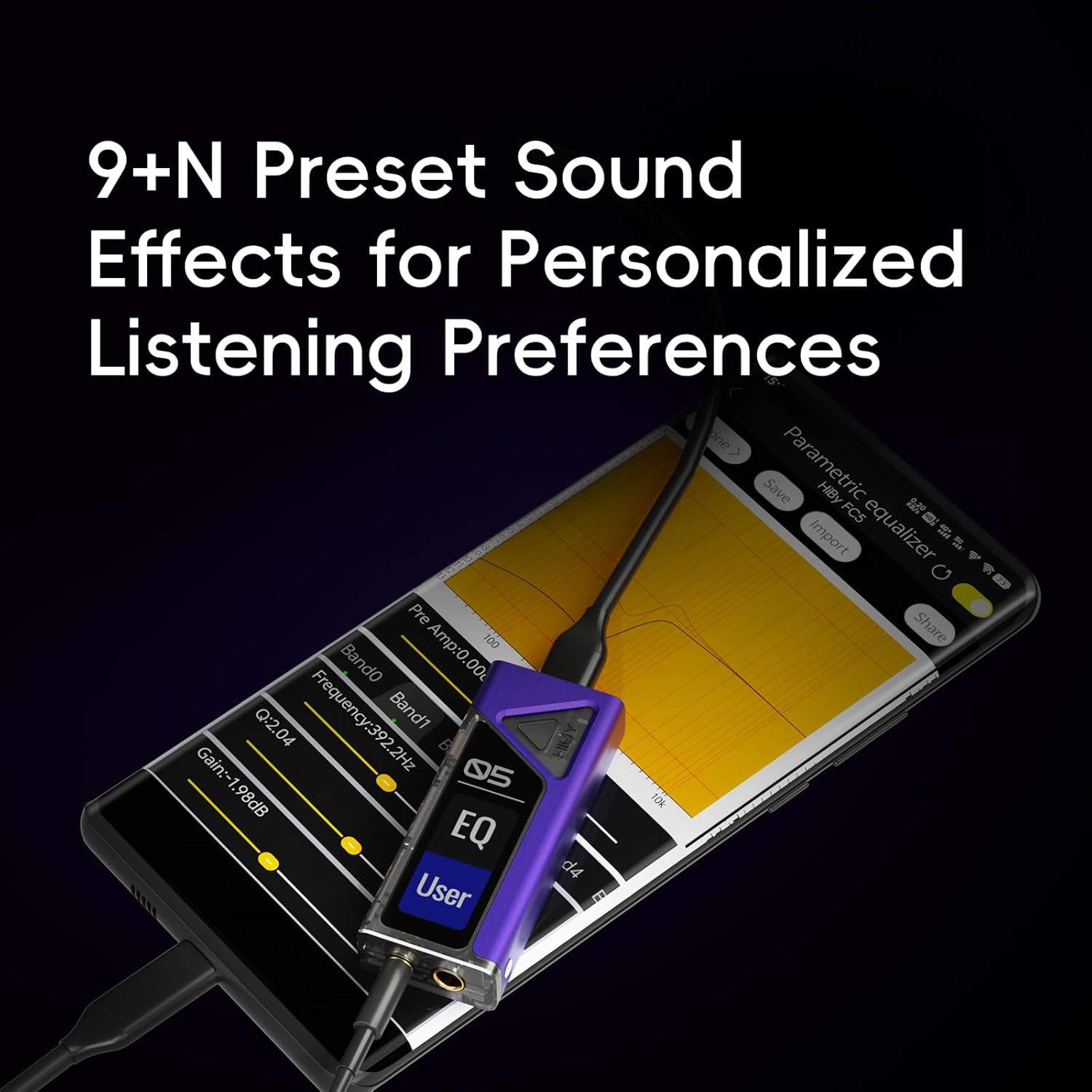
Connecting the HiBy FC5 to a mobile device for portable high-fidelity audio.

The HiBy FC5 can be used as an external USB sound card for computers.
- So Agbekọri pọ:
- Insert your headphones into either the 3.5mm single-ended (PO) port or the 4.4mm balanced (BAL) port on the FC5.
- Ensure the headphone connector is fully inserted.

The HiBy FC5 supports both 3.5mm and 4.4mm headphone connections.
- Agbara Tan: The FC5 will automatically power on once connected to a compatible source device. The OLED display will illuminate.
Awọn ilana Iṣiṣẹ
Awọn iṣakoso ati Ifihan
- Ifihan OLED: The 1.1-inch OLED color display shows current operation status, including sample rate (e.g., PCM 48K, DSD), volume level (VOL), and MQA status.
- Iṣakoso iwọn didun: Use the dedicated hardware volume buttons (+ and -) to adjust the output volume. The FC5 offers 30 precise volume steps for fine-tuning.
- Bọ́tìnì Ipò/Iṣẹ́: This button allows navigation through the device's menu options and settings. Refer to the on-screen prompts for specific functions.

The FC5's color display provides real-time information about the audio playback.

Hardware volume controls and the mode button for easy operation.
Sisisẹsẹhin ohun
- Ohun Opin Giga: The FC5 supports DSD512, PCM up to 768kHz/32bit, and MQA 8x unfolding. Ensure your audio source and files are of high quality to fully utilize these capabilities.
- Awọn Eto Ere: The device may offer different gain settings (low/high) to match your headphones' impedance and sensitivity. Low gain is suitable for sensitive in-ear monitors (IEMs) and low-impedance headphones, while high gain provides more power for difficult-to-drive, high-impedance headphones. Adjust as needed for optimal sound and to prevent distortion.
- Sisisẹsẹhin MQA: Nigba ti ndun MQA files, the FC5 will perform MQA 8x unfolding, indicated on the display.

The HiBy FC5 supports MQA 8x unfolding for master quality audio playback.

The HiBy FC5 is Hi-Res Audio certified, ensuring high-quality sound reproduction.
Itoju
- Ninu: Use a soft, dry cloth to clean the exterior of the FC5. Avoid using liquid cleaners or solvents, as they may damage the device.
- Ibi ipamọ: Tọju ẹrọ naa ni itura, aye gbigbẹ kuro lati orun taara ati awọn iwọn otutu to gaju.
- Mimu: Handle the FC5 with care to prevent physical damage. Avoid dropping the device or exposing it to excessive force.
- Awọn ibudo Asopọmọra: Keep the USB-C and headphone ports free from dust and debris.
Laasigbotitusita
- Ko si Ijade ohun:
- Ensure the FC5 is properly connected to both the source device and headphones.
- Check the volume level on both the FC5 and your source device. Increase gradually.
- Verify that the correct audio output device is selected on your computer or smartphone settings.
- If using an Android device, check if OTG connection is enabled in your phone's settings.
- Test with different headphones and a different source device to isolate the issue.
- Ṣe afihan Flickering:
- This may occur when the display is not fully lit. If functionality is not affected, it may be normal behavior.
- Ensure the device is receiving stable power from the source.
- Ìdènà/Ariwo:
- Try using a different USB cable or connecting to a different USB port on your source device.
- Move the FC5 away from other electronic devices that might cause electromagnetic interference.
- Ensure your headphone cables are not damaged.
- Some smartphone designs (e.g., certain Google Pixel devices) may be prone to interference due to antenna lines. This is a characteristic of the phone, not the FC5.
- Device Not Recognized by Computer/Smartphone:
- For Windows 7/8, you might need to install specific drivers from the HiBy website. Windows 10 and Mac typically do not require drivers.
- Rii daju pe okun USB ti sopọ ni aabo.
- Gbiyanju ibudo USB miiran tabi okun USB.
- Tun kọmputa rẹ tabi foonuiyara rẹ bẹrẹ.
- Issues with Windows 11 (as reported by some users):
- While the FC5 is generally compatible, some specific system configurations or power delivery issues on certain Windows 11 devices (e.g., ROG Ally X) have been reported.
- Ensure your Windows 11 system is fully updated.
- Monitor device behavior closely. If unexpected shutdowns or errors occur, discontinue use with that specific device and contact HiBy support.
Awọn pato
| Ẹya ara ẹrọ | Ẹ̀kúnrẹ́rẹ́ |
|---|---|
| Awoṣe | FC5 |
| Àwọn èèpo DAC | Meji CS43198 |
| Amplifier Chips | Dual SGM8261-5 |
| Audio Oscillators | Dual (45.1584MHz, 49.152MHz) |
| Ifihan | 1.1-inch OLED Color Display |
| High-Res Audio Support | DSD512, PCM 768kHz/32bit, MQA 8x |
| Awọn ibudo ti njade | 3.5mm Single-Ended (PO), 4.4mm Balanced (BAL) |
| Output Power (3.5mm PO) | 125mW @ 32Ω |
| Output Power (4.4mm BAL) | 245mW @ 32Ω |
| THD+N (3.5mm PO) | 0.0006% |
| THD+N (4.4mm BAL) | 0.0005% |
| SNR (3.5mm PO) | 122dB |
| SNR (4.4mm BAL) | 123dB |
| Crosstalk Rejection (3.5mm PO) | 71dB |
| Crosstalk Rejection (4.4mm BAL) | 112dB |
| Idahun Igbohunsafẹfẹ | 20Hz-90kHz |
| Ibamu USB | UAC 1.0, UAC 2.0 |
| Ohun elo | Ṣiṣu |
| Iwọn Nkan | 1.6 iwon |
| UPC | 717352340820 |
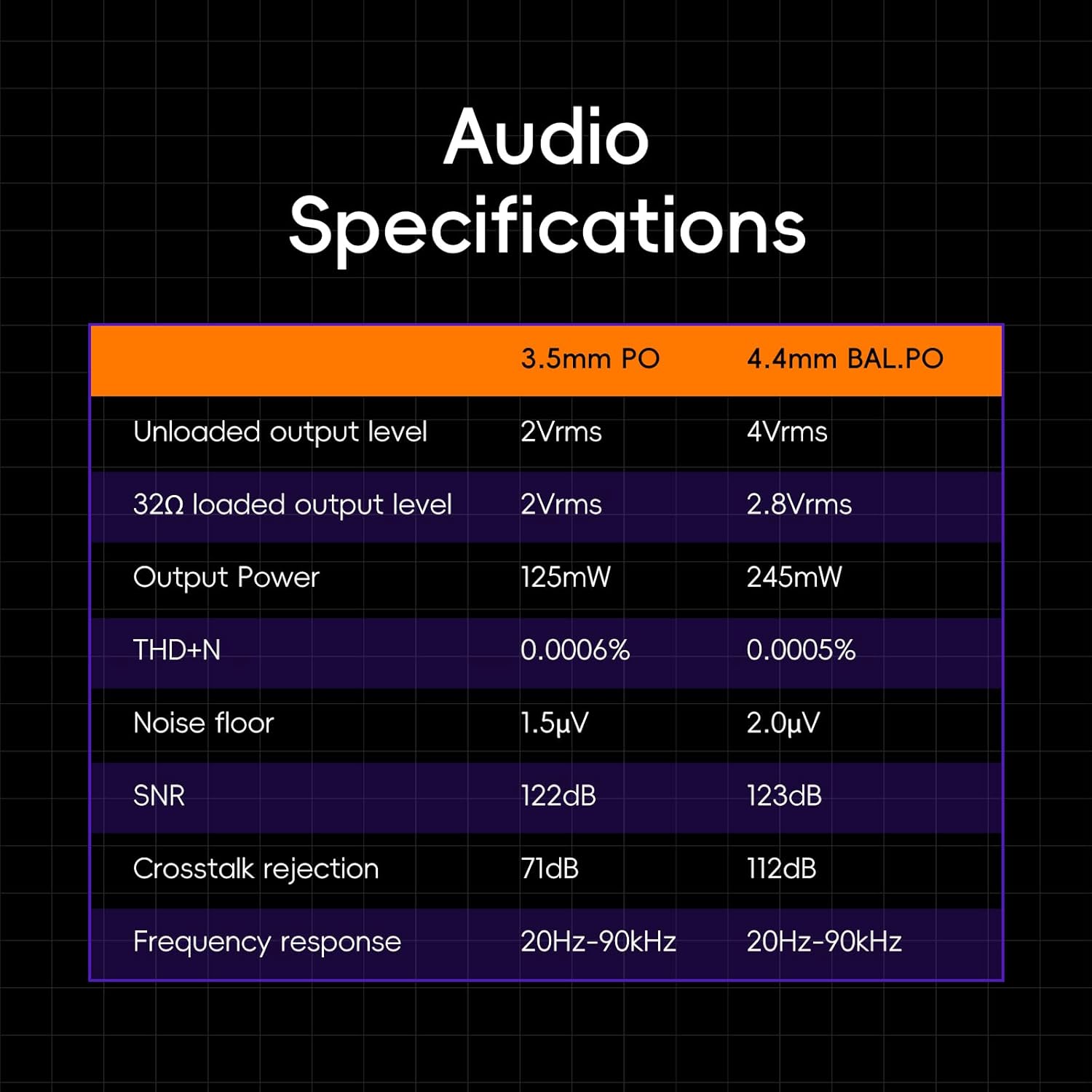
Detailed audio specifications for the HiBy FC5.
Alaye atilẹyin ọja
The HiBy FC5 comes with a one-year free repair service from the date of purchase. This warranty covers damages not caused by customer human factors. Please retain your proof of purchase for warranty claims.
Atilẹyin
For further assistance, technical support, or warranty inquiries, please contact HiBy customer service.
- Atilẹyin Ayelujara: Visit the official HiBy website for FAQs, firmware updates, and contact information.
- Imeeli Atilẹyin: Refer to your product packaging or the official HiBy webAaye fun atilẹyin alabara adirẹsi imeeli.
If you have any questions about HiBy products, please feel free to contact us.


