
Ọrọ Iṣaaju
The LifePro Pacer Mini Pro Treadmill is a compact and versatile walking pad designed for light exercise and fitness in both home and office environments. Its adjustable incline and variable speed settings allow for a customized workout experience, helping you stay active throughout your day. This manual provides essential information for the safe and effective use, setup, operation, and maintenance of your Pacer Mini Pro Treadmill.
Alaye Aabo pataki
Please read and understand all instructions before operating the treadmill. Failure to follow these instructions may result in injury or damage to the product.
- Fi ẹrọ tẹẹrẹ nigbagbogbo sori alapin, dada iduroṣinṣin.
- Jeki awọn ọmọde ati awọn ohun ọsin kuro ni ibi-tẹtẹ nigba iṣẹ.
- Má ṣe lo ẹ̀rọ treadmill tí ó bá bàjẹ́ tàbí tí kò bá ṣiṣẹ́ dáadáa.
- Kan si dokita ṣaaju ki o to bẹrẹ eto adaṣe tuntun eyikeyi.
- Rii daju pe okun agbara ko pin tabi bajẹ.
- Má ṣe gbìyànjú láti ṣe àtúnṣe ẹ̀rọ ìtẹ̀gùn náà fúnra rẹ. Pe olùrànlọ́wọ́ oníbàárà fún ìrànlọ́wọ́.
Package Awọn akoonu
Jẹrisi pe gbogbo awọn paati wa ninu package:
- LifePro Pacer Mini Pro Treadmill Unit
- Isakoṣo latọna jijin
- Okun agbara
- Oloro
- Adijositabulu Handlebar
- Tio Tabulẹti
Ṣeto
Follow these steps to set up your LifePro Pacer Mini Pro Treadmill:
- Ṣii silẹ: Carefully remove the treadmill and all components from the packaging.
- Ibi: Choose a flat, stable surface for the treadmill. Ensure there is adequate space around the unit for safe operation.
- Handlebar and Feet Assembly: While the main unit comes pre-assembled, minimal assembly is required. Attach the adjustable handlebar and the incline feet as instructed in the included quick start guide. Ensure all screws are tightened securely.
- Ìfúnpọ̀mọ́ra àkọ́kọ́: The treadmill may come with some initial lubrication. Refer to the maintenance section for instructions on how to check and apply lubricant if needed before first use.
- Asopọ agbara: Connect the power cord to the treadmill and then to a grounded electrical outlet.

Awọn ilana Iṣiṣẹ
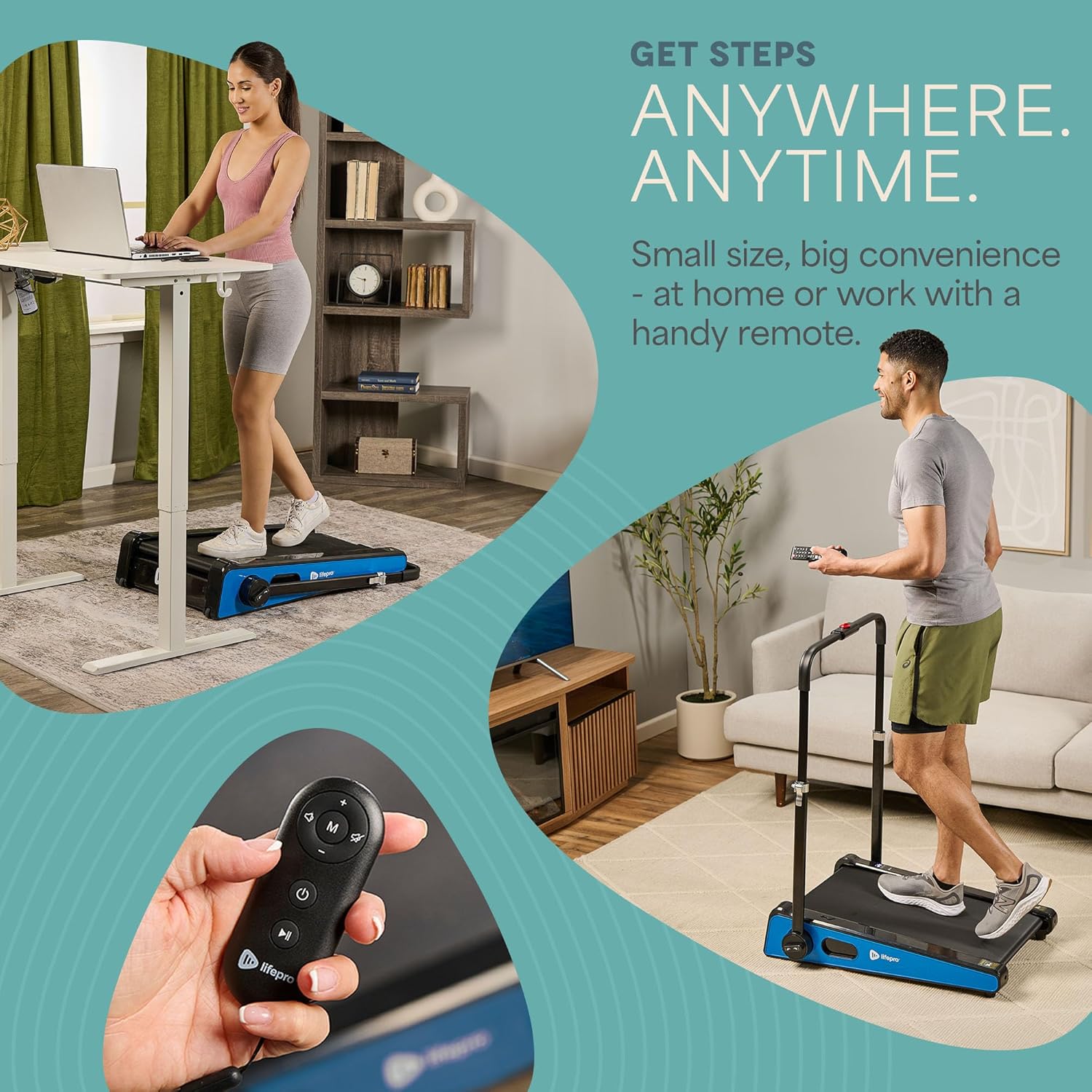
Operating your Pacer Mini Pro Treadmill is straightforward:
- Agbara Tan: So ẹ̀rọ treadmill náà pọ̀ kí o sì tẹ bọ́tìnnì agbára lórí ẹ̀rọ náà tàbí ìṣàkóso latọna jijin. Ìfihàn LED náà yóò tànmọ́lẹ̀.
- Iyara Ṣatunṣe: Use the remote control to increase or decrease the walking speed. The maximum speed is 3 MPH. The current speed will be shown on the LED display.
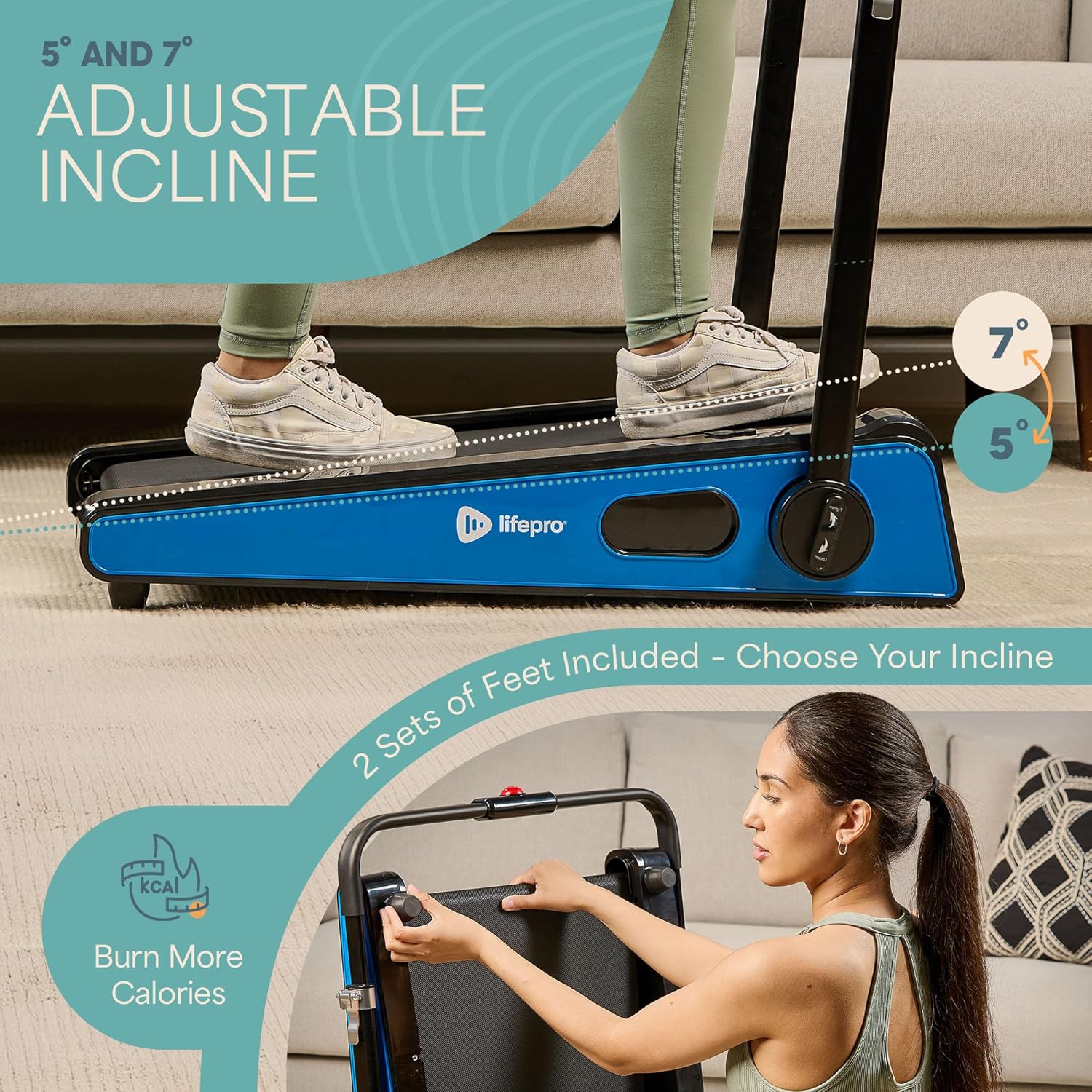
- Ilọsiwaju ti n ṣatunṣe: The treadmill offers adjustable incline settings of 5 or 7 degrees. To change the incline, manually adjust the feet at the rear of the treadmill. Refer to the setup section and product diagrams for visual guidance.
- Abojuto Idaraya Rẹ: The LED display shows important workout metrics such as speed, calories burned, and distance covered. This helps you track your progress and stay motivated.
- Agbara Pa: To stop your workout, press the stop button on the remote control or the unit. For complete power off, unplug the treadmill from the power outlet.

Itoju
Regular maintenance ensures the longevity and optimal performance of your treadmill:
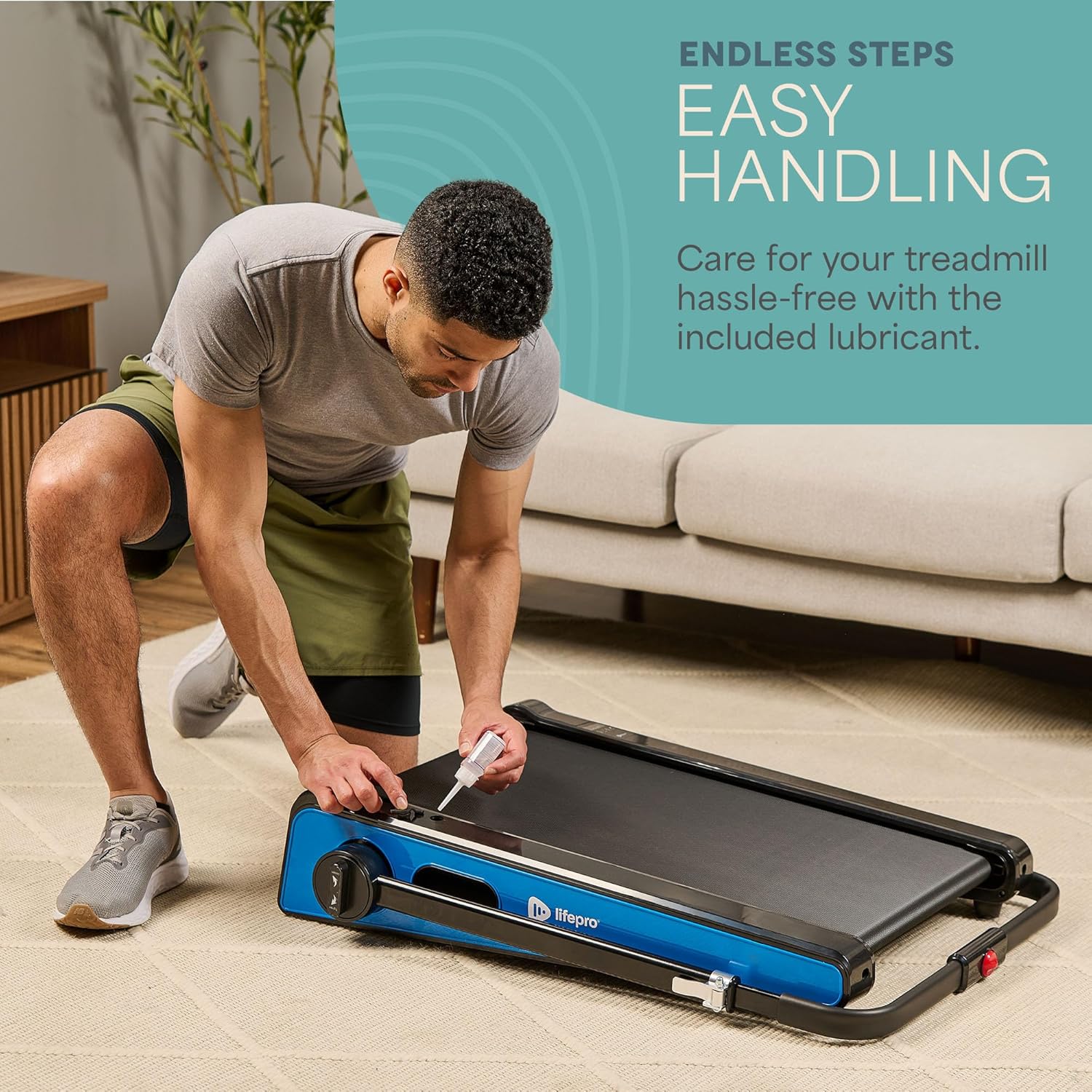
- Lubrication: The walking belt requires periodic lubrication to reduce friction and wear. A dedicated slot on the upper left side of the treadmill allows for easy injection of the provided lubricant. Lubricate as needed, typically every few months depending on usage.
- Ninu: Nu oju ẹrọ treadmill naa pẹlu ipolowoamp aṣọ lẹ́yìn lílo kọ̀ọ̀kan láti mú òógùn àti eruku kúrò. Má ṣe lo àwọn ohun ìfọṣọ ìfọ́mọ́ra.
- Ibi ipamọ: The Pacer Mini Pro is designed for compact storage. It can be easily stored under a couch, desk, or in a closet thanks to its small footprint and built-in wheels for portability.
Laasigbotitusita
If you encounter any issues with your treadmill, refer to the following common solutions:
- Treadmill not powering on: Ensure the power cord is securely plugged into both the treadmill and a working electrical outlet. Check the power switch on the unit.
- Belt slipping or uneven: The walking belt may require adjustment or lubrication. Refer to the maintenance section for lubrication instructions. For belt tension adjustment, consult the detailed manual or contact customer support.
- Awọn ariwo ti ko wọpọ: Stop using the treadmill immediately and inspect for any loose parts or obstructions. If the noise persists, contact customer support.
For issues not covered here, please contact LifePro customer support for assistance.
Awọn pato
| Brand | LifePro |
| Nọmba awoṣe | LP-PCRMP-BLU-VC |
| Àwọ̀ | Blue with Handlebar |
| Awọn iwọn Ọja (D x W x H) | 83.1 cm x 63.5 cm x 104.1 cm |
| Iwọn Nkan | 53.9 iwon |
| Ohun elo | Irin ti ko njepata |
| Iyara ti o pọju | 3 MPH |
| Adijositabulu Incline | 5 tabi 7 iwọn |
| Pataki Ẹya | Iwapọ Design |
| Niyanju Lilo | Light exercise, walking, home and office use |
| Awọn olugbo afojusun | Agbalagba |
| O pọju Horsepower | 1.75 HP |
| Ifihan Iru | LED |
| Orisun agbara | Okun Itanna |
| Asopọmọra Technology | Àjọlò |
| Counter Iru | Oni-nọmba |
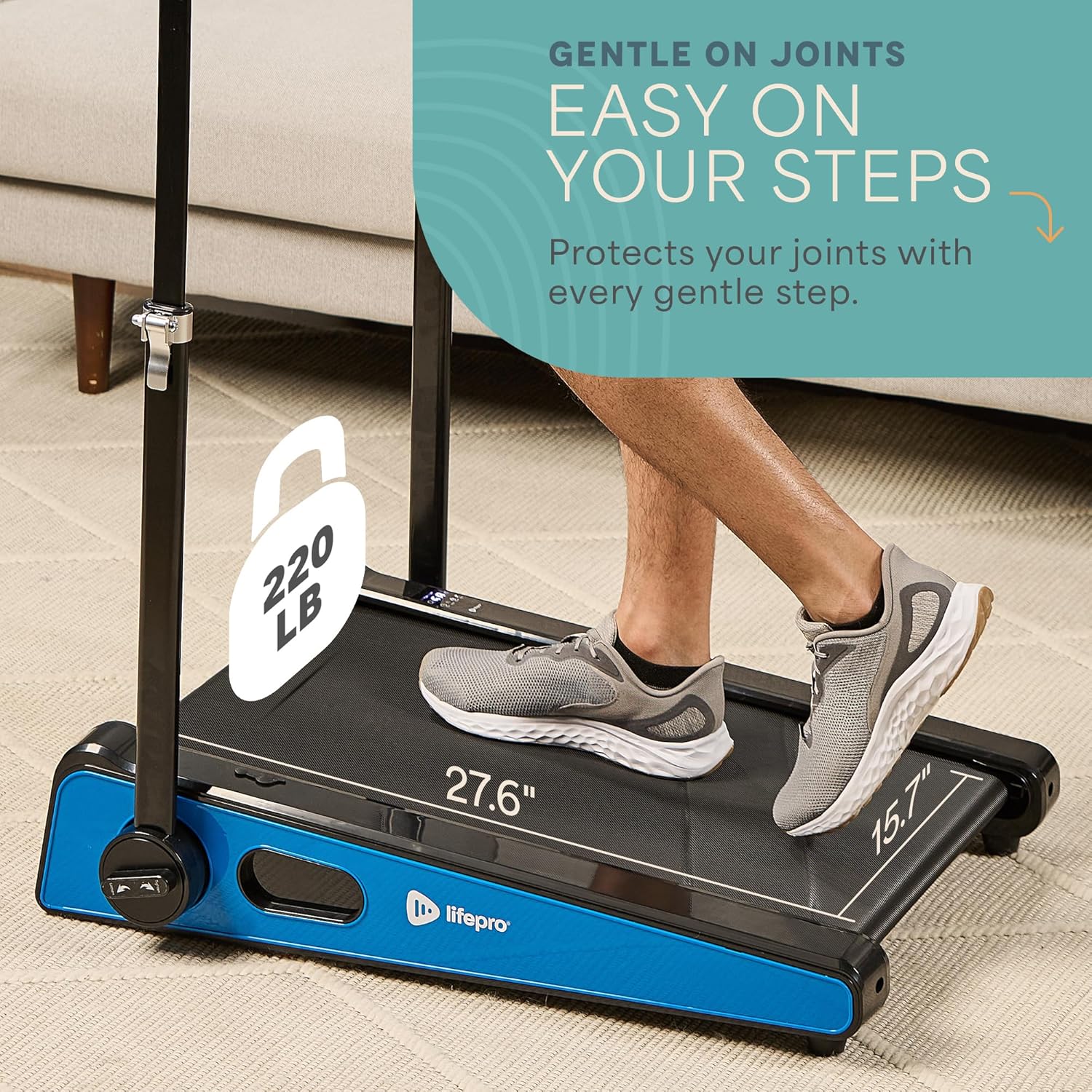
| Iṣeduro iwuwo ti o pọju | 220 iwon |
| Nọmba ti Awọn eto | 1 |
| Running Surface Length | 40 inches |
| Running Surface Width | 15.7 inches |
| Iwon iboju | 30 inches |
| Apejọ ti a beere | Minimal (Handlebar and feet attachment) |
| UPC | 810161332328 |
Atilẹyin ọja ati Support
LifePro is committed to providing high-quality products and customer satisfaction. The LifePro Pacer Mini Pro Treadmill comes with a s'aiye atilẹyin ọja, ensuring peace of mind for your investment.
For any questions, concerns, or technical support, please contact LifePro customer service:
- Webojula: www.lifeprofitness.com (Eksample link, please replace with actual support link if available)
- Imeeli: support@lifeprofitness.com (Eksample email, please replace with actual support email if available)
- Foonu: [Insert Phone Number Here]
Please have your model number (LP-PCRMP-BLU-VC) and proof of purchase ready when contacting support.