
Ọrọ Iṣaaju
The Acer AHR140 Wireless Sports Headphones are designed for active users, featuring open-ear air conduction technology that allows you to enjoy audio while remaining aware of your surroundings. These headphones offer a comfortable and secure fit, high-definition audio, and reliable Bluetooth connectivity, making them suitable for various sports and outdoor activities.
Package Awọn akoonu
Jọwọ ṣayẹwo pe gbogbo awọn ohun kan wa ninu apo rẹ:
- Acer AHR140 Wireless Sports Headphones
- USB-C Ngba agbara Cable
- Itọsọna olumulo
Ọja Pariview
Familiarize yourself with the components and features of your Acer AHR140 headphones.
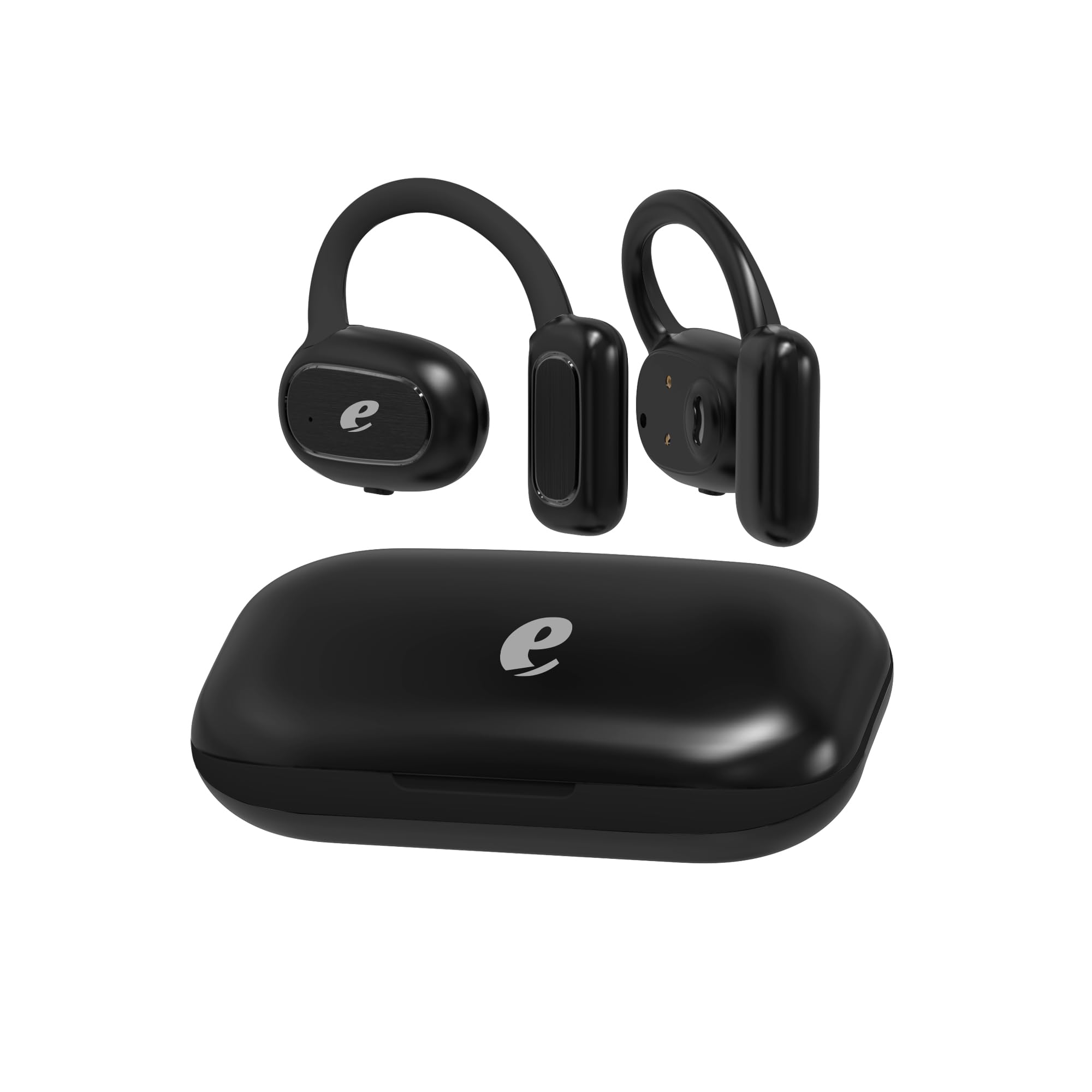
Aworan: The Acer AHR140 Wireless Sports Headphones charging case, presented in black.

Aworan: Visual representation of key features including HD Voice, comfortable wear design, long battery life, and a 14.2mm audio driver.

Aworan: A alaye view of one earbud, highlighting the light indicator and the multi-functional touch button for control.
Awọn ẹya pataki:
- Open-Ear Air Conduction Technology: Allows ambient sound awareness for safety during outdoor activities.
- Igbesi aye batiri gigun: Provides extended hours of use on a single charge.
- Gbigba agbara Iru-C Yara: Enables quick and efficient recharging.
- High-Definition Audio & Bluetooth Connectivity: Ensures clear sound and stable wireless connection for calls and music.
- Lightweight and Comfortable Fit: Ergonomically designed for secure and non-intrusive wear throughout the day.
Ṣeto
1. Ngba agbara si awọn Agbekọri
- So okun gbigba agbara USB-C ti a pese si ibudo gbigba agbara lori awọn agbekọri.
- Plug the other end of the cable into a compatible USB power adapter (not included) or a computer's USB port.
- The indicator light will show the charging status. A full charge typically takes approximately 1.5 hours.
2. Agbara lori / Paa
- Agbara Tan: Press and hold the multi-functional button on the earbud for approximately 3 seconds until the indicator light flashes.
- Agbara Pa: Press and hold the multi-functional button for approximately 5 seconds until the indicator light turns off.
3. Sisopọ Bluetooth
- Rii daju pe awọn agbekọri ti wa ni pipa.
- Press and hold the multi-functional button for about 5-7 seconds until the indicator light flashes red and blue alternately, indicating pairing mode.
- Lori ẹrọ rẹ (foonuiyara, tabulẹti, kọǹpútà alágbèéká), mu Bluetooth ṣiṣẹ ki o wa awọn ẹrọ to wa.
- Select "Acer AHR140" from the list of devices.
- Ni kete ti a ti sopọ, ina Atọka yoo tan bulu laiyara.
Awọn ilana Iṣiṣẹ
Sisisẹsẹhin Orin
- Ṣiṣẹ/Daduro: Single tap the multi-functional button.
- Orin t’okan: Double tap the multi-functional button on the right earbud.
- Tẹlẹ Orin: Double tap the multi-functional button on the left earbud.
- Iwọn didun Up: Triple tap the multi-functional button on the right earbud.
- Iwọn didun isalẹ: Triple tap the multi-functional button on the left earbud.
Isakoso Ipe
- Idahun/Ipe Ipari: Single tap the multi-functional button.
- Kọ Ipe: Press and hold the multi-functional button for 2 seconds.
- Oluranlọwọ ohun: Press and hold the multi-functional button for 2 seconds (when not on a call).
Itoju
- Ninu: Mu awọn agbekọri nu pẹlu asọ ti o gbẹ. Ma ṣe lo abrasive ose tabi epo.
- Ibi ipamọ: Tọju awọn agbekọri naa ni itura, aye gbigbẹ kuro lati orun taara ati awọn iwọn otutu to gaju.
- Ifihan omi: Awọn agbekọri wọnyi ko ni aabo omi. Yago fun ifihan si omi, ojo, tabi ọrinrin pupọ.
Laasigbotitusita
| Isoro | Ojutu |
|---|---|
| Awọn agbekọri ko ṣiṣẹ. | Rii daju pe awọn agbekọri ti gba agbara ni kikun. |
| Ko le so pọ pẹlu ẹrọ. | Ensure headphones are in pairing mode (flashing red/blue). Turn off and on Bluetooth on your device. Move closer to the device. |
| Ko si ohun tabi iwọn kekere. | Check volume levels on both headphones and your connected device. Ensure headphones are properly connected. |
| Asopọmọra igba diẹ. | Ensure no obstacles are between the headphones and your device. Move away from other wireless devices that may cause interference. |
Awọn pato
| Ẹya ara ẹrọ | Ẹ̀kúnrẹ́rẹ́ |
|---|---|
| Brand | Acer |
| Orukọ awoṣe | AHR140 |
| Àwọ̀ | Dudu |
| Gbigbe Eti | Lori Eti |
| Agbekọri Fọọmù ifosiwewe | Lori Eti |
| Asopọmọra Technology | Ailokun |
| Imọ-ẹrọ Ibaraẹnisọrọ Alailowaya | Bluetooth |
| Ẹya Bluetooth | 5.0 |
| Bluetooth Ibiti | 10 Mita |
| Audio Driver Iwon | 14.2 mm |
| Audio Driver Type | Yiyi Awakọ |
| Idahun Igbohunsafẹfẹ | 20 Hz - 20,000 Hz |
| Ipalara | 32 ohms |
| Ifamọ | 3 dB |
| Ariwo Iṣakoso | Iyasọtọ ohun |
| Iṣakoso Iru | Iṣakoso ifọwọkan |
| Omi Resistance Ipele | Ko Omi Resistant |
| Ohun elo | Ṣiṣu |
| Niyanju Lilo | Gaming, Making calls, Running, Cycling |
| Awọn ẹrọ ibaramu | Phones, Tablets, Laptops, Desktop Computers |
Alaye atilẹyin ọja
The Acer AHR140 Wireless Sports Headphones come with a ọkan-odun lopin atilẹyin ọja from the date of purchase. This warranty covers manufacturing defects and workmanship under normal use. It does not cover damage caused by misuse, accidents, unauthorized modifications, or exposure to water. Please retain your proof of purchase for warranty claims.
Atilẹyin
For further assistance, technical support, or warranty inquiries, please refer to the official Acer support website or contact their customer service. Detailed contact information can typically be found on the Acer official webaaye tabi ni apoti ọja.