
Ọrọ Iṣaaju
Thank you for choosing the Micool DY20PLUS Bluetooth 5.4 Headset. This single-ear wireless headset is designed for clear communication and extended use, featuring advanced noise cancellation and long battery life. This manual provides detailed instructions to help you get the most out of your device.

Image: The Micool DY20PLUS Bluetooth 5.4 Headset, showcasing its sleek black and gold design with an ear hook and LED battery indicators.
Ohun ti o wa ninu Apoti
Upon opening your Micool DY20PLUS package, you should find the following items:
- Micool DY20PLUS Bluetooth Headset
- USB-C Ngba agbara Cable
- Itọsọna olumulo
- Additional Eartips (various sizes)
Fidio: Unboxing ati loriview of the Micool DY20PLUS headset and its included accessories, such as the charging cable and various eartips.
Ṣeto
1. Ngba agbara si Agbekọri
Before first use, fully charge your headset. The Micool DY20PLUS features a Type-C charging port for convenience.
- Connect the provided USB-C charging cable to the headset's charging port.
- So ìpẹ̀kun kejì okùn náà mọ́ orísun agbára USB tó báramu (fún àpẹẹrẹ, adapter ògiri, ibudo USB kọ̀ǹpútà).
- Gbigba agbara ni kikun gba to wakati meji si mẹta.
- The LED Power Display Light on the headset indicates the remaining battery level. There are four levels, with each grid representing 25% of the battery. Double-click the Volume+ button to check the remaining power.

Image: Visual representation of the headset's quick charge capability, showing that 10 minutes of charging provides 4 hours of continuous use.
2. Sisopọ pẹlu Ẹrọ Rẹ
The DY20PLUS uses Bluetooth 5.4 for a stable and efficient connection.
- Ensure the headset is charged and turned off.
- Press and hold the Multi-Function Button (MFB) on the headset for more than 3 seconds until the indicator light flashes, indicating it's in pairing mode.
- Lori ẹrọ rẹ (foonuiyara, tabulẹti, kọmputa), mu Bluetooth ṣiṣẹ ki o wa awọn ẹrọ to wa.
- Select "DY20PLUS" from the list of found devices to connect.
- Once successfully paired, the indicator light will stop flashing.
The headset offers a wireless connection distance of up to 50 meters (150 feet) in a straight line and can be connected to two devices simultaneously, allowing you to seamlessly switch between music and calls.
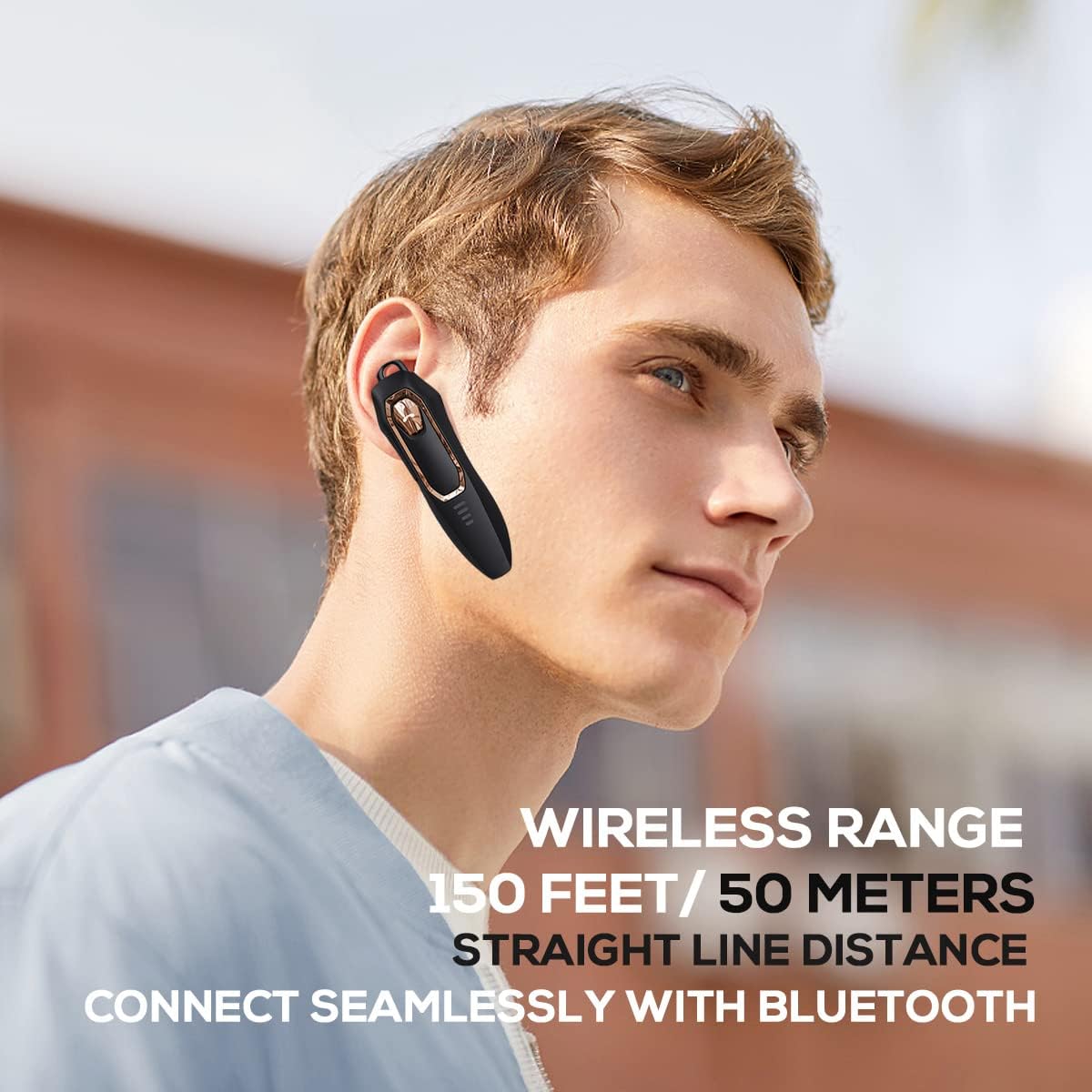
Image: A person wearing the headset, illustrating the 150 feet / 50 meters wireless range and seamless Bluetooth connectivity.
Awọn ilana Iṣiṣẹ
Familiarize yourself with the headset's controls for optimal use.
Awọn iṣẹ bọtini:

Image: A detailed diagram showing the location and function of each button on the Micool DY20PLUS headset, including the Multi-Function Button (MFB), volume controls, and mute button.
- Titan/Apapa: Press and hold the MFB for >3 seconds.
- Mu ṣiṣẹ/Danu Orin duro: One-tap the MFB.
- Idahun/Ipe Ipari: One-tap the MFB.
- Kọ Ipe: Press and hold the MFB for >2 seconds.
- Mu Oluranlọwọ Ohun ṣiṣẹ (Siri/Oluranlọwọ Google): Double-tap the MFB.
- Yipada Awọn orin: Press Volume+ for 2 seconds for next song, Volume- for 2 seconds for previous song.
- Iṣakoso iwọn didun: Short press Volume+ to increase volume, short press Volume- to decrease volume.
- Pa Iṣẹ́ Dakẹ́ Press the dedicated mute button for >2 seconds to mute/unmute your microphone during a call.
- Yi ede pada: Three-tap the MFB.
- Redial Last Outgoing Call: Three-tap the call button (MFB).
Key Awọn ẹya ara ẹrọ
Advanced Noise Cancellation
The DY20PLUS headset is equipped with two microphones for noise reduction and omnidirectional silicon microphone technology. It filters out approximately 80% of external noise. An updated Bluetooth 5.4 version with an integrated digital noise reduction algorithm further enhances noise reduction by 30%, ensuring clearer calls even in noisy environments.

Image: An illustration demonstrating how the two noise-cancelling microphones work to block background noise and maintain clear call quality.
Video: A demonstration highlighting the noise-cancelling capabilities of the Micool DY20PLUS Bluetooth Headset, particularly useful for truck drivers and noisy environments.
Igbesi aye batiri ti o gbooro sii
The headset provides up to 36 hours of talk time and 45 hours of music playback on a single charge. With a standby time of 20 days, it's designed for long-lasting performance, suitable for extended meetings or travel.

Image: An illustration emphasizing the headset's 36+ hour talk time and 45 hours of music playback, designed to power through work calls and daily activities.
Comfortable and Lightweight Design
Weighing only 12 grams, the DY20PLUS is ultra-small and light. Its ergonomic design ensures a secure and comfortable fit for all-day wear without causing ear fatigue. The ear canal-mouth canal design is airtight and optimized for bass.

Image: A person wearing the headset, highlighting its 12g ultra-lightweight design and compatibility with various devices like laptops, computers, pads, and phones.
Ibamu gbooro
The Micool DY20PLUS is compatible with a wide range of devices, including telephones, smart speakers, and cellphones, making it versatile for various communication needs.
Itoju
- Ninu: Lo asọ ti o rọ, ti o gbẹ lati nu agbekari naa. Yago fun lilo awọn kẹmika lile tabi awọn ohun elo abrasive.
- Ibi ipamọ: Tọju agbekari naa ni itura, aye gbigbẹ kuro ni iwọn otutu ti o ga julọ ati imọlẹ orun taara.
- Omi Resistance: The headset is water-resistant. However, avoid submerging it in water or exposing it to heavy rain for prolonged periods.
- Gbigba agbara: Always use the provided USB-C cable or a certified equivalent for charging to prevent damage.
Laasigbotitusita
| Isoro | Owun to le Solusan |
|---|---|
| Headset won't turn on. | Ensure the headset is fully charged. Press and hold the MFB for more than 3 seconds. |
| Ko le so pọ pẹlu ẹrọ. |
|
| Ko si ohun tabi iwọn kekere. |
|
| Didara ipe ko dara. |
|
Awọn pato
| Ẹya ara ẹrọ | Ẹ̀kúnrẹ́rẹ́ |
|---|---|
| Orukọ awoṣe | DY20PLUS |
| Brand | Micool |
| Asopọmọra Technology | Ailokun (Bluetooth) |
| Ẹya Bluetooth | 5.4 |
| Igbesi aye batiri (Aago Ọrọ) | Titi di awọn wakati 36 |
| Igbesi aye batiri (Sisisẹsẹhin Orin) | Titi di awọn wakati 45 |
| Akoko gbigba agbara | Wákàtí 1.5 - 2 |
| Gbigba agbara Port | USB-C |
| Alailowaya Ibiti | Titi de awọn mita 50 (150 ẹsẹ) |
| Ifagile Ariwo | Dual-Mic Noise Reduction (80% filtered, 30% enhanced by algorithm) |
| Iwọn | 12 giramu |
| Apẹrẹ Akọti | Ninu Eti |
| Omi Resistance Ipele | Omi sooro |
| Awọn ẹrọ ibaramu | Telephones, Smart Speaker, Cellphones |
Atilẹyin ọja ati Support
For warranty information and customer support, please refer to the documentation included with your purchase or contact Micool customer service directly. Details can typically be found on the manufacturer's official webojula tabi nipasẹ rẹ ojuami ti o ra.