
Micool BT-X easy
Ìwé Àfọwọ́kọ Olùlò fún Àwọn Agbọ́rọ̀sọ Tí Ó Rọrùn Lórí Etí Micool BT-X
Model: BT-X easy
Ọrọ Iṣaaju
Thank you for choosing the Micool BT-X Easy On-Ear Headphones. These headphones are designed to provide a comfortable listening experience with high-quality audio and extended battery life. Featuring Bluetooth 5.4 technology and a unique open-ear design, they are perfect for various activities, from sports to daily commutes.
Ohun ti o wa ninu Apoti
- Micool BT-X Easy On-Ear Headphones (Left & Right)
- Alailowaya Ngba agbara Case
- USB-C Ngba agbara Cable
- Itọsọna olumulo
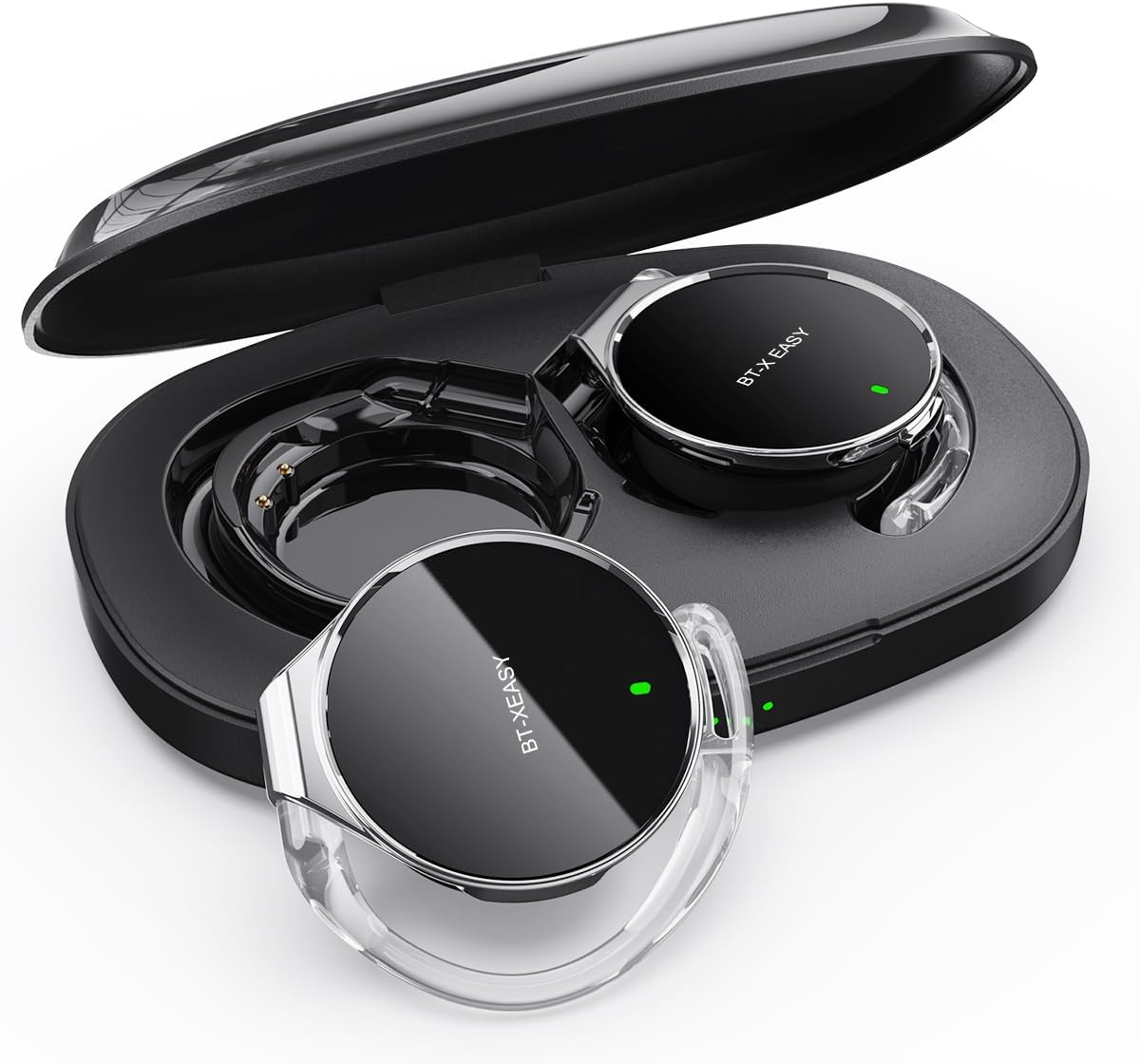
Image: Micool BT-X Easy On-Ear Headphones and their charging case, showing the headphones placed inside the open case.
Ọja Awọn ẹya ara ẹrọ
- HD Stereo Audio: 28mm speakers for rich bass and clear sound.
- Bluetooth 5.4: Fast pairing, stable connection, and reliable use.
- Idinku Ariwo: ANC+ENC adaptive noise reduction for clearer calls with 4 microphones.
- Igbesi aye batiri gigun: Up to 18 hours of music playback on a single charge, and up to 52 hours total with the charging case.
- Imudara Itunu: Small, lightweight 36mm diameter with sponge earcup design for comfortable wear without ear compression.
- Asopọ-ojuami pupọ: Connect to two devices simultaneously (e.g., phone, laptop, tablet).
- Awọn iṣakoso ogbon: Easy control of music and calls via multifunction buttons.
- Alatako omi: A ṣe é láti kojú ìfọ́ àti òógùn.

Aworan: Isunmọ view of the headphone highlighting its compact design and touch control area.
Ṣeto
1. Gbigba agbara akọkọ
Before first use, fully charge the headphones and the charging case. Connect the provided USB-C cable to the charging case and a power source. The 4-stage power indicator lights on the case will show the charging progress (each light represents 25% battery capacity).

Image: The charging case displaying its 4-stage battery indicator lights.
2. Sisopọ pẹlu Ẹrọ kan
- Ṣii apoti gbigba agbara. Awọn agbekọri yoo tẹ ipo sisopọ laifọwọyi.
- Lori ẹrọ rẹ (foonuiyara, tabulẹti, kọǹpútà alágbèéká), mu Bluetooth ṣiṣẹ.
- Wa fun "BT-XEASY" in the list of available Bluetooth devices and select it to connect.
- Ni kete ti a ti sopọ, itọka ohun kan yoo jẹrisi isọdọkan aṣeyọri.
3. Multi-point Connection (Optional)
To connect to a second device, disconnect the headphones from the first device's Bluetooth settings. Then, pair with the second device following the steps above. Reconnect to the first device from its Bluetooth settings. The headphones will now be connected to both devices simultaneously.
Awọn ilana Iṣiṣẹ
Wọ Awọn Agbekọri
- Igbesẹ 1: Open the ear-hook at a 30° angle.
- Igbesẹ 2: Rotate the headphone around your ear to the bottom of the ear-hook.
- Igbesẹ 3: Tẹ awọn agbekọri ati clamp them tightly to your ear.
- Igbesẹ 4: Adjust the angle to make wearing more comfortable.

Image: Step-by-step visual guide on how to properly wear the on-ear headphones.
Awọn iṣakoso ifọwọkan
The BT-X Easy headphones feature intuitive touch controls on each headset for easy management of audio and calls.
| Išẹ | Iṣe |
|---|---|
| Mu ṣiṣẹ/Danu Orin duro | Tẹ x1 |
| Idahun/Pari Ipe | Tẹ x1 |
| Kọ Ipe | Gun Tẹ |
| Mute (in call) | Click x2 (prompt sound will confirm) |
| Next Track | Click x2 (Right Headphone) |
| Ti tẹlẹ Track | Click x2 (Left Headphone) |
| Iwọn didun soke | Hold (Right Headphone) |
| Iwọn didun isalẹ | Hold (Left Headphone) |

Image: Diagram illustrating the touch control functions on the headphone.
Official ọja Video
Video: An official product video from Micool demonstrating the features and usage of the BT-X Easy On-Ear Headphones. This video provides a visual guide to the product's design, comfort, and functionality, including how to wear them and use the touch controls.
Itoju
- Ninu: Use a soft, dry cloth to clean the headphones and charging case. Do not use abrasive cleaners or solvents.
- Ibi ipamọ: Nigbati o ko ba si ni lilo, tọju awọn agbekọri sinu apoti gbigba agbara wọn lati daabobo wọn ati rii daju pe wọn gba owo fun lilo atẹle.
- Itọju Batiri: Lati pẹ aye batiri, yago fun gbigba agbara ni kikun awọn agbekọri nigbagbogbo. Gba agbara si wọn nigbagbogbo, paapaa ti ko ba lo fun awọn akoko gigun.
- Omi Resistance: The headphones are water-resistant, but not waterproof. Avoid submerging them in water or exposing them to heavy rain. Dry them thoroughly if they get wet.
Laasigbotitusita
| Isoro | Owun to le Solusan |
|---|---|
| Awọn agbekọri ko so pọ | Ensure headphones are charged. Turn off and on Bluetooth on your device. Forget "BT-XEASY" from your device's Bluetooth list and re-pair. |
| Ko si ohun tabi iwọn didun kekere | Check device volume and headphone volume. Ensure headphones are properly connected. Try playing different audio sources. |
| Agbohungbohun kan ko ṣiṣẹ | Place both headphones back in the charging case, close the lid, wait a few seconds, then open and try again. Ensure both are charged. |
| Ngba agbara ko gba agbara | Check USB-C cable and power adapter. Ensure proper connection. |
| Asopọ riru | Move closer to your device. Avoid strong electromagnetic interference. Ensure no other devices are trying to connect simultaneously. |
Awọn pato
| Ẹya ara ẹrọ | Ẹ̀kúnrẹ́rẹ́ |
|---|---|
| Orukọ awoṣe | BT-X easy |
| Asopọmọra Technology | Ailokun (Bluetooth 5.4) |
| Audio Driver Type | Awakọ Dynamic (awọn agbọrọsọ 28mm) |
| Igbesi aye batiri (Awọn agbekọri) | Titi di wakati 18 |
| Lapapọ Igbesi aye Batiri (pẹlu ọran) | Titi di wakati 52 |
| Ariwo Iṣakoso | Active Noise Cancellation (ANC+ENC for calls) |
| Awọn gbohungbohun | 4 Awọn gbohungbohun |
| Omi Resistance Ipele | Omi sooro |
| Ohun elo | Acrylonitrile Butadiene Styrene (ABS) |
| Iwọn Nkan | 5 iwon |
| UPC | 775494925862 |
Atilẹyin ọja ati Support
Micool provides 24-hour after-sales service for all purchased items. For any issues or inquiries, please contact Micool customer support through the official brand store or the platform where you purchased the product.
For detailed warranty information, please refer to the warranty card included in your product packaging or visit the official Micool webAaye naa. Awọn eto aabo tun le wa fun aabo ti o gbooro sii.
Micool Brand Store: Visit Micool Store on Amazon
Ask a question about this manual
Ask about setup, troubleshooting, compatibility, parts, safety, or missing instructions. Manuals+ will review the question and use this page’s manual context to help answer it.