
Ọrọ Iṣaaju
This manual provides detailed instructions for the operation and maintenance of your Casio WS-1400H Series digital watch. Please read this manual carefully to ensure proper use and to fully utilize all features of your watch.
The Casio WS-1400H is designed for active individuals, featuring a 60-lap memory stopwatch, 100-meter water resistance, and a long-lasting 10-year battery.
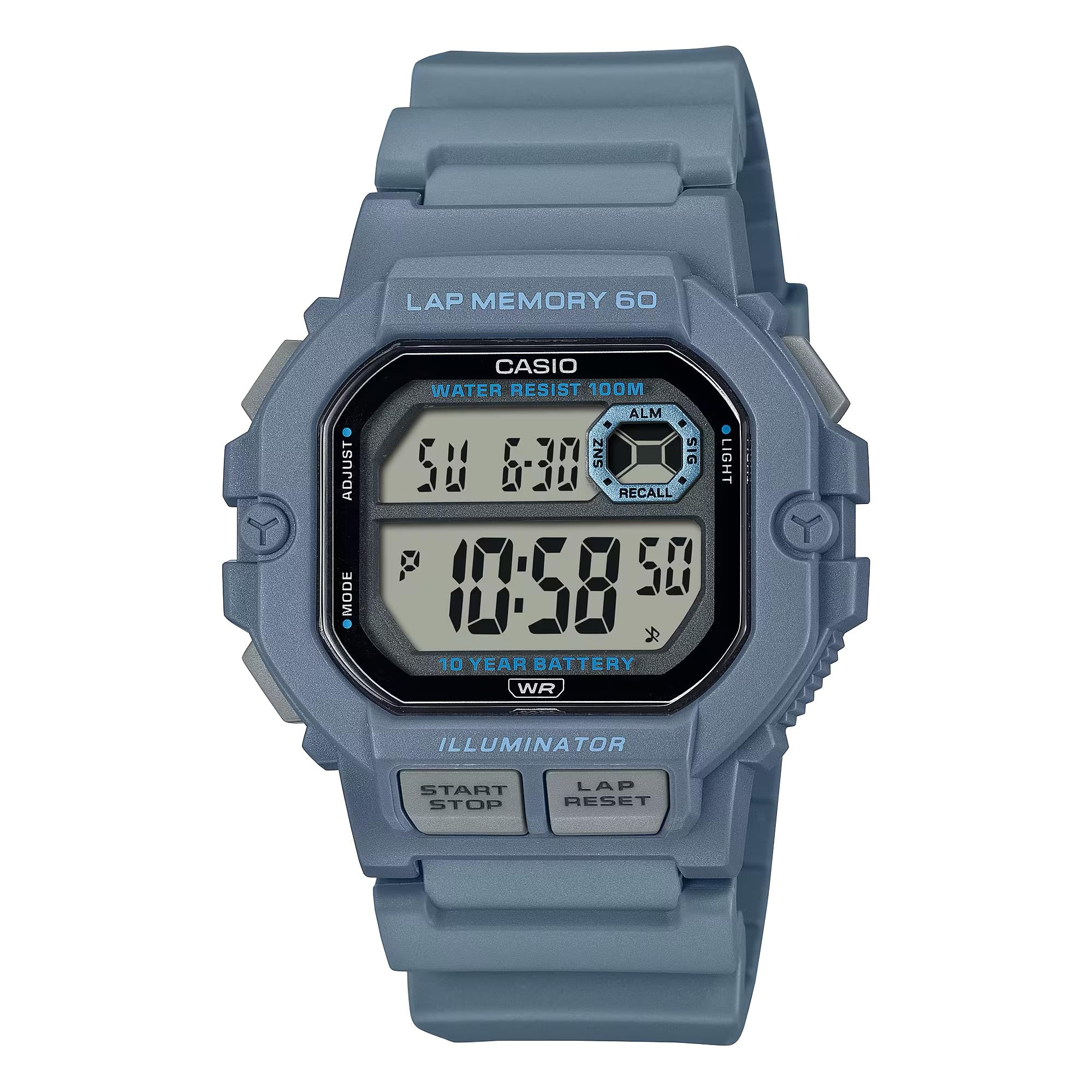
Image: Casio WS-1400H Series Digital Watch, showcasing its design and digital display.
Ṣeto
Aago Ibẹrẹ ati Eto Ọjọ
- Ni Ipo Itọju akoko, tẹ mọlẹ ṢAtunṣe button (usually top-left) until the seconds begin to flash, indicating the setting screen.
- Tẹ awọn MODE button (usually bottom-left) to cycle through the settings: Seconds → Hour → Minute → Year → Month → Day.
- Lo awọn Bẹrẹ/Duro button (usually top-right) to increase the flashing value, or the LAP/TITUN button (usually bottom-right) to decrease it.
- Ni kete ti gbogbo eto ba tọ, tẹ bọtini naa ṢAtunṣe bọtini lati jade iboju eto.
Batiri Alaye
Your Casio WS-1400H watch is powered by a CR2025 battery, providing approximately 10 years of operation. When the display becomes dim or functions become unreliable, it is time to replace the battery. It is recommended to have battery replacement performed by a qualified watch technician to ensure proper sealing and water resistance.
Awọn ọna ṣiṣe
The watch features several modes accessible by pressing the MODE bọtini.
Ipo Akoko
Ṣe afihan akoko lọwọlọwọ (wakati, iṣẹju, iṣẹju keji), ọjọ ti ọsẹ, ati ọjọ. Eyi ni ipo aiyipada.
Ipo Aago iṣẹju-aaya
The stopwatch measures elapsed time, split times, and two finishes. It has a 60-lap memory function.
- To enter Stopwatch Mode: Press the MODE button until 'STW' or 'STOPWATCH' appears.
- To start/stop: Press the Bẹrẹ/Duro button (front button).
- To record a lap/split time: Press the LAP/TITUN button while the stopwatch is running.
- To reset: With the stopwatch stopped, press the LAP/TITUN bọtini.
- Si view lap memory: In Stopwatch Mode, press the ṢAtunṣe button to cycle through recorded lap times.
Ipo Aago Kika
The countdown timer can be set for a specific duration and will alert you when the time expires.
- To enter Timer Mode: Press the MODE button until 'TMR' or 'TIMER' appears.
- To set the timer: Press and hold the ṢAtunṣe button until the hour/minute digits flash. Use Bẹrẹ/Duro ati LAP/TITUN to adjust values, and MODE to move between hours and minutes. Press ṢAtunṣe lati jẹrisi.
- To start/stop the timer: Press the Bẹrẹ/Duro bọtini.
- To reset the timer: With the timer stopped, press the LAP/TITUN bọtini.
Ipo itaniji
The watch features multiple daily alarms and an hourly akoko ifihan agbara.
- To enter Alarm Mode: Press the MODE bọ́tìnì títí tí 'ALM' tàbí 'ALARM' yóò fi hàn.
- To set an alarm: Press and hold the ṢAtunṣe bọtini titi ti wakati awọn nọmba filasi. Lo Bẹrẹ/Duro ati LAP/TITUN to adjust values, and MODE to move between hours and minutes. Press ṢAtunṣe lati jẹrisi.
- To turn alarms ON/OFF: In Alarm Mode, press the Bẹrẹ/Duro button to toggle through alarms and the hourly akoko ifihan agbara.
Ipo Aago Meji
Gba ọ laaye lati tọju abala agbegbe aago keji.
- To enter Dual Time Mode: Press the MODE button until 'DT' or 'DUAL TIME' appears.
- To set dual time: Press and hold the ṢAtunṣe bọtini titi ti wakati awọn nọmba filasi. Lo Bẹrẹ/Duro ati LAP/TITUN to adjust values, and MODE to move between hours and minutes. Press ṢAtunṣe lati jẹrisi.
Atilẹyin LED
The watch features an LED backlight for illumination in low-light conditions.
- Láti muu ṣiṣẹ́: Tẹ Imọlẹ button (usually top-right or a dedicated button).
- Afterglow duration: The backlight can be set to illuminate for 1.5 seconds or 3 seconds. This setting is typically adjusted in Timekeeping Mode's setting screen, cycling through options with the MODE button after setting time.
Itoju
Omi Resistance
Your watch is rated for 100-meter water resistance. This means it is suitable for swimming, showering, and snorkeling. However, it is not suitable for scuba diving. Ma ṣe ṣiṣẹ awọn bọtini lakoko aago naa jẹ tutu tabi wọ inu omi.
Ninu
Wipe the watch regularly with a soft, dry cloth to remove dirt and moisture. For stubborn dirt, use a soft cloth dampened pẹlu omi ati ki o kan ìwọnba didoju detergent, ki o si mu ese gbẹ.
Batiri Rirọpo
As mentioned, the CR2025 battery has a 10-year life. When replacement is needed, it is strongly recommended to take the watch to an authorized Casio service center or a professional watch repair shop. This ensures the watch's water resistance is maintained after the battery compartment is opened.
Laasigbotitusita
- Ifihan ti ṣofo tabi baibai: Batiri naa le jẹ kekere tabi ti dinku. Rọpo batiri naa.
- Akoko ko pe: Re-adjust the time and date settings as described in the Setup section. Ensure the correct AM/PM setting is selected.
- Awọn bọtini ko dahun: Ensure the watch is not in a frozen state due to extreme cold. If the issue persists, a battery reset (AC reset) might be required by a professional.
- Omi inu aago: Lẹ́sẹ̀kẹsẹ̀, gbé aago náà lọ sí ilé iṣẹ́ ìtọ́jú tí a fún ní àṣẹ. Má ṣe gbìyànjú láti ṣí aago náà fúnra rẹ.
Awọn pato
| Nọmba awoṣe | WS-1400H-2AVCF |
| Olupese | Casio |
| Ọja Mefa | 5 x 7 x 5 inches; 5.26 iwon |
| Awọn batiri | 1 LR44 battery (CR2025 equivalent), included |
| Omi Resistance | 100 Mita (ATM 10) |
| Igbesi aye batiri | O fẹrẹ to ọdun 10 |
| Stopwatch Memory | 60 Awọn ipele |
Atilẹyin ọja ati Support
For warranty information, service, and support, please refer to the official Casio website or contact Casio customer service directly. Keep your proof of purchase for warranty claims.
Casio osise Webojula: www.casio.com