
Ọrọ Iṣaaju
This manual provides instructions for the BNCF Bpad Mini 8.4 Inch Tablet Case. This protective cover is designed to offer durability, lightweight portability, and smart functionality for your Bpad Mini tablet. It features an auto sleep/wake function, a multi-angle stand, and is made from waterproof and anti-fingerprint materials to keep your device safe and clean.
Eto ati fifi sori
The BNCF Bpad Mini Tablet Case is designed for easy installation, ensuring a precise fit for your 8.4-inch Bpad Mini tablet. Follow these steps to properly install the case:
- Prepare Your Tablet: Ensure your Bpad Mini tablet is clean and free of dust or debris before installation.
- Ṣe deede Tabulẹti naa: Carefully align your 8.4-inch Bpad Mini tablet with the case. The case is specifically molded to match the tablet's dimensions, ports, and buttons.
- Kan si ibi: Gently press the tablet into the case, starting from one corner and working your way around. Ensure all edges are securely seated within the case's frame. The case should "pop" onto the tablet, providing a snug fit.
- Jẹrisi Fit: Check that all ports (charging, audio), buttons (power, volume), and camera cutouts are perfectly aligned and accessible. The case should not obstruct any functionality.
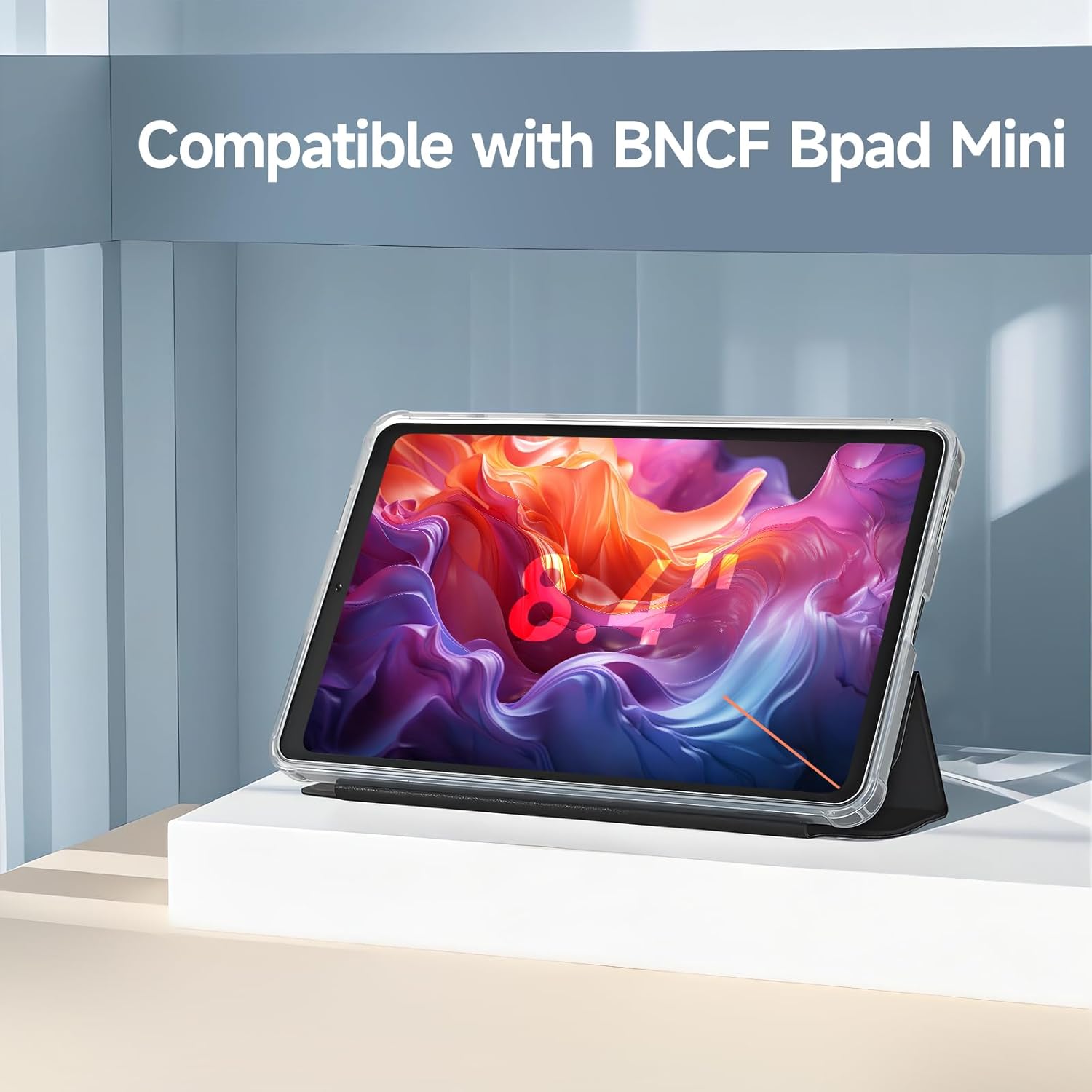
Image: The BNCF Bpad Mini tablet case, clearly showing its compatibility with the 8.4-inch Bpad Mini tablet. The tablet is securely housed within the clear protective case, with the screen displaying vibrant colors.

Aworan: A alaye view of the BNCF Bpad Mini tablet case highlighting its precise cutouts for the charging port, speakers, and side buttons, ensuring full accessibility and a perfect fit.
Awọn ẹya ṣiṣe
Auto Sleep/Wake Function
The case is equipped with an intelligent magnetic cover that supports the auto sleep/wake feature of your Bpad Mini tablet. When you close the cover, the tablet will automatically go into sleep mode, conserving battery life. Opening the cover will instantly wake up your tablet, allowing for quick access.

Image: An illustration demonstrating the auto sleep/wake functionality. Arrows indicate the tablet waking up when the cover is opened and going to sleep when closed, highlighting battery saving.
Olona-Igun Viewing Duro
The integrated foldable stand allows for multiple viewing angles, providing stable support for various activities. Whether you are watching movies, making video calls, typing, or studying, you can adjust the tablet to your preferred angle for optimal comfort and hands-free convenience.

Image: Two BNCF Bpad Mini tablets in their cases, showcasing the multi-angle stand feature. One tablet is set up for upright viewing, and the other for a lower typing angle.
Lightweight ati Portable Design
Designed to be slim and lightweight, this case adds minimal bulk to your Bpad Mini tablet, making it easy to carry. It provides reliable protection without compromising portability, ideal for travel, daily commutes, or use at home and in the office.

Image: The BNCF Bpad Mini tablet, enclosed in its protective case, being easily slipped into a bag, emphasizing its lightweight and portable nature for on-the-go use.
Itọju ati Itọju
To ensure the longevity and appearance of your BNCF Bpad Mini Tablet Case, follow these maintenance guidelines:
- Ninu: The case is made from waterproof, stain-resistant, and anti-fingerprint materials. To clean, gently wipe the surface with a soft, damp Aṣọ. Yẹra fún lílo àwọn kẹ́míkà líle tàbí àwọn ohun ìfọmọ́ tí ó lè pa ara, nítorí pé àwọn wọ̀nyí lè ba ohun èlò náà jẹ́.
- Idaabobo: While the case offers robust protection against scratches, bumps, and liquid spills, it is recommended to avoid exposing it to extreme temperatures or direct sunlight for prolonged periods.
- Ibi ipamọ: When not in use, store the case in a cool, dry place.
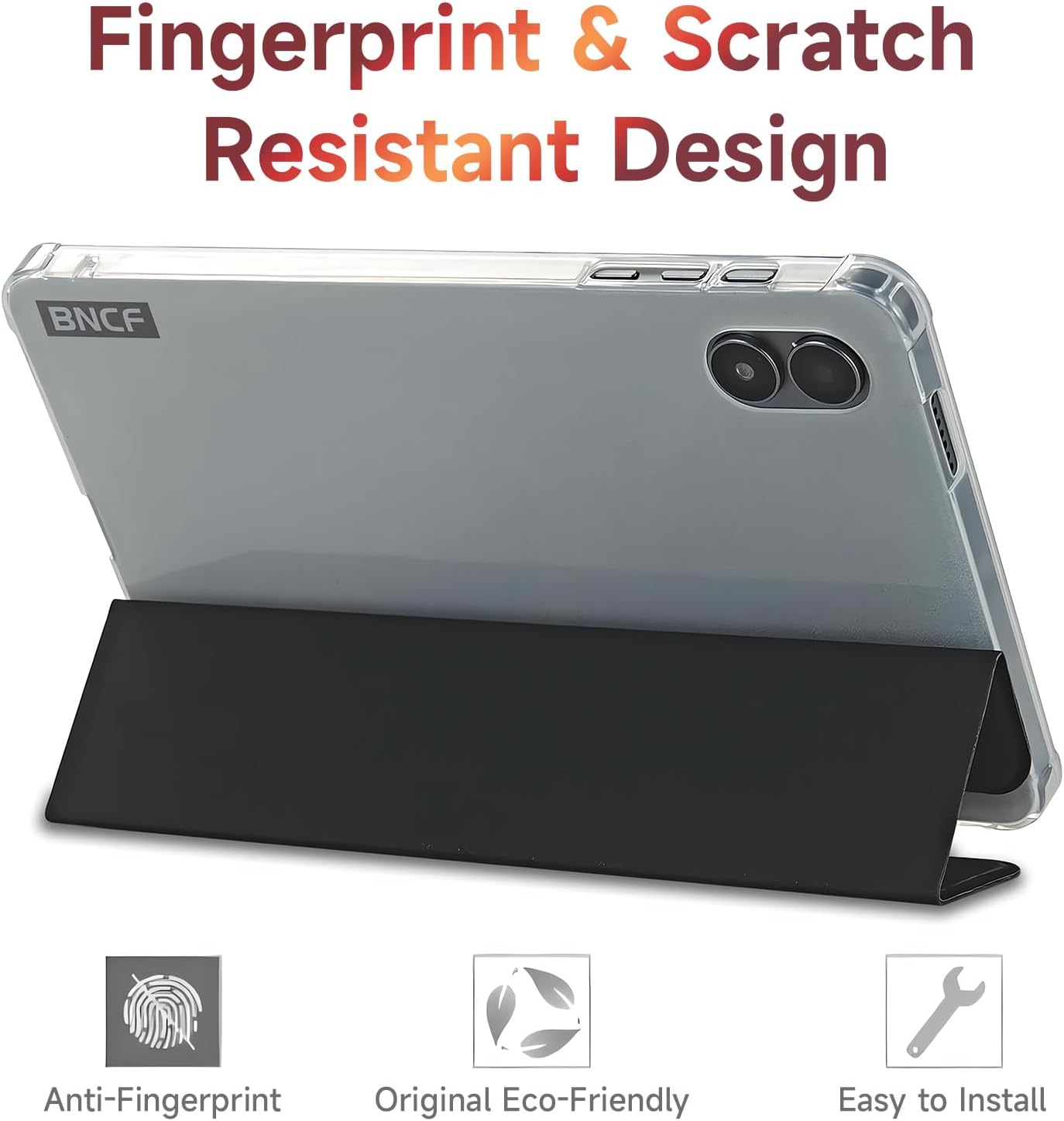
Image: The BNCF Bpad Mini tablet case highlighting its fingerprint and scratch-resistant properties. Icons represent anti-fingerprint, eco-friendly materials, and ease of installation.

Image: An illustration depicting the rugged, drop-proof design of the BNCF Bpad Mini tablet case, showing it protecting a tablet from impact on a cracked surface.
Laasigbotitusita
If you encounter any issues with your BNCF Bpad Mini Tablet Case, please refer to the following common solutions:
- Stand Collapses or is Unstable:
- Ensure the tablet is correctly seated in the case and the stand is fully extended and locked into position.
- Adjust the angle to find a stable viewing position. Some angles may offer more stability than others depending on the surface.
- Buttons are Difficult to Press:
- Verify that the tablet is perfectly aligned within the case. Remove the tablet and re-install it, ensuring all cutouts match the tablet's buttons and ports.
- The case is designed for a snug fit; slight pressure may be required for button activation.
- Orun/Ji laifọwọyi ko ṣiṣẹ:
- Confirm that your Bpad Mini tablet's settings have the "Smart Cover" or "Sleep/Wake" function enabled.
- Ensure the case cover is fully closed and making proper contact with the tablet screen. Magnets may be obstructed if the case is not closed completely.
Awọn pato
| Brand | BNCF |
| jara | Bpad Mini |
| Orukọ awoṣe | Bpad Mini Case |
| Ibamu Iwon Iboju | 8.4 inches |
| Iwọn Nkan | 1.34 iwon |
| Awọn iwọn Ọja (LxWxH) | 7.91 x 4.88 x 0.3 inches |
| Ohun elo | Premium waterproof, stain-resistant, anti-fingerprint, eco-friendly materials |
| Awọn ẹya ara ẹrọ | Auto Sleep/Wake, Multi-Angle Stand, Drop-Proof Design |
Atilẹyin ọja ati Support
BNCF is committed to high standards of quality and customer satisfaction. For products purchased from the BNCF Official Flagship Store, customers receive a Atilẹyin ọja atunṣe ọfẹ fun oṣu 12 ati s'aiye imọ support.
If you experience any issues or have questions regarding your BNCF Bpad Mini Tablet Case, please contact BNCF customer service. You can expect a response within 24 hours.

Image: BNCF's commitment to customer support, featuring a logo and text indicating a one-year warranty and support services.