
1. Ifihan
The AIRROBO P20 Robot Vacuum Cleaner is designed to provide efficient and convenient floor cleaning. Featuring intelligent navigation, powerful suction, and multiple cleaning modes, it is suitable for various floor types including hard floors and low-pile carpets. This manual provides essential information for setting up, operating, maintaining, and troubleshooting your device.

Figure 1: AIRROBO P20 Robot Vacuum Cleaner with remote control and smartphone app interface.
2. Alaye Aabo
Please read all safety instructions before using the appliance. Keep this manual for future reference.
- Ensure the power switch is in the 'ON' position before charging or operating.
- Keep loose cables, curtains, and other objects that could entangle the robot clear from the cleaning path.
- The robot is equipped with anti-collision and anti-drop sensors to prevent damage and falls. However, always ensure stairs and elevated areas are properly secured.
- Do not use the robot to clean liquids or wet surfaces.
- Regularly clean the dustbin and filters to maintain optimal performance.
3. Package Awọn akoonu
Jẹrisi pe gbogbo awọn paati wa ninu package:
- AIRROBO P20 Robot Vacuum Isenkanjade
- Isakoṣo latọna jijin
- Gbigba agbara Mimọ
- Adaparọ Agbara AC
- Ọpa mimọ
- Side Brushes (4 pieces)
- Itọsọna olumulo
4. Ọja Ipariview
The AIRROBO P20 features a compact design with advanced sensors for efficient cleaning.

Olusin 2: Pariview of AIRROBO P20 features including 3.1-inch slim design, self-charging, anti-falling, and anti-collision sensors.
Awọn nkan pataki:
- Robot Main Unit: Houses the motor, dustbin, battery, and sensors.
- Ipilẹ gbigba agbara: Provides power to recharge the robot.
- Awọn brushes ẹgbẹ: Sweep debris into the suction path.
- Dustbin: Ó kó eruku àti ìdọ̀tí jọ.
- Isakoṣo latọna jijin: Allows manual control and mode selection.
5. Eto
5.1 Fifi awọn gbọnnu ẹ̀gbẹ́ sori ẹrọ
- Yi roboti igbale lodindi.
- Align the side brushes with the corresponding posts on the bottom of the robot.
- Press down firmly until they click into place.
5.2 Gbígbé Ibùdó Ìgbàgbára
- Place the charging base against a wall in an open, uncluttered area.
- Ensure there is at least 1 meter (3 feet) of clear space on either side of the base and 2 meters (6 feet) in front.
- Plug the AC power adapter into the charging base and then into a wall outlet.
5.3 Gbigba agbara akọkọ
- Place the robot onto the charging base, ensuring the charging contacts align.
- The indicator light on the robot will show charging status. Allow the robot to fully charge before first use (approximately 4-5 hours).
5.4 App Download ati Asopọ
Control your AIRROBO P20 using the dedicated smartphone app. The app allows for scheduling, mode switching, and monitoring.

Figure 3: Control options for AIRROBO P20 via smartphone app, remote control, or voice assistants like Alexa and Google Assistant.
- Download the 'AIRROBO' app from your smartphone's app store.
- Follow the in-app instructions to register an account and add your P20 device.
- Rí i dájú pé foonu rẹ so mọ́ nẹ́tíwọ́ọ̀kì Wi-Fi 2.4GHz nígbà tí a bá ń ṣètò rẹ̀.
Video 1: Instructions on how to connect your AIRROBO P20 to the mobile application for smart control.
6. Awọn ilana Iṣiṣẹ
The AIRROBO P20 offers various cleaning modes and control options.
6.1 Titan / Pa a
- Agbara Tan: Press and hold the power button on the robot or use the app/remote.
- Agbara Pa: Press and hold the power button on the robot or use the app/remote.
Video 2: Demonstrates how to start the robot vacuum cleaner using the remote control or the physical button on the unit.
6.2 ninu awọn ipo

Figure 4: The AIRROBO P20 supports four distinct cleaning modes for comprehensive coverage.
- Mọ Aifọwọyi: The robot automatically cleans in a zigzag pattern, covering the entire area.
- Ibi Mọ: Fojusi lori agbegbe idọti kan pato, mimọ ni apẹrẹ ajija.
- Imo eti: Fọ pẹlú Odi ati aga egbegbe.
- Turbo Mimọ: Provides maximum suction for heavily soiled areas.
6.3 Suction Levels
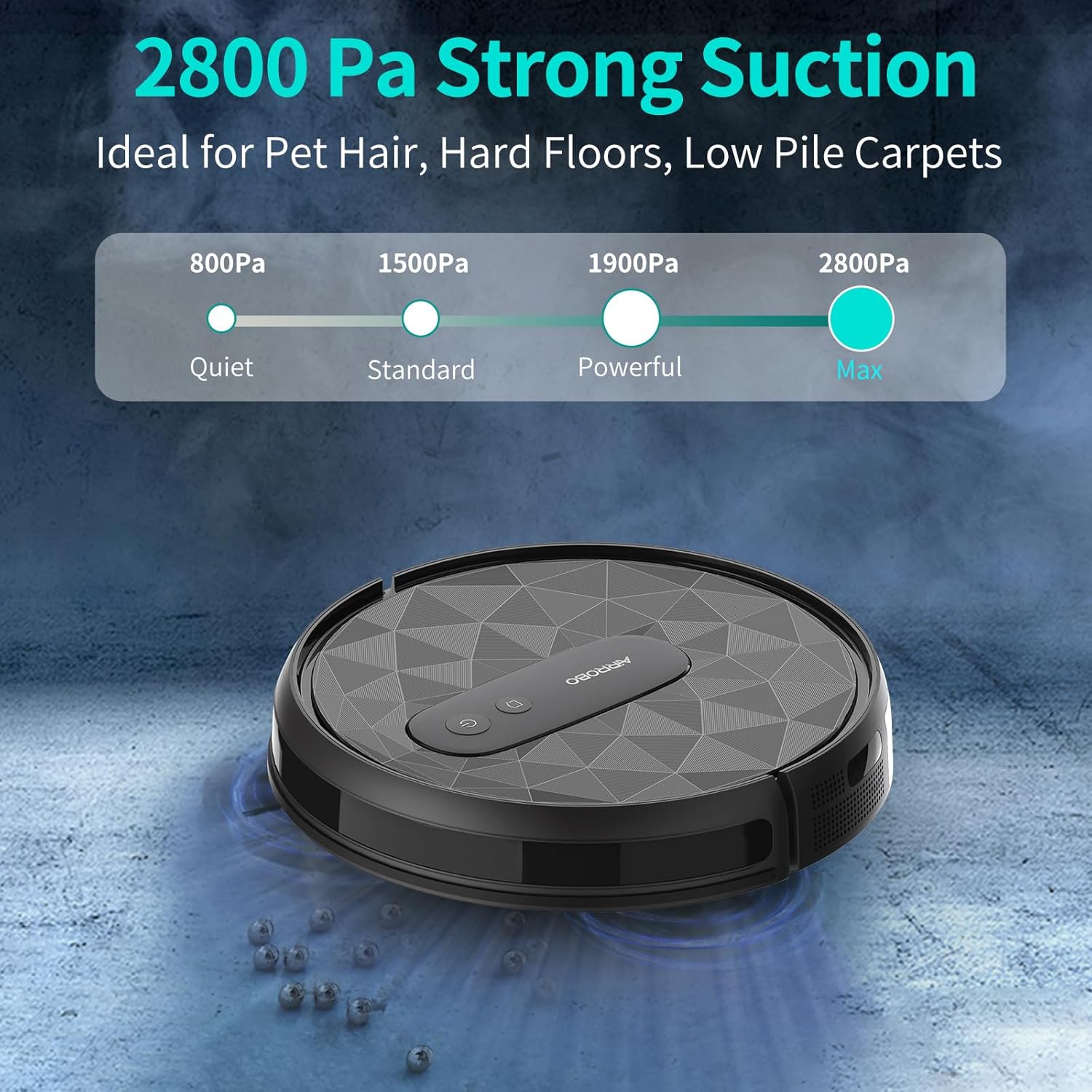
Figure 5: Adjustable suction power up to 2800Pa, ideal for pet hair, hard floors, and low-pile carpets.
Adjust suction power via the app or remote control to suit different cleaning needs:
- Quiet (800Pa)
- Standard (1500Pa)
- Powerful (1900Pa)
- Max (2800Pa)
6.4 Auto-Recharge
When the battery is low, the robot will automatically return to its charging base. It will also return to the base after completing a cleaning cycle.
7. Itọju
Regular maintenance ensures optimal performance and extends the lifespan of your AIRROBO P20.
7.1 Ofo Dustbin
- Ṣí ideri òkè ti robot náà.
- Tẹ bọtini itusilẹ lati yọ eruku eruku kuro.
- Ṣí ìdènà ìdọ̀tí náà kí o sì da gbogbo ohun tó wà nínú rẹ̀ sínú àpótí ìdọ̀tí.
7.2 Cleaning Ajọ
- Yọ àwọn àlẹ̀mọ́ kúrò nínú àpótí ìdọ̀tí.
- Tap the HEPA filter gently to remove dust. Do not wash the HEPA filter.
- Rinse the primary filter and sponge filter with water. Allow them to air dry completely before reinserting.
7.3 Cleaning Side gbọnnu
Periodically check and clean the side brushes. Remove any tangled hair or debris using the provided cleaning tool or scissors.
8. Laasigbotitusita
If you encounter issues with your AIRROBO P20, refer to the following common solutions:
- Robot ko tan: Ensure the power switch is on and the battery is charged.
- Robot di nigbagbogbo: Clear obstacles from the cleaning path. The anti-collision sensors help, but some items may still cause issues.
- Iṣe mimọ ti ko dara: Dá gbogbo àpò ìdọ̀tí náà nù kí o sì nu gbogbo àwọn àlẹ̀mọ́ àti búrọ́ọ̀ṣì rẹ̀.
- Robot not returning to charging base: Ensure the charging base is properly plugged in and placed in an open area. Clean the charging contacts on both the robot and the base.
9. Awọn pato
| Ẹya ara ẹrọ | Sipesifikesonu |
|---|---|
| Brand | AIRROBO |
| Orukọ awoṣe | P20 |
| Pataki Ẹya | Anti-Collision, Anti-Fall |
| Àwọ̀ | Grẹy |
| Ọja Mefa | 13.5"L x 13.5"W x 3.5"H |
| Àlẹmọ Iru | Hepa |
| Igbesi aye batiri | 180 iṣẹju |
| Wiwọn Ona | 11 inches |
| Voltage | 14.4 Volts |
| Agbara (Dustbin) | 0.5 liters |
| Orisun agbara | Agbara Batiri |
| Ọna Iṣakoso | App |
| Awọn ẹrọ ibaramu | Awọn fonutologbolori |
| Fọọmù ifosiwewe | Robotik |
| Iwọn Nkan | 8 iwon |
| Dada iṣeduro | capeti, Ilẹ-ilẹ lile |
10. Atilẹyin ọja & Atilẹyin
For warranty information or technical support, please contact AIRROBO customer service.
- Atilẹyin Onibara: + 1 8599558668
- Awọn wakati iṣẹ: 9AM to 5PM (American Time, Monday to Friday)