
1. Ifihan
This manual provides essential information for the proper use and maintenance of your BNCF Bpad 10 Android 14 Tablet. Please read it thoroughly before operating your device to ensure optimal performance and longevity. The Bpad 10 is designed for a seamless user experience, powered by a Snapdragon 685 processor and running Android 14.
2. Package Awọn akoonu
Daju pe gbogbo awọn ohun ti a ṣe akojọ si isalẹ wa ninu apoti ọja rẹ:
- BNCF Bpad 10 Tablet
- Itọsọna olumulo
- Charging Adapter (5V/2A)
- Type-C Cable (5V/2A)
- SIM Card Ejector Pin

Figure 2.1: Package Contents and Tablet Components Overview
3. Ọja Ipariview
The BNCF Bpad 10 features a sleek design with strategically placed components for ease of use.

Figure 3.1: BNCF Bpad 10 Tablet Front and Rear View
3.1 Awọn ohun elo ti ara
- Iho MicroSD: Fun ibi ipamọ expandable.
- Iru Ibudo-C: Fun gbigba agbara ati gbigbe data.
- Awọn bọtini iwọn didun: Ṣatunṣe iwọn didun ohun.
- Bọtini agbara: Turn the device on/off or lock/unlock the screen.
- Awọn agbọrọsọ: Dual stereo speakers for audio output.
- Gbohungbohun: Fun igbewọle ohun.
- Kamẹra Tẹhin: Kamera akọkọ fun awọn fọto ati awọn fidio.
- Kamẹra iwaju: Fun awọn ipe fidio ati awọn selfies.
4. Eto
4.1 Gbigba agbara akọkọ
Before first use, fully charge your BNCF Bpad 10 tablet using the provided Type-C cable and charging adapter. Connect the Type-C cable to the tablet's charging port and the adapter to a power outlet. The charging indicator will show the charging status.
4.2 Titan / Pa a
- Lati Fi agbara: Press and hold the Power Button until the BNCF logo appears on the screen.
- Lati Paarẹ: Press and hold the Power Button until the power options menu appears, then select 'Power Off'.
- Lati Tun bẹrẹ: Press and hold the Power Button until the power options menu appears, then select 'Restart'.
4.3 Iṣeto ni ibẹrẹ
Upon first power-on, the tablet will guide you through the initial setup process. This includes selecting your language, connecting to a Wi-Fi network, setting up your Google account, and configuring security options like facial recognition.
5. Awọn ilana Iṣiṣẹ
5.1 Àwọn Ẹ̀yà Android 14
Your Bpad 10 runs on Android 14, offering enhanced multitasking, security, and user-friendly features:
- Idanimọ oju: Securely unlock your device using your face.
- Pín Iboju: Use two applications simultaneously by dividing the screen.
- Smart Projection: Cast your tablet's screen to compatible external displays.
- Àwòrán ìka mẹ́ta: Capture screenshots quickly by swiping down with three fingers.
- Awọn iṣakoso obi: Manage and monitor device usage for children.
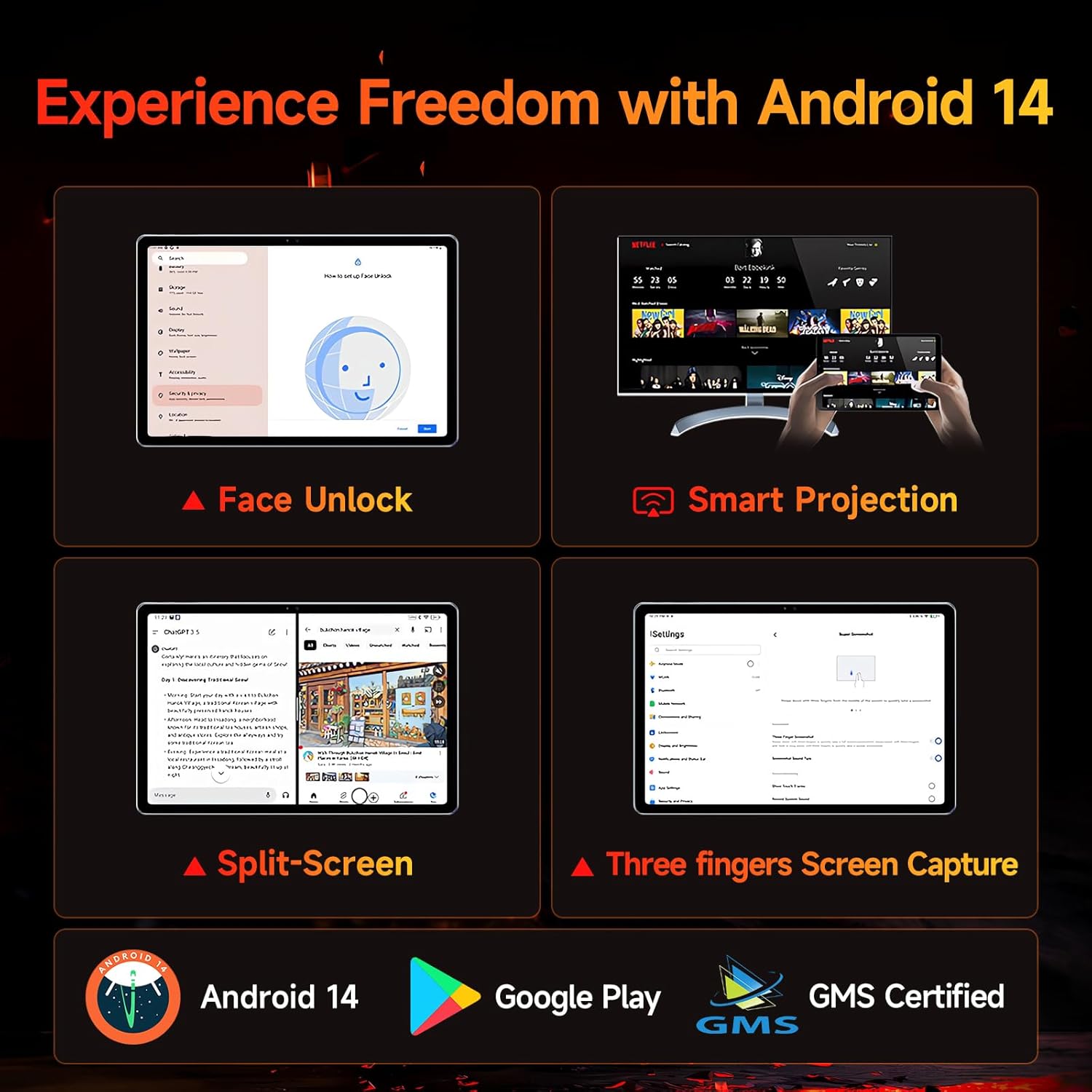
Figure 5.1: Android 14 User Interface and Features
5.2 išẹ
The Bpad 10 is equipped with a 6nm Snapdragon 685 processor (2.8GHz) and Adreno 610 GPU, ensuring efficient performance for various tasks. A 6-Axis Gyro Sensor enhances gaming and video recording stability.

Figure 5.2: Snapdragon 685 Processor Details
5.3 Ifihan ati Audio
Experience clear visuals and immersive sound with the Bpad 10:
- Ifihan: 10.1-inch FHD IPS screen with 1920x1200 resolution and a 60Hz refresh rate. It features 400 Nits brightness and Incell technology for improved touch accuracy.
- Widevine L1: Supports HD streaming on platforms like Netflix and Prime Video.
- Ohun: Dual stereo speakers provide a cinematic audio experience.

Figure 5.3: Display and Widevine L1 Capabilities
5.4 Awọn kamẹra
The tablet is equipped with 5MP front and 5MP rear cameras, suitable for capturing photos, 4K videos, and conducting HD video calls.
5.5 Asopọmọra
Duro si asopọ pẹlu awọn ẹya wọnyi:
- Wi-Fi: Supports 2.4G/5G dual-band Wi-Fi for stable internet access.
- Bluetooth 5.0: Fun asopọ awọn ẹya ẹrọ alailowaya.
- GPS: Fun awọn iṣẹ lilọ kiri ati ipo.
- Sensọ Hall: Enables smart on/off functionality with compatible covers.
5.6 Storage and Battery
The Bpad 10 offers ample storage and long-lasting power:
- Ramu: 12GB (4GB physical + 8GB virtual) for smooth multitasking.
- ROM: 128GB UFS storage, expandable up to 1TB via MicroSD card.
- Batiri: 6500mAh battery supporting 18W PD fast charging for extended use.

Figure 5.4: Storage and Battery Specifications
6. Itọju
To ensure the longevity and optimal performance of your BNCF Bpad 10 tablet, follow these maintenance guidelines:
- Ninu: Lo asọ ti ko ni lint lati nu iboju ati ara. Yago fun awọn ohun elo abrasive tabi awọn kemikali lile.
- Iwọn otutu: Lo tábìlẹ́ẹ̀tì náà láàárín ìwọ̀n otútù tí a gbà níyànjú. Yẹra fún ooru líle tàbí òtútù.
- Ifihan omi: Keep the tablet away from water and high humidity. It is not waterproof.
- Ibi ipamọ: Store the tablet in a dry, cool place when not in use.
- Awọn imudojuiwọn sọfitiwia: Ṣe àyẹ̀wò déédéé fún àwọn àtúnṣe ètò náà kí o sì fi sori ẹrọ láti rí i dájú pé ààbò àti ìdàgbàsókè iṣẹ́ ń lọ sí i.
7. Laasigbotitusita
If you encounter issues with your BNCF Bpad 10, refer to the following common troubleshooting steps:
| Isoro | Owun to le Solusan |
|---|---|
| Tabulẹti ko ni agbara lori | Ensure the battery is charged. Connect the charger and wait a few minutes before attempting to power on again. If unresponsive, perform a forced restart by holding the power button for 10-15 seconds. |
| O lọra išẹ | Close unnecessary background applications. Clear cache for frequently used apps. Restart the tablet. Ensure sufficient storage space is available. |
| Wi-Fi Asopọmọra oran | Restart your Wi-Fi router. Forget the network on your tablet and reconnect. Ensure the tablet is within range of the Wi-Fi signal. |
| Iboju ko dahun | Restart the tablet. Ensure the screen is clean and free from moisture or debris. |
| Batiri n ṣan ni kiakia | Reduce screen brightness. Close background apps. Disable unused features like Bluetooth or GPS. Check for apps consuming excessive power in battery settings. |
8. Awọn pato
Key technical specifications for the BNCF Bpad 10 tablet:
| Ẹya ara ẹrọ | Sipesifikesonu |
|---|---|
| Iwon iboju | 10.1 inches |
| Ipinnu iboju | 1920 x 1200 awọn piksẹli (FHD) |
| Eto isesise | Android 14 |
| isise | Qualcomm Snapdragon 685 (2.8GHz) |
| Àgbo | 12GB (4GB + 8GB foju) |
| Flash Memory Iwon | 128 GB UFS (Expandable to 1TB) |
| Awọn kamẹra | 5MP Iwaju, 5MP ru |
| Agbara Batiri | 6500mAh |
| Gbigba agbara | Gbigba agbara yara 18W PD |
| Alailowaya Iru | 802.11b/g (2.4G/5G WiFi), Bluetooth 5.0 |
| Iwọn Nkan | 1.07 poun (isunmọ 485g) |
| Ọja Mefa | 7.9 x 4.9 x 0.3 inches (iwọn 20.1 x 12.4 x 0.76 cm) |
| Àwọ̀ | Grẹy |
9. Atilẹyin ọja ati Support
BNCF is committed to providing quality products and customer satisfaction.
9.1 atilẹyin ọja Afihan
BNCF offers a one-year warranty for its products. For tablets purchased from the BNCF Official Flagship Store, customers benefit from a 12-month free repair warranty and lifetime technical support.
9.2 Onibara Support
If you encounter any issues or have inquiries regarding your BNCF Bpad 10 tablet, please contact BNCF customer service. You can expect a response within 24 hours. They can assist with troubleshooting, returns, or exchange services.
- Olubasọrọ: Please refer to the contact information provided on the BNCF official webojula tabi rẹ ra Syeed.
- FAQs:
- Are you specialized in tablets? Yes, BNCF is dedicated to designing and manufacturing innovative tablets, prioritizing quality, performance, and user experience.
- What is the RMA policy for this tablet? We offer a one-year warranty. You can expect a response from us within 24 hours for any issues or inquiries.
- If my products have issues, what should I do? Please leave us a message, and we will use our expertise to solve the problem for you, or provide a return or exchange service.