
RAYKUBE M5 TT Silver
RAYKUBE M5 TT Smart Fingerprint Door Lock User Manual
Model: M5 TT Silver
Brand: RAYKUBE
1. Ifihan
This user manual provides detailed instructions for the installation, operation, and maintenance of your RAYKUBE M5 TT Smart Fingerprint Door Lock. Please read this manual thoroughly before installation and use to ensure proper function and safety.
Awọn iṣọra Aabo
- Má ṣe fi ìdènà náà sí omi tàbí ooru tó pọ̀ jù.
- Use only specified battery types (4x AAA).
- Keep keys and passcodes in a secure location.
- Ensure proper installation to prevent damage or malfunction.
2. Ọja Ipariview
The RAYKUBE M5 TT Smart Fingerprint Door Lock offers multiple unlocking methods and smart features for enhanced security and convenience in various living spaces.
Awọn ẹya pataki:
- Touch Screen Interface for easy operation.
- Numeric Code Keyboard for secure access.
- Multi-functional Use, ideal for families, hotels, and apartments.
- Fingerprint Lock Function using biometric authentication.
- Multiple unlocking methods: Fingerprint, Passcode, IC Card, Key, and TTLock App.
- Emergency USB Type-C charging port.
Components and Design:

Figure 2.1: RAYKUBE M5 TT Smart Fingerprint Door Lock (Black and Silver models). This image displays both the black and silver versions of the smart lock, highlighting their sleek design and integrated keypad.

Figure 2.2: Silver M5 TT Lock with Bluetooth and TT Lock App compatibility. The silver model is shown with indicators for Bluetooth connectivity and compatibility with the TT Lock application.
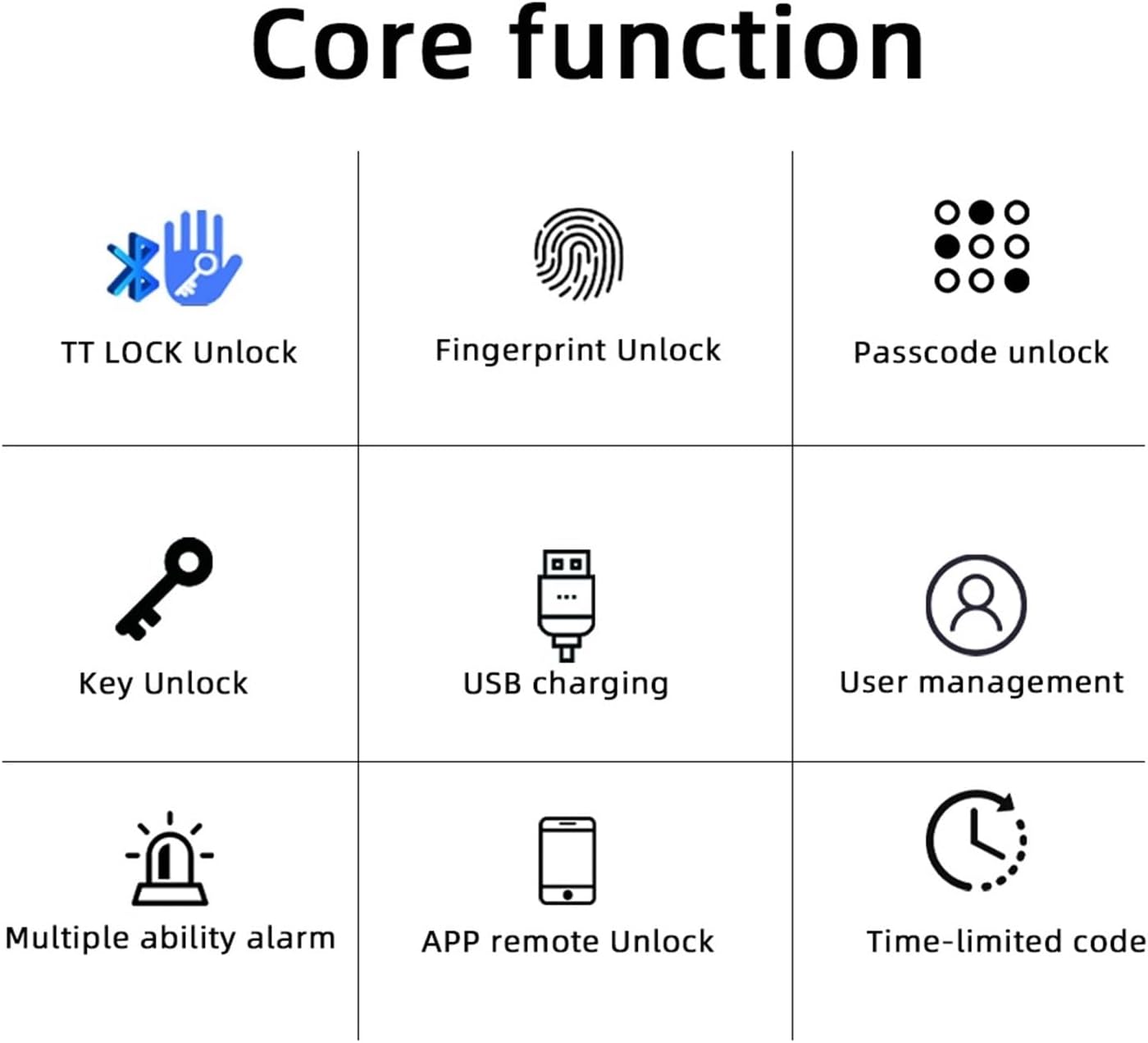
Figure 2.3: Core Functions. This diagram illustrates the various unlocking methods and features: TT LOCK Unlock, Fingerprint Unlock, Passcode Unlock, Key Unlock, USB Charging, User Management, Multiple Ability Alarm, APP Remote Unlock, and Time-limited Code.

Figure 2.4: TT LOCK APP Control and G2 Gateway. This image shows how the lock can be controlled via the TT Lock app and connected to Wi-Fi using an optional G2 Gateway for remote access.

Figure 2.5: Power Supply. The lock is powered by 4x AAA batteries, offering approximately 8 months of battery life. It includes a low battery reminder and a Type-C port for emergency power in case of full battery depletion.

Figure 2.6: Product Dimensions and Component Identification. This diagram provides key measurements (e.g., 58mm width, 160mm length) and labels important components such as the fingerprint sensor, card sensing area, keypad, keyhole, and Type-C charging port.
3. Eto Itọsọna
Follow these steps for a smooth installation of your smart lock.
Atokọ iṣaju fifi sori ẹrọ:
- Ensure your door thickness is compatible with the lock.
- Verify all components are present in the package.
- Kó àwọn irinṣẹ́ tó yẹ (fún àpẹẹrẹ, screwdriver).
Awọn igbesẹ fifi sori ẹrọ:
- Remove your existing door handle/lock.
- Install the new latch and strike plate into the door frame.
- Attach the exterior and interior lock assemblies, ensuring cables are properly connected.
- Secure the lock with screws.
- Insert 4x AAA batteries into the battery compartment.
- Test the lock's functionality with the mechanical key.

Figure 3.1: Easy and Convenient Installation. This image demonstrates the simple replacement process, showing a standard door handle before and after installation of the RAYKUBE M5 TT Smart Lock.
4. Awọn ilana Iṣiṣẹ
The RAYKUBE M5 TT Smart Lock offers multiple convenient ways to unlock your door.
Awọn ọna ṣiṣi silẹ:
- Ṣii silẹ Atẹtẹ ika: Place your registered finger on the fingerprint sensor. The lock will unlock upon successful verification.
- Ṣii koodu iwọle silẹ: Enter your registered passcode on the numeric keypad, followed by the '#' key.
- Ṣíṣí Káàdì IC: Tap your registered IC card on the card sensing area.
- Ṣii silẹ bọtini ẹrọ ẹrọ: Insert the physical key into the keyhole and turn to unlock. This is for emergency use.
- Ṣíṣí ohun èlò TTLock: Open the TTLock app on your smartphone, ensure Bluetooth is enabled, and tap the unlock icon.
Ipo Ilana:
Passage mode allows the door to remain unlocked for continuous access without requiring authentication. This mode is useful for high-traffic periods. Refer to the TTLock app for instructions on how to activate and deactivate Passage Mode.
5. Itọju
Itọju to peye n ṣe idaniloju pe o pẹ to ati iṣẹ ṣiṣe to dara julọ ti titiipa smart rẹ.
Rirọpo Batiri:
- The lock is powered by 4x AAA batteries.
- When the battery is low, the lock will provide a low battery reminder (audible alert or indicator light).
- To replace, open the battery cover on the interior handle and replace all four batteries with new ones.
Agbara pajawiri:
In case the batteries are completely depleted, you can use a portable power bank connected to the Type-C port on the exterior handle for emergency power to unlock the door.
Ninu:
Mu ese titiipa kuro pẹlu asọ ti o tutu, ti o gbẹ. Yago fun lilo abrasive ose tabi olomi ti o le ba ipari tabi itanna irinše.
6. Laasigbotitusita
This section addresses common issues you might encounter with your smart lock.
| Isoro | Owun to le Fa | Ojutu |
|---|---|---|
| Titiipa ko dahun | Awọn batiri ti o ku | Replace batteries or use emergency Type-C power. |
| Titẹ ika ọwọ ko mọ | Ìka ọwọ́ dọ̀tí/ọrinrin, sensọ̀ náà dọ̀tí, tàbí ìka ọwọ́ kò tíì forúkọ sílẹ̀ dáadáa. | Nu ika ati sensọ naa. Tun fi ika ọwọ silẹ ti iṣoro naa ba n tẹsiwaju. |
| Passcode not working | Incorrect passcode entered, or passcode not registered. | Verify passcode. Ensure passcode is correctly registered via the app. |
| TTLock App connection issues | Bluetooth off, app not updated, or lock too far from phone. | Ensure Bluetooth is on. Update app. Move closer to the lock. |
7. Awọn pato
| Iwa | Ẹ̀kúnrẹ́rẹ́ |
|---|---|
| Brand | RAYKUBE |
| Nọmba awoṣe | M5 TT Silver |
| Awọn iwọn Ọja (isunmọ) | 160 mm (Length) x 58 mm (Width) |
| Iwọn Nkan | 50 g |
| Àwọ̀ | M5 TT Silver |
| Opoiye | 1 |
| Orisun agbara | 4x AAA batiri |
| Agbara pajawiri | Iru-C USB Port |
| Asopọmọra | Bluetooth (TTLock App), Wi-Fi (with optional G2 Gateway) |
8. Atilẹyin ọja ati Support
Fun alaye atilẹyin ọja tabi atilẹyin imọ ẹrọ, jọwọ kan si ataja tabi olupese taara. Tọju iwe-ẹri rira rẹ bi ẹri rira.
If you have any questions or require assistance, please refer to the contact information provided at the point of purchase or on the product packaging.
Ask a question about this manual
Ask about setup, troubleshooting, compatibility, parts, safety, or missing instructions. Manuals+ will review the question and use this page’s manual context to help answer it.