
Ọrọ Iṣaaju
O ṣeun fun riraasing the Oilsky D26 MP3 Player. This device combines a 2.8-inch full touchscreen with Bluetooth 5.0 connectivity, a built-in speaker, and a robust alloy design. It offers 64GB of internal storage, expandable up to 128GB with a microSD card, and supports various audio formats. This manual provides essential information for setup, operation, and maintenance to ensure optimal performance.
Package Awọn akoonu
Jọwọ ṣayẹwo package fun awọn nkan wọnyi:
- Oilsky D26 MP3 Player Unit
- Awọn agbekọri
- Iru-C Okun USB
- Ilana itọnisọna
- Ọran Idaabobo

Ti awọn ohun kan ba nsọnu tabi bajẹ, jọwọ kan si atilẹyin alabara.
Ọja Pariview
The Oilsky D26 MP3 Player features a sleek alloy design with a 2.8-inch full touchscreen for intuitive navigation. It includes a home button for easy return to the main menu.

Ṣeto
1. Ngba agbara ẹrọ
Before first use, fully charge the MP3 player. Connect the provided Type-C USB cable to the player's charging port and the other end to a USB power adapter (not included) or a computer's USB port. The battery indicator on the screen will show charging status.
2. Fi kaadi microSD sii (Aṣayan)
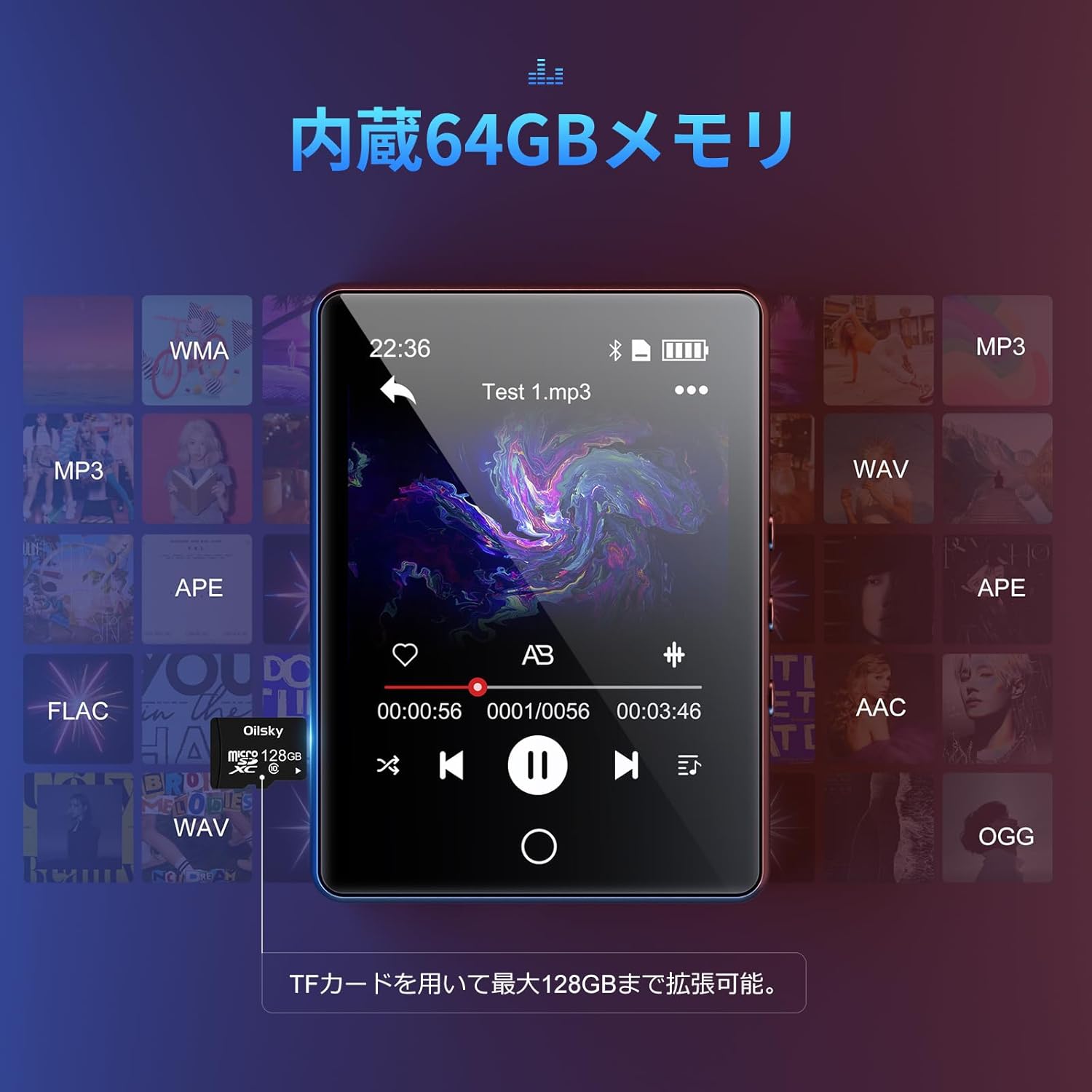
The device has 64GB of internal storage. To expand storage up to 128GB, insert a microSD card into the designated slot. Ensure the card is inserted correctly until it clicks into place.

3. Gbigbe Files
Connect the MP3 player to your computer using the Type-C USB cable. The device will appear as a removable disk. You can then drag and drop audio files (MP3, WMA, APE, FLAC, AAC, WAV, OGG) into the player's internal storage or the inserted microSD card.
Awọn ilana Iṣiṣẹ
1. Ipilẹ Lilọ kiri
The D26 features a 2.8-inch full touchscreen. Tap icons to select functions and swipe to navigate menus. The physical home button at the bottom allows you to return to the main menu from any application.

2. Sisisẹsẹhin Orin
Tap the 'Music' icon on the main screen to access your audio library. The player supports various formats including MP3, WMA, APE, FLAC, AAC, WAV, and OGG, ensuring high-quality audio playback with minimal loss.
3. Bluetooth Asopọmọra
The D26 features Bluetooth 5.0 for stable wireless connections. To pair with Bluetooth headphones or speakers:
- Lọ sí 'Ètò' kí o sì yan 'Bluetooth'.
- Tan Bluetooth kí o sì ṣe àyẹ̀wò àwọn ẹ̀rọ tó wà.
- Yan agbekọri Bluetooth rẹ tabi agbọrọsọ lati inu akojọ ti o le so pọ mọ.
Akiyesi: This device can only pair with Bluetooth headsets or speakers. It cannot pair with mobile phones, cars, or computers. Ensure you are in an area free from strong electromagnetic interference to maintain a stable Bluetooth connection.

4. Redio FM
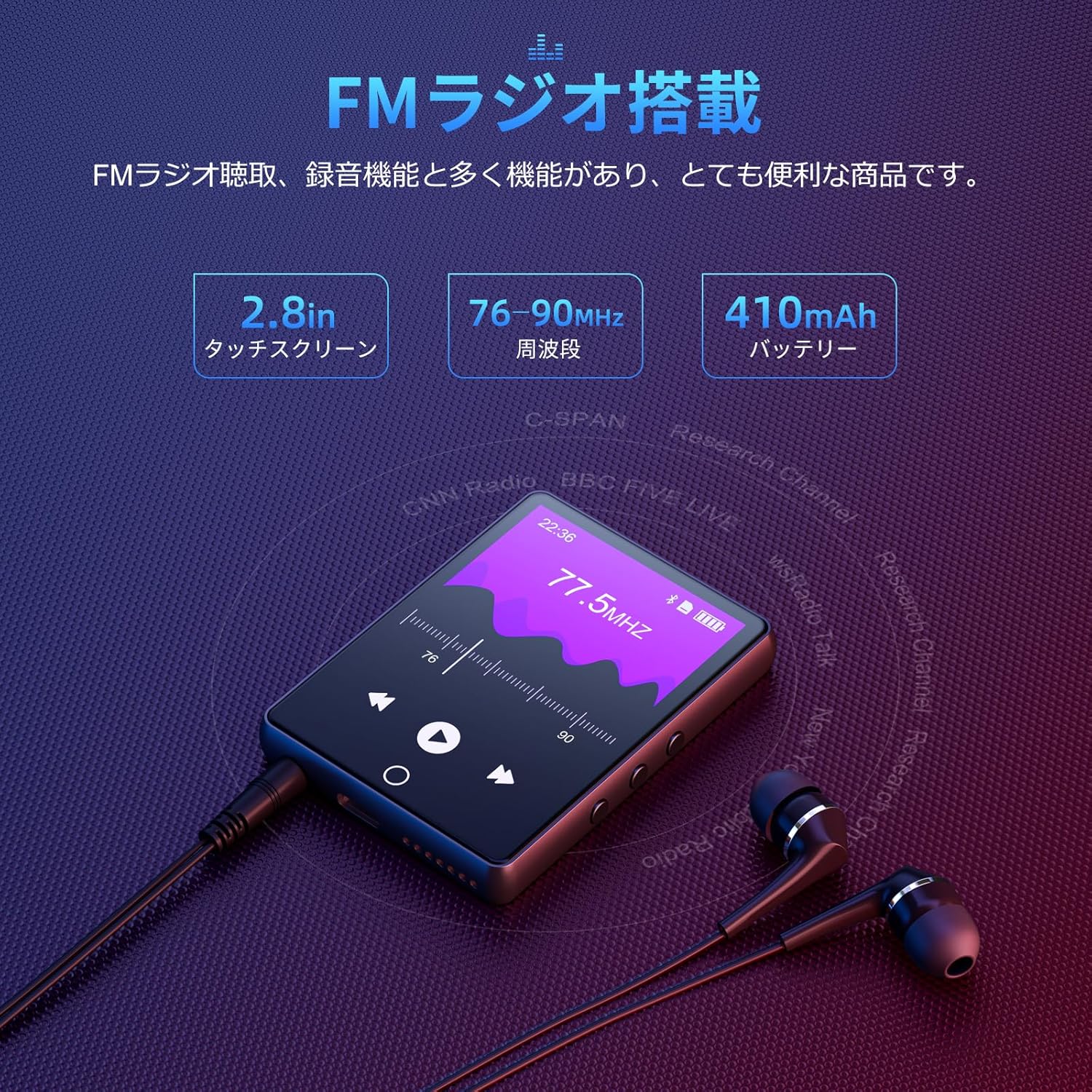
To use the FM radio function, connect the wired earphones (included) as they act as the antenna. Tap the 'FM Radio' icon on the main screen. You can then scan for stations and listen to broadcasts.
5. Iṣẹ igbasilẹ
The D26 includes a recording function, useful for lectures, meetings, or personal notes. Tap the 'Record' icon to start and stop recordings. Recorded files are saved on the device.

6. Awọn iṣẹ miiran
The device also includes additional utilities such as a timer, calendar, and calculator. Access these features from the main menu.

Itoju
- Jeki ẹrọ naa gbẹ. Yago fun ifihan si ọrinrin tabi olomi.
- Clean the screen and body with a soft, dry cloth. Do not use abrasive cleaners.
- Yago fun awọn iwọn otutu to gaju.
- Ma ṣe gbiyanju lati tunto tabi tun ẹrọ naa funrararẹ.
Laasigbotitusita
Ẹrọ ti ko tan:
- Rii daju pe ẹrọ naa ti gba agbara ni kikun.
- Tẹ mọlẹ bọtini agbara fun iṣẹju diẹ.
Ko le sopọ nipasẹ Bluetooth:
- Ensure Bluetooth is enabled on both the player and the receiving device (headphones/speaker).
- Make sure the receiving device is in pairing mode.
- Confirm that you are attempting to pair with a compatible device (Bluetooth headphones or speakers only).
- Move away from potential sources of electromagnetic interference.
Ko si ohun:
- Ṣayẹwo ipele iwọn didun.
- Ensure earphones are properly connected or Bluetooth device is paired and connected.
- Test with different earphones or Bluetooth device.
Fileko dun:
- Jẹrisi pe ohun naa file format is supported (MP3, WMA, APE, FLAC, AAC, WAV, OGG).
- Rii daju pe files ko baje.
Awọn pato
| Ẹya ara ẹrọ | Sipesifikesonu |
|---|---|
| Nọmba awoṣe | D26 |
| Brand | Oilsky |
| Iwon iboju | 2.8 inches |
| Ifihan ọna ẹrọ | LCD |
| Ibi ipamọ inu | 64 GB |
| Expandable Ibi ipamọ | Up to 128GB via microSD card |
| Asopọmọra | Bluetooth 5.0 |
| Awọn ọna kika Audio atilẹyin | MP3, WMA, APE, FLAC, AAC, WAV, OGG |
| Awọn iṣẹ miiran | FM Radio, Built-in Speaker, Recording, Calculator, Timer, Calendar |
| Awọn iwọn | 14.7 x 14.6 x 1.9 cm |
| Iwọn | 200 g |
Atilẹyin ọja ati Support
This product comes with a standard manufacturer's warranty. For specific warranty details, please refer to the warranty card included in your package or contact the seller directly. If you encounter any issues or have questions regarding your Oilsky D26 MP3 Player, please reach out to our customer support team for assistance.
Ibi iwifunni: Please refer to the contact details provided on the product packaging or the seller's information page.