
1. Ifihan ati Loriview
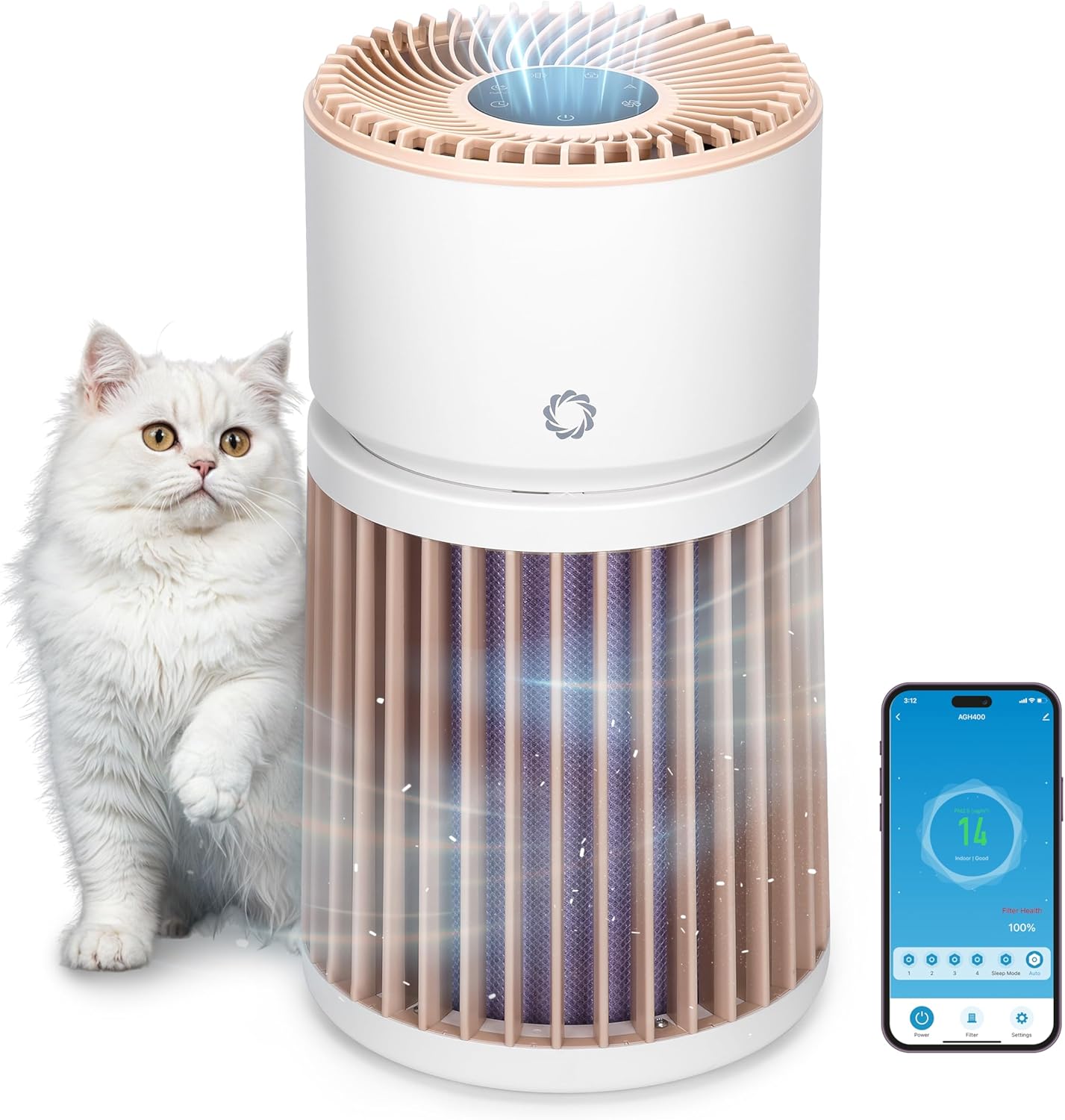
The Airthereal AGH400-PET Pet Air Purifier is designed to improve indoor air quality, especially in homes with pets. It features advanced filtration technology to effectively remove pet odors, dander, hair, dust, and other airborne particles, ensuring a fresher and healthier environment.
- Advanced Odor Elimination: Equipped with a powerful HEPA Purple Filter to combat pet odors and lingering smells.
- Asẹ-tẹlẹ ti a le wẹ: A removable surface pre-filter captures pet hair and large particles, extending the lifespan of the main filter.
- Apẹrẹ Ọrẹ Ọsin: Engineered to safely manage pet hair, cat urine odors, and dust, creating a healthier space for both pets and owners.
- Integrated PM 2.5 Sensor: Monitors and responds to changes in air quality in real-time, optimizing purification for any room size.
- Gbigbe afẹfẹ 360°: Provides comprehensive air purification by effectively capturing airborne particles from all directions.
- Whisper-Quiet Sleep Mode: Operates silently to ensure a peaceful and fresh environment without disturbance.
2. Awọn ilana iṣeto
- Unpack the Purifier: Ni ifarabalẹ yọ olutọju afẹfẹ ati gbogbo awọn ohun elo apoti kuro ninu apoti.
- Yọ Iṣakojọpọ Ajọ kuro: Twist the top section of the purifier counter-clockwise to unlock and lift it off. Remove the plastic packaging from the H13 Purple HEPA Filter.
- Fi Ajọ sori ẹrọ: Place the unwrapped filter back into the base unit. Ensure it is seated correctly.
- Reassemble Unit: Align the top section with the base and twist clockwise to lock it securely in place.
- Ibi: Place the air purifier on a flat, stable surface, ensuring at least 15 inches (38 cm) of clearance on all sides for optimal airflow. Avoid placing it near walls or furniture that could obstruct air intake.
- Asopọ agbara: So adapter agbara pọ mọ ibudo titẹ sii DC ni ẹhin ẹrọ naa, lẹhinna so adapter naa pọ mọ ibudo ina deede kan.

3. Awọn ilana Iṣiṣẹ
Ibi iwaju alabujutoview
The control panel is located on the top of the air purifier and features touch-sensitive buttons and a digital display.

- Bọtini agbara (U): Tẹ lati tan-an tabi Pa a kuro.
- Bọtini Iyara Fan (A): Cycle through 4 fan speed settings (F1-F4).
- Bọtini Ipo Aifọwọyi (A): Activates automatic fan speed adjustment based on real-time air quality.
- Bọtini Ipo oorun (C): Reduces fan speed to the lowest setting and dims/turns off display lights for quiet operation.
- Bọtini aago (L): Set the operating time (e.g., 1-12 hours).
- Child Lock Button (L): Press and hold for 3 seconds to activate/deactivate, preventing accidental changes to settings.
- Àmì Àtúntò Àlẹ̀mọ́: Lights up when the filter needs cleaning or replacement.
Atọka Didara Air
The LED light ring on the control panel changes color to indicate the current air quality:
- Alawọ ewe: Good air quality (PM2.5 < 50 µg/m³)
- Yellow: Moderate air quality (PM2.5 51-100 µg/m³)
- Pupa: Unhealthy air quality (PM2.5 > 101 µg/m³)

Mobile App Iṣakoso
The AGH400-PET can be controlled remotely via a mobile application. Download the appropriate app (e.g., AIR.ai APP) from your smartphone's app store. Follow the in-app instructions to connect your device. The app allows you to:
- Turn the purifier On/Off.
- Adjust fan speeds and modes.
- Ṣètò àwọn aago àti ìṣètò.
- Monitor air quality and filter health.
- Activate Child Lock.

4. Itọju
Filter Cleaning ati Rirọpo
Regular maintenance of the filters ensures optimal performance and extends the life of your air purifier.
- Asẹ-tẹlẹ ti a le wẹ: The outer pre-filter is designed to capture larger particles like pet hair. It can be removed and gently washed with water. Ensure it is completely dry before reattaching.
- H13 Purple HEPA Filter: This multi-layer filter is not washable and should be replaced every 6-8 months, or when the filter reset indicator lights up, depending on usage and air quality.
Rirọpo Ajọ:
- Pa a kuro ki o yọọ kuro ni afẹfẹ afẹfẹ.
- Twist the top section counter-clockwise and lift it off.
- Carefully remove the old H13 Purple HEPA Filter.
- Insert the new filter into the base unit, ensuring proper orientation.
- Reattach the top section by aligning and twisting clockwise until locked.
- Plug in the unit and press and hold the Filter Reset button for 3 seconds to reset the filter life indicator.

5. Laasigbotitusita
| Isoro | Owun to le Fa | Ojutu |
|---|---|---|
| Ẹka ko ni tan-an | Ko edidi ni; agbara otage; unit not assembled correctly. | Check power connection; ensure top and base are locked; check household circuit breaker. |
| Afẹ́fẹ́ inú ọkọ̀ òfurufú dínkù tàbí ariwo àìdára | Clogged filter; foreign object in fan. | Clean/replace filters; check for obstructions (unplug first). |
| Air quality indicator always red/yellow | High pollution levels; sensor obstruction. | Allow time for purification; clean the PM2.5 sensor (refer to manual for location). |
| Ko le sopọ si ohun elo alagbeka | Incorrect Wi-Fi password; device too far from router; app issues. | Verify Wi-Fi credentials; move unit closer to router; restart app/device. |
6. Awọn pato
- Nọmba awoṣe: AGH400-ọsin
- Awọn iwọn ọja: 11.8 x 11.8 x 21.3 inches
- Ìwọ̀n Nkan: 13.34 iwon
- Orisun Agbara: DC
- Wattage: 42 watt
- Ọna Iṣakoso: App, Touch control
- Àlẹmọ Iru: Odor Decomposition Filter, HEPA and Activated Carbon
- Ibori Agbegbe Ilẹ: Titi di 3500 Square Ẹsẹ
- Ipele Ariwo: 28 Decibels (in Sleep Mode)
- Iwọn Idaduro Kekere: 0.1 Micron
- Awọn ẹya pataki: HEPA Purple Filter, Integrated PM 2.5 Air Quality Sensor
- Ijẹrisi: CARB Ifọwọsi
- Àwọ̀: Funfun

7. Atilẹyin ọja ati Support
For warranty information, technical support, or any questions regarding your Airthereal Pet Air Purifier AGH400-PET, please refer to the official Airthereal webojula tabi kan si wọn onibara iṣẹ taara. Tọju iwe-ẹri rira rẹ fun awọn ẹtọ atilẹyin ọja.
O le wa alaye diẹ sii ati atilẹyin ni Airthereal Official Webojula.